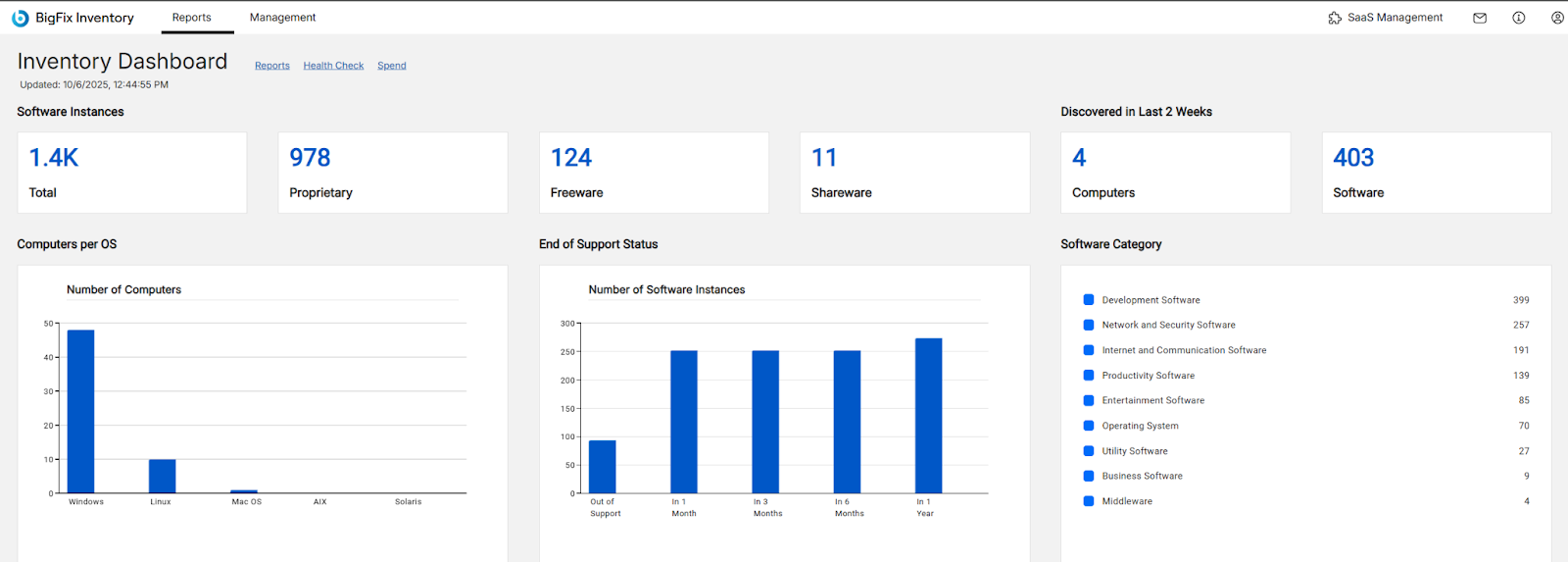
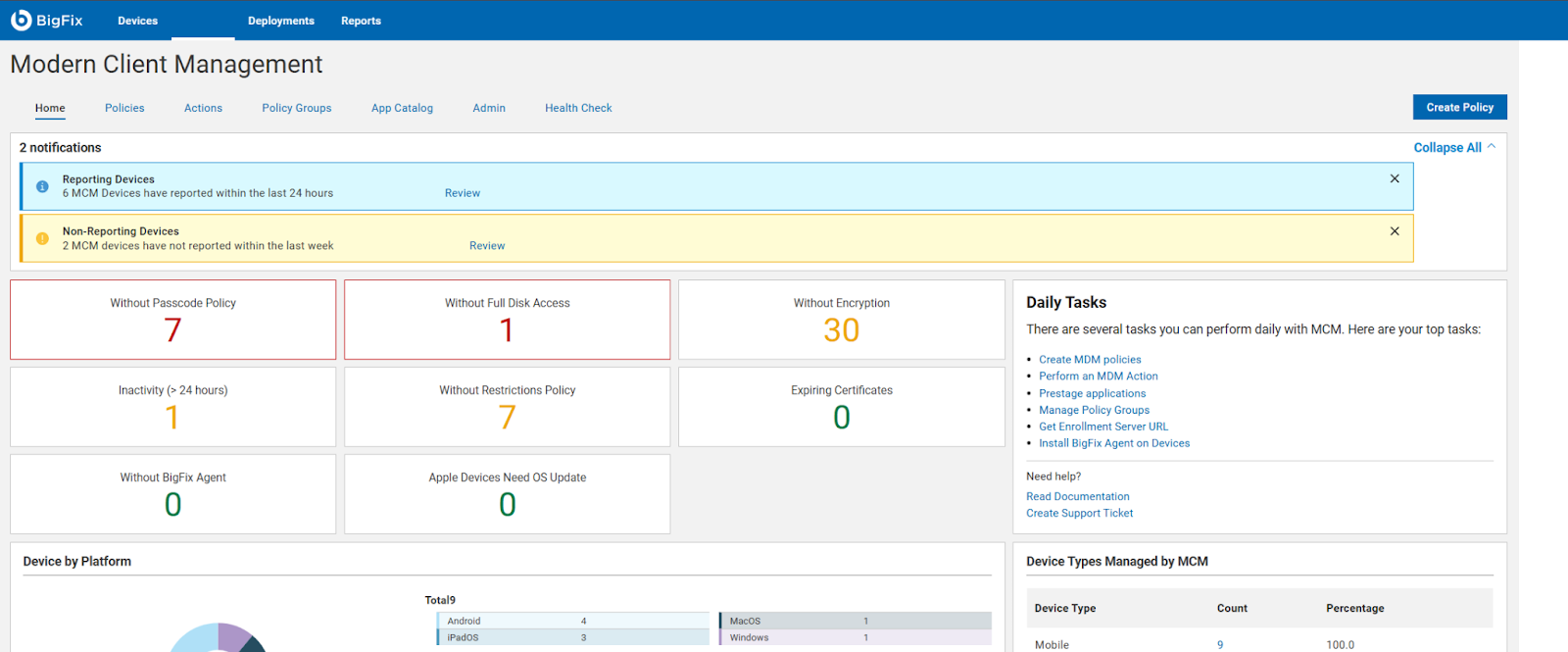
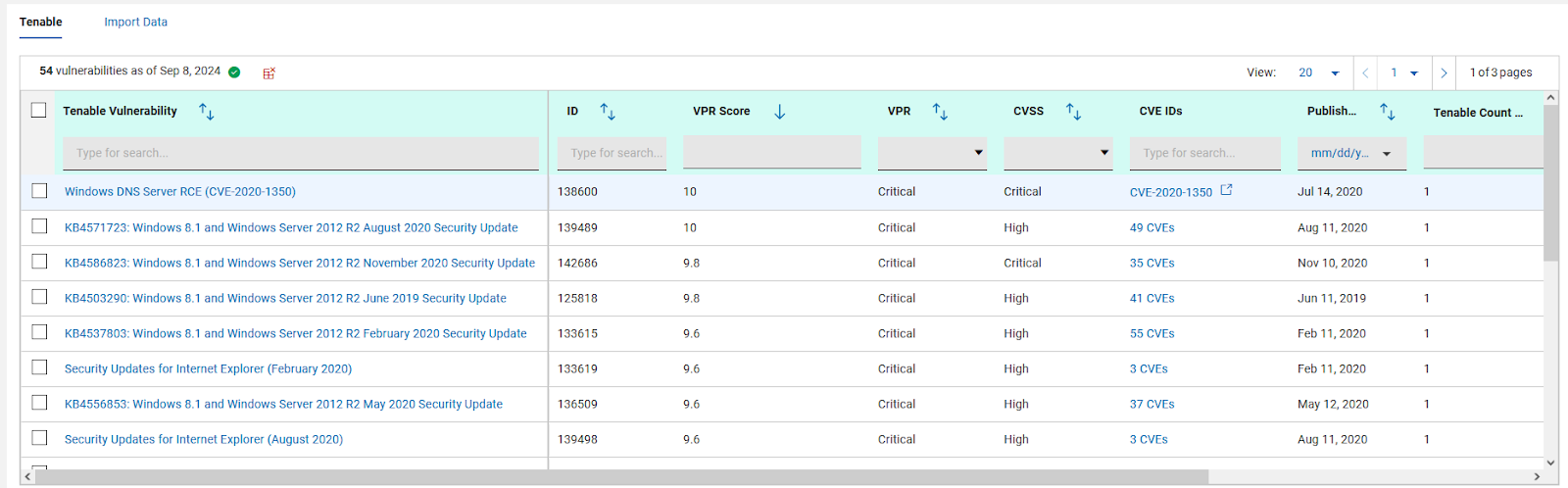
BigFix, now supported by HCL Technologies since the acquisition of BigFix from IBM in 2018, is an endpoint management solution providing endpoint visibility and IT asset discovery, automated endpoint patching (BigFix Lifecycle and BigFix Patch) policy enforcement (BigFix Compliance), and software asset discovery for licensed and unlicensed software (BigFix Inventory).
N/A
LogMeIn Rescue
Score8.2 out of 10
N/A
LogMeIn Rescue is an enterprise remote support solution that provides IT helpdesks and customer support organizations with the ability to remotely access, diagnose, and resolve issues across endpoint devices. The platform includes in-session diagnostic tools, security controls, and workflow configuration features. The solution is utilized by IT help desks, global enterprises, Business Process Outsourcers (BPOs), and Managed Service Providers (MSPs). It is designed to support…
$149
per month
Pricing
HCL BigFix
LogMeIn Rescue
Editions & Modules
No answers on this topic
Remote Device Support
$149
per month per seat
Rescue Enterprise
Contact Us
Offerings
Pricing Offerings
HCL BigFix
LogMeIn Rescue
Free Trial
Yes
Yes
Free/Freemium Version
No
No
Premium Consulting/Integration Services
No
No
Entry-level Setup Fee
No setup fee
No setup fee
Additional Details
—
Discount available for annual pricing. Contact sales for Enterprise pricing.
When we evaluated Citrix Workspace a few years ago the app environment was not as easy to use as LogMeIn Rescue. Things may have changed but we have not gone back to re-evaluate. Some of our team members still use TeamViewer and the product is rated as highly as Rescue among …
A de minimis incentive was given to thank the reviewer for their time. The incentive was not used to bias or drive a particular response, nor was the incentive contingent on a positive endorsement. More Info
Patch Management for Diverse Devices: HCL BigFix is ideal for organizations with a diverse range of devices, including laptops, desktops, cloud, virtual machines, and mobile devices. Its endpoint management functionality enables seamless patching across various operating systems such as Windows, MacOS, ChromeOS, and Linux.
Comprehensive Patch Management: With HCL BigFix, organizations can achieve comprehensive patch management across their IT infrastructures. It ensures that all endpoints, regardless of the operating system, receive timely and secure patches, reducing vulnerabilities and enhancing overall security.
Troubleshooting and Monitoring: HCL BigFix excels in providing a dashboard that effectively displays problematic and functional machines. This feature allows IT teams to quickly identify and address issues, improving overall troubleshooting efficiency. However, there are some scenarios where HCL BigFix may be less appropriate or areas for improvement: 1. Coverage Expansion: It is important for HCL BigFix to continue expanding its coverage to include all possible resources installed within the IT infrastructure. Ensuring comprehensive coverage can enhance its effectiveness. 2.On-Site and OS Upgrades: Optimizing the process of on-site and operating system upgrades can help streamline the deployment process further. Improvements in this area would contribute to a smoother and more efficient upgrade experience. 3.Communication Speed: Enhancing the speed of communication between the HCL BigFix agent and the server can help improve the overall responsiveness and efficiency of the solution.
Pricing Optimization: Adjusting the pricing of HCL BigFix to be more cost-effective would make it more accessible and attractive to organizations of different sizes and budgets.
LogMeIn is extremely appopriate when you have to perform something remotely or mutltask and perform work from your location. It gives you the ability to almost be at the site and perform work. While LogMeIn is an excellent toolkit. It can not always save the day. Sometimes it is more efficient to be on site to perform hardware upgrades, multiple software upgrades, technology refresehes and or have someone send you their hardware for rescue and repair as it is too messed up to fix and or perform the tasks remotely. However if you win 60 percent of the time - it's still a great benefit
A de minimis incentive was given to thank the reviewer for their time. The incentive was not used to bias or drive a particular response, nor was the incentive contingent on a positive endorsement. More Info
A de minimis incentive was given to thank the reviewer for their time. The incentive was not used to bias or drive a particular response, nor was the incentive contingent on a positive endorsement. More Info
A de minimis incentive was given to thank the reviewer for their time. The incentive was not used to bias or drive a particular response, nor was the incentive contingent on a positive endorsement. More Info
A de minimis incentive was given to thank the reviewer for their time. The incentive was not used to bias or drive a particular response, nor was the incentive contingent on a positive endorsement. More Info
By default it would be good to have clipboard sync enabled - disabled instead. So difficult when copying from my computer doesn’t work because of an agent sharing the connection and it will not let us copy information into the client’s computer.
Copying into excel is difficult. It will deselect things that you have highlighted when copying.
Would be nice to make the hierarchy easier when sharing files between clients and us.
Logging into certain environments can be challenging and require customers to be fairly techy to be able to understand how to get logged into client’s computers.
Sometimes login is pretty unstable on certain internet connections even though they are fine when they use team viewer with their IT.
A de minimis incentive was given to thank the reviewer for their time. The incentive was not used to bias or drive a particular response, nor was the incentive contingent on a positive endorsement. More Info
Since we have not had anything other than a couple minor hiccups with LogMeIn Rescue and due to the overwhelming success we have had in implementing as well as utilizing LogMeIn Rescue, I cannot see any reason why would consider looking elsewhere. Overall, we have been highly satisfied with LogMeIn Rescue and have no intentions of making a switch.
A de minimis incentive was given to thank the reviewer for their time. The incentive was not used to bias or drive a particular response, nor was the incentive contingent on a positive endorsement. More Info
Sometimes connecting with a PIN has a delay that confuses users. If there is a way to minimize the delay, that would be ideal. If the user's individual account does have administrator permissions, the user has to click on elevated prompts even if administrator credentials are on hand. Yes, except if the user's individual account does not have administrator permissions. I have never gotten the option to input the admin credentials and start as system server to work across hundreds of sessions. I absolutely dread using LogMeIn Rescue during this type of scenario and may even need to use an alternative temporarily. Frequently clashes with users' security software. Otherwise, I love the application.
A de minimis incentive was given to thank the reviewer for their time. The incentive was not used to bias or drive a particular response, nor was the incentive contingent on a positive endorsement. More Info
A de minimis incentive was given to thank the reviewer for their time. The incentive was not used to bias or drive a particular response, nor was the incentive contingent on a positive endorsement. More Info
A de minimis incentive was given to thank the reviewer for their time. The incentive was not used to bias or drive a particular response, nor was the incentive contingent on a positive endorsement. More Info
A de minimis incentive was given to thank the reviewer for their time. The incentive was not used to bias or drive a particular response, nor was the incentive contingent on a positive endorsement. More Info
We have never had to access support because the software has always worked as expected. It is great to have a software vendor from whom we know we will have no issue with glitches or incompatibility. We do know, however, that if we did have an issue, we would have our issue resolved quickly.
A de minimis incentive was given to thank the reviewer for their time. The incentive was not used to bias or drive a particular response, nor was the incentive contingent on a positive endorsement. More Info
A de minimis incentive was given to thank the reviewer for their time. The incentive was not used to bias or drive a particular response, nor was the incentive contingent on a positive endorsement. More Info
We have significantly enhanced our ability to patch desktops, including laptops, desktop, cloud, virtual machines and other mobile devices used by end-users. BigFix's endpoint management functionality allows us to seamlessly patch a wide range of operating systems, such as Windows, MacOS, ChromeOS, and Linux systems, ensuring comprehensive patch management across IT infrastructures. We have established a track record of delivering secure and hassle-free patching solutions to our clients
I haven’t reviewed other platforms like LogMeIn Rescue because I am not aware of any alternative tools available to us for assisting clients and performing troubleshooting. Additionally, LogMeIn Rescue is the first tool I have used that allows me to view a client’s screen, which is why I am unable to compare it with others.
A de minimis incentive was given to thank the reviewer for their time. The incentive was not used to bias or drive a particular response, nor was the incentive contingent on a positive endorsement. TR verified that a representative sample of customers was invited. More Info
A de minimis incentive was given to thank the reviewer for their time. The incentive was not used to bias or drive a particular response, nor was the incentive contingent on a positive endorsement. More Info
A de minimis incentive was given to thank the reviewer for their time. The incentive was not used to bias or drive a particular response, nor was the incentive contingent on a positive endorsement. More Info
For businesses with small to midsize IT staff, the ability to remotely control devices that are not on-site and occasionally out of state is extremely cost-effective.
The speedy response time of LogMeIn Rescue has been very helpful in resolving issues for IT staff.
The administrative process has been made more efficient by the ability to remotely log into servers.
A de minimis incentive was given to thank the reviewer for their time. The incentive was not used to bias or drive a particular response, nor was the incentive contingent on a positive endorsement. TR verified that a representative sample of customers was invited. More Info