Heimdal Patch and Asset Management vs. LogMeIn Resolve

Overview
ProductRatingMost Used ByProduct SummaryStarting Price
Heimdal Patch and Asset Management
Score 10.0 out of 10
N/A
Heimdal Patch and Asset Management is a cloud-based tool that automates OS and third-party updates. The automated patch management solution delivers updates within 4 hours of vendor release, after scanning for malware, removing unwanted software, and checking that the patch installs and works correctly. Once installed, Heimdal’s lightweight agent is able to define granular group policies and orchestrate patching across Windows, macOS, and Linux - no extra…N/A
LogMeIn Resolve
Score 9.0 out of 10
N/A
LogMeIn Resolve is an IT management and support solution designed to help organizations take control of their IT infrastructure. The platform combines features like remote monitoring, access, and support with tools such as ticketing, AI-assisted task automation, and patch management.
$29
per month
Pricing
Heimdal Patch and Asset ManagementLogMeIn Resolve
Editions & Modules
No answers on this topic
Starter
$29
per month
Growth
$55
per month
Advanced
$78
per month
Premium Endpoint Management
$78
per month
Complete
$94
per month
Offerings
Pricing Offerings
Heimdal Patch and Asset ManagementLogMeIn Resolve
Free Trial
YesYes
Free/Freemium Version
NoNo
Premium Consulting/Integration Services
NoNo
Entry-level Setup FeeNo setup feeNo setup fee
Additional DetailsDiscount available for annual pricing. MDM is available as a standalone or as an add-on.
More Pricing Information
Features
Heimdal Patch and Asset ManagementLogMeIn Resolve
Threat Intelligence
Comparison of Threat Intelligence features of Product A and Product B
Heimdal Patch and Asset Management
7.7
4 Ratings
4% below category average
LogMeIn Resolve
-
Ratings
Network Analytics8.52 Ratings00 Ratings
Threat Recognition7.82 Ratings00 Ratings
Vulnerability Classification8.63 Ratings00 Ratings
Automated Alerts and Reporting8.54 Ratings00 Ratings
Threat Analysis7.53 Ratings00 Ratings
Threat Intelligence Reporting5.93 Ratings00 Ratings
Automated Threat Identification7.03 Ratings00 Ratings
Vulnerability Management Tools
Comparison of Vulnerability Management Tools features of Product A and Product B
Heimdal Patch and Asset Management
7.8
4 Ratings
6% below category average
LogMeIn Resolve
-
Ratings
IT Asset Realization7.53 Ratings00 Ratings
Authentication7.02 Ratings00 Ratings
Configuration Monitoring9.11 Ratings00 Ratings
Web Scanning8.52 Ratings00 Ratings
Vulnerability Intelligence6.94 Ratings00 Ratings
Best Alternatives
Heimdal Patch and Asset ManagementLogMeIn Resolve
Small Businesses
Action1
Action1
Score 9.5 out of 10
Avast CloudCare
Avast CloudCare
Score 10.0 out of 10
Medium-sized Companies
Action1
Action1
Score 9.5 out of 10
KACE Systems Management Appliance
Score 8.4 out of 10
Enterprises
CrowdStrike Falcon
CrowdStrike Falcon
Score 9.1 out of 10
KACE Systems Management Appliance
Score 8.4 out of 10
All AlternativesView all alternativesView all alternatives
User Ratings
Heimdal Patch and Asset ManagementLogMeIn Resolve
Likelihood to Recommend
8.0
(7 ratings)
8.4
(118 ratings)
Likelihood to Renew
-
(0 ratings)
6.9
(17 ratings)
Usability
-
(0 ratings)
8.3
(98 ratings)
Availability
-
(0 ratings)
9.1
(3 ratings)
Performance
-
(0 ratings)
6.4
(2 ratings)
Support Rating
-
(0 ratings)
9.1
(7 ratings)
In-Person Training
-
(0 ratings)
9.1
(1 ratings)
Online Training
-
(0 ratings)
9.1
(1 ratings)
Implementation Rating
-
(0 ratings)
9.1
(5 ratings)
Configurability
-
(0 ratings)
9.1
(1 ratings)
Contract Terms and Pricing Model
-
(0 ratings)
7.3
(1 ratings)
Product Scalability
-
(0 ratings)
9.1
(1 ratings)
Professional Services
-
(0 ratings)
9.1
(1 ratings)
Vendor post-sale
-
(0 ratings)
9.1
(1 ratings)
Vendor pre-sale
-
(0 ratings)
9.1
(1 ratings)
User Testimonials
Heimdal Patch and Asset ManagementLogMeIn Resolve
Likelihood to Recommend
Heimdal
Heimdal Patch and Asset Management has really helped us consistently patch our endpoints in what has become a much more flexible work environment. It picks up updates immediately upon release (looking at you patch Tuesday!), lets you set automatic install windows for "zero touch" deployment where appropriate and more manual control for clients you may want a slower roll-out for. Support staff are knowledgeable and quick to respond!
Read full review
GoTo formerly LogMeIn
LogMeIn Resolve has been useful in supporting users working on-site or remotely, and with the unattended agent, allows for a quick and easy way to start a support session. With the integrated Help Desk system, LogMeIn Resolve allows for a seamless support experience without having to bounce from a ticketing platform to a remote support platform, giving us the ability to reduce ticket sprawl and save time overall.
Read full review
Pros
Heimdal
  • Fast updates of well-known 3rd party applications
  • Fast Management with only seldom cases in which we need to stop a change
  • Quick Support-Team that will handle problems professionally
  • Good amount of settings in the Dashboard with Group Policy options to allow custom settings for different Departments or Sub-Companies
Read full review
GoTo formerly LogMeIn
  • Allows easy, comprehensive access to Apple products via web-based applet. (It does require customer input and cooperation.)
  • It allows me to resolve issues remotely, most times within minutes instead of hours, without a physical location visit.
  • It allows the customer to view my activity, giving them peace of mind that nothing untoward occurs during my interaction. I also use the record feature so all sessions are recorded, especially on rare occasions when there is an issue or question from the session.
Read full review
Cons
Heimdal
  • Interface could be more user friendly but when you know how it works its allright
  • Easier way to quickly see what updates are installed on what machines
Read full review
GoTo formerly LogMeIn
  • The user interface is clunky and difficult to use in terms of CRITICAL functions that lie at the core of any remote access solution.
  • ctrl + key combos are currently terribly implemented and difficult to use - since this is one of the most common keys used in Windows - this presents MASSIVE usability issues that impede my workflow all day every single day.
  • And now - in a recent development - SHIFT + key combos are currently terribly implemented and difficult to use - since this is one of the most common keys used in Windows - this presents MASSIVE usability issues that impede my workflow all day every single day.
  • Things like frequently used key combos and shortcuts should work the same via remote access solutions as they do on a hardware keyboard. Anything else is an annoyance and an impediment to workflow and productivity.
Read full review
Likelihood to Renew
Heimdal
No answers on this topic
GoTo formerly LogMeIn
I would say yes, we would definitely renew, everyone likes it in the IT dept, and there are more features we have yet to put to use. I am expanding the Windows update / Endpoint features as I get time, and the remote PowerShell console is unbeatable for me at present when facing remote computers that are not letting create a new remote PSSession.
Read full review
Usability
Heimdal
No answers on this topic
GoTo formerly LogMeIn
We were able to get up and running quickly after our initial implementation, and the monthly feature update webinars are a great way to keep up with new features and how we can use them to our benefit. We can also request features we would like to see in the future, and can vote on other users’ submittals.
Read full review
Reliability and Availability
Heimdal
No answers on this topic
GoTo formerly LogMeIn
Usually available without a problem, although sometimes calls get dropped or users sit in empty meeting rooms while waiting for an admin to arrive, while the call is actually going on.
Read full review
Performance
Heimdal
No answers on this topic
GoTo formerly LogMeIn
If you are connected to someone with proper bandwidth, there are no issues at all. With all things, if you connect to someone with dial-up (yes, it still exists), the performance is terrible.
Read full review
Support Rating
Heimdal
No answers on this topic
GoTo formerly LogMeIn
Ive used their tech support a handful of times, and each time they have been able to help me sort out any hiccups or kinks that arise. They have a resourceful knowledge base, and have experts available for training and troubleshooting. I often recommend them to my other coworkers and colleagues because of the ease of use and security
Read full review
In-Person Training
Heimdal
No answers on this topic
GoTo formerly LogMeIn
we did not have in person training
Read full review
Online Training
Heimdal
No answers on this topic
GoTo formerly LogMeIn
n/a - wasnt in attendance
Read full review
Implementation Rating
Heimdal
No answers on this topic
GoTo formerly LogMeIn
GoToAssist SeeIt was very easy to implement. As long as your techs have a basic understanding of most remote support tools they will be able to understand this product easily.
Read full review
Alternatives Considered
Heimdal
We Kaseya VSA as our RMM tool and this also incorporates patch and asset management. Although it overlaps Heimdal Patch and Asset Managment, VSA has a different database of 3rd party software. We use both solutions to give us a greater coverage of patches to ensure as many vulnerabilities as possible are patched.
Read full review
GoTo formerly LogMeIn
Go to offer all-in-one functionalities without compromising organizational security and policy. Go-to is versatile compared to other systems like JIRA and is suitable for medium organizations. It has all the support options required. Like web meetings, conversational ticketing, etc., other software does not offer the combination of all, like video calls.
Read full review
Contract Terms and Pricing Model
Heimdal
No answers on this topic
GoTo formerly LogMeIn
I wasn't involved with this element of the sale/purchase
Read full review
Scalability
Heimdal
No answers on this topic
GoTo formerly LogMeIn
The system was implemented quite quickly and easily.
Read full review
Professional Services
Heimdal
No answers on this topic
GoTo formerly LogMeIn
I wasn't involved with this element of the sale/purchase
Read full review
Return on Investment
Heimdal
  • A slight positive ROI according to the Heimdal Patch and Asset Management dashboard
  • Malware detection rates are excellent with detections occuring live rather than during scheduled scans
Read full review
GoTo formerly LogMeIn
  • LogMeIn Resolve has increased productivity for our support teams with the addition of camera share. Not only are we able to remote into workstations, but with camera share we can utilize end user and customer phones to visually see physical setups to troubleshoot some situations on the fly.
  • Unattended support now requires the agent to enter in a signature key as an extra layer of security before accessing a device, which further improves the safety of all devices registered for unattended.
Read full review
ScreenShots

Heimdal Patch and Asset Management Screenshots

Screenshot of Heimdal Patch & Asset ManagementScreenshot of where to schedule patches with Heimdal's Patch & Asset ManagementScreenshot of some of the +350 3rd-party apps that can be patched with Heimdal's Patch & Asset ManagementScreenshot of Heimdal's Infinity management add-on, used to update proprietary software

LogMeIn Resolve Screenshots

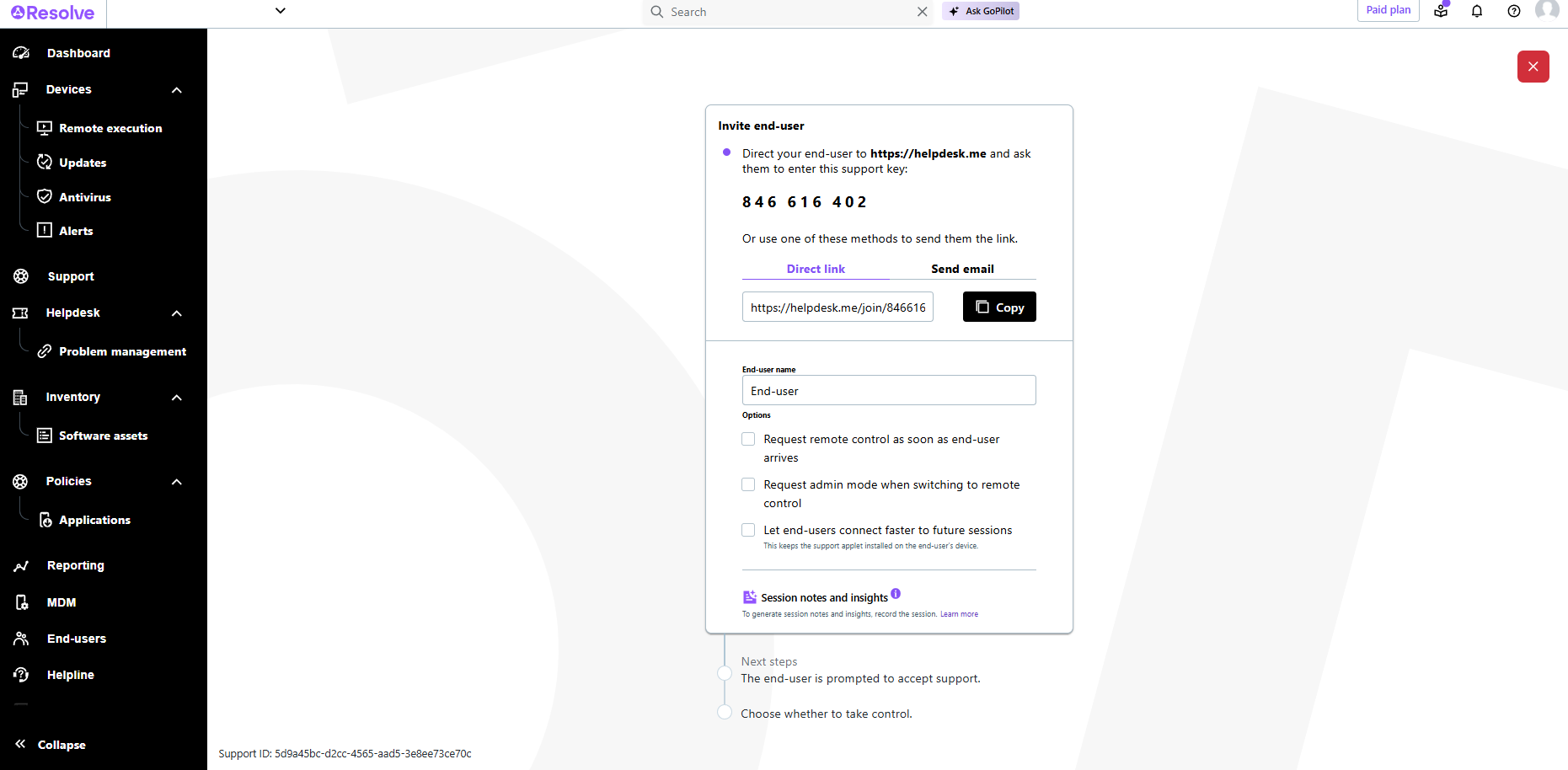
Screenshot of LogMeIn Resolve Device QuickviewScreenshot of LogMeIn Resolve - DevicesScreenshot of LogMeIn Resolve - Guided Agent FlowScreenshot of LogMeIn Resolve MS Teams TicketingScreenshot of LogMeIn Resolve Support SessionScreenshot of LogMeIn Resolve Tickets Board