Hipchat was discontinued by Atlassian. Users are being migrated to Slack.
N/A
Lightning Tools Lightning Conductor
Score9 out of 10
Mid-Size Companies (51-1,000 employees)
The Lightning Conductor is a content aggregation tool for Microsoft SharePoint Online and Microsoft Teams. Users can build rich, modern content reports based upon SharePoint lists, SharePoint Search, Microsoft Graph or Microsoft 365 Groups. Content can be aggregated from lists and libraries, and other applications such as Planner, To Do, OneDrive, and Teams.
Prices stated are minimum per installation for "stock" products.
$2.20 per user/year on top of base price.
Enterprise editions can be amended to suit business needs if deemed necessary, additional costs incurred and TBD.
All packages include free technical support.
Free upgrades available to latest versions of tool as they are released. (online version)
More Pricing Information
Features
HipChat (discontinued)
Lightning Tools Lightning Conductor
Project Management
Comparison of Project Management features of HipChat (discontinued) and Lightning Tools Lightning Conductor
Feature
HipChat (discontinued)
7.3
106 Ratings
5% below category average
Lightning Tools Lightning Conductor
8.6
2 Ratings
11% above category average
Mobile Access
7.397 Ratings
00 Ratings
Search
7.2103 Ratings
8.42 Ratings
Task Management
00 Ratings
8.82 Ratings
Communication
Comparison of Communication features of HipChat (discontinued) and Lightning Tools Lightning Conductor
Feature
HipChat (discontinued)
7.3
132 Ratings
8% below category average
Lightning Tools Lightning Conductor
-
Ratings
Chat
7.7132 Ratings
00 Ratings
Notifications
7.7130 Ratings
00 Ratings
Discussions
6.5110 Ratings
00 Ratings
Surveys
7.834 Ratings
00 Ratings
Internal knowledgebase
7.043 Ratings
00 Ratings
Integrates with GoToMeeting
7.023 Ratings
00 Ratings
File Sharing & Management
Comparison of File Sharing & Management features of HipChat (discontinued) and Lightning Tools Lightning Conductor
A de minimis incentive was given to thank the reviewer for their time. The incentive was not used to bias or drive a particular response, nor was the incentive contingent on a positive endorsement. More Info
Having experience of SharePoint On Premise and also SharePoint Online, there isn't an out of the box app/webpart that enables you to 'roll up content' from a variety of source's (in my case SP Lists, but there are many other data sources it works with) across site collections with an easy to use and intuitive interface which is what Lightning tools excels at.
HipChat is very stable and reliable. I have never had issues with not being able to connect or being able to communicate with others on HipChat.
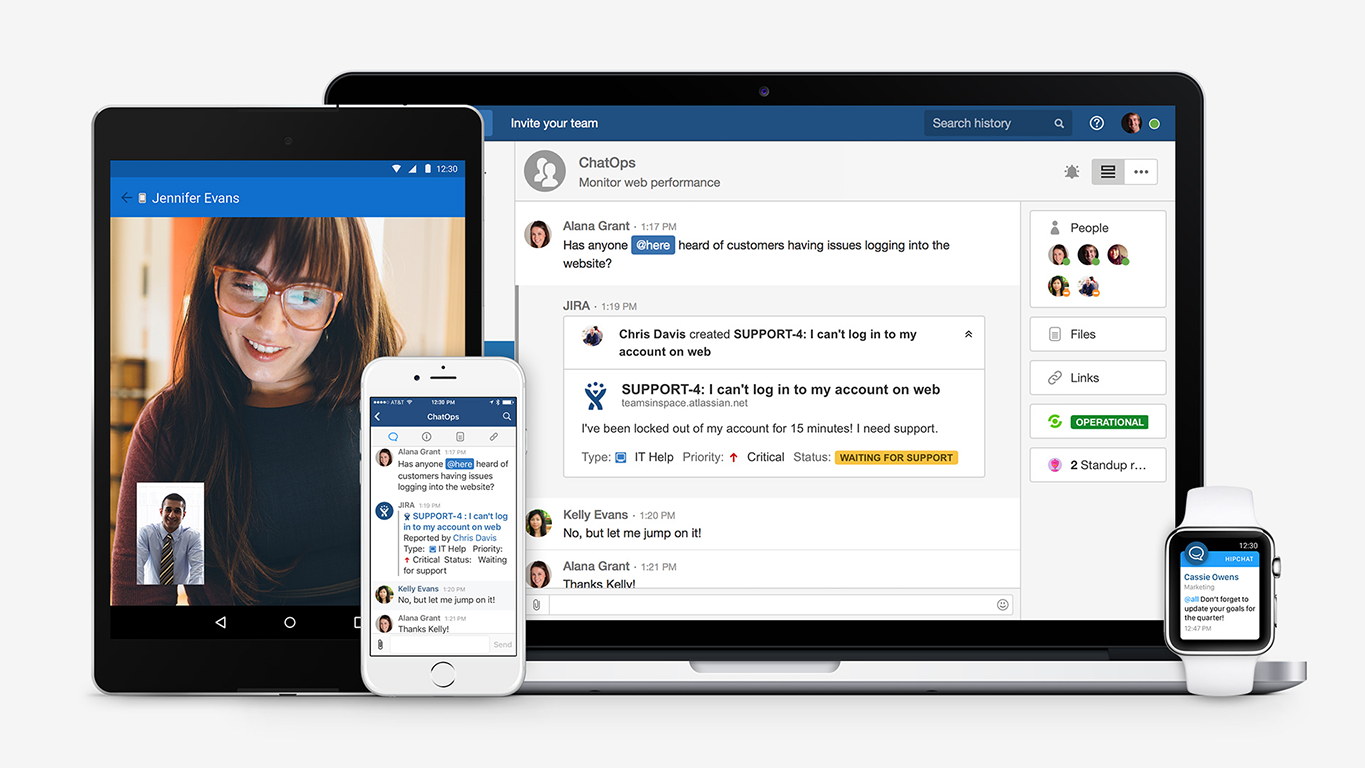
HipChat integrates quite well with other applications, such as Jira and Stash. This is a main selling point for my team. It provides a convenient feed of actions on a JIRA story or Stash pull request.
HipCat does a good job of allowing 1-1 and group chats. It is simple to start a new conversation and it is easy to hold a group conversation and keep track of who is in the room.
I like how HipChat has away/here/on mobile statuses. This makes it easy to see if a person is available to be contacted.
A de minimis incentive was given to thank the reviewer for their time. The incentive was not used to bias or drive a particular response, nor was the incentive contingent on a positive endorsement. TR verified that a representative sample of customers was invited. More Info
Mobile app is not very responsive on iOS. Sometimes connection to Hipchat servers is taking too long even on good networks.
Both mobile and desktop versions have no alphabetical or recent sorting for groups and chat rooms.
Video and audio calls are pretty useless, they're slow and not always work.
The whole user interface is simple but very outdated - apparently Atlassian didn't focus too much on Hipchat even though they tried in the last 2 years.
A de minimis incentive was given to thank the reviewer for their time. The incentive was not used to bias or drive a particular response, nor was the incentive contingent on a positive endorsement. More Info
A de minimis incentive was given to thank the reviewer for their time. The incentive was not used to bias or drive a particular response, nor was the incentive contingent on a positive endorsement. More Info
The app itself had a pleasant if not generic interface. As a user experience expert and engineer I can say the interface is fairly intuitive if not bland. It does what you expect it to do and it's available on iOS and Android devices. If I recall it was generally pretty light weight in terms of installation size.
A de minimis incentive was given to thank the reviewer for their time. The incentive was not used to bias or drive a particular response, nor was the incentive contingent on a positive endorsement. More Info
HipChat support is good . Responds in timely manner when ever we have raised the request via email , phone and gives us continue update on the request .Though most of the questions are answered by HipChat FAQs , but they can still improve it and add more to the knowledge base .
A de minimis incentive was given to thank the reviewer for their time. The incentive was not used to bias or drive a particular response, nor was the incentive contingent on a positive endorsement. More Info
A de minimis incentive was given to thank the reviewer for their time. The incentive was not used to bias or drive a particular response, nor was the incentive contingent on a positive endorsement. TR verified that a representative sample of customers was invited. More Info
We tried a lot of chat clients before choosing HipChat. The Skype for Business UI on the Mac side was 5 years old and terrible. Mac users hated the app including our CTO. Cisco Jabber was expensive to license and maintain; Skype was open to the public which took time away due to users dealing with spam and could allow viruses and malware. HipChat being a closed product, centrally managed and available to try without an upfront investment was perfect for our environment. All our Agile teams have their own room, chat and can communicate with others quickly and easily.
A de minimis incentive was given to thank the reviewer for their time. The incentive was not used to bias or drive a particular response, nor was the incentive contingent on a positive endorsement. More Info
I haven't found another product to compare this one to. Only in SharePoint Online which has a similar App 'Highlight Webpart' ... it's far too complicated to set up and requires learning yet another language and exporting and importing via PowerShell to get any real results that would be useful.
Actually I never shared of HipChat using with more than 25 persons in team simultaneously, but I believe it can be scaled for much largest collaboration teams. At least it works flawlessly for us, with transparent integration with Jira, and I am not see any reasons for some troubles for work at big scale.
A de minimis incentive was given to thank the reviewer for their time. The incentive was not used to bias or drive a particular response, nor was the incentive contingent on a positive endorsement. TR verified that a representative sample of customers was invited. More Info
HipChat has increased the effiency with which I am able to communicate with my coworkers, particularly those who work out of other offices. Having a light, portable messaging solution has been beneficial for checking in on small things without the need to send emails or schedule phone calls.
A de minimis incentive was given to thank the reviewer for their time. The incentive was not used to bias or drive a particular response, nor was the incentive contingent on a positive endorsement. More Info