
Hotjar vs. Webtrends Optimize
Hotjar vs. Webtrends Optimize
| Product | Rating | Most Used By | Product Summary | Starting Price |
|---|---|---|---|---|
 Hotjar | N/A | Hotjar is a conversion rate optimization tool for digital marketers. Features include heatmapping, visual session recording, conversion funnel analytics, form analytics, feedback polls and surveys, and usability testing. The tool is used by digital analysts, UX designers, web developers and product marketers. Hotjar was acquired by Contentsquare September 2021, and is now a Contentsquare brand. | $39 per month 100 daily sessions | |
 Webtrends Optimize | N/A | Webtrends Optimize is a web optimization platform and is offered by the company of the same name. The product competes most often with Adobe Test and Target, Maxymiser, SiteSpect, and Optimizely. | N/A |
| Hotjar | Webtrends Optimize | |||||||||||||||
|---|---|---|---|---|---|---|---|---|---|---|---|---|---|---|---|---|
| Editions & Modules |
| No answers on this topic | ||||||||||||||
| Offerings |
| |||||||||||||||
| Entry-level Setup Fee | No setup fee | No setup fee | ||||||||||||||
| Additional Details | Discount available for annual pricing. | There is no tiering and no different prices for different tools. The entire feature set is available to all users as standard at one price, agreed up front. | ||||||||||||||
| More Pricing Information | ||||||||||||||||
| Hotjar | Webtrends Optimize |
|---|
| Hotjar | Webtrends Optimize | ||||||||||||||||||||||||||||||||||||||||||||||||||||||||||||
|---|---|---|---|---|---|---|---|---|---|---|---|---|---|---|---|---|---|---|---|---|---|---|---|---|---|---|---|---|---|---|---|---|---|---|---|---|---|---|---|---|---|---|---|---|---|---|---|---|---|---|---|---|---|---|---|---|---|---|---|---|---|
| Testing and Experimentation |
| ||||||||||||||||||||||||||||||||||||||||||||||||||||||||||||
| Audience Segmentation & Targeting |
| ||||||||||||||||||||||||||||||||||||||||||||||||||||||||||||
| Results and Analysis |
|
| Hotjar | Webtrends Optimize | |
|---|---|---|
| Small Businesses |  Smartlook Score 8.7 out of 10 |  Convert Experiences Score 9.9 out of 10 |
| Medium-sized Companies |  Siteimprove Score 9.1 out of 10 |  Dynamic Yield Score 9.0 out of 10 |
| Enterprises |  Contentsquare Score 7.5 out of 10 | Dynamic Yield Score 9.0 out of 10 |
| All Alternatives | View all alternatives | View all alternatives |
| Hotjar | Webtrends Optimize | |
|---|---|---|
| Likelihood to Recommend | 10.0 (103 ratings) | 7.4 (17 ratings) |
| Likelihood to Renew | 5.1 (2 ratings) | 5.3 (5 ratings) |
| Usability | 9.7 (6 ratings) | 7.0 (2 ratings) |
| Availability | - (0 ratings) | 10.0 (1 ratings) |
| Performance | - (0 ratings) | 10.0 (1 ratings) |
| Support Rating | 9.6 (4 ratings) | 9.1 (2 ratings) |
| Online Training | - (0 ratings) | 6.0 (1 ratings) |
| Implementation Rating | - (0 ratings) | 7.0 (1 ratings) |
| Ease of integration | 9.0 (1 ratings) | - (0 ratings) |
| Hotjar | Webtrends Optimize | |
|---|---|---|
| Likelihood to Recommend | Contentsquare
|  Webtrends Optimize
|
| Pros | Contentsquare
 Sarah O'Donnell UX & CRO Executive | Webtrends Optimize
 Michael O'Connor Senior Analytics Consultant & Optimization Lead |
| Cons | Contentsquare
 Zach Ettelman Director, Digital Innovation | Webtrends Optimize
|
| Likelihood to Renew | Contentsquare
 Patrick Eng Marketing Technologist | Webtrends Optimize
 David Reynolds-Gooch Group Manager, Interactive Marketing |
| Usability | Contentsquare
 Halima Satheya Digital Optimisation Lead | Webtrends Optimize
Michael O'Connor Senior Analytics Consultant & Optimization Lead |
| Reliability and Availability | Contentsquare No answers on this topic | Webtrends Optimize
|
| Performance | Contentsquare No answers on this topic | Webtrends Optimize
|
| Support Rating | Contentsquare
Zach Ettelman Director, Digital Innovation | Webtrends Optimize
 Freddie Wilkinson Sales and Marketing Handler |
| Online Training | Contentsquare No answers on this topic | Webtrends Optimize
|
| Implementation Rating | Contentsquare No answers on this topic | Webtrends Optimize
|
| Alternatives Considered | Contentsquare
| Webtrends Optimize
 Magdalena Petrova E-Marketing Analyst |
| Return on Investment | Contentsquare
 Santiago Valdés Cofounder / Marketing, Growth, Technology, Experience | Webtrends Optimize
 Chris Sharman Products.office.com UK Site Manager |
| ScreenShots | Webtrends Optimize Screenshots 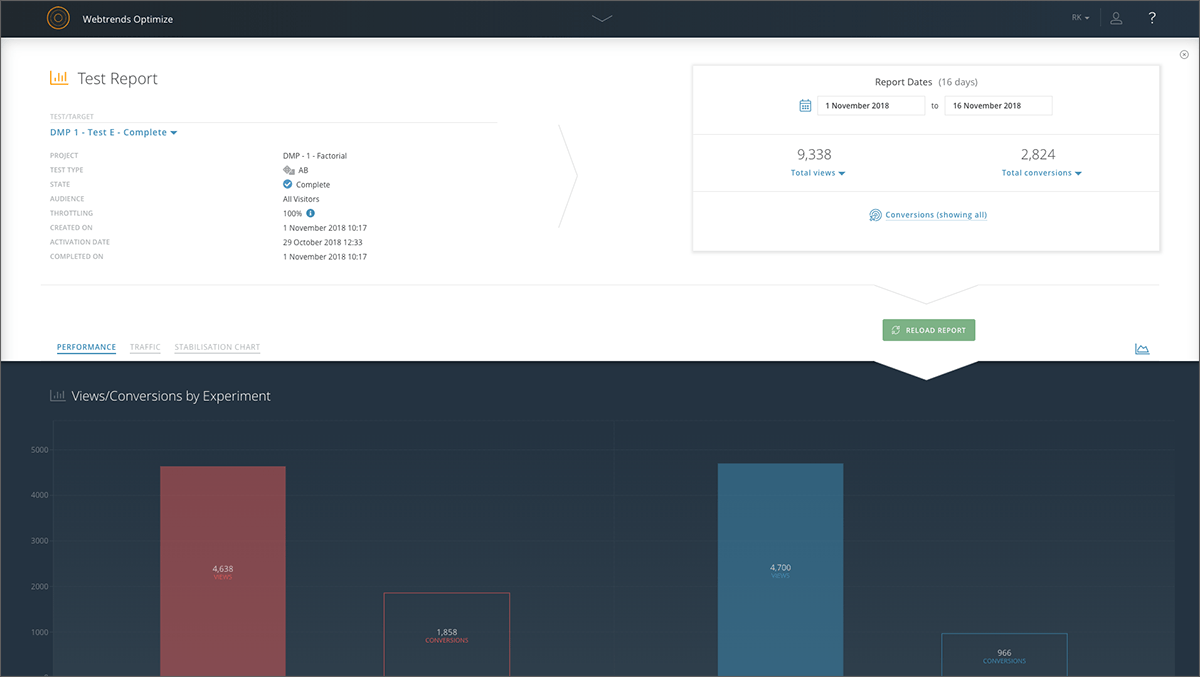    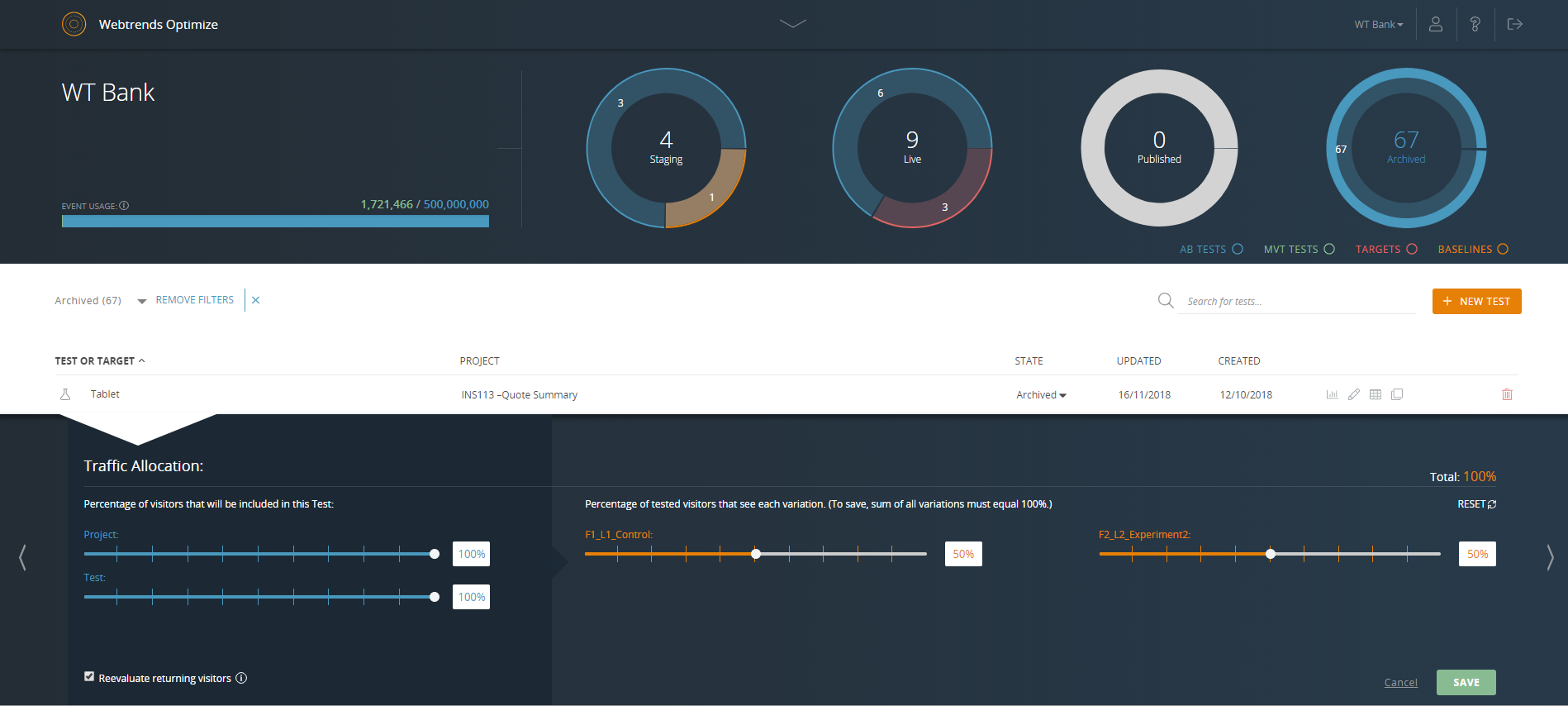 |