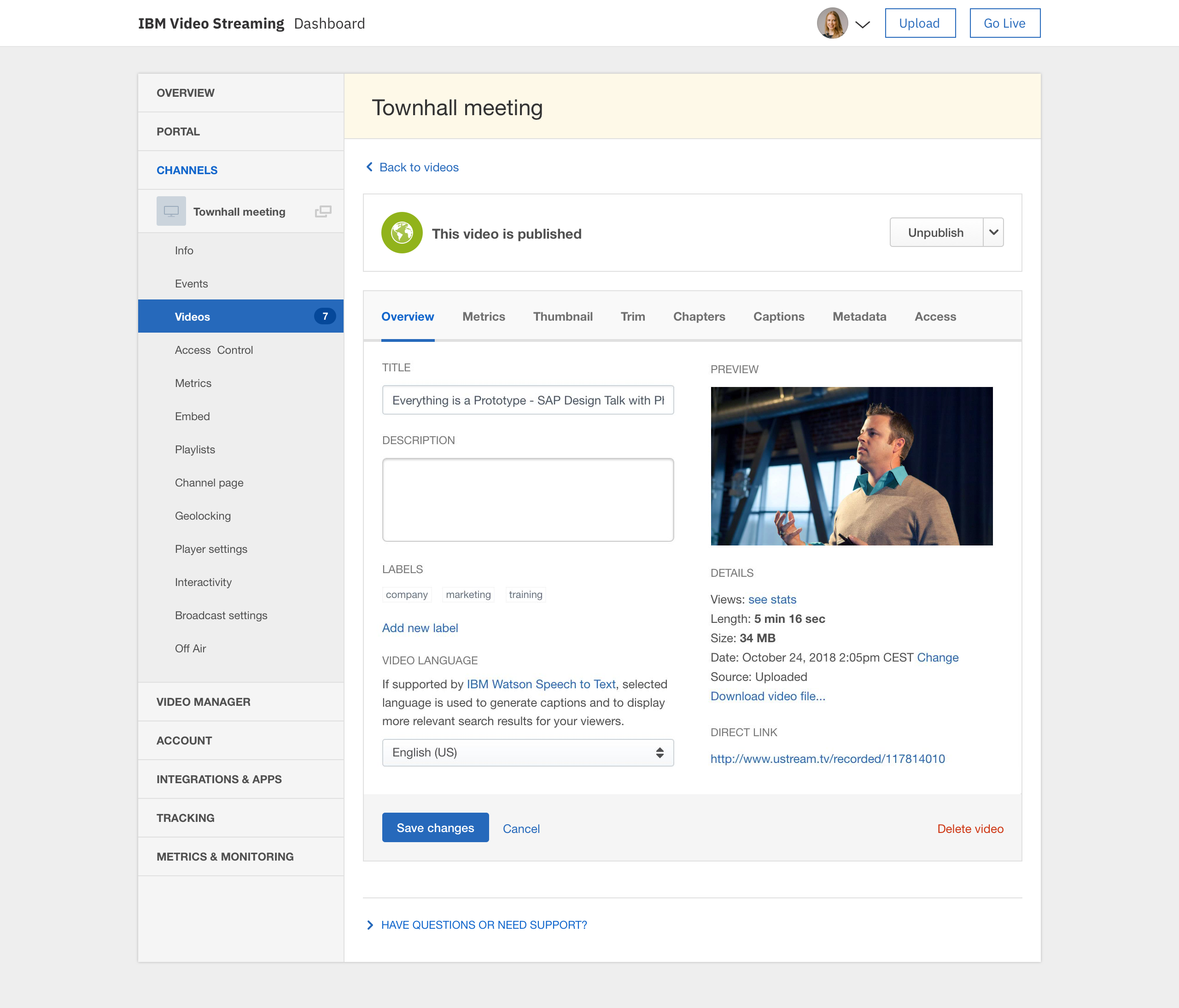
IBM Video Streaming solutions are used to stream virtual events, executive town halls, video marketing product launches, and 24-hour streaming channels. According to IBM, the solution is built for privacy, reliability and scale, to optimize video quality, and powered by IBM Watson AI for video search and automated closed captioning. IBM Enterprise Video Streaming can power security-rich video communications ranging from employee town halls, to…
$137
per month 100 viewer hours
TeamViewer
Score8.6 out of 10
N/A
Teamviewer offers secure remote access, IT support and device management on a scalable platform. It speeds up problem resolution, reduces downtime and enhances control through automation, unattended access and complete visibility of every device and location.
$299
per year
Pricing
IBM Video Streaming
TeamViewer
Editions & Modules
Silver
$137
per month 100 viewer hours
Gold
$688
per month 2,000 viewer hours
Platinum
$1380
per month 5,000 viewer hours
Remote Access
$24.90
per month (billed annually) 1 Licensed User
Business
$50.90
per month (billed annually) 1 Licensed User
Premium
$102.90
per month (billed annually) 15 Licensed Users
Corporate
$206.90
per month (billed annually) 30 Licensed Users
Offerings
Pricing Offerings
IBM Video Streaming
TeamViewer
Free Trial
Yes
Yes
Free/Freemium Version
No
Yes
Premium Consulting/Integration Services
Yes
Yes
Entry-level Setup Fee
Optional
Optional
Additional Details
Video Streaming edition is available for purchase via credit card online (or via IBM salesperson if needs exceed those outlined in the online plans).
Enterprise Video Streaming edition must be purchased from an IBM salesperson.
Jefe de Proyectos de Cómputo in Information Technology at Universidad Iberoamericana (Education Management, 1001-5000 employees)
Chose TeamViewer
In the various tests we conducted for about a month with ten users with different roles and responsibilities, TeamViewer scored best in all parameters of our evaluation matrix. Cost/benefit and ease of use were the highest rated. All applications suffer a lot in Internet …
A de minimis incentive was given to thank the reviewer for their time. The incentive was not used to bias or drive a particular response, nor was the incentive contingent on a positive endorsement. TR verified that a representative sample of customers was invited. More Info
Very limited customization features. Permissions are a mess too if you want to have people assigned as chat moderators for events for instance, but dont want them access to the admin panel. The quality of the broadcast and live captions work well, but they charge extra for live captions. For operating a video on demand site, the design of the page is really poor and limited on customization. Been a user for years and seen almost no new innovation on the platform which has been disappointing. The metrics are a mess on the user panels too. They do provide an api link for your external metrics and/or data dumps for using something like tableau, but that features not really something to write home about and a rather basic offering. This is an expensive platform with limited options and an outdated style unfortunately. We have been getting by for our uses but there's nothing really keeping us with IBM if another platform offering came around
I would definitely recommend it, and that's why I've stuck with it so long: continuous improvement. Now AI has fully embraced it to help with faster monitoring and Troubleshooting, saving me a huge amount of time and effort. Affordable to use for both personal and Professional work to assist colleagues from different workstations.
IBM Video Streaming allows for the integration of interactive elements into video content, such as quizzes, polls, and live Q&A sessions. This can make learning more engaging for young students by making it interactive and fun, thus increasing their attention and participation.
Teachers in a K-5 setting can access and share professional development materials and teaching resources through the platform. This can help them stay updated on the best practices for early childhood education, innovative teaching methods, and subject-specific strategies, ultimately benefiting their students.
IBM Video Streaming provides the capability for teachers to create a library of on-demand educational videos. This is particularly useful for young learners who may need to revisit concepts multiple times to fully understand them. It also supports differentiated learning by allowing students to learn at their own pace.
Young students often benefit from visual aids in their learning process. IBM Video Streaming can deliver high-quality video content that includes animations, demonstrations, and visual explanations of concepts. This can be particularly effective in subjects like science, math, and reading, where visualizations can enhance understanding.
A de minimis incentive was given to thank the reviewer for their time. The incentive was not used to bias or drive a particular response, nor was the incentive contingent on a positive endorsement. TR verified that a representative sample of customers was invited. More Info
A de minimis incentive was given to thank the reviewer for their time. The incentive was not used to bias or drive a particular response, nor was the incentive contingent on a positive endorsement. TR verified that a representative sample of customers was invited. More Info
Occasionally, we experience a form of static that lasts for about 1 to 2 minutes. It appears in the live stream and in the auto-recorded file, but not in the live worship assembly. It occurs roughly 1 in every 4 hours of webcast time. I wish there was a way to trace the source of that recurring static. The diagnostic tools could be more robust.
It would be nice if the chat room allowed a user photo/avatar for each user to personalize that a little more.
I have wished for a way that an admin could use a “laser pointer” on the video window to point out something on the feed that other live viewers could see.
It would be wonderful to have a mini-tutorial for viewers who are not technically savvy that would inform them of how to get to the site and explain how they can use the software. For example, how they can see and type in the chat room, how to maximize the screen and make it smaller. Some of our viewers are in nursing homes or otherwise limited in capability to learn to use this on their own.
A de minimis incentive was given to thank the reviewer for their time. The incentive was not used to bias or drive a particular response, nor was the incentive contingent on a positive endorsement. More Info
MFA could be a lot better when connecting to the remote device. If a phone is added to security for the remote worker, then the admin cannot use Easy Access to access the device without interaction with the remote worker. Admins should have access to remote devices via other MFA methods.
App updates sometimes cause unstable status and computer must be restarted.
OS updates often require additional user interaction before completing the sign-in process, leaving TeamViewer in an incomplete startup state and preventing the Remote Worker from accessing the device. An admin then has to remote into the device using another remote desktop access tool (Apple Remote Desktop, for instance) and bypass the user interaction screens, which allows the login process to complete and TeamViewer to start up fully. It would be best if the TeamViewer Host could connect even when the OS is prompting for user interaction (e.g., clicking OK on modal dialog boxes post-update).
A de minimis incentive was given to thank the reviewer for their time. The incentive was not used to bias or drive a particular response, nor was the incentive contingent on a positive endorsement. TR verified that a representative sample of customers was invited. More Info
Our organization depends heavily on this streaming service. Now that we have the option of allowing our clients to attend meetings virtually, we can never retract that option as so many of our clients love the flexibility. Also, we have no complaints with the service itself. It is reliable and dependable and any issues we have encountered have never been to blame on the service but rather our lack of knowledge of it or needing to update our embed code
A de minimis incentive was given to thank the reviewer for their time. The incentive was not used to bias or drive a particular response, nor was the incentive contingent on a positive endorsement. TR verified that a representative sample of customers was invited. More Info
We need this tool in our day to day business. It is what we do all day remoting into clients devices. In this day and age we can access devices all over the world as long as we have secure internet connection. It certainly saves money in gas, and even if you are away you can help.
A de minimis incentive was given to thank the reviewer for their time. The incentive was not used to bias or drive a particular response, nor was the incentive contingent on a positive endorsement. TR verified that a representative sample of customers was invited. More Info
The user interface is pretty straightforward, but simply needs optimization. (Please hire a seasoned UX person to fix it.) However, all of the key features are there and understandable. It's a great platform overall, a bit expensive, and could use some more options for its viewing experience, and a better "smart" embedding window for mobile applications.
A de minimis incentive was given to thank the reviewer for their time. The incentive was not used to bias or drive a particular response, nor was the incentive contingent on a positive endorsement. More Info
TeamViewer is a reliable and really strong tool for accessing remote IT platforms secure and fast. We don't know any product that provide us such strong functionality to make our life as a internationally recognized MES provider with DIAMES with an international clientele so easy. We look forward for any new TeamViewer functionality that supports us even more.
A de minimis incentive was given to thank the reviewer for their time. The incentive was not used to bias or drive a particular response, nor was the incentive contingent on a positive endorsement. More Info
Absolutely. We have never had an outage problem or any application errors that I have been privy to. We are duly notified generally in advance of outages or updates
A de minimis incentive was given to thank the reviewer for their time. The incentive was not used to bias or drive a particular response, nor was the incentive contingent on a positive endorsement. TR verified that a representative sample of customers was invited. More Info
TeamViewer has always been available when we needed to use it. We have not noticed any outages or periods where the software functions were unavailable.
A de minimis incentive was given to thank the reviewer for their time. The incentive was not used to bias or drive a particular response, nor was the incentive contingent on a positive endorsement. More Info
As we use it now, we are satisfied with the streaming performance. I cannot speak to integration yet as we have yet to engage in that but have plans to in the future
A de minimis incentive was given to thank the reviewer for their time. The incentive was not used to bias or drive a particular response, nor was the incentive contingent on a positive endorsement. TR verified that a representative sample of customers was invited. More Info
TeamViewer performance has always been very good. Pages load quickly and we can see what the remote engineers are doing on the computer in real time. This is very beneficial for our own technicians and engineers and helps their learning curve. Troubleshooting is much easier with TeamViewer. We have not noticed and lagging of our computers while using TeamViewer.
A de minimis incentive was given to thank the reviewer for their time. The incentive was not used to bias or drive a particular response, nor was the incentive contingent on a positive endorsement. More Info
We funded 'white glove' service as our timelines were tight and our needs were well-defined. Tier 1 and Tier 2 support were able to help us get up and running in shorter order than we would have on our own. Documentation on the eCDN product had gaps, increasing the time to resolve and created concerns about success.
A de minimis incentive was given to thank the reviewer for their time. The incentive was not used to bias or drive a particular response, nor was the incentive contingent on a positive endorsement. More Info
the few times i have had to contact teamviewer support, they were very responsive and give me quick answers and seemed to understand my problems quickly and easily. I did not have to sit on the phone for hours on hold or get passed around to multiple phone support techs before finding a solution to my issues, so i would rate their support very highly.
A de minimis incentive was given to thank the reviewer for their time. The incentive was not used to bias or drive a particular response, nor was the incentive contingent on a positive endorsement. More Info
As expected without any problem! Alternate in-person training is another efficient way to learn how a product works. There are many third party supporters for TeamViewer courses available that can give additional ideas how to use TeamViewer for specific functions and features as we did require in respect of our usage.
A de minimis incentive was given to thank the reviewer for their time. The incentive was not used to bias or drive a particular response, nor was the incentive contingent on a positive endorsement. More Info
I have never used the online training either. I have watched a few informational videos that were helpful when learning how to do a specific procedure within TeamViewer and get the most out of the software by utilizing one of the many features that are available with the software. Again, 5 if for neutral.
Ustream is easy to implement. It takes any stream we have thrown its way and distributed it quickly and with quality. When talking to others that are pursuing live stream implementations, I often remind them that the technology used to distribute your live stream is less important than the quality of the content you are distributing. Taking care to use the right camera equipment, the proper encoder, and quality sound gear will result in a high-quality stream that will allow the strength of the Ustream CDN to shine.
A de minimis incentive was given to thank the reviewer for their time. The incentive was not used to bias or drive a particular response, nor was the incentive contingent on a positive endorsement. More Info
TeamViewer installation and deployment to other devices is pretty straightforward and does not require much technical know-how. This makes ease of use attractive when supporting both new and existing clients with limited technical knowledge. I think ease of use is a huge factor in getting new clients. TeamViewer handles that extremely well.
A de minimis incentive was given to thank the reviewer for their time. The incentive was not used to bias or drive a particular response, nor was the incentive contingent on a positive endorsement. TR verified that a representative sample of customers was invited. More Info
Vimeo offers better tools for on-demand like chapters and marketing tools. But their live options are limited to event durations. YouTube can stream for longer durations but IBM 24/7 stream has been much more reliable and easy to use.
A de minimis incentive was given to thank the reviewer for their time. The incentive was not used to bias or drive a particular response, nor was the incentive contingent on a positive endorsement. More Info
TeamViewer's cost is much lower than that of other solutions, and its security is far superior to RemotePC's. TeamViewer is also a request-based remote session manager, unlike other software that allows indefinite connection time. TeamViewer's free version makes it even better for one end of the group to find support, while the other end has the paid version.
A de minimis incentive was given to thank the reviewer for their time. The incentive was not used to bias or drive a particular response, nor was the incentive contingent on a positive endorsement. TR verified that a representative sample of customers was invited. More Info
A de minimis incentive was given to thank the reviewer for their time. The incentive was not used to bias or drive a particular response, nor was the incentive contingent on a positive endorsement. More Info
A de minimis incentive was given to thank the reviewer for their time. The incentive was not used to bias or drive a particular response, nor was the incentive contingent on a positive endorsement. More Info
Our ROI is measured by the provision of ministry and satisfaction of our congregation. We are extremely pleased with our USTREAM and feel that it is a valuable asset to our church.
A de minimis incentive was given to thank the reviewer for their time. The incentive was not used to bias or drive a particular response, nor was the incentive contingent on a positive endorsement. TR verified that a representative sample of customers was invited. More Info
A de minimis incentive was given to thank the reviewer for their time. The incentive was not used to bias or drive a particular response, nor was the incentive contingent on a positive endorsement. TR verified that a representative sample of customers was invited. More Info