iContact is an email marketing solution that was acquired by Vocus in 2012. The product is integrated with Facebook and Twitter and is aimed at SMBs with unlimited sending as a key feature.
$14
per month
Insightly Marketing
Score3.8 out of 10
N/A
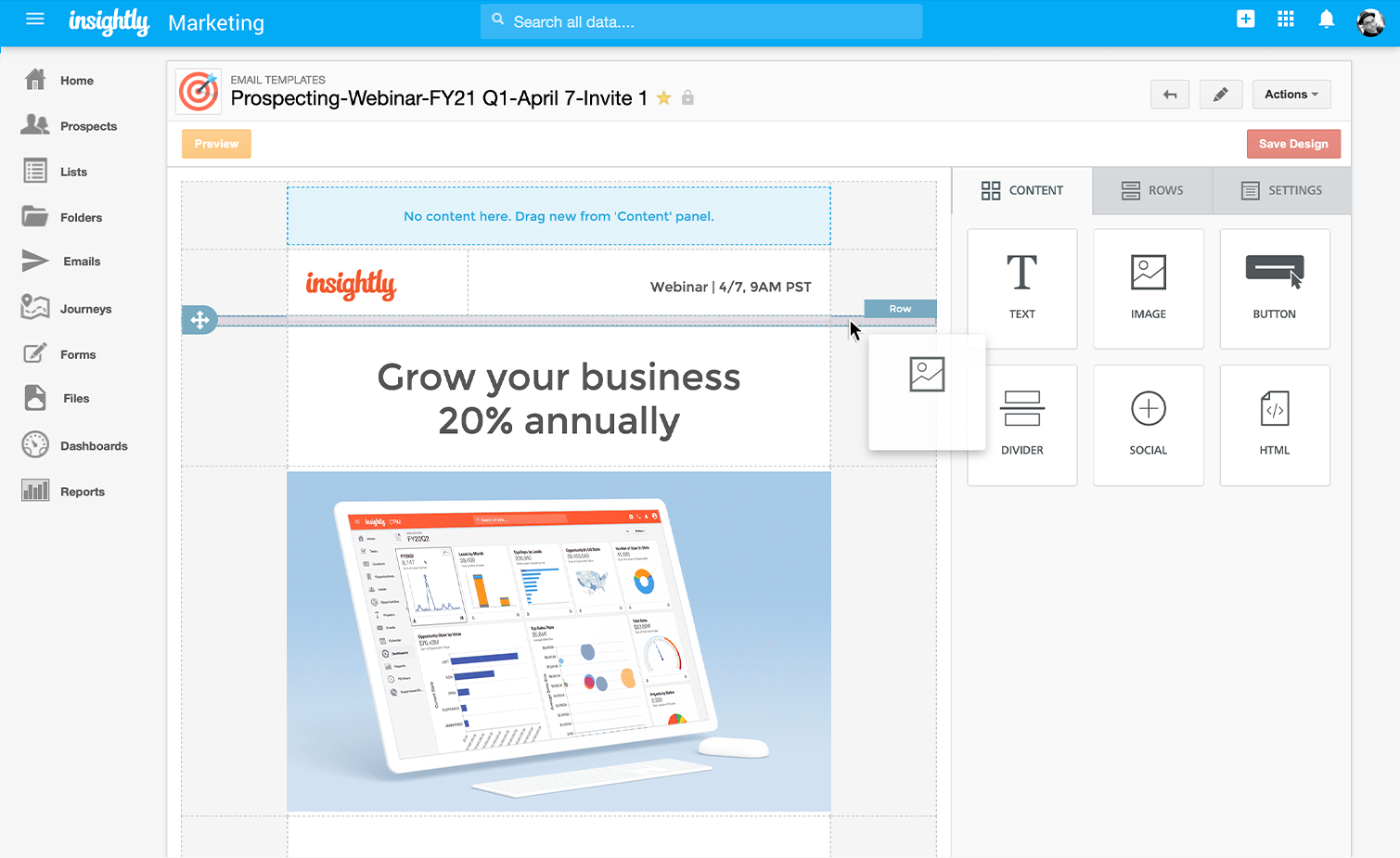
Insightly Marketing is marketing automation made simple. It is built on the same platform as Insightly CRM, so customer data flows freely between the two systems in real time, giving users and their teams access to actionable insights faster. The vendor states it has an easy-to-use interface for creating customer journeys, email templates, customer newsletters and shareable dashboards. WIth it, they say users can build engaging campaigns and grow a pipeline to support sales in minutes.
$99
per month
Pricing
iContact
Insightly Marketing
Editions & Modules
1500 Users
$15.00
per month
2500 Users
$25.00
per month
5000 Users
$45.00
per month
Plus
$99 per month
billed annually
Professional
$499 per month
billed annually
Enterprise
$999 per month
billed annually
Offerings
Pricing Offerings
iContact
Insightly Marketing
Free Trial
No
No
Free/Freemium Version
Yes
No
Premium Consulting/Integration Services
No
Yes
Entry-level Setup Fee
No setup fee
No setup fee
Additional Details
—
—
More Pricing Information
Features
iContact
Insightly Marketing
Email & Online Marketing
Comparison of Email & Online Marketing features of iContact and Insightly Marketing
Feature
iContact
6.6
26 Ratings
20% below category average
Insightly Marketing
7.8
2 Ratings
1% above category average
WYSIWYG email editor
7.024 Ratings
7.01 Ratings
Dynamic content
7.021 Ratings
7.02 Ratings
Ability to test dynamic content
5.021 Ratings
7.52 Ratings
Landing pages
7.014 Ratings
7.52 Ratings
A/B testing
5.017 Ratings
7.01 Ratings
Mobile optimization
7.021 Ratings
10.01 Ratings
Email deliverability reporting
7.025 Ratings
7.01 Ratings
List management
8.025 Ratings
9.02 Ratings
Triggered drip sequences
6.015 Ratings
00 Ratings
Reporting & Analytics
Comparison of Reporting & Analytics features of iContact and Insightly Marketing
Feature
iContact
8.0
26 Ratings
5% above category average
Insightly Marketing
8.5
2 Ratings
12% above category average
Dashboards
8.026 Ratings
8.52 Ratings
Standard reports
8.025 Ratings
9.02 Ratings
Custom reports
8.015 Ratings
7.92 Ratings
Pre-Send Testing
Comparison of Pre-Send Testing features of iContact and Insightly Marketing
Feature
iContact
7.0
1 Ratings
15% below category average
Insightly Marketing
-
Ratings
URL Validation
7.01 Ratings
00 Ratings
Link Tracking
7.01 Ratings
00 Ratings
Image Validation
7.01 Ratings
00 Ratings
Inbox Display
7.01 Ratings
00 Ratings
Email Accessibility Tools
7.01 Ratings
00 Ratings
Spelling and Grammar Check
7.01 Ratings
00 Ratings
Spam Testing
7.01 Ratings
00 Ratings
Email Previews
7.01 Ratings
00 Ratings
Lead Management
Comparison of Lead Management features of iContact and Insightly Marketing
Feature
iContact
-
Ratings
Insightly Marketing
9.5
1 Ratings
18% above category average
Lead nurturing automation
00 Ratings
10.01 Ratings
Lead scoring and grading
00 Ratings
9.01 Ratings
Campaign Management
Comparison of Campaign Management features of iContact and Insightly Marketing
Feature
iContact
-
Ratings
Insightly Marketing
9.0
1 Ratings
17% above category average
Calendaring
00 Ratings
9.01 Ratings
Event/webinar marketing
00 Ratings
9.01 Ratings
Platform & Infrastructure
Comparison of Platform & Infrastructure features of iContact and Insightly Marketing
I would only recommend it if someone was a small business. I think they are the best suited for companies who will send out a coupon or offer here and there. The most recent updates made it more complicated to use for more complicated processes. It is easy to train someone on the program, and so quick to learn. But I would also only stick to the simpler things. I also think the colorful templates are great, and show great creativity. But again, it is hard to justify recommending the program when it isn't WYSIWYG.
A de minimis incentive was given to thank the reviewer for their time. The incentive was not used to bias or drive a particular response, nor was the incentive contingent on a positive endorsement. More Info
It is very nice to check the phases of the project proposal and can give us an idea of which project is the priority and what client is the most valuable. Give BD team a direction to talk to the client with the potential client. It is less appropriate when it comes to project management [to include] tracking times.
A de minimis incentive was given to thank the reviewer for their time. The incentive was not used to bias or drive a particular response, nor was the incentive contingent on a positive endorsement. More Info
Contact management. iContact is really great for entering all your contact. You are able to put them onto different lists, and let them choose which lists they would like to be a part of as well. There are many data fields provided to fill in information.
Emailing. We use the email feature at least once a month. They are always improving and adding new features, which is very helpful in presenting content in a new and exciting way to our readers. There are many options with remade templates and themes, or you can add your own.
Insights. It is really helpful being able to have the data to see what is working and what isn't. It is nice to be able to go back and see how things went in the past compared to now. Opens, clicks, shares, etc.
A de minimis incentive was given to thank the reviewer for their time. The incentive was not used to bias or drive a particular response, nor was the incentive contingent on a positive endorsement. More Info
A de minimis incentive was given to thank the reviewer for their time. The incentive was not used to bias or drive a particular response, nor was the incentive contingent on a positive endorsement. More Info
A de minimis incentive was given to thank the reviewer for their time. The incentive was not used to bias or drive a particular response, nor was the incentive contingent on a positive endorsement. More Info
In my opinion, Journeys have very limited trigger and response capabilities
Allowing HTML options for landing pages
Customer support - I leave conversations with support and success feeling more confused or frustrated. I believe one account rep was playing video games while on a review call.
List management - uploads, reducing duplicates, general hygine
UI - it’s very hard to know where to click or how to do something new, in my opinion.
A de minimis incentive was given to thank the reviewer for their time. The incentive was not used to bias or drive a particular response, nor was the incentive contingent on a positive endorsement. More Info
iContact has been a quick and easy way to send any announcements and news directly to email and social media subscribers. Its tracking and reporting capabilities turn a simple email into a marketing campaign that can be used as a tool to efficiently gauge reader response and customer satisfaction, and ultimately to reach potential customers. The consistency and excellent customer service is what makes this program a pleasant experience.
I rate iContact as an easy to use program due to its user friendly dashboard and user interface. Most companies of small to medium size do not have a dedicated marketer, therefore it is someone multitasking who may or may not have this kind of experience. iContact makes it relatively simple and can actually expand one's knowledge in the area of business promotion.
A de minimis incentive was given to thank the reviewer for their time. The incentive was not used to bias or drive a particular response, nor was the incentive contingent on a positive endorsement. More Info
There are a lot of buttons where you think “hmm, what does this do?” (Because, in my opinion, the labeling/copy choice is often terrible). Then you press them and they either do nothing, or do something counterintuitive I found. In my experience, For example, to upload a list, you have to find the somewhat hidden option in a side bar, instead of pressing the Add button. Reporting usually involves downloading multiple reports and patching them together in Excel.
A de minimis incentive was given to thank the reviewer for their time. The incentive was not used to bias or drive a particular response, nor was the incentive contingent on a positive endorsement. More Info
iContact is regularly up and running. Only once has it been unavailable for maintenance, which is to be expected and even desired for optimal performance when needed.
They have always been responsive to any issues or concerns that have arisen with our account. Our customer account manager participates in our monthly county-wide communicators meetings via telephone to ensure that we are getting the most from the service. He also analyzes our lists to help us weed out inactive contacts.
A de minimis incentive was given to thank the reviewer for their time. The incentive was not used to bias or drive a particular response, nor was the incentive contingent on a positive endorsement. More Info
I didn't have a say in the decision because I wasn't with the company at the time. I listed HubSpot here because I know we used it in conjunction with iContact for email automation, but HubSpot Email was only recently built-out to the point where it is today. Now, iContact and HubSpot are no longer integrated.
A de minimis incentive was given to thank the reviewer for their time. The incentive was not used to bias or drive a particular response, nor was the incentive contingent on a positive endorsement. More Info
iContact stays the same with the number of users added or taken away. It certainly remains reliable despite increased usage, and so, can be considered scaleable in that aspect.
A de minimis incentive was given to thank the reviewer for their time. The incentive was not used to bias or drive a particular response, nor was the incentive contingent on a positive endorsement. More Info
A de minimis incentive was given to thank the reviewer for their time. The incentive was not used to bias or drive a particular response, nor was the incentive contingent on a positive endorsement. More Info