Sage Intacct is a cloud ERP system targeted at high-growth small and medium-sized businesses. Intacct includes applications for core financials and accounting, purchasing, order management, and financial reporting and business intelligence. It also integrates with 3rd party software like Salesforce.
N/A
Paycor
Score7.5 out of 10
N/A
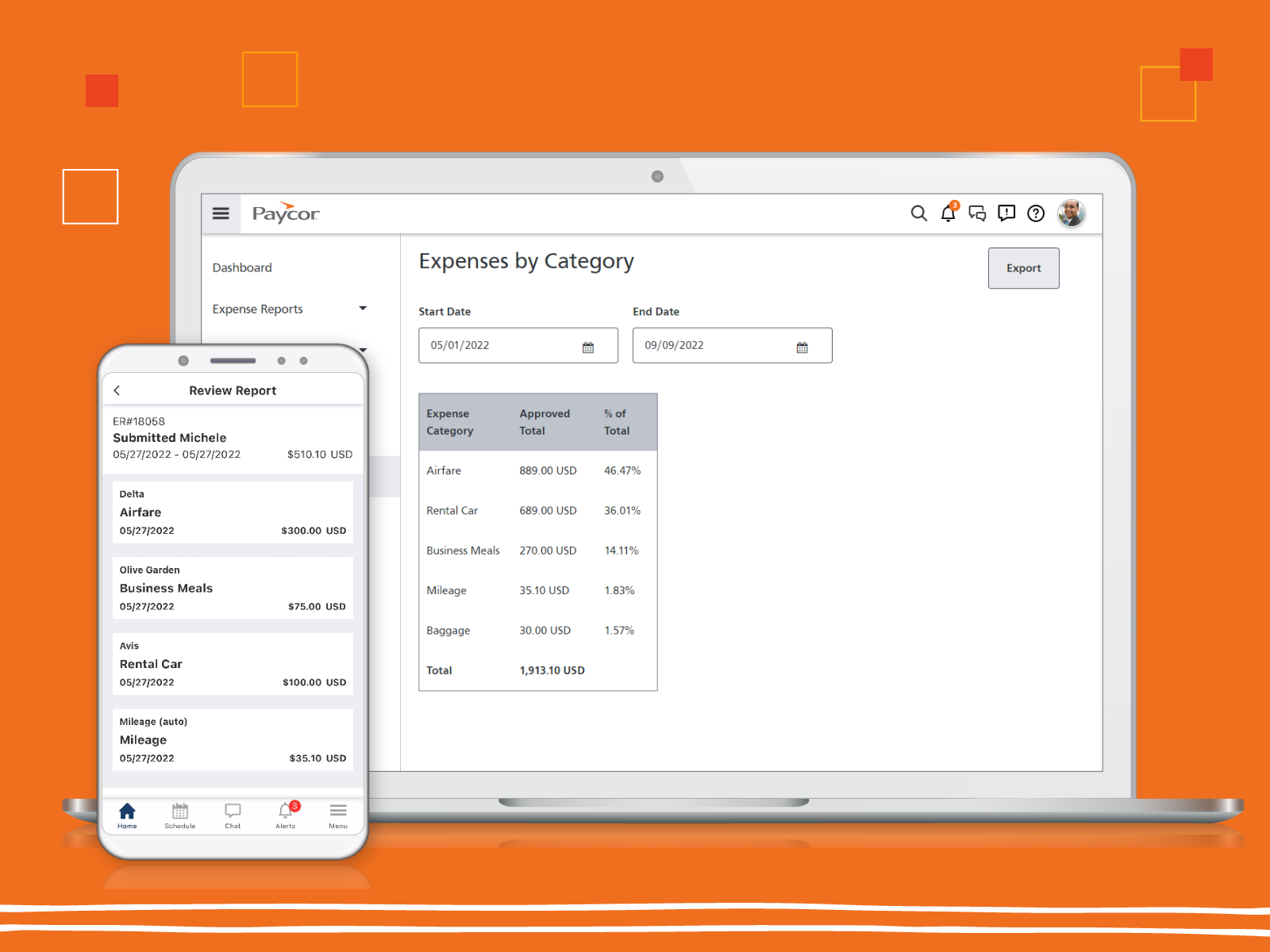
Paycor provides core HR functions scaled towards small and mid-sized businesses. Paycor offers an integrated benefits platform for interfacing directly with insurance carriers and an adaptable time management platform.
N/A
Pricing
Sage Intacct
Paycor
Editions & Modules
No answers on this topic
No answers on this topic
Offerings
Pricing Offerings
Sage Intacct
Paycor
Free Trial
No
Yes
Free/Freemium Version
No
No
Premium Consulting/Integration Services
Yes
Yes
Entry-level Setup Fee
No setup fee
Optional
Additional Details
Must contact sales team for pricing.
Paycor's pricing for small, mid, and enterprise companies varies based on product bundle and company size. Because Paycor HR software is built to help businesses scale and grow, plans are based on the mix of HR products needed, and company size. Payroll is at the core of Paycor's offering, and their products are sold as a part of their payroll and HR platform.
A de minimis incentive was given to thank the reviewer for their time. The incentive was not used to bias or drive a particular response, nor was the incentive contingent on a positive endorsement. TR verified that a representative sample of customers was invited. More Info
Verified User
Chose Sage Intacct
Sage is definitely less complicated to maneuver around and navigate through than SAP... SAP had more ability to add things like customer account notes and lots of detail, but it also created a very overwhelming and difficult to learn system. I would definitely recommend Sage …
A de minimis incentive was given to thank the reviewer for their time. The incentive was not used to bias or drive a particular response, nor was the incentive contingent on a positive endorsement. TR verified that a representative sample of customers was invited. More Info
It depends on the scale and nature of the organisation, but for a business like ours, i.e. a medium sized business with several entities operating in more than one location with different currencies, I think it is a very good fit. It is relatively easy to get to grips with and provides a good level of functionality.
A de minimis incentive was given to thank the reviewer for their time. The incentive was not used to bias or drive a particular response, nor was the incentive contingent on a positive endorsement. More Info
Paycor is well suited for an organization with a strong implementation team or who has the budget to hire a consultant to implement Paycor. Once the system is implemented, Paycor is great. If you are a smaller organization, we suggest starting with just 1-2 modules and working your way up from there as setting up everything takes time and resources
A de minimis incentive was given to thank the reviewer for their time. The incentive was not used to bias or drive a particular response, nor was the incentive contingent on a positive endorsement. More Info
Excellent roll-up reporting of various categories of expenses across multiple depts. Data is not siloed when we want to find all revenue sources across business entities, for example, or even down to details such as what is spent on "discretionary" expense elements.
Coding nomenclature is flexible and makes sense across business areas. Again, this allows for both more effective capture of data and with reporting slices and iterations.
Sage Intacct's open architecture (availability of APIs and already existing hooks) has made integration with other system tool-sets easier than we would ever have thought.
A de minimis incentive was given to thank the reviewer for their time. The incentive was not used to bias or drive a particular response, nor was the incentive contingent on a positive endorsement. TR verified that a representative sample of customers was invited. More Info
A de minimis incentive was given to thank the reviewer for their time. The incentive was not used to bias or drive a particular response, nor was the incentive contingent on a positive endorsement. TR verified that a representative sample of customers was invited. More Info
A de minimis incentive was given to thank the reviewer for their time. The incentive was not used to bias or drive a particular response, nor was the incentive contingent on a positive endorsement. TR verified that a representative sample of customers was invited. More Info
The reporting capabilities of Paycor Recruiting are lacking. While there are some great features I would like to see more options for customization. The options to build my own report from SCRATCH with whatever fields I want/need would be a huge improvement. At this time, I have to finagle the reports to try and get what I need and often times I have to pull multiple reports and then do extra work outside of the system to end up with metrics close to what I’m looking for in the data.
The candidates search feature could use some improvement. In theory, the tagging system is a great idea but it leaves room for inconsistency and trying to search for a previous candidate who interviewed well isn’t always easy. This makes it harder to re-engage with people who could be a strong match for a new job opening.
Although the platform is very user friendly as far as ease of use and intuitiveness it can be VERY slow at times. There are days where the system moves at a snails pace and when there are multiple clicks to have to get to a specific spot in the system this can be very frustrating. This is especially try for navigating through job postings and candidate details.
Sage Intacct is continuously evolving and increasing it's functionalities. I am excited to attend conferences to learn what is in the roadmap for future releases. Additionally, using Sage Intacct allows me grow as a professional, I am really enjoy the knowledge that I have within the product to be able to share my experiences.
A de minimis incentive was given to thank the reviewer for their time. The incentive was not used to bias or drive a particular response, nor was the incentive contingent on a positive endorsement. More Info
Price point is the biggest driving factor. Paycor has made some strides in the customer service area and we've seen enough improvements that renewing our contract has become more a reality than a pipe dream. The system functions well and our employees are familiar with how it works, so to make a change would be a huge lift for our team
A de minimis incentive was given to thank the reviewer for their time. The incentive was not used to bias or drive a particular response, nor was the incentive contingent on a positive endorsement. TR verified that a representative sample of customers was invited. More Info
The ease of use as a seasoned user is wonderful; however, new users struggle to adapt to the program efficiently. Better training videos--all in one location--would be beneficial. The use of a "sandbox" environment is a great tool for new employees or for the fiscal department to test certain journal entries or other transactions to verify accuracy of data.
A de minimis incentive was given to thank the reviewer for their time. The incentive was not used to bias or drive a particular response, nor was the incentive contingent on a positive endorsement. TR verified that a representative sample of customers was invited. More Info
Glitches. So many glitches. The customer service number provides basic troubleshooting, which doesn’t help; some issues take weeks to resolve, with no apparent reason why they occur. The system does not work on Safari. We have dealt with Payroll not working, which has caused a manual payroll to be run. Paycor representatives do not provide any assistance.
A de minimis incentive was given to thank the reviewer for their time. The incentive was not used to bias or drive a particular response, nor was the incentive contingent on a positive endorsement. TR verified that a representative sample of customers was invited. More Info
There has only been one occurrence where Sage Intacct was not available to me, however I had already been working a number of hours trying to get a project completed. It honestly allowed me to step back and take a much needed break.
A de minimis incentive was given to thank the reviewer for their time. The incentive was not used to bias or drive a particular response, nor was the incentive contingent on a positive endorsement. More Info
I feel like Paycor is always up and running! If they are planning downtime, they communicate it clearly. Every once in a while, I get something that says the system isn't working but it is usually back up within the hour. I typically find by the time that the employees complain about it, that it is resolved within the system.
A de minimis incentive was given to thank the reviewer for their time. The incentive was not used to bias or drive a particular response, nor was the incentive contingent on a positive endorsement. TR verified that a representative sample of customers was invited. More Info
As fas as integration is concerned I don't feel this slows Sage Intacct down at all. However, sometimes I do feel it takes some larger reports more time to load due to all the detail. As well as, I "move very fast" in my motions so sometimes I double click on fuctions too quickly and the system seems to think that I have a duplicate request.
A de minimis incentive was given to thank the reviewer for their time. The incentive was not used to bias or drive a particular response, nor was the incentive contingent on a positive endorsement. More Info
For the most part, everything moves super fast. There are a few sections (Expense Management) that sometimes take a bit to load correctly. Or if they are interesting, it takes a minute to talk to each other! But reports are quickly downloaded and available! Even data heavy reports run fairly fast!
A de minimis incentive was given to thank the reviewer for their time. The incentive was not used to bias or drive a particular response, nor was the incentive contingent on a positive endorsement. TR verified that a representative sample of customers was invited. More Info
Only a few times have we had to reach out to support, and every time we did, we received a relatively quick response and a solution was found fairly quickly. Only once was there an issue that took longer than a week to resolve, but it still did eventually get solved.
A de minimis incentive was given to thank the reviewer for their time. The incentive was not used to bias or drive a particular response, nor was the incentive contingent on a positive endorsement. TR verified that a representative sample of customers was invited. More Info
I feel like support will transfer you back and forth between departments and put you on hold forever. I believe it is very difficult to see the status of an open ticket. During my experience, it feels like the client has to push all communication and request updates from support regularly.
A de minimis incentive was given to thank the reviewer for their time. The incentive was not used to bias or drive a particular response, nor was the incentive contingent on a positive endorsement. TR verified that a representative sample of customers was invited. More Info
I have taken in person training classes at several of the annual Sage Intacct user conferences. It is very interactive and the trainers are very easy to follow and understand. They are great at getting everyone in the class involved. They also make sure everyone has learned to task before moving to a new one.
A de minimis incentive was given to thank the reviewer for their time. The incentive was not used to bias or drive a particular response, nor was the incentive contingent on a positive endorsement. More Info
The training was helpful and covered the basic functionality of the system, but it did not stand out as exceptional. The presenter was knowledgeable and answered questions appropriately, but much of the content felt focused on standard product features rather than our specific business processes and use cases. I would have liked to see more hands-on exercises, deeper workflow examples, and practical demonstrations tied to real-world scenarios. Overall, the training was good and provided value, but there is opportunity to make it more engaging, more customized to our organization, and more impactful for long-term user adoption.
A de minimis incentive was given to thank the reviewer for their time. The incentive was not used to bias or drive a particular response, nor was the incentive contingent on a positive endorsement. TR verified that a representative sample of customers was invited. More Info
The free training is very minimal. For what we pay for the service, I would like more training. We end up training new users in-house because the provided free training is not nearly comprehensive enough. That being said, the training provided, for the material covered, was adequate and relevant for the given topics.
A de minimis incentive was given to thank the reviewer for their time. The incentive was not used to bias or drive a particular response, nor was the incentive contingent on a positive endorsement. TR verified that a representative sample of customers was invited. More Info
The online training was adequate and covered the core functionality of the platform, but it felt similar to many standard software training libraries available today. The content was easy to access and generally well organized, but it lacked the depth, interactivity, and real-world application needed to make it particularly memorable or impactful. I would have liked to see more role-based learning paths, practical business scenarios, hands-on exercises, and guidance tailored to different user groups. Overall, the training met basic expectations and provided useful information, but it did not differentiate itself from typical web-based training programs offered by most HCM providers.
A de minimis incentive was given to thank the reviewer for their time. The incentive was not used to bias or drive a particular response, nor was the incentive contingent on a positive endorsement. TR verified that a representative sample of customers was invited. More Info
I would not use a thrid party administrator to implement your system, especially if you are going to be modifying the system at all. Use Intacct implementors as they will be able to better support you on any issues that come up after you go live.
A de minimis incentive was given to thank the reviewer for their time. The incentive was not used to bias or drive a particular response, nor was the incentive contingent on a positive endorsement. More Info
Implementation of any new software is going to be challenging, especially if you are maintaining an existing program concurrently. When it is time for dual-processing (both old and new software) prior to going live, be prepared to be stressed. But trust the process and it will be over soon.
A de minimis incentive was given to thank the reviewer for their time. The incentive was not used to bias or drive a particular response, nor was the incentive contingent on a positive endorsement. More Info
We evaluated Sage Intacct alongside many other options, but Blackbaud and NetSuite were the frontrunners. They all were cloud-based and capable systems, but for our team, Sage Intacct was the clearer choice for a few reasons. First, usability. Our team has varying levels of accounting experience, and Sage felt more intuitive across those different levels. The others could be powerful, but it also felt like it required more technical depth to navigate day-to-day, which was a concern for a small team. Second, functionality out of the box. Sage Intacct had more of what we needed built in without requiring a significant number of add-ons, which kept the solution simpler and the pricing more predictable. Third, nonprofit fit. Sage Intacct is purpose-built for organizations like ours, and that showed in the functionality available and the system's overall design. And finally, our implementation partner, RSM, was well-versed in Sage Intacct and gave us confidence that we would have the right support behind us. That partnership was part of the overall value of choosing Sage.
A de minimis incentive was given to thank the reviewer for their time. The incentive was not used to bias or drive a particular response, nor was the incentive contingent on a positive endorsement. More Info
They seemed similar but Paycor was cheaper at the time. However, Paycor has so many fees they tack onto every invoice that may not be the case anymore. The support services supposedly were better at ADP but that was an unknown
A de minimis incentive was given to thank the reviewer for their time. The incentive was not used to bias or drive a particular response, nor was the incentive contingent on a positive endorsement. TR verified that a representative sample of customers was invited. More Info
A de minimis incentive was given to thank the reviewer for their time. The incentive was not used to bias or drive a particular response, nor was the incentive contingent on a positive endorsement. More Info
I gave it a 10 because we only use it across one organization. However, it has allowed us to break it into multiple departments and layers of management. It is also easy for us to utilize across different locations but still under one master company. They have always provided us support when we decide to change something on an organizational level
A de minimis incentive was given to thank the reviewer for their time. The incentive was not used to bias or drive a particular response, nor was the incentive contingent on a positive endorsement. TR verified that a representative sample of customers was invited. More Info
Positive - It runs better than our old software when we all work together, rather than having to sign off on each other and deal with syncing issues.
Negative - It's not as easy to go back to fix an amount, a date, etc. Sometimes, a very small mistake needs to be corrected by voiding and redoing the entire transaction.
We can successfully sync other software we use with Intacct! It reduces workload when things are automated.
A de minimis incentive was given to thank the reviewer for their time. The incentive was not used to bias or drive a particular response, nor was the incentive contingent on a positive endorsement. TR verified that a representative sample of customers was invited. More Info
We can process Payroll in a 25% of the time that we previously could.
Scheduling takes 2 or 3 times as much effort as it did before.
Onboarding allows employees to do self-service but comes with a lot of questions from team members so it is net the same amount of time at the end of the day.
A de minimis incentive was given to thank the reviewer for their time. The incentive was not used to bias or drive a particular response, nor was the incentive contingent on a positive endorsement. TR verified that a representative sample of customers was invited. More Info