ISL Light vs. ManageEngine Remote Access Plus

Overview
ProductRatingMost Used ByProduct SummaryStarting Price
ISL Light
Score 8.7 out of 10
Small Businesses (1-50 employees)
ISL Light is remote support and remote access software that enables SMBs and large enterprises to offer fast and efficient support and maintenance for Windows, Mac and Linux computers as well as mobile device support for Android and iOS.
$418
per year (1 concurrent user)
ManageEngine Remote Access Plus
Score 8.2 out of 10
Mid-Size Companies (51-1,000 employees)
Remote Access Plus is a secure and comprehensive enterprise troubleshooting solution that helps system administrators and IT help desk technicians to remotely resolve troubleshooting requests. The vendor says this solution provides powerful remote desktop sharing, over 12 diagnostic tools, wake on LAN, remote shutdown and precise reporting system, which enables users to seamlessly access and rescue computers at lightning speed. According to the vendor key features and business…
$145
access for 5 techs and 50 computers billed annually
Pricing
ISL LightManageEngine Remote Access Plus
Editions & Modules
Standard
$34.90
per month (billed annually) per concurrent user
Self-Hosted
$44.90
per month (billed annually) per concurrent user
Premium
$54.90
per month (billed annually) per concurrent user
Enterprise (Managed Private Cloud)
$23,976
per year 20 concurrent users
Standard
$145
access for 5 techs and 50 computers billed annually
Professional
$195
access for 5 techs and 50 computers billed annually
Standard
200$
access for 5 techs and 50 computers billed annually
Professional
300$
access for 5 techs and 50 computers billed annually
Offerings
Pricing Offerings
ISL LightManageEngine Remote Access Plus
Free Trial
YesYes
Free/Freemium Version
NoYes
Premium Consulting/Integration Services
YesYes
Entry-level Setup FeeNo setup feeNo setup fee
Additional DetailsISL Online's pricing model considers the number of licenses purchased, which determines the maximum number of concurrent users within the organization. A concurrent user is defined as anyone running one or more sessions simultaneously from any device. There are no restrictions on the number of ISL Light users within a company or the remote devices managed. For example, with three licenses, an unlimited number of people in a company can use ISL Light and can access an unlimited number of remote devices, but only three users can use it concurrently. When one of these three users ends their session, a fourth user can begin their session, and so on.Remote Access Plus comes free with access up to 10 computers. Pricing options are determined by the number of technicians and the computer range needed. Pricing represented here allows for 5 technicians and a computer range of 50. Additional technician licenses can be purchased at an additional cost.
More Pricing Information
Community Pulse
ISL LightManageEngine Remote Access Plus
Features
ISL LightManageEngine Remote Access Plus
Remote Administration
Comparison of Remote Administration features of Product A and Product B
ISL Light
8.1
91 Ratings
2% above category average
ManageEngine Remote Access Plus
7.9
6 Ratings
0% below category average
Screen sharing8.685 Ratings8.76 Ratings
File transfer9.385 Ratings8.26 Ratings
Instant message7.468 Ratings7.66 Ratings
Secure remote access with Smart Card authentication7.916 Ratings7.73 Ratings
Access to sleeping/powered-off computers6.162 Ratings7.66 Ratings
Over-the-Internet remote session8.682 Ratings8.06 Ratings
Initiate remote control from mobile7.853 Ratings00 Ratings
Remote management of servers & workstations8.671 Ratings8.46 Ratings
Remote Active Directory® management8.523 Ratings00 Ratings
Centralized management dashboard8.151 Ratings7.96 Ratings
Session record8.258 Ratings7.64 Ratings
Annotations8.443 Ratings00 Ratings
Monitoring and Alerts7.835 Ratings7.34 Ratings
Multi-platform remote control7.965 Ratings8.06 Ratings
Best Alternatives
ISL LightManageEngine Remote Access Plus
Small Businesses
Getscreen.me
Getscreen.me
Score 9.6 out of 10
Getscreen.me
Getscreen.me
Score 9.6 out of 10
Medium-sized Companies
Remote Desktop Manager
Score 9.4 out of 10
Remote Desktop Manager
Score 9.4 out of 10
Enterprises
Remote Desktop Manager
Score 9.4 out of 10
Remote Desktop Manager
Score 9.4 out of 10
All AlternativesView all alternativesView all alternatives
User Ratings
ISL LightManageEngine Remote Access Plus
Likelihood to Recommend
8.7
(91 ratings)
8.2
(6 ratings)
Likelihood to Renew
9.1
(3 ratings)
-
(0 ratings)
Usability
8.3
(54 ratings)
-
(0 ratings)
Availability
9.1
(1 ratings)
-
(0 ratings)
Performance
9.1
(1 ratings)
-
(0 ratings)
Support Rating
9.1
(3 ratings)
-
(0 ratings)
Implementation Rating
9.1
(2 ratings)
-
(0 ratings)
Product Scalability
9.1
(1 ratings)
-
(0 ratings)
User Testimonials
ISL LightManageEngine Remote Access Plus
Likelihood to Recommend
ISL Online
ISL light is suitable for anyone who plans to provide remote assistance services on a medium to large scale. Due to the high entry price, it is less suitable for consultants with a smaller number of clients or remote stations that need management. Their smallest package in which minutes are rented does not seem suitable for most cases.
Read full review
ManageEngine, A Div of Zoho Corporation Pvt Ltd
ManageEngine Remote Access Plus is very well suited in environments which consist hybrid operating system. It supports all types of OS like windows, Mac, and Linux. It helps in taking the remote of system and troubleshoot the m if any problem occurs hence engineers do not need to be physically present on the location for the purpose of solving it. It helps to keep a complete track of endpoints that what application, process is being used. It is not well suited in environment where there is no Active directory or SCCM server because ManageEngine Remote Access Plus need agent to work and deploying agent the environment where Active directory does not exist is a big task. Manually deploying agent on every system is very time taking and need so much of effort.
Read full review
Pros
ISL Online
  • Prikaz strani na kateri se nahaja uporabnik
  • Prikaz kontaktov uporabnikov
  • Zgodovina pogovorov s strankami
  • Možnost spreminjanja statusa dosegljivosti
  • Nalaganje datotek, zajemov slik,..
  • Klepetalnik, ki je enostaven za uporabo
  • Nas obvesti, da smo dobili sporočilo, tudi če smo izven klepetalnika
  • Display the page the user is on
  • Displaying user contacts
  • Customer conversation history
  • Ability to change availability status
  • Uploading files, capturing images, etc.
  • An easy-to-use chatbot
  • Notifies us that we have received a message, even if we are outside the chat room
Read full review
ManageEngine, A Div of Zoho Corporation Pvt Ltd
  • It is embedded with great features like voice support, video assistance, and even text support, which provides a great user experience.
  • It provides features like remotely shut down the end system, renaming the endpoints, full list of applications running, process use, memory consumption, disk usage which are very beneficial.
  • We can even uninstall unwanted applications, delete malicious files, kill heavily used process, modify registry values.
  • It helps in to keep track of windows event that occurs in the system, it also provides report in desired format.
Read full review
Cons
ISL Online
  • Need a control toggle at least on AlwaysOn. User moves the mouse and you lose all control instantly.
  • Clipboard features are a bit wonky still, and your clipboard seems to get emptied a lot. So if you're trying to copy and paste you might lose something
  • Passwords for the systems are saved per machine, so if you work from multiple devices it can be tricky if you have complex passwords
Read full review
ManageEngine, A Div of Zoho Corporation Pvt Ltd
  • It is an agent based solution which is a major disadvantage. We can not control the system which do not have agent installed on them. Hence this is a disadvantage. Even installing agent is a big task in a large organization.
  • Till the agent are not installed on every system we can not have full control over the organization network. Agent deployment takes time hence we can utilize the product with its full efficiency.
  • The pricing is very high, and it goes on increasing as we add more technician and endpoints.
  • The connection gets drop sometime while controlling in new release because it contains some bugs. We also need to have proper bandwidth for using it smoothly.
  • The implementation and deployment takes time and needs proper support from vendor. Sufficient documentation are also not available.
Read full review
Likelihood to Renew
ISL Online
We are renew the license for 10 years now and we do not see why would change that. It just gets better with every new version.
Read full review
ManageEngine, A Div of Zoho Corporation Pvt Ltd
No answers on this topic
Usability
ISL Online
Everything works well and quickly, and that's all we need. ISL Light always works, and we've never had a situation where the server was inaccessible or the website was down. It simply gives us a 100% guarantee that we can always log in to our customers' systems. We can install the ISL Light client at our customers' sites without any problems, even though security is high.
Read full review
ManageEngine, A Div of Zoho Corporation Pvt Ltd
No answers on this topic
Reliability and Availability
ISL Online
During the entere time of use, I have never come across any availability issues.
Read full review
ManageEngine, A Div of Zoho Corporation Pvt Ltd
No answers on this topic
Performance
ISL Online
High performance!
Read full review
ManageEngine, A Div of Zoho Corporation Pvt Ltd
No answers on this topic
Support Rating
ISL Online
We had issues with mouse skipping on mobile devices. Support is immediatly availabe, they examined our case and in one of the new versions of the app this problem was gone.
Read full review
ManageEngine, A Div of Zoho Corporation Pvt Ltd
No answers on this topic
Implementation Rating
ISL Online
It was so easy!
Read full review
ManageEngine, A Div of Zoho Corporation Pvt Ltd
No answers on this topic
Alternatives Considered
ISL Online
Multi-monitor handling is super easy with ISL Light. The licensing model of ISL Light's self-hosted version is unbeatable. Great technical support, which often used before I purchased. The unbelievable price increase during and after the covid time of remote tools, has ended, when I found ISL Light. ISL Light is really a underdog in the remote utility market. I'm glad that I found it.
Read full review
ManageEngine, A Div of Zoho Corporation Pvt Ltd
Remote Access Plus is a lot more user friendly and can easily be used by junior IT staff efficiently.
It is also a lot more powerful with a range of additional features and functions
Read full review
Scalability
ISL Online
Easy to deploy onto new devices. Ability to group devices so they can managed remotely efficiently.
Read full review
ManageEngine, A Div of Zoho Corporation Pvt Ltd
No answers on this topic
Professional Services
ISL Online
No professional services used
Read full review
ManageEngine, A Div of Zoho Corporation Pvt Ltd
No answers on this topic
Return on Investment
ISL Online
  • Saves time: able to help our customers right-away. No need to visit them physically
  • Fastest aid in problem-solving: customer happy and more likely to return
  • Negative: not much negativity about ISL Light, although I get even less in-person contact with clients :-)
Read full review
ManageEngine, A Div of Zoho Corporation Pvt Ltd
  • Faster recovery of issues from screen sharing
  • managing patches without manual intervention
  • deploying software to multiple workstations at the same time
Read full review
ScreenShots

ISL Light Screenshots

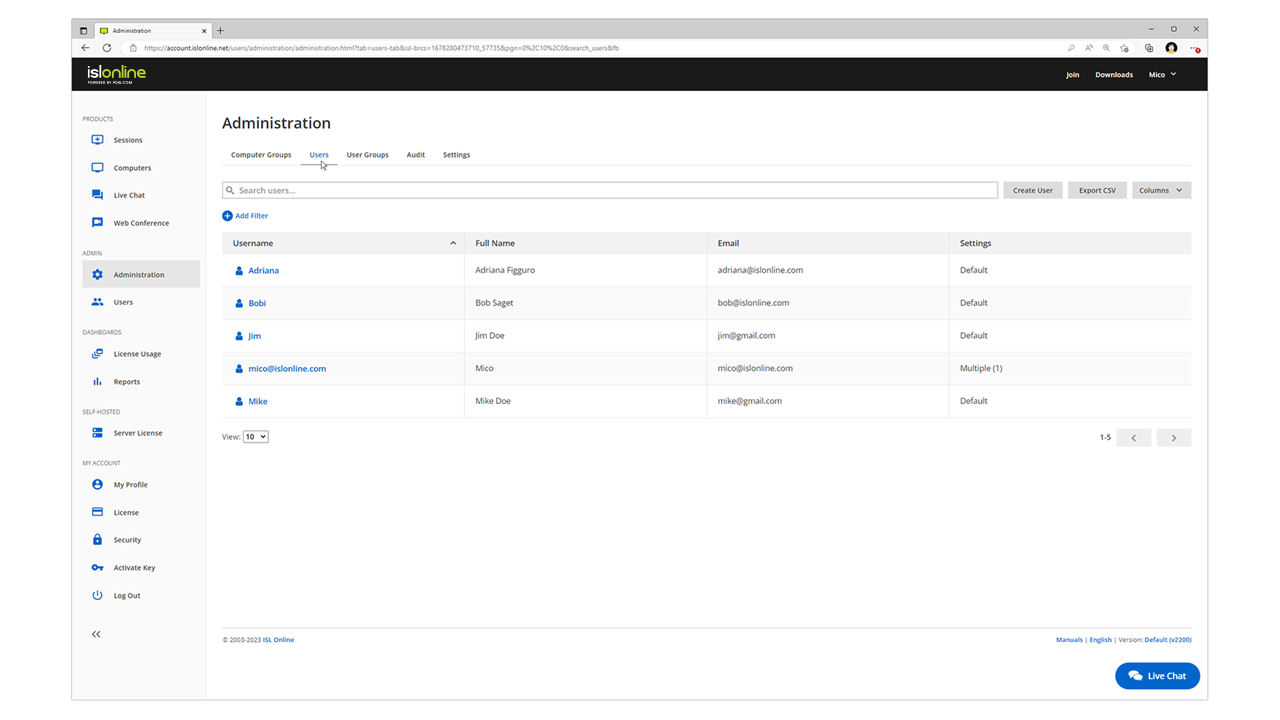
Screenshot of remote access control in ISL Light.Screenshot of unattended access setup. Access can be allowed to as many computers as desired.Screenshot of a connection with a remote client, which can be set up by sending an email or sharing a link.Screenshot of interactions with the Windows UAC on a remote device.Screenshot of the dual panel File Manager, used to transfer files.Screenshot of the web console where remote desktop sessions can be managed from a web browser.

ManageEngine Remote Access Plus Screenshots

Screenshot of One tap access to remote computers, with over 12 diagnostic toolsScreenshot of Seamlessly control multiple monitors connected to remote computersScreenshot of Integrated tools to perform administrative tasks in just clicksScreenshot of Perceive audit-ready and real-time reports