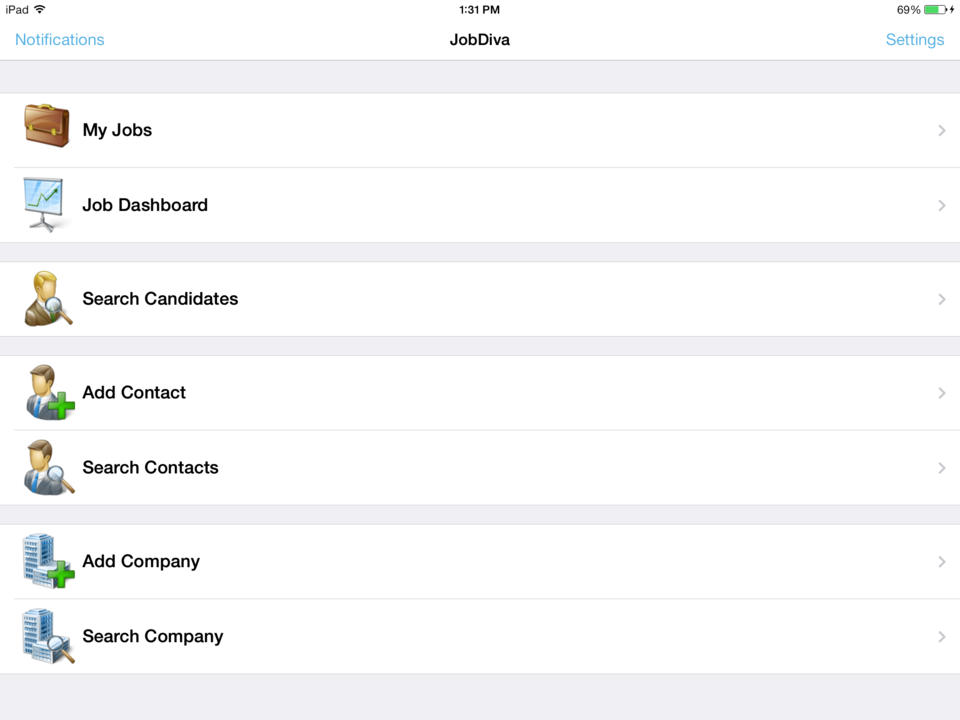
JobDiva is a global applicant tracking system (ATS) and front-to-back talent management solution. JobDiva combines a CRM, synchronization with all major job boards and VMS providers, BI analytics, a mobile app, and a resume database. JobDiva also advertises unique search filters for screening resumes.
N/A
WorkBright
Score10 out of 10
Mid-Size Companies (51-1,000 employees)
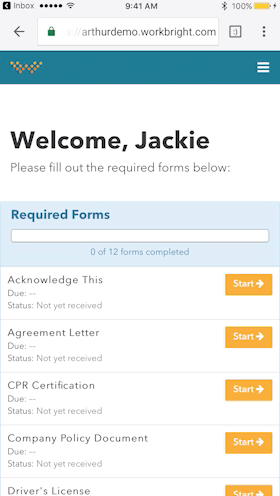
WorkBright is a purpose-built I-9 compliance and E-Verify platform designed to help organizations maintain audit readiness, improve accuracy and efficiency, and confidently manage employment eligibility across complex, high-volume, and distributed workforces. The platform performs more than 150 automated compliance checks to identify and resolve errors before submission, supports all three Section 2 completion workflows, and features industry-first document verification…
N/A
Pricing
JobDiva
WorkBright
Editions & Modules
No answers on this topic
No answers on this topic
Offerings
Pricing Offerings
JobDiva
WorkBright
Free Trial
No
No
Free/Freemium Version
No
No
Premium Consulting/Integration Services
Yes
No
Entry-level Setup Fee
No setup fee
Required
Additional Details
—
Our pricing is based off the number of hires in a given contract year. All contracts are annual but can be billed on a monthly basis.
The functionality the platform holds is top-notch where I can house details regarding contact information, requested rates, what jobs we're submitting them to, and all the personal information (CV, certifications, degrees, etc) that we obtain from our candidates. It's extremely helpful that I am able to submit candidates externally as that is our M.O. routinely. I really like it.
A de minimis incentive was given to thank the reviewer for their time. The incentive was not used to bias or drive a particular response, nor was the incentive contingent on a positive endorsement. More Info
Workbright is well suited because of the following reasons: 1. Data transmission between browser and application is highly encrypted 2. Bank grade data encryption for maximum security 3. Data is backed up at various locations 4. Database security is maintained to the highest standards with Engineers 5. Automated reminders and user correction error flow system
A de minimis incentive was given to thank the reviewer for their time. The incentive was not used to bias or drive a particular response, nor was the incentive contingent on a positive endorsement. More Info
A de minimis incentive was given to thank the reviewer for their time. The incentive was not used to bias or drive a particular response, nor was the incentive contingent on a positive endorsement. More Info
A de minimis incentive was given to thank the reviewer for their time. The incentive was not used to bias or drive a particular response, nor was the incentive contingent on a positive endorsement. More Info
A de minimis incentive was given to thank the reviewer for their time. The incentive was not used to bias or drive a particular response, nor was the incentive contingent on a positive endorsement. More Info
Onboarding Paperwork - It would be great if there was only one website we had to log into. For example, I have to log into one to send paperwork, and then log into another domain to check the paperwork sent.
Note Timeline - Anytime any application is touched, viewed, etc. a note is made. We also utilize the note feature to communicate about each applicant. However, it gets quite messy when their are over 40 notes and you are not able to sort or organize them.
Attachments - Can't attach items in notes, would be nice feature for attaching images, snippets, pdfs, etc.
A de minimis incentive was given to thank the reviewer for their time. The incentive was not used to bias or drive a particular response, nor was the incentive contingent on a positive endorsement. More Info
We have invested a lot of time and technically money (on the part of our people) in JobDiva. We had an independent company come in and do a gap analysis to tell us where we were using the product as we should be and where we were not. We are working on correcting things that we are not doing to "best practice" for our business.
A de minimis incentive was given to thank the reviewer for their time. The incentive was not used to bias or drive a particular response, nor was the incentive contingent on a positive endorsement. TR verified that a representative sample of customers was invited. More Info
JobDiva is one of the best applicant tracking systems - it's easy for recruiters to use and provides the ability to quickly build a search and filter millions of resumes of available candidates with the required levels of experience, skills or attributes. Jobdiva itself is a very intelligent and powerful tool to recruit and source qualified candidates.
Over all I think JobDiva works well. It has some issues from time to time, but the support staff seems to handle it quickly. The major issue is the email merges getting black listed as spam. That takes away a very important JobDiva feature. That is our major functionality complaint these days
A de minimis incentive was given to thank the reviewer for their time. The incentive was not used to bias or drive a particular response, nor was the incentive contingent on a positive endorsement. More Info
Usually, we don't come across downtime or any such issues. However, whenever required, the Support team is always up and ready to solve it as soon as possible. One of its best features is it always Notifies users of any changes related to any of its uses or new additions.
A de minimis incentive was given to thank the reviewer for their time. The incentive was not used to bias or drive a particular response, nor was the incentive contingent on a positive endorsement. TR verified that a representative sample of customers was invited. More Info
A de minimis incentive was given to thank the reviewer for their time. The incentive was not used to bias or drive a particular response, nor was the incentive contingent on a positive endorsement. TR verified that a representative sample of customers was invited. More Info
This is a SaaS platform so the implementation is easy. One thing to consider is to make sure your organization has agreed to this system. Not all will like it but atleast everyone must understand how this will impact Staffing efforts in a positive way. Once everyone is bought then the rest is smooth. The reason I mention this is because after the implementation some where reluctant to change thus not maximizing JOBDIVA to its full capacity.
A de minimis incentive was given to thank the reviewer for their time. The incentive was not used to bias or drive a particular response, nor was the incentive contingent on a positive endorsement. More Info
Bullhorn seemed very focused on integration with LinkedIn but was missing on other factors. WinSearch was lacking as an ATS on all fronts, mass email would go to same people, there was no real prevention of duplicates and there was really no great way to link information and easy access later on
A de minimis incentive was given to thank the reviewer for their time. The incentive was not used to bias or drive a particular response, nor was the incentive contingent on a positive endorsement. More Info
WorkBright was selected as the primary HR software within our company. One of the main reasons it was selected is the intuitive user interface and dashboard. Additionally, the software had excellent features for the cost such as custom reporting, notifications, enhanced security, and training. WorkBright offered many features that other HR software in the same price range did not.
A de minimis incentive was given to thank the reviewer for their time. The incentive was not used to bias or drive a particular response, nor was the incentive contingent on a positive endorsement. More Info
It had a positive impact of the number of candidates I was able to reach and which actually helped to increase the hiring rate at one of our clients.
The reporting system in JobDiva. It actually helped to focus more on the business objectives instead of documenting about each and every employee.
The only negative it had was that in a ew positions (asking for niche skills), when it required to submit candidates in a quick time, the other vendors were able t he win the race.
A de minimis incentive was given to thank the reviewer for their time. The incentive was not used to bias or drive a particular response, nor was the incentive contingent on a positive endorsement. More Info