LogicMonitor vs. XEOX

Overview
ProductRatingMost Used ByProduct SummaryStarting Price
LogicMonitor
Score 8.9 out of 10
Mid-Size Companies (51-1,000 employees)
LogicMonitor’s SaaS-based platform, LM Envision, enables observability across on-prem and multi-cloud environments. It provides IT and business teams operational visibility and predictability across their technologies and applications.N/A
XEOX
Score 10.0 out of 10
N/A
XEOX is a cloud-based remote management and monitoring solution that includes optimized patch management, integrated remote access, software deployment, and IT asset management. It is used to centrally manage the IT landscape of all computers and servers within organizations, and keeps track of inventory and software.
$1.50
per month per installation
Pricing
LogicMonitorXEOX
Editions & Modules
Enterprise
Contact sales team
Website Monitoring
Contact sales team
No answers on this topic
Offerings
Pricing Offerings
LogicMonitorXEOX
Free Trial
YesYes
Free/Freemium Version
NoNo
Premium Consulting/Integration Services
YesYes
Entry-level Setup FeeNo setup feeOptional
Additional DetailsOur platform is broken down into Pro and Enterprise Pricing. Pro includes monitoring for all of your cloud, hybrid, and on-premises infrastructure. Our Enterprise package includes all of this, plus our AIOps and Machine Learning functionality that provides dynamic thresholds, root cause analysis, anomaly detection and more! LogicMonitor only charges by the device. What is considered a device? A device is anything with an IP address that you want to monitor, including a physical device or a cloud resource. This means multiple data sources under the same IP address can be monitored for the same price. Unlike some monitoring platforms. we don’t charge per node, interface, or metric.
More Pricing Information
Community Pulse
LogicMonitorXEOX
Best Alternatives
LogicMonitorXEOX
Small Businesses
Veeam ONE
Veeam ONE
Score 8.6 out of 10
Panda Systems Management
Score 8.4 out of 10
Medium-sized Companies
Icinga
Icinga
Score 8.6 out of 10
Action1
Action1
Score 9.4 out of 10
Enterprises
ScienceLogic SL1
ScienceLogic SL1
Score 9.1 out of 10
TeamViewer
TeamViewer
Score 8.5 out of 10
All AlternativesView all alternativesView all alternatives
User Ratings
LogicMonitorXEOX
Likelihood to Recommend
9.4
(179 ratings)
10.0
(1 ratings)
Likelihood to Renew
6.7
(8 ratings)
-
(0 ratings)
Usability
8.3
(29 ratings)
-
(0 ratings)
Availability
9.1
(1 ratings)
-
(0 ratings)
Performance
9.1
(1 ratings)
-
(0 ratings)
Support Rating
9.2
(109 ratings)
10.0
(1 ratings)
In-Person Training
8.2
(1 ratings)
-
(0 ratings)
Online Training
7.3
(1 ratings)
-
(0 ratings)
Implementation Rating
9.6
(24 ratings)
-
(0 ratings)
Configurability
9.1
(1 ratings)
-
(0 ratings)
Contract Terms and Pricing Model
7.4
(5 ratings)
-
(0 ratings)
Ease of integration
7.3
(1 ratings)
-
(0 ratings)
Product Scalability
9.1
(1 ratings)
-
(0 ratings)
Professional Services
7.6
(4 ratings)
-
(0 ratings)
Vendor post-sale
9.1
(1 ratings)
-
(0 ratings)
Vendor pre-sale
9.1
(1 ratings)
-
(0 ratings)
User Testimonials
LogicMonitorXEOX
Likelihood to Recommend
LogicMonitor
The example I will give will explain my rating for it. One employee left our company due to a personal issue, and at that time, our team was working on a highly secure project. He wanted to take revenge on our company, so he began hacking our systems from the outside. Since it appears that someone without authorization is attempting to access our systems, LogicMonitor simultaneously alerted our team to the problem. We stopped that threat with LogicMonitor.
Read full review
XEOX
XEOX is very well suited for scenarios where a high level of customization is needed. No other tool we have tested can be tailored so exactly to one's needs. It is possible to automize basically anything using custom scripts and the monitoring and health state of the devices is completely customizable, individually for every device.
However, this reflects in the complex interface which is quite overwhelming at first sight. Therefore, I highly recommend contacting the support team to get an introduction into their product. They offer one-to-one meetings for free and make the first steps a lot more easier!
Read full review
Pros
LogicMonitor
  • It shows us system issues right away so we can fix them fast.
  • It finds new devices on its own, so we do not miss anything.
  • It alerts us only when something really unusual happens.
  • Its dashboards make it easy for everyone to see system health.
  • It helps us see trends so we are ready for busy times.
Read full review
XEOX
  • It has a health state for our devices which is completely customizable per device. So we can see on first sight whether there are some issues which are relevant for us.
  • It is possible to run arbitrary powershell scripts which makes it even possible to automize tasks which are not supported natively by XEOX.
  • The Windows patching is highly customizable: Even complex patch plans with multiple device groups which are patched at different times can be implemented.
  • The support is excellent. The response time is typically within hours on working days. They have also implemented some of our features requests. Everything is included in the licence.
Read full review
Cons
LogicMonitor
  • Segmentation at an instance level not just the resource when clients are sharing the same device but shouldn't see each other's relevant data
  • ARM CPU support for collectors to allow for a lighter weight appliance deployment
  • WMI collection with a Linux collector so a windows collector would not be needed or a virtual appliance template that can be used to deploy collectors
Read full review
XEOX
  • At first sight, the interface is quite complex and it requires some time to get used to it.
  • There is no ticketing system included.
  • The documentation is partly outdated and incomplete.
Read full review
Likelihood to Renew
LogicMonitor
This product has met virtually all of our needs. It was easy to implement and has been simple to support. Customization has been intuitive with many options available. They keep adding features and expanding available options. The future of LogicMonitor looks even better than it is today which is very promising. The management and support teams at LogicMonitor are always helpful
Read full review
XEOX
No answers on this topic
Usability
LogicMonitor
Set up is super easy. Just stand up a small Linux or Windows server to act as a collector. There are no agents to install on monitored devices and all you need is SNMP or WMI access. When creating dashboards, all you have to do is find the widget on the device you want to show up and choose the menu option to add it.
Read full review
XEOX
No answers on this topic
Support Rating
LogicMonitor
The sales team support we received was top notch. They worked hand in hand to make sure the product met all expectations. So far we have not really had to work with support that much; we have worked with setup team after purchase to deploy product fully. No issues so far and we are four weeks in.
Read full review
XEOX
The support answers withing hours (sometimes even minutes) on working days. One can also arrange a one-to-one meeting with them to go over specific needs. They even advised me on creating a good patch plan and shared their knowledge of patch management with me. Everything without any additional costs besides the standard licenses.
Read full review
In-Person Training
LogicMonitor
Add good training
Read full review
XEOX
No answers on this topic
Online Training
LogicMonitor
The training is good but room to improve
Read full review
XEOX
No answers on this topic
Implementation Rating
LogicMonitor
I did not truly dedicate myself to implementing LogicMonitor. However, I overheard the IT team members explain that "LogicMonitor is perfect for us as it has made most of the work automated, and implementation and training sessions were perfect for us." Thus, I can state that everything went smoothly with our implementation.
Read full review
XEOX
No answers on this topic
Alternatives Considered
LogicMonitor
Basically, we did not have any idea about it and how to choose, but we asked one of our former bosses, as they were very experienced with it, so they helped us by clarifying a few things between New Relic and LogicMonitor, as they told us that if you are looking for an automated option, then there is no better option than LogicMonitor.
Read full review
XEOX
No answers on this topic
Contract Terms and Pricing Model
LogicMonitor
Pricing seems to be getting more and more aggressive, I worry that it's going to turn into ServiceNow or SAP and everything minor feature will be an extreme cost that prices out us and our customers
Read full review
XEOX
No answers on this topic
Professional Services
LogicMonitor
Haven't really used it but our initial onboarding PS was disappointing. Felt like we were being told what we needed to cover as opposed to what we wanted to cover. In addition, we were pushed into using the PS in tight time frames and we were not ready to do so.
Read full review
XEOX
No answers on this topic
Return on Investment
LogicMonitor
  • We Eliminated an on-prem monitoring tool which was in excess of 25 servers
  • A decrease in time to response from our Network Operations Center resulted in a more consistent client experience
  • Dynamic alert thresholds helped reduce alerting by about 10 to 15% as soon as we turned it on for volatile metrics like CPU and memory
Read full review
XEOX
No answers on this topic
ScreenShots

LogicMonitor Screenshots

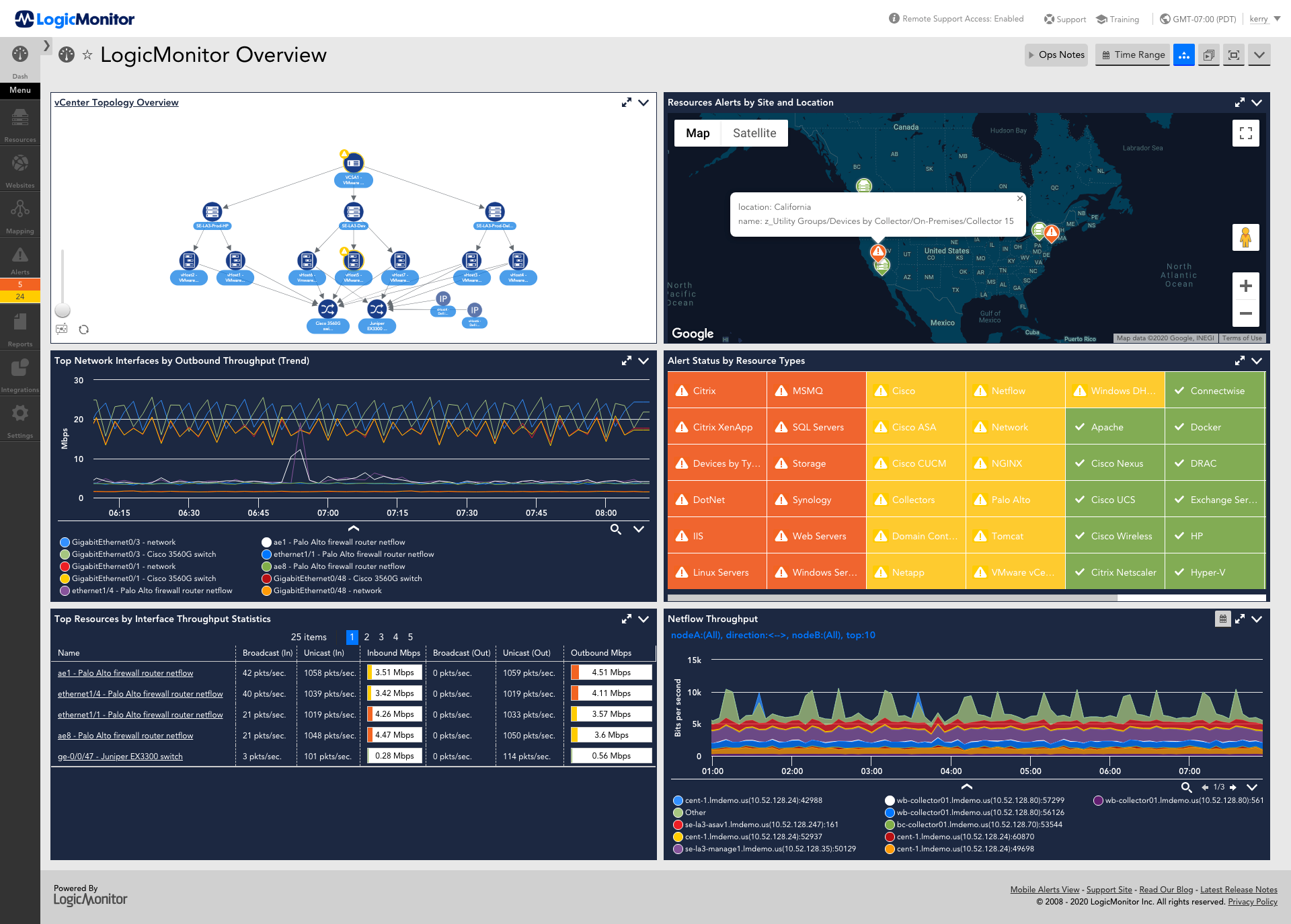
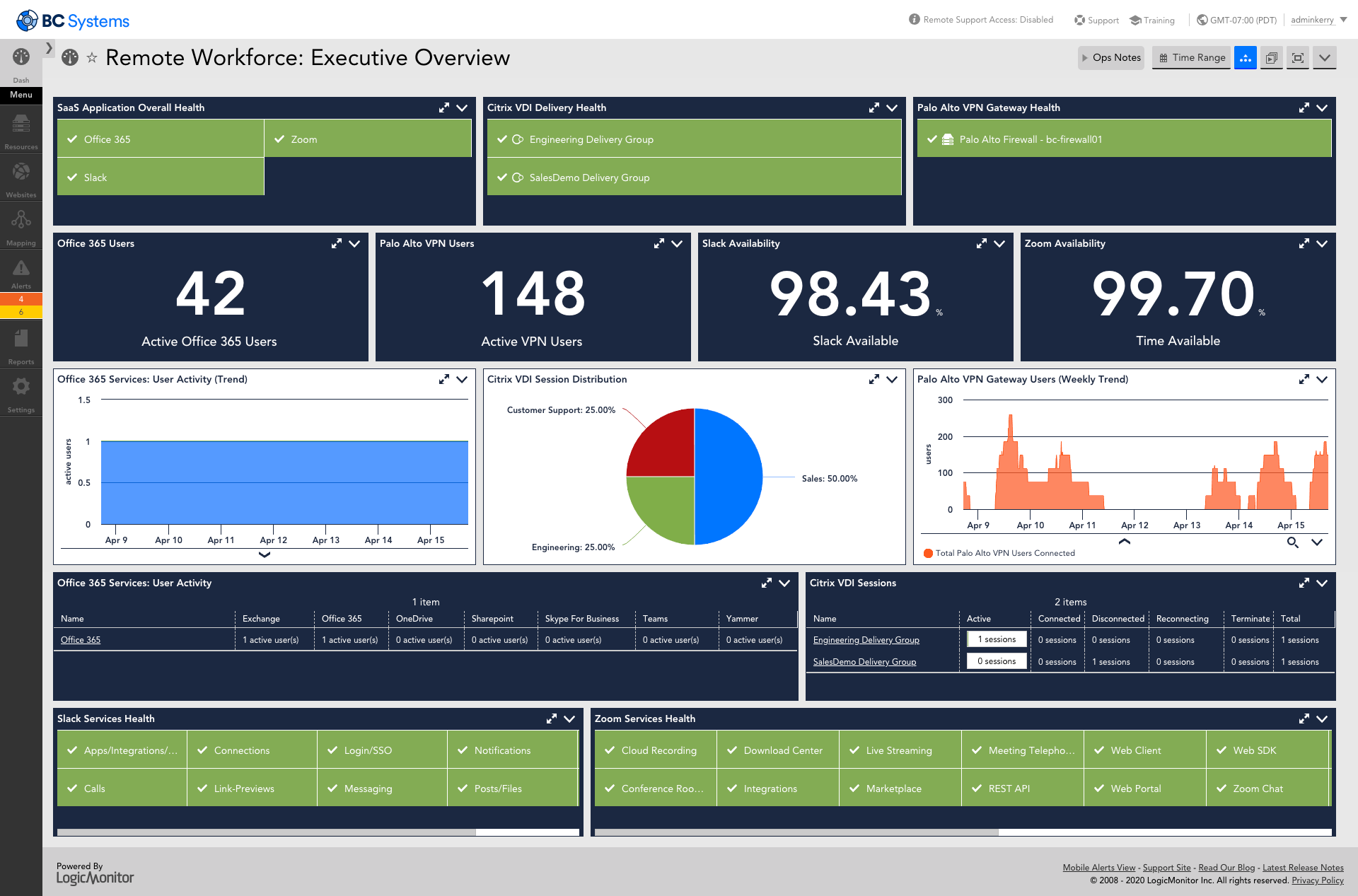
Screenshot of AIOps features for enterprises using technology or hybrid environments with cloud and container resources. LogicMonitor can be used to monitor and improve the performance of complex enterprise networks with dynamic thresholds, topology mapping, anomaly detection, and root cause analysis.Screenshot of LM Envision's comprehensive monitoring and observability capabilities across the IT infrastructure, that help to identify alerts for the most important systems while ensuring the user experience is uninterrupted across the globe.Screenshot of Monitoring that ensures servers and the applications running on top of them are highly available. Helps resolve issues and optimize resource consumption for the server infrastructure.Screenshot of LogicMonitor remote workforce monitoring, which ensures that employees are connected to the systems that keep them productive and provide proactive insight into dispersed systems and third-party outages.Screenshot of Unified cloud monitoring across a hybrid multi-cloud ecosystem.Screenshot of LM Logs delivering log analysis at enterprise scale.

XEOX Screenshots

Screenshot of the XEOX patch management solution, which automatically detects missing updates, promptly installs them on various endpoints, and maintains an overview of the organization's compliance status.Screenshot of XEOX's remote access, which eliminates the need to open incoming ports or use VPN, and is backed by security measures including MFA, role-based access and encryption. The solution also offers access through web access from any device, without the need for client downloads.Screenshot of XEOX's automated inventory management for Windows workstations and servers, which provides real-time insights into managed hardware and software assets. With inventory management software, users can understand the devices in the organization's possession, their configurations, software utilization, and identify devices that require an upgrade.