Overview
ProductRatingMost Used ByProduct SummaryStarting Price
LogMeIn Resolve
Score 9.0 out of 10
N/A
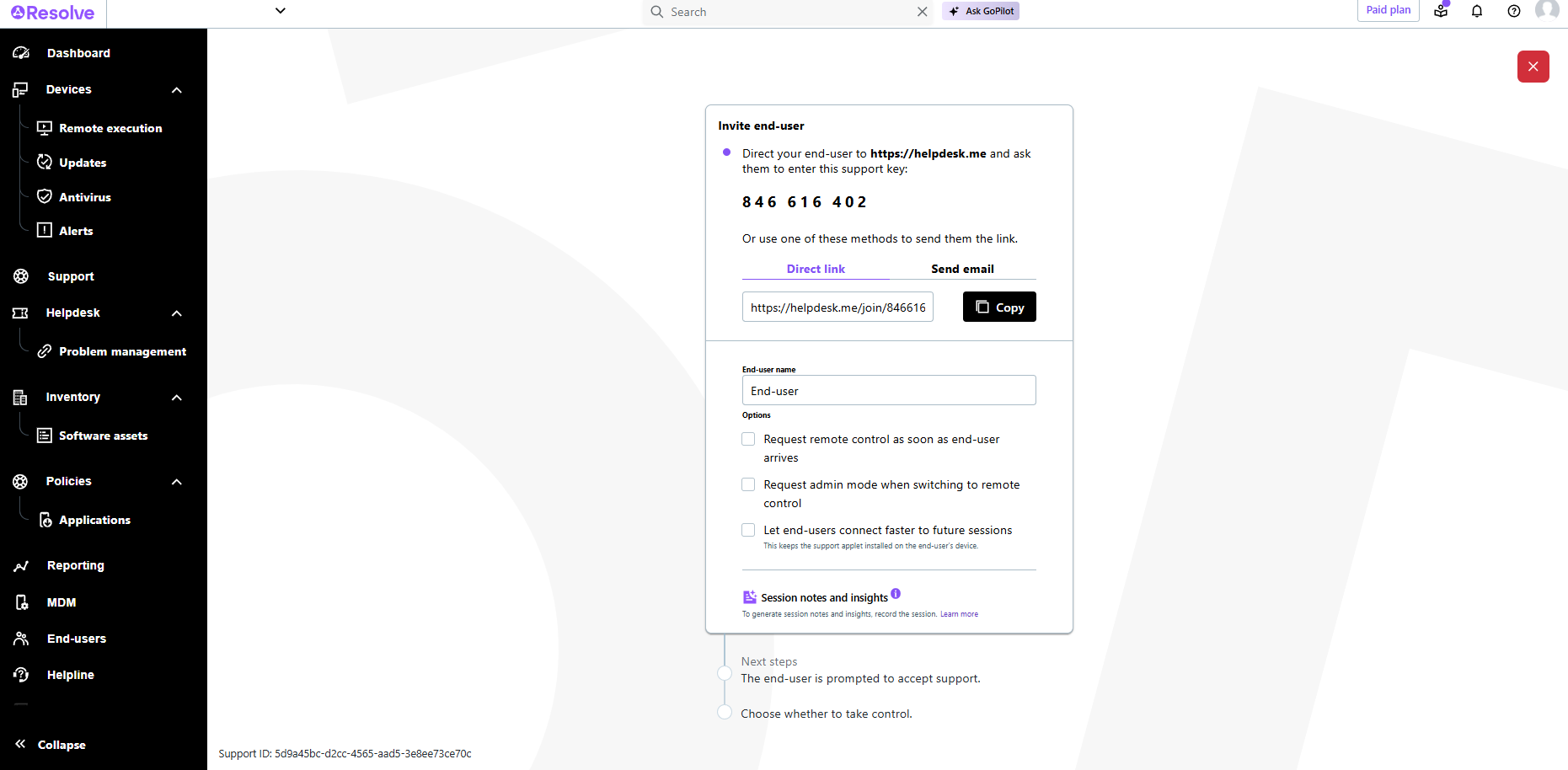
LogMeIn Resolve is an IT management and support solution designed to help organizations take control of their IT infrastructure. The platform combines features like remote monitoring, access, and support with tools such as ticketing, AI-assisted task automation, and patch management.
$29
per month
Rippling
Score 9.0 out of 10
N/A
Rippling HR is a human resources platform for managing employee records, onboarding, benefits, time and attendance, compliance, and other core people operations in one system. It serves as the HR layer of the broader Rippling platform, giving companies a central place to manage the employee lifecycle while connecting HR data to payroll, IT, and finance workflows when needed.
$8
per month per user
Workforce Edge
Score 4.0 out of 10
N/A
Workforce Edge is presented as a streamlined and efficient online platform available via a free plan to manage a company's education benefit processes. It also brings a network of leading universities, boasting best-available pricing—while allowing employees to learn at any university they choose.N/A
Pricing
LogMeIn ResolveRipplingWorkforce Edge
Editions & Modules
Starter
$29
per month
Growth
$55
per month
Advanced
$78
per month
Premium Endpoint Management
$78
per month
Complete
$94
per month
Recommended
$8.00
starting price per user, per month
No answers on this topic
Offerings
Pricing Offerings
LogMeIn ResolveRipplingWorkforce Edge
Free Trial
YesNoNo
Free/Freemium Version
NoNoNo
Premium Consulting/Integration Services
NoYesNo
Entry-level Setup FeeNo setup feeNo setup feeNo setup fee
Additional DetailsVolume discounts are available. MDM is available as a standalone or as an add-on. Discount available for annual billing.For additional pricing details visit the Rippling pricing page.
More Pricing Information
Community Pulse
LogMeIn ResolveRipplingWorkforce Edge
Features
LogMeIn ResolveRipplingWorkforce Edge
Human Resource Management
Comparison of Human Resource Management features of Product A and Product B
LogMeIn Resolve
-
Ratings
Rippling
9.0
1125 Ratings
10% above category average
Workforce Edge
-
Ratings
Employee demographic data00 Ratings8.8800 Ratings00 Ratings
Employment history00 Ratings8.9826 Ratings00 Ratings
Job profiles and administration00 Ratings9.1939 Ratings00 Ratings
Workflow for transfers, promotions, pay raises, etc.00 Ratings9.2836 Ratings00 Ratings
Organizational charting00 Ratings9.1973 Ratings00 Ratings
Organization and location management00 Ratings9.2868 Ratings00 Ratings
Compliance data (COBRA, OSHA, etc.)00 Ratings9.0666 Ratings00 Ratings
Payroll Management
Comparison of Payroll Management features of Product A and Product B
LogMeIn Resolve
-
Ratings
Rippling
9.3
1172 Ratings
14% above category average
Workforce Edge
-
Ratings
Pay calculation00 Ratings9.31056 Ratings00 Ratings
Off-cycle/On-Demand payment00 Ratings9.0741 Ratings00 Ratings
Benefit plan administration00 Ratings9.01021 Ratings00 Ratings
Direct deposit files00 Ratings9.51027 Ratings00 Ratings
Salary revision and increment management00 Ratings9.4792 Ratings00 Ratings
Reimbursement management00 Ratings9.3694 Ratings00 Ratings
Leave and Attendance Management
Comparison of Leave and Attendance Management features of Product A and Product B
LogMeIn Resolve
-
Ratings
Rippling
9.3
1051 Ratings
13% above category average
Workforce Edge
-
Ratings
Approval workflow00 Ratings9.41014 Ratings00 Ratings
Balance details00 Ratings9.3966 Ratings00 Ratings
Annual carry-forward and encashment00 Ratings9.3720 Ratings00 Ratings
Employee Self Service
Comparison of Employee Self Service features of Product A and Product B
LogMeIn Resolve
-
Ratings
Rippling
9.2
1219 Ratings
12% above category average
Workforce Edge
-
Ratings
View and generate pay and benefit information00 Ratings9.41154 Ratings00 Ratings
Update personal information00 Ratings9.51204 Ratings00 Ratings
View company policy documentation00 Ratings9.41003 Ratings00 Ratings
Employee recognition00 Ratings8.5672 Ratings00 Ratings
View job history00 Ratings9.0866 Ratings00 Ratings
Asset Management
Comparison of Asset Management features of Product A and Product B
LogMeIn Resolve
-
Ratings
Rippling
8.8
521 Ratings
9% above category average
Workforce Edge
-
Ratings
Tracking of all physical assets00 Ratings8.8521 Ratings00 Ratings
HR Reporting
Comparison of HR Reporting features of Product A and Product B
LogMeIn Resolve
-
Ratings
Rippling
9.0
635 Ratings
18% above category average
Workforce Edge
-
Ratings
Report builder00 Ratings8.7615 Ratings00 Ratings
Pre-built reports00 Ratings9.0581 Ratings00 Ratings
Ability to combine HR data with external data00 Ratings9.2527 Ratings00 Ratings
Onboarding
Comparison of Onboarding features of Product A and Product B
LogMeIn Resolve
-
Ratings
Rippling
9.4
868 Ratings
16% above category average
Workforce Edge
-
Ratings
New hire portal00 Ratings9.5844 Ratings00 Ratings
Manager tracking tools00 Ratings9.3660 Ratings00 Ratings
Performance and Goals
Comparison of Performance and Goals features of Product A and Product B
LogMeIn Resolve
-
Ratings
Rippling
9.0
514 Ratings
11% above category average
Workforce Edge
-
Ratings
Corporate goal setting00 Ratings9.1442 Ratings00 Ratings
Individual goal setting00 Ratings8.9472 Ratings00 Ratings
Line-of sight-visibility00 Ratings9.1438 Ratings00 Ratings
Performance tracking00 Ratings8.9469 Ratings00 Ratings
Performance Management
Comparison of Performance Management features of Product A and Product B
LogMeIn Resolve
-
Ratings
Rippling
9.3
594 Ratings
17% above category average
Workforce Edge
-
Ratings
Performance plans00 Ratings9.2524 Ratings00 Ratings
Performance improvement plans00 Ratings9.2496 Ratings00 Ratings
Review status tracking00 Ratings9.2527 Ratings00 Ratings
Review reminders00 Ratings9.4559 Ratings00 Ratings
Multiple review frequency00 Ratings9.3484 Ratings00 Ratings
Succession Planning
Comparison of Succession Planning features of Product A and Product B
LogMeIn Resolve
-
Ratings
Rippling
9.1
435 Ratings
15% above category average
Workforce Edge
-
Ratings
Create succession plans/pools00 Ratings9.1361 Ratings00 Ratings
Candidate ranking00 Ratings9.1372 Ratings00 Ratings
Candidate search00 Ratings9.2390 Ratings00 Ratings
Candidate development00 Ratings9.0371 Ratings00 Ratings
Recruiting / ATS
Comparison of Recruiting / ATS features of Product A and Product B
LogMeIn Resolve
-
Ratings
Rippling
9.0
499 Ratings
14% above category average
Workforce Edge
-
Ratings
Job Requisition Management00 Ratings9.0397 Ratings00 Ratings
Company Website Posting00 Ratings9.0380 Ratings00 Ratings
Publish to Social Media00 Ratings9.1336 Ratings00 Ratings
Job Search Site Posting00 Ratings8.8347 Ratings00 Ratings
Duplicate Candidate Prevention00 Ratings9.0346 Ratings00 Ratings
Applicant Tracking00 Ratings8.9382 Ratings00 Ratings
Notifications and Alerts00 Ratings9.0468 Ratings00 Ratings
Best Alternatives
LogMeIn ResolveRipplingWorkforce Edge
Small Businesses
Avast CloudCare
Avast CloudCare
Score 10.0 out of 10
Dayforce Powerpay
Dayforce Powerpay
Score 9.2 out of 10
OnPay
OnPay
Score 8.7 out of 10
Medium-sized Companies
KACE Systems Management Appliance
Score 8.5 out of 10
Paypro Workforce Management
Score 9.1 out of 10
Paypro Workforce Management
Score 9.1 out of 10
Enterprises
KACE Systems Management Appliance
Score 8.5 out of 10
PeopleStrong
PeopleStrong
Score 10.0 out of 10
Infor Human Resources
Score 7.1 out of 10
All AlternativesView all alternativesView all alternativesView all alternatives
User Ratings
LogMeIn ResolveRipplingWorkforce Edge
Likelihood to Recommend
8.9
(130 ratings)
9.2
(1276 ratings)
-
(0 ratings)
Likelihood to Renew
6.8
(17 ratings)
8.8
(25 ratings)
-
(0 ratings)
Usability
8.2
(110 ratings)
9.3
(1273 ratings)
-
(0 ratings)
Availability
9.1
(3 ratings)
9.1
(4 ratings)
-
(0 ratings)
Performance
6.4
(2 ratings)
8.8
(4 ratings)
-
(0 ratings)
Support Rating
9.1
(7 ratings)
8.9
(950 ratings)
-
(0 ratings)
In-Person Training
9.1
(1 ratings)
8.6
(2 ratings)
-
(0 ratings)
Online Training
9.1
(1 ratings)
-
(0 ratings)
-
(0 ratings)
Implementation Rating
9.1
(5 ratings)
7.7
(11 ratings)
-
(0 ratings)
Configurability
9.1
(1 ratings)
7.2
(3 ratings)
-
(0 ratings)
Contract Terms and Pricing Model
7.3
(1 ratings)
-
(0 ratings)
-
(0 ratings)
Ease of integration
-
(0 ratings)
9.1
(2 ratings)
-
(0 ratings)
Product Scalability
9.1
(1 ratings)
9.1
(3 ratings)
-
(0 ratings)
Professional Services
9.1
(1 ratings)
-
(0 ratings)
-
(0 ratings)
Vendor post-sale
9.1
(1 ratings)
9.1
(2 ratings)
-
(0 ratings)
Vendor pre-sale
9.1
(1 ratings)
8.6
(2 ratings)
-
(0 ratings)
User Testimonials
LogMeIn ResolveRipplingWorkforce Edge
Likelihood to Recommend
GoTo formerly LogMeIn
LogMeIn is well-suited for scenarios where remote support is needed. For example, a user submits a ticket about having an issue with Microsoft Word being unable to open documents on their PC. Since this is just a software issue on the device, LogMeIn is great for being able to fix the issue. Scenarios, I would say LogMeIn Resolve is not as well-suited for inventory management. But that's only because my organization has a proprietary system to manage assets.
Read full review
Rippling
It has a favourites section for commonly used functions. This is perfect for logging in pre-sift and managing my timekeeping. It is easy to view my payslip. It is well-documented and accurate, and it also provides me with an accurate timeline for when to expect my pay to clear. Overall, very easy to use and great interface.
Read full review
Workforce Edge
No answers on this topic
Pros
GoTo formerly LogMeIn
  • Allows easy, comprehensive access to Apple products via web-based applet. (It does require customer input and cooperation.)
  • It allows me to resolve issues remotely, most times within minutes instead of hours, without a physical location visit.
  • It allows the customer to view my activity, giving them peace of mind that nothing untoward occurs during my interaction. I also use the record feature so all sessions are recorded, especially on rare occasions when there is an issue or question from the session.
Read full review
Rippling
  • Keeping track of and entering time off and watching time of approvals
  • Providing fast links to access accounts for health/retirement benefits
  • Extremely convenient access to see how much money is left in my flexible savings account and reordering a new card if I need one
Read full review
Workforce Edge
No answers on this topic
Cons
GoTo formerly LogMeIn
  • The user interface is clunky and difficult to use in terms of CRITICAL functions that lie at the core of any remote access solution.
  • ctrl + key combos are currently terribly implemented and difficult to use - since this is one of the most common keys used in Windows - this presents MASSIVE usability issues that impede my workflow all day every single day.
  • And now - in a recent development - SHIFT + key combos are currently terribly implemented and difficult to use - since this is one of the most common keys used in Windows - this presents MASSIVE usability issues that impede my workflow all day every single day.
  • Things like frequently used key combos and shortcuts should work the same via remote access solutions as they do on a hardware keyboard. Anything else is an annoyance and an impediment to workflow and productivity.
Read full review
Rippling
  • Rippling could improve their payment days. Currently they make employee payments around the 15th and 30th of the month, but it varies slightly with every month. It would make more sense to do this payment on every other Friday or every other Monday.
Read full review
Workforce Edge
No answers on this topic
Likelihood to Renew
GoTo formerly LogMeIn
I would say yes, we would definitely renew, everyone likes it in the IT dept, and there are more features we have yet to put to use. I am expanding the Windows update / Endpoint features as I get time, and the remote PowerShell console is unbeatable for me at present when facing remote computers that are not letting create a new remote PSSession.
Read full review
Rippling
I've been fully impressed with the tool so far in my 6 months of being a daily user. It's rare to run into an issue that can't be solved. Customer service is quick to respond and are usually very helpful. The price is great for the upgrade we got from our past tool. We hit our ROI within the first month.
Read full review
Workforce Edge
No answers on this topic
Usability
GoTo formerly LogMeIn
The interface is clean, intuitive, and easy to navigate. Common actions are easy to locate and exactly where I would expect them to be. Starting a remote session is quick and smooth, which reduces the time users need to wait before receiving support. I also appreciate the single-pane dashboard showing remote access, session details, and device information.
Read full review
Rippling
I think you are redundant with these questions. I have mentioned how easy of to use and a great tool for tracking activity. It wastes no time and has what you need. I am pleased with its usability, and if it were up to me, I would keep using it.
Read full review
Workforce Edge
No answers on this topic
Reliability and Availability
GoTo formerly LogMeIn
Usually available without a problem, although sometimes calls get dropped or users sit in empty meeting rooms while waiting for an admin to arrive, while the call is actually going on.
Read full review
Rippling
I like that the availability in using Rippling at any given time is useful to me. Getting on the site freely when I need gives me security of knowing that I can be in control of viewing health insurance and hours information. I have yet to get any errors in using the Rippling app.
Read full review
Workforce Edge
No answers on this topic
Performance
GoTo formerly LogMeIn
If you are connected to someone with proper bandwidth, there are no issues at all. With all things, if you connect to someone with dial-up (yes, it still exists), the performance is terrible.
Read full review
Rippling
Rippling's performance has been great, no errors or glitches yet so far. I am confident that Going from one page to the next and all its complexity usage does not lag or times out, it works effectively and efficiently. While using Rippling and other apps it does not tend to slow it down, works great. No complaints.
Read full review
Workforce Edge
No answers on this topic
Support Rating
GoTo formerly LogMeIn
Ive used their tech support a handful of times, and each time they have been able to help me sort out any hiccups or kinks that arise. They have a resourceful knowledge base, and have experts available for training and troubleshooting. I often recommend them to my other coworkers and colleagues because of the ease of use and security
Read full review
Rippling
They have been quite responsive to questions and clarifying settings, approaches, listening to feedback. Their knowledge base and training seem well-established and user-focused. Really like their offerings in Rippling U to help orient admins on features, functionality, and best practices. The IT implementation specialist was kind, efficient, and walked us through each screen, explaining different scenarios as we got things configured. They followed up after each call with action items, recommendations, and made themselves available between working sessions. The whole process felt very productive.
Read full review
Workforce Edge
No answers on this topic
In-Person Training
GoTo formerly LogMeIn
we did not have in person training
Read full review
Rippling
The trainer went slow and and answered our questions.
Read full review
Workforce Edge
No answers on this topic
Online Training
GoTo formerly LogMeIn
n/a - wasnt in attendance
Read full review
Rippling
No answers on this topic
Workforce Edge
No answers on this topic
Implementation Rating
GoTo formerly LogMeIn
GoToAssist SeeIt was very easy to implement. As long as your techs have a basic understanding of most remote support tools they will be able to understand this product easily.
Read full review
Rippling
It's really easy to implement in comparison to other tools or applications. Different key points are easily configured and implemented as per need, having different configurations in systems. Implementation is something which binds the different parameters of an organization in a single row. Implementation of rippling is much easier, quicker, and error free than any other software. I recommend it strongly!
Read full review
Workforce Edge
No answers on this topic
Alternatives Considered
GoTo formerly LogMeIn
Although the SolarWinds help desk worked well for our help desk and inventory purposes, it did not provide remote access ability or remote execution of executable files or scripts. We were looking for a product that integrated all of these tasks in order to simplify our day to day IT functions.
Read full review
Rippling
Rippling far outshines Employment Hero from an LMS perspective; the EH LMS is really bad and has very little functionality, as well as being completely user-unfriendly. The UE is much better with Rippling, no more searching for things that are in obscure places or running reports that need refining to the extreme.
Read full review
Workforce Edge
No answers on this topic
Contract Terms and Pricing Model
GoTo formerly LogMeIn
I wasn't involved with this element of the sale/purchase
Read full review
Rippling
No answers on this topic
Workforce Edge
No answers on this topic
Scalability
GoTo formerly LogMeIn
The system was implemented quite quickly and easily.
Read full review
Rippling
I can go on here and see all my hours and pto plus health benefits. I like to have the work handbook handy to refer to legal things. How to work my role within it's limits. Being able to put in my hours and view when they are approved is a huge benefit for me.
Read full review
Workforce Edge
No answers on this topic
Professional Services
GoTo formerly LogMeIn
I wasn't involved with this element of the sale/purchase
Read full review
Rippling
No answers on this topic
Workforce Edge
No answers on this topic
Return on Investment
GoTo formerly LogMeIn
  • LogMeIn Resolve has increased productivity for our support teams with the addition of camera share. Not only are we able to remote into workstations, but with camera share we can utilize end user and customer phones to visually see physical setups to troubleshoot some situations on the fly.
  • Unattended support now requires the agent to enter in a signature key as an extra layer of security before accessing a device, which further improves the safety of all devices registered for unattended.
Read full review
Rippling
  • It was great to receive money from other country.
  • It was very helpful to use an user friendly platform for my first oversea job.
  • It was great to keep track of the amount of money I've received for the time I was employed overseas.
Read full review
Workforce Edge
No answers on this topic
ScreenShots

LogMeIn Resolve Screenshots

Screenshot of LogMeIn Resolve Device QuickviewScreenshot of LogMeIn Resolve - DevicesScreenshot of LogMeIn Resolve - Guided Agent FlowScreenshot of LogMeIn Resolve MS Teams TicketingScreenshot of LogMeIn Resolve Support SessionScreenshot of LogMeIn Resolve Tickets Board

Rippling Screenshots

Screenshot of the Rippling Dashboard: Employees' home for their payroll, benefits, documents, devices, expenses, and apps.Screenshot of Rippling Payroll: Runs payroll in 90 seconds. Pays employees and contractors around the world. Automatic tax filing.Screenshot of Rippling Benefits Administration: For the management of employees' Medical, Dental, Vision, 401K, FSA, HSA, and commuter benefits.Screenshot of Rippling Single Sign-On: Employees can access all of their SaaS apps in one click from their Rippling dashboard.Screenshot of Rippling’s Time & Attendance platform. This integrates with the rest of the product suite so that when employees clock in, their approved hours automatically synced with payroll and accounting systems.Screenshot of Rippling Mobile Device Management: To manage employees' computers and devices 100% remotely.