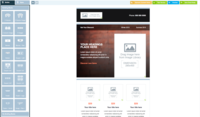
Makesbridge is a marketing automation product designed for SMBs, featuring core marketing capabilities. It is an on-demand product that is delivered without long-term contracts via a monthly subscription.
$30
per month
SendPulse
Score3.5 out of 10
N/A
SendPulse is an integrated messaging platform providing user communication that includes emails, SMS, web push, SMTP, and user management.. This solution includes 15,000 free emails with up to 2,500 subscribers per month.
N/A
Pricing
Makesbridge
SendPulse
Editions & Modules
Mini
$29
per month (1 account)
SMB
$75
per month (1 account)
MKS PRO
$150
per month (5 accounts)
Enterprise
$500
per month (10 accounts)
Engage
$1,500
per month (25 accounts)
Pay As You Go
$0
Custom Pricing
No answers on this topic
Offerings
Pricing Offerings
Makesbridge
SendPulse
Free Trial
Yes
Yes
Free/Freemium Version
Yes
Yes
Premium Consulting/Integration Services
Yes
No
Entry-level Setup Fee
No setup fee
No setup fee
Additional Details
Makesbridge offers a range of pricing plans and packages to comfortably accommodate any combinate of needs and budget. Pay As You Go plans are just that - companies only pay for what they use in a given month. Alternative packages - PRO, Enterprise and Engage - are for companies with consistent use patterns and willingness to pay a minimum monthly fee. In all cases there is no long term obligation; 30 days notice is all that's required to cancel a PRO, Enterprise or Engage.
Pricing starts from $9 a month and depends on the number of messages sent.
More Pricing Information
Features
Makesbridge
SendPulse
Email & Online Marketing
Comparison of Email & Online Marketing features of Makesbridge and SendPulse
Feature
Makesbridge
7.7
7 Ratings
1% below category average
SendPulse
4.0
12 Ratings
67% below category average
WYSIWYG email editor
6.97 Ratings
2.012 Ratings
Dynamic content
8.05 Ratings
1.012 Ratings
Ability to test dynamic content
8.06 Ratings
4.010 Ratings
Landing pages
7.04 Ratings
00 Ratings
A/B testing
8.45 Ratings
3.09 Ratings
Mobile optimization
7.96 Ratings
2.012 Ratings
Email deliverability reporting
8.27 Ratings
7.012 Ratings
List management
7.27 Ratings
6.012 Ratings
Triggered drip sequences
8.26 Ratings
7.010 Ratings
Lead Management
Comparison of Lead Management features of Makesbridge and SendPulse
Feature
Makesbridge
8.1
6 Ratings
2% above category average
SendPulse
-
Ratings
Lead nurturing automation
8.26 Ratings
00 Ratings
Lead scoring and grading
7.66 Ratings
00 Ratings
Data quality management
8.26 Ratings
00 Ratings
Automated sales alerts and tasks
8.26 Ratings
00 Ratings
Campaign Management
Comparison of Campaign Management features of Makesbridge and SendPulse
Feature
Makesbridge
8.1
6 Ratings
7% above category average
SendPulse
-
Ratings
Calendaring
7.76 Ratings
00 Ratings
Event/webinar marketing
8.44 Ratings
00 Ratings
Social Media Marketing
Comparison of Social Media Marketing features of Makesbridge and SendPulse
Feature
Makesbridge
8.8
6 Ratings
15% above category average
SendPulse
-
Ratings
Social sharing and campaigns
8.54 Ratings
00 Ratings
Social profile integration
9.13 Ratings
00 Ratings
Reporting & Analytics
Comparison of Reporting & Analytics features of Makesbridge and SendPulse
Feature
Makesbridge
8.0
7 Ratings
6% above category average
SendPulse
4.7
12 Ratings
47% below category average
Dashboards
7.67 Ratings
5.011 Ratings
Standard reports
8.47 Ratings
7.012 Ratings
Custom reports
8.17 Ratings
2.09 Ratings
Platform & Infrastructure
Comparison of Platform & Infrastructure features of Makesbridge and SendPulse
Makesbridge is great for email marketing and Salesforce integration. It is great for a startup or large company. Support is terrific. You can't go wrong with the service.
SendPulse is great if you want to connect with your list on a more personal basis, and making sure that your email reaches your subscriber when it is best for him/her. You can also use the SMS function (though I haven't used it yet). Let's say you have clients and want to send a message to them automatically on their birthday, SendPulse allows you to do that. It allows you to add in specific fields that are relevant to you, in order to customise your messaging as much as you want and need.
Makesbridge had the highest reviews in customer service on the Salesforce app exchange. This was the major reason that I chose them. Some of the implementation was over my head, but this was not a problem since they were always available to help with any issues that came up.
The team has even taken suggestions and implemented them quickly when I voiced a need for a particular Salesforce integration. Makesbridge has been a fantastic addition to my company.
A de minimis incentive was given to thank the reviewer for their time. The incentive was not used to bias or drive a particular response, nor was the incentive contingent on a positive endorsement. More Info
I would like for users to be able to see campaigns and templates created by other non-admin users. I'd like the option as the sysadmin to select which parts of the application should be open to all users, and which I'd like to gate. (Permissions, if you will).
Configuration of training materials. The content is great, I just have had difficulty locating the specific article that would be most relevant to the situation. I'd love step-by-step guides for campaign creation, etc.
I like its Drag and Drop function to design e-mailers but it lacks in some functionalities. Foe example when I write two different contents in a same box I need a line to show separation between my contents in the same box but this feature is unavailable in SendPulse.
They should include more fonts. Every product or service needs different kind of fonts to make a right impact on customers. With limited option of fonts it restricts user's creativity.
It is good to have templates to give users some idea for designing campaigns but here SendPluse has nothing much to offer. They have very limited number of templates.
A de minimis incentive was given to thank the reviewer for their time. The incentive was not used to bias or drive a particular response, nor was the incentive contingent on a positive endorsement. More Info
Great product, exceptional support. I'm going to be honest and say that I was apprehensive that the Makesbridge team was actually as wonderful as the app exchange reviews claim...How often does that actually happen?! But now, I can honestly say that the glowing reviews are spot-on, and my only concern is that they do not do justice in describing the product, support and service Makesbridge provides.
I find that overall SendPulse is very intuitive to use and the support is there to help you out in case you don't find how to do what you wish to do. The drag and drop functionalities make it easy to create the newsletters you want. Every field is explained and small tutorials are included to show you how to create a new template, newsletter, etc. which makes it very easy to use.
While their phone/chat support is outstanding, I wish there was more documentation and how-to information available online. There are many features that I have not used because I don't understand how to use them as well as I should
Every time I contacted the support team with a question or a problem, they were very fast in replying and helping me out solve it. Usually latest within 10 minutes I would receive a first answer, and the problem would get solved on the same day.
Makesbridge was easier to use and has a much better help desk. We were originally impressed with sales and then the technical side. At one point we handled e-mails with an internal program, what a headache, especially the list management.
For SendPulse's price point, I consider their competition to be the likes of Mailchimp, ConstantContact, etc. While SendPulse rates roughly average across the board in all areas, for businesses looking for the cheapest option (which comes with a lack of features/quality), ConstantContact beats them. For quality/features/value, I'd say Mailchimp is the best option for small businesses.
A de minimis incentive was given to thank the reviewer for their time. The incentive was not used to bias or drive a particular response, nor was the incentive contingent on a positive endorsement. More Info
A de minimis incentive was given to thank the reviewer for their time. The incentive was not used to bias or drive a particular response, nor was the incentive contingent on a positive endorsement. More Info