Method:crm is a QuickBooks-integrated, cloud-based CRM platform.
$35
per month per user
Salesmate
Score 10.0 out of 10
Mid-Size Companies (51-1,000 employees)
Salesmate is a single platform that helps create personalized experiences across marketing, sales, and service touchpoints across all channels – email, text, chat, web, calls, and eCommerce. It is designed to enable users to generate more leads, close more deals, and build lasting customer relationships. It replaces many disjointed systems to save users time and money. Salesmate offers businesses: …
$29
per month per user
Pricing
MethodCRM
Salesmate
Editions & Modules
CRM Quick Start
$35
per month per user
CRM Pro
$59
per month per user
CRM Enterprise
$97
per month per user
CRM Multi-Entity
Custom Quote
Basic
$29
per month per user
Pro
$49
per month per user
Business
$79
per month per user
Enterprise
Custom
Offerings
Pricing Offerings
MethodCRM
Salesmate
Free Trial
Yes
Yes
Free/Freemium Version
No
No
Premium Consulting/Integration Services
Yes
Yes
Entry-level Setup Fee
No setup fee
Optional
Additional Details
Discount available for annual billing.
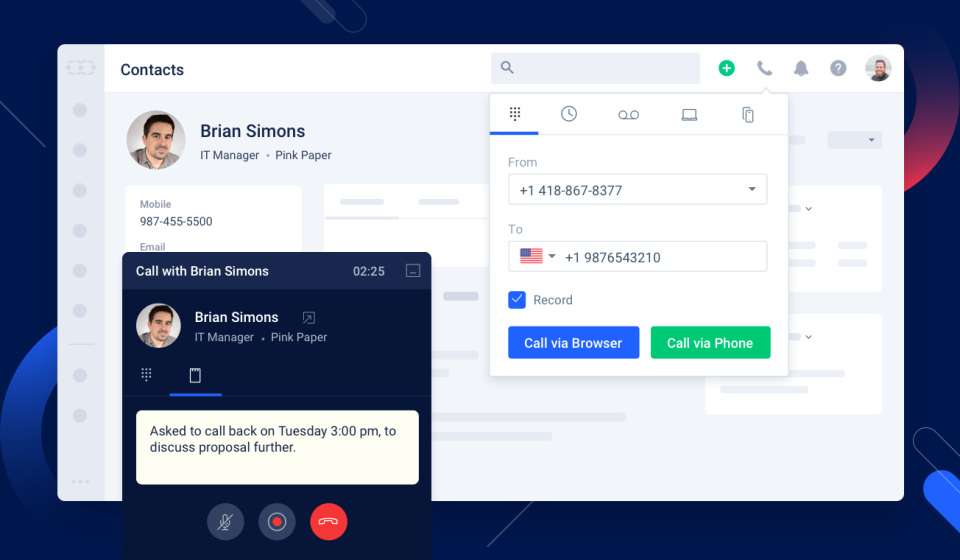
We offer built-in calling:
Starting at $1.10 per month for your phone line & pay as you go credits
More Pricing Information
Community Pulse
MethodCRM
Salesmate
Features
MethodCRM
Salesmate
Sales Force Automation
Comparison of Sales Force Automation features of Product A and Product B
MethodCRM
8.0
22 Ratings
2% above category average
Salesmate
9.5
49 Ratings
19% above category average
Customer data management / contact management
8.322 Ratings
8.748 Ratings
Workflow management
8.320 Ratings
9.548 Ratings
Territory management
1.81 Ratings
9.09 Ratings
Opportunity management
8.320 Ratings
10.044 Ratings
Integration with email client (e.g., Outlook or Gmail)
8.920 Ratings
10.048 Ratings
Contract management
8.711 Ratings
10.031 Ratings
Quote & order management
9.118 Ratings
9.029 Ratings
Interaction tracking
9.019 Ratings
9.542 Ratings
Channel / partner relationship management
10.012 Ratings
10.032 Ratings
Customer Service & Support
Comparison of Customer Service & Support features of Product A and Product B
MethodCRM
10.0
2 Ratings
26% above category average
Salesmate
9.7
22 Ratings
23% above category average
Case management
10.01 Ratings
9.520 Ratings
Call center management
9.92 Ratings
10.021 Ratings
Help desk management
10.01 Ratings
00 Ratings
Marketing Automation
Comparison of Marketing Automation features of Product A and Product B
MethodCRM
8.9
19 Ratings
14% above category average
Salesmate
10.0
47 Ratings
25% above category average
Lead management
8.817 Ratings
10.046 Ratings
Email marketing
9.014 Ratings
10.045 Ratings
CRM Project Management
Comparison of CRM Project Management features of Product A and Product B
MethodCRM
7.5
20 Ratings
3% below category average
Salesmate
9.7
44 Ratings
23% above category average
Task management
9.118 Ratings
9.544 Ratings
Billing and invoicing management
10.015 Ratings
00 Ratings
Reporting
3.417 Ratings
10.040 Ratings
CRM Reporting & Analytics
Comparison of CRM Reporting & Analytics features of Product A and Product B
MethodCRM
7.7
18 Ratings
1% above category average
Salesmate
9.0
46 Ratings
16% above category average
Forecasting
8.09 Ratings
8.033 Ratings
Pipeline visualization
9.017 Ratings
9.546 Ratings
Customizable reports
6.017 Ratings
9.540 Ratings
Customization
Comparison of Customization features of Product A and Product B
MethodCRM
7.5
19 Ratings
2% below category average
Salesmate
9.1
48 Ratings
17% above category average
Custom fields
6.419 Ratings
9.047 Ratings
Custom objects
6.418 Ratings
9.536 Ratings
Scripting environment
9.212 Ratings
8.524 Ratings
API for custom integration
8.014 Ratings
9.530 Ratings
Security
Comparison of Security features of Product A and Product B
MethodCRM
8.2
19 Ratings
3% below category average
Salesmate
9.7
44 Ratings
14% above category average
Single sign-on capability
8.117 Ratings
9.537 Ratings
Role-based user permissions
8.319 Ratings
10.042 Ratings
Integrations with 3rd-party Software
Comparison of Integrations with 3rd-party Software features of Product A and Product B
MethodCRM
10.0
2 Ratings
28% above category average
Salesmate
9.0
38 Ratings
17% above category average
Marketing automation
10.02 Ratings
9.038 Ratings
Compensation management
10.02 Ratings
00 Ratings
Platform
Comparison of Platform features of Product A and Product B
Method[:CRM] is well suited when you have a large company that needs to keep track of customers. It also connects with Quickbooks and that has really been nice for our organization. Our company is small so this really helps us stay on track and build our data base of customers.
Salesmate gives us everything we need as a small business, with a clear interface, and can adapt to any business. If I was being ultra picky, I would perhaps suggest the ability to remove or hide certain modules not applicable to our niche, e.g., we are a B2C business, so the company module is not really useable for us, but this is not a negative by any means.
The search feature can be buggy and does not allow for highlighted text to be typed on. You must clear the box or hit backspace before typing. The only app in my life that does this.
The dashboard button is pointless if it still makes you choose between legacy or classic.
The things Method does well - QuickBooks data integration and extreme customization - it does very, very well. If you are looking for a CRM product or any business process automation software that integrates with QuickBooks, you have to look at Method CRM
Very happy with the customer service and the overall functionality of the program. With new features always being launched and discussed I'm looking fwd to growing with them
Method has a great overall "usability". Once we started using the software; it did not take long before we were able to start editing our own web lead forms, email templates, etc. I think there is a learning curve however the learning curve is not bad. Anyone looking for a cloud CRM should start here
It's so easy, and the support is top notch and I love Salesmate. Seriously the best CRM on the market right now, which I was able to customize exactly the way I needed to, with their support with me every step of the way. I will be working with SalesMate for a long time if not forever.
The Customer Support of this app is fantastic. If you ever have any questions they are there to answer you or fix whatever issue that you are having. The FAQ pages are also extremely helpful when you want to learn about the more in-depth qualities this program has to offer.
The support team at Salesmate is top-notch. They provide live chat support within the platform and answer typically in under a minute. They are always incredibly quick to respond to questions and provide insightful information. Getting started on the platform is easy as you always have support nearby.
Be available to learn! There is a huge learning curve to this program. You have to be willing to take it all in. Be available to the Method expert and be patient.
We chose Method:CRM for the QuickBooks integration. It was important for us to have integrations that allowed us to view payments, organize our contacts, and manage our sales force. There were some learning curves, however, such as creating activities, leads, customers and making sure our payments were being logged appropriately. I do wish that payments would be added to the calendar automatically so that the sales rep could view and make a phone call letting them know their invoice is due.
Very similar in overall layout and user experience...but the features blow these others out of the water. Where alternative solutions had features either lacking or as an upgrade (ie having to spend an extra $10-$30/month/user) Salesmate has these features out-of-the-box