Microsoft Teams combines video conferencing software with team collaboration tools. The communications platform allows MS Office users to conduct conference calls and share files via SharePoint, and join or initiate a group chat.
$4.80
per month per user
OpenX
Score 1.0 out of 10
N/A
OpenX is an ad serving platform. It is sold option as a hosted solution for can be purchased as an installed application. It allows for easy inventory management , geo-targeting of ads by country, and provides statistics for each ad placement.
N/A
Zimbra
Score 6.8 out of 10
N/A
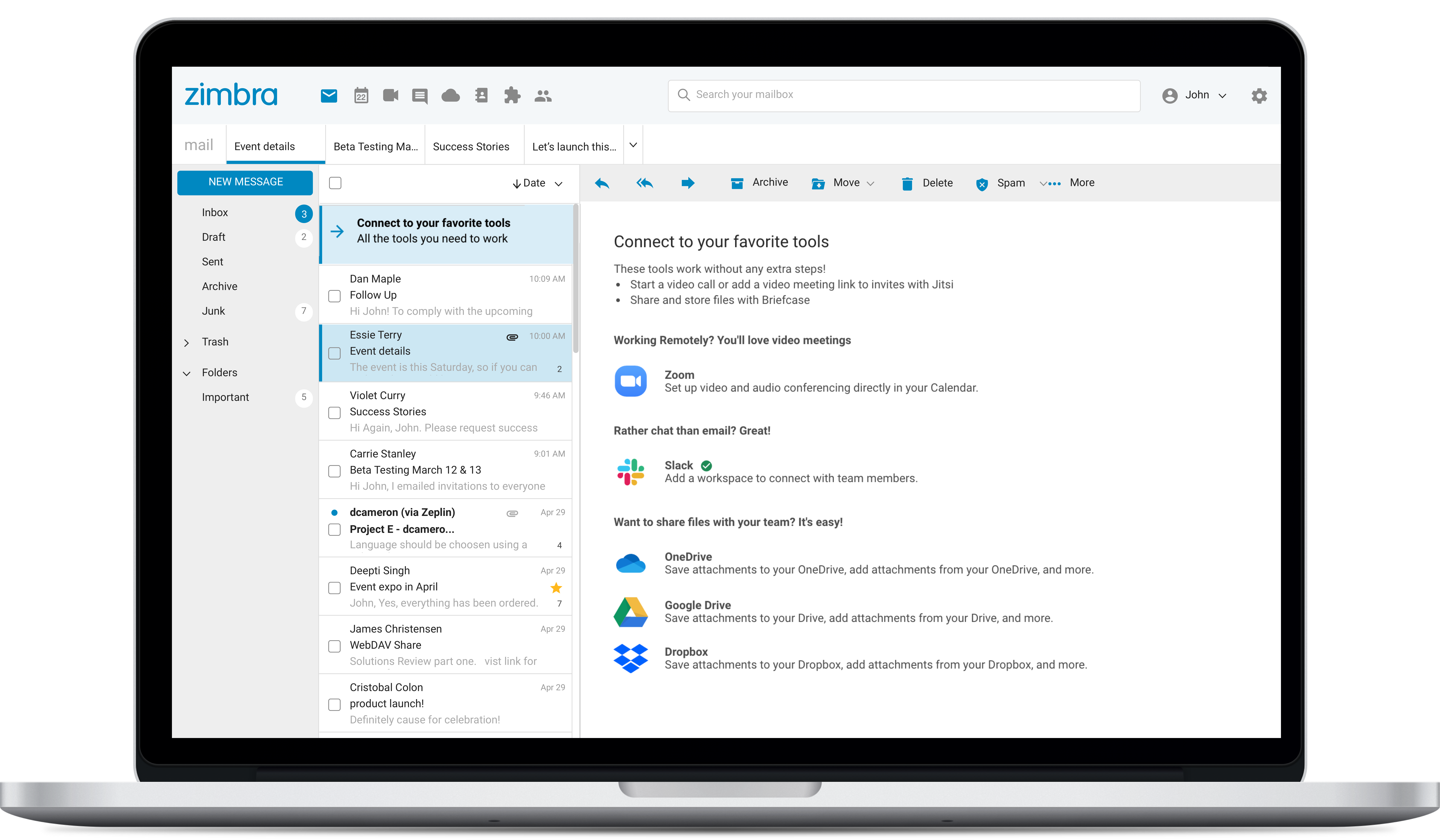
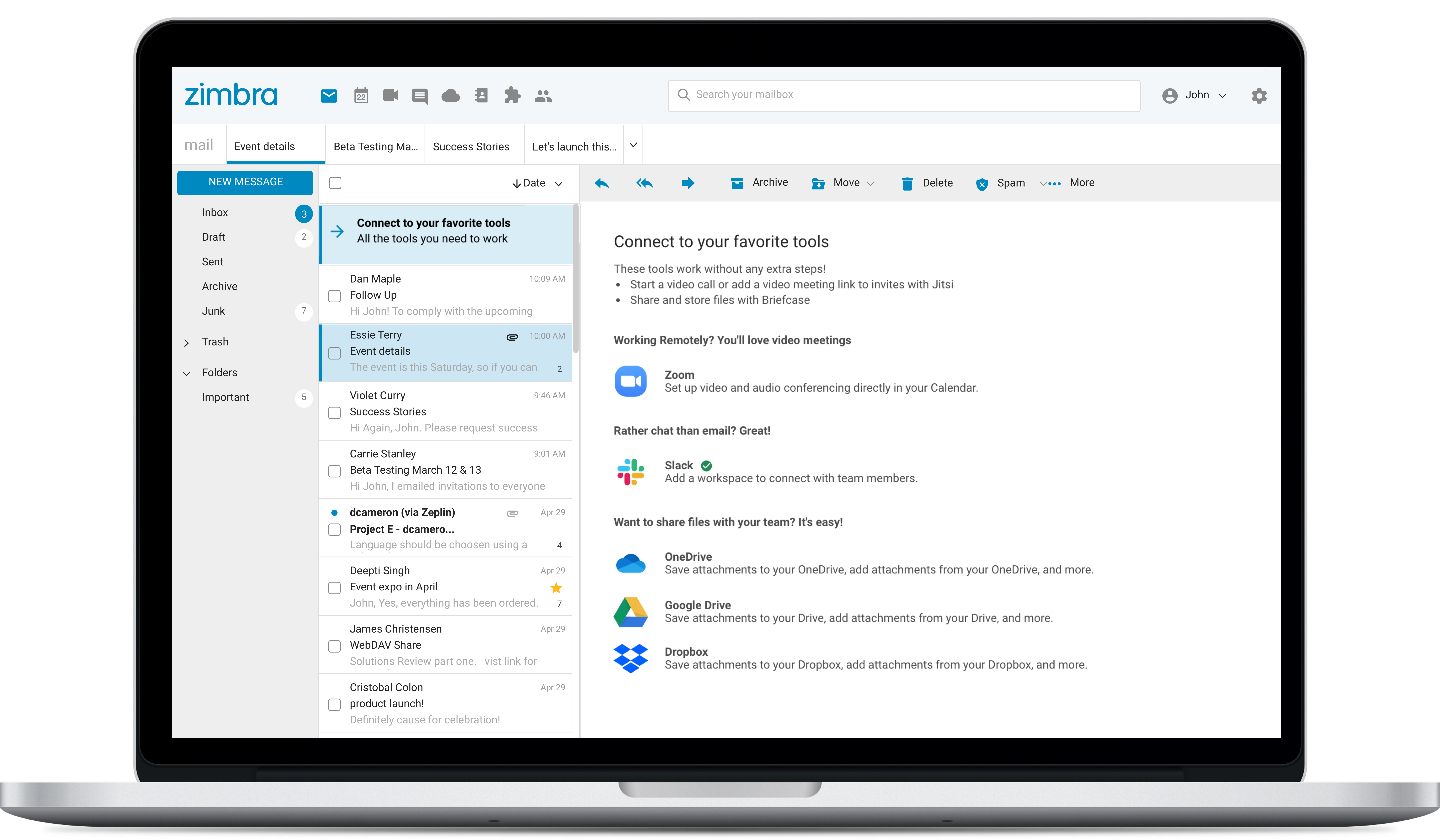
Zimbra is an email and collaboration platform and productivity suite that includes contacts, calendar, tasks, chat and file sharing, plus videoconferencing, document editing, and file storage.
N/A
Pricing
Microsoft Teams
OpenX
Zimbra by Synacor
Editions & Modules
Microsoft Teams Essentials
$4.80
per month per user
Microsoft Teams Enterprise
$5.25
per month (paid yearly) per user
Microsoft Teams Enterprise
$5.25
per month per user
Microsoft 365 Business Basic
$7.20
per month per user
Microsoft 365 Business Standard
$15
per month per user
No answers on this topic
Offerings
Pricing Offerings
Microsoft Teams
OpenX
Zimbra
Free Trial
Yes
No
Yes
Free/Freemium Version
Yes
No
No
Premium Consulting/Integration Services
No
No
No
Entry-level Setup Fee
No setup fee
No setup fee
No setup fee
Additional Details
Discounts are available for non profit organizations.
Breakout rooms are a very good feature that should be added to the platform. Google Meet ranks above Teams on the web, as it's pretty lightweight; Teams tries to do so much, making it very slow or unstable when just using the web version. Teams is superior to Zoom when it comes …
Microsoft Teams offers a much more integrated experience between their chat and video call function compared to Google Chat and Slack. Both other tools are much better for internal communications are they have simpler UI without other features. Whereas Microsoft Teams can be …
Seamless integration with different files saved on OneDrive that are automatically compatible with Microsoft Teams. Ability to create different types of groups with different security levels allowing to keep the company data secured and project an organized system and processes …
We use both Slack and Teams. We use Slack for most internal meetings and chats. We only use Teams because our larger company requires it, and many of our external customers already have it installed. If we could get customers to use Slack, we would drop Teams in a heartbeat. If …
Personally, I believe that Microsoft Teams stands tall against all of its competitors. What I value most that it brings ahead of its competitors is its options for customization; the modern look and feel of its user interface; the security that it exemplifies; and its …
I love slack and the functionality it has! However, it lets itself down that you can't have client meetings through it / need to use another app like google meet for the meetings. It just is more apps/logins needed for employees = time that could be used doing other things.
I think Teams is closest to Slack but much more ubiquitous and also much more user friendly. I do think products like Webex and Zoom seem to have a little more preference for large scale meetings and it's based mostly on reliability and usability. In addition, Teams tie it …
The advantage of using Microsoft Teams over Zoom is that Teams seamlessly works with Outlook Calendar, Outlook Email, Lists, Forms, etc. If I create a Zoom meeting, I will have to do twice as much work. Working at a Microsoft 365 organization, it is more convenient to use a …
Microsoft Teams is Microsoft's modern replacement for Skype for Business, offering significantly enhanced, integrated collaboration beyond Skype's core chat and calling with deep integration into the Microsoft 365 suite, persistent chat channels, advanced meeting features (like …
The two products are similar. Zoom has its place in the workplace. It is different from Microsoft Teams. It is more useful for personal use in our environment. Most outside organizations and individuals will have the capability to obtain the product and connect with an entity …
Zoom was the first virtual web program I used, and I still use it for some parts of my job, but I like how chat is included with Teams. Our whole department isn't in the same building, so it is convenient to send a message instead of picking up the phone or even just sending an …
UI is so much smooth to use. As we have to use this collaboration tool daily for connecting with team members Microsoft Teams give mor smooth experience. Everything is categorized on different tab, chat, teams, calander, calls. We can easily navigate through out the …
Microsoft Teams is better than both Zoom and Google Meets to me. It seems to have the functionality of both these platforms and also that of Slack for internal messaging. It's more of a "one-stop-shop" for both these needs which makes it a handy piece of software for use in the …
OpenX is less focused than Mopub and it has a bigger reach as it is not limited to the mobile app. Unlike Mopub that focuses on performance, OpenX comes from the branding world and is pushing into CTV and other areas of the industry more catered to traditional media agencies …
We have used Basis as a DSP but found better results in integrating OpenX with our own bidder. As for Smaato, they are focused only on in-app traffic so they are a niche player. OpenX is a bigger player for agencies that have different campaigns with multiple objectives and …
OpenX provides the same inventory you can get on any other SSPs but at lower price points (generally). However, other exchanges have put more resources on curating their inventory and customer support and in OpenX, you may find some nasty surprises in terms of ad quality and …
I use OpenX along with Sailthru because the two combined give me the full amount of reporting statistics I need to give to clients. I would say they are equal but different, and both are necessary but it would be great if all of these statistics could be contained within one …
While DART is my perferred ad server, openx is a more cost efficient product and would be my next choice.
Verified User
Anonymous
Chose OpenX
OpenX probably falls in the middle. I've used MediaPlex, APN & Sitescout. OpenX is probably the second easiest to use.
Verified User
Anonymous
Chose OpenX
I do not use OpenX as much as I do other tools that are out there in the market these days. It is a solid system which is definitely better than some that are out there, but it needs to become a bit more competitive in my opinion to keep up with the other leaders that are out …
Double Click, Adbrite before it became sitescout. We chose Open X because it was easy to integrate into the back end of our site and we liked the reports it provided and the ease of use. Double Click is a Google company, and frankly, while they are good at some technology, …
Verified User
Anonymous
Chose OpenX
We've used Double Click and both products perform equally well.
Verified User
Anonymous
Chose OpenX
If OpenX wants to be used or adopted by more desks or RTB partners than it needs to provide the transparency and premium inventory that a AppNexus, ADX and Rubicon provide. This goes for the open exchange and private marketplaces.
The ad sales and ad operations team had been utilizing DoubleClick/DART previous to the migration to OpenX. One of the driving factors for the migration to OpenX was to lower costs associated with utilizing a third party such as the DoubleClick/DART system. The ease of use for …
I was not responsible for the selection decision, that was done before I joined the company. However, it was the low cost and adaptability that custom integration allowed that made it really the only solution that we knew of.
Zimbra
Verified User
Anonymous
Chose Zimbra
We used Zimbra Email & Collaboration in two scenarios: first, on-premise with the open-source version to save costs, especially since solutions like Office 365 or Google Workspace were not as mature or widespread at the time. Later, we benefited from cost advantages with Zimbra …
There are a lot of features that Zimbra Email & Collaboration has that gmail and m365 have. You can chat within your team members with Zimbra Email & Collaboration. The issue that we have not been able to figure out though is mobility of Zimbra Email & Collaboration. You can …
We chose Zimbra because Zoho Mail is too pricey with less-functionality than Zimbra. Zoho's UI is better, but we need more than just UI, we need many features that Zimbra has. G Suite is the best for team collaboration of course, but because of the price and our needs we …
Zimbra is undeniably a complete package and offers many practical tools, in addition to the knowledge that the company has. It is a great acquisition for a company that will soon see a significant change in terms of organization, deadlines, efficiency, and more. It has an …
Zimbra is a more specialized software designed for our company and its needs. The software was customized to represent our colors and project our brand, what other companies do not have. With Zimbra, we have a private network of only employees which allows us to confidentiality …
Zimbra is a significantly cheaper option than one of the Microsoft solutions, such as Exchange. It is able to run in a free environment, as it is in the case of Linux. It offers the advantages of a powerful mail manager, such as indexed searches and the integration of contacts …
We selected Zimbra because it has a lower cost in the market, offers more development features for its open source, has a very easy to use interface and adjusts to the needs of the company.
Zimbra provides a robust and reliable software that delivers what is promised. We have tested Zimbra in a pilot project before deploying it in production. Incidents and crashes are rare and you have tools to recover it if necessary. Initially we had a contract with support to …
We were originally a Groupwise shop before changing to Zimbra in 2008. Zimbra, from an end-user standpoint, pricing, system administration, and management is a far better system.
We use Google Apps for our students. We did not find it to be suitable for faculty and staff due to …
It's amazing as a daily driver for team communication, and document search/store. Also, if you're doing a lot of LONG meetings and have trouble remembering details, the AI summarization is amazing and convenient. It just works. I'm not saying I always do this, of course, but if I need to 'skim' instead of really digging into every detail from a meeting, the AI-generated summary is generally good enough that I can get away with it.
This is a wonderful product that is well supported and fully backed by OpenX. If you have green staff that require some training to get their foot in the door for basic ad management, this is a great tool. We've never utilized the OpenX ad market so I can't speak to the quality of the ads in that open market, but for in-house ads in complex networks with its targeting tools, this software would be more than suitable to fulfill your needs.
I consider Zimbra Email & Collaboration a viable alternative to the major American cloud email platforms. In a scenario where data protection and privacy are critical, especially in an on-premise environment, Zimbra is a very suitable solution. It is also capable of offering a comprehensive set of tools and additional features (tasks, calendars, contacts, briefcase) in an integrated manner.
When it comes to RTB and spending on the open exchange market, the number one reason why we spend in one exchange over another is simple performance
When Open X doesn't perform which it tends not to, we have to shut that exchange off. This exchange tends to not perform at a CPA or CPC KPI and tends to not have the safest sites either.
Because I only use Open X as an exchange which I tap into from a DSP I can't speak to it's other capabilities.
The webinars feature has some missing functionally such as the ability for all users to use the Q&A feature (only those with a Microsoft Teams account can use it now), the ability to upload documents for attendees to easily access and download, and the ability for presenters and organizers to easily chat amongst themselves throughout the webinar.
The "Channels" organization hierarchy could be more clear. If you have several channels set up, it can get clunky and hard to find the specific channel you are looking for.
The MS Planner tool lacks functionality and organization. You cannot assign more than one person to a task and it's confusing when you try to share tasks with people - it would be nice if they were automatically added to someone's calendar.
User web interface could be more friendly, but it is enough for daily use. It could be renewed and has to consider some usability concerns. Improving usability would significantly improve users' satisfaction.
Message backup recovery is not a simple activity.
As an administrator, some of the features work better using the command-line interface.
The webclient uses ajax requests in almost every event. Because of that you may need a fast internet connection to have a good experience. You can switch to HTML version but it will limit what you can do.
Microsoft Teams is included with our Office 365 subscription and we have no intention of migrating off of Office 365 and Microsoft products. Since Microsoft Teams is included for free with our Office 365 subscription, and since we enjoy all the features, benefits, and functionality, there is no question that our team will continue to use the product
I would renew use of OpenX as it is a solid ad serving platform that is easy to use, install, and maintain with some great advanced features that give more control to publishers ad ops teams large or small while reducing the costs associated with managing, serving, and delivering ads from third party vendors.
I find that the chat function itself is quite clean, but once you incorporate the rest of the UI it becomes quite clunky. It feels as though there's too many features in one place, and that leads to it becoming convoluted and a little bit tedious to use. Due to that notifications can get missed which can lead to some tricky situations when working. I do find that it is easy to pick up though and help is readily available with a good support centre.
I was given the system to use as part of setting up a whole new site from scratch in less than 2 months, with a large number of specialty hub pages to run ads on and lots of content I needed to run disease specific ads on. The system was easy for me to learn on the fly in a very compressed time frame. I would have loved more chance to really dig in under the hood to see all that it could do, but given how fast I had to work, I got everything up and running and looking great. And I did it ahead of my launch deadline too. My only reservation might be for people who are not as patient as I am in picking things up, or as hands on. Customer service was great if I needed them, and a quick start guide with the essentials would be ideal for those people.
The web usability of the solution is adequate, with all functions integrated into a single interface. However, it is important to note that in the desktop environment, it lacks its own application and relies on ActiveSync synchronization with reference solutions like Outlook or Thunderbird. Some features, such as the briefcase, will be excluded. The same happens on smartphones.It is also common for competing solutions to include integrated chat or video call tools, which Zimbra lacks. These shortcomings are among the most frequently requested by users.
The overall support provided by Microsoft for Microsoft Teams has been quite good but there is still some room for improvements. Microsoft needs to proactively work on fixing the open bugs in order to provide a seamless experience to the users. But over the service and experience provided by the Microsoft team have been quite satisfactory.
They went above and beyond without ever asking for additional money and we met our launch date and immediately started to meet and even surpass our business goals. Nothing was too much trouble, which really stood out compared to other companies I had and was at that time also working with. Customer service can really make or break any business; if i expect my staff to give good customer service, I expect to get it too, and Open X gave it.
Overall, we were satisfied with the implementation. We perhaps should have spent more time consulting with Zimbra or others regarding best practices but as we got to know the system better we were able to make changes relatively easily after the fact.
Breakout rooms are a very good feature that should be added to the platform. Google Meet ranks above Teams on the web, as it's pretty lightweight; Teams tries to do so much, making it very slow or unstable when just using the web version. Teams is superior to Zoom when it comes to chat and integration with other platforms.
Double Click, Adbrite before it became sitescout. We chose Open X because it was easy to integrate into the back end of our site and we liked the reports it provided and the ease of use. Double Click is a Google company, and frankly, while they are good at some technology, their products can be clunky failures AND we are not so sure we want to give them so much data about the inner workings of our business and keyword universe
We were originally a Groupwise shop before changing to Zimbra in 2008. Zimbra, from an end-user standpoint, pricing, system administration, and management is a far better system.
We use Google Apps for our students. We did not find it to be suitable for faculty and staff due to its lack of shared accounts.
We are moving from Zimbra to Office 365. Office 365 offers just about all that Zimbra had, though its web interface is inferior to that of Zimbra. It does offer us greatly reduced costs though, and high availability. If Zimbra were to have a fully HA environment, we may have stayed with them.
OpenX made it easy to manage online advertising. At the time I used the product I was the lead developer in charge of implementing the solution but quickly was put into the role of managing the traffic and training other users. It was really easy for a technical user to become a traffic manager. Getting other users trained and up to speed was very efficient.