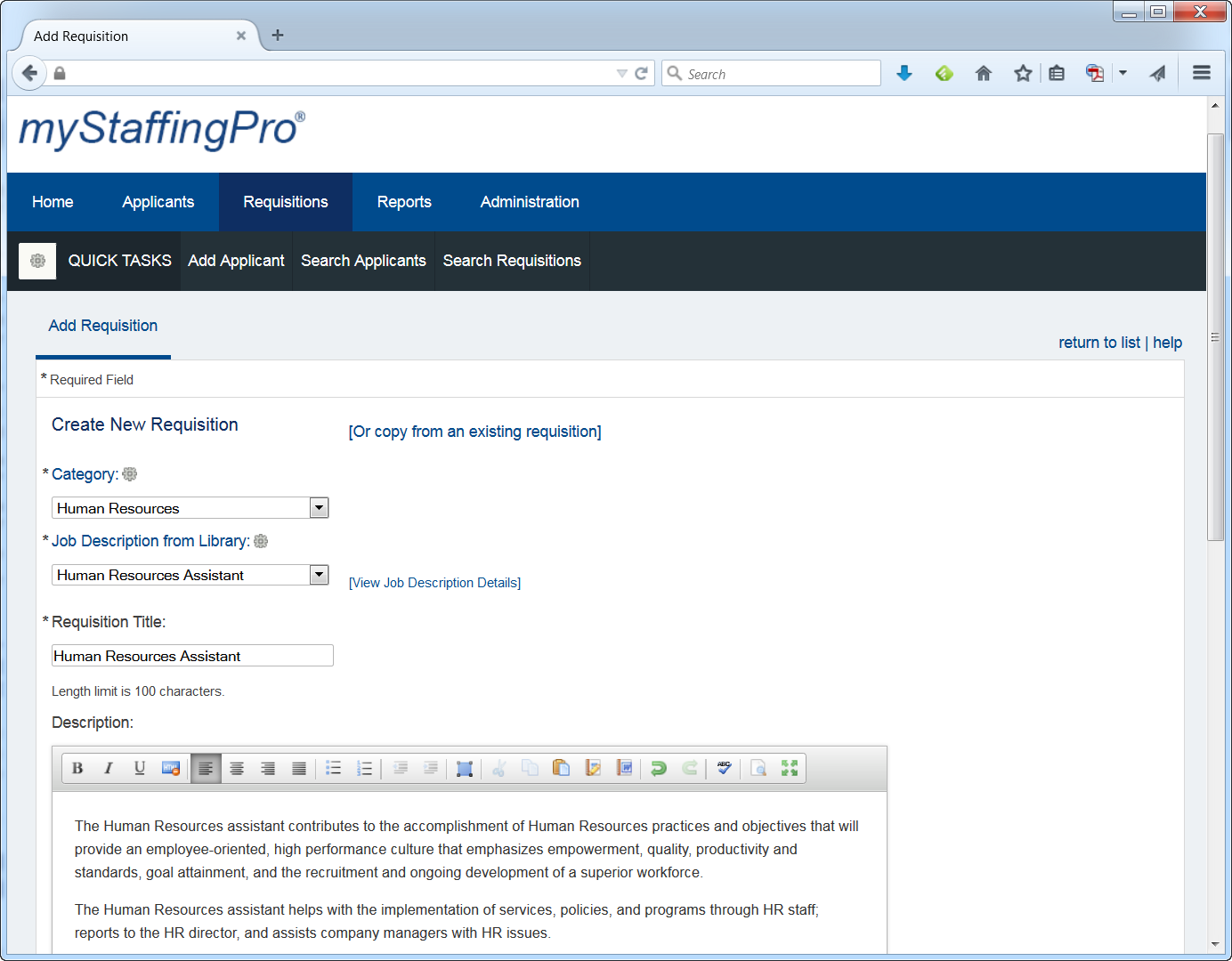
myStaffingPro is a web-based applicant tracking system (ATS) that offers applicant tracking, candidate recruiting, and onboarding in a scalable, configurable solution. It is a SaaS model makes it accessible from anywhere at any time, and offers unlimited integration capabilities. Some key features include: Social Recruiting, Interview Scheduling and Tracking, and Resume and Social Media Parsing.
N/A
Workday HCM
Score7.8 out of 10
N/A
Workday Human Capital Management is a cloud-native system offering a globally
consistent user experience. Workday HCM is part of an intelligent, unified system with other
Workday products.
N/A
Pricing
myStaffingPro
Workday HCM
Editions & Modules
myStaffingPro Express
$0
Per User per Month
myStaffingPro
$0
Per User per Month
myStaffingPro Premier
$0
Per User per Month
No answers on this topic
Offerings
Pricing Offerings
myStaffingPro
Workday HCM
Free Trial
No
No
Free/Freemium Version
No
No
Premium Consulting/Integration Services
Yes
No
Entry-level Setup Fee
Optional
No setup fee
Additional Details
Pricing is based on the number of users and configuration selected.
myStaffingPro is very easy to configure and setup and takes less than 2 business days to configure and get it up and running. It facilitates the HR Business Partners in their recruitment activities. For the Open Position in the Organization, with the use of the software, they can quickly shortlist the candidates with quick mix and match of the requirements. Interviews can be scheduled with the candidate. If a Candidate is selected, the proper background screening process is initiated and finally, the Onboarding process is also tightly integrated within the software.
A de minimis incentive was given to thank the reviewer for their time. The incentive was not used to bias or drive a particular response, nor was the incentive contingent on a positive endorsement. More Info
Large organizations with extensive back-office support functions. With that in mind, WD is a great HCM system for mastering and controlling downstream data and providing strong support. Where WD falls short is the front-end user experience. If your intent is for the average Jane/Joe to use the system, you will find them frustrated or disappointed.
One strength of myStaffingPro is because of its heavy manual interface, there is a lot of detail and very specific reason codes. This is very useful for later reporting to get specific information on hires and rejects.
Also the ability to upload documents (CVs, resumes, phone screen notes, etc) is all located in a convenient place
The calendar function is good, there are stop measures to prevent double booking and the time zones are preset
I think what it does is not having worked on the side of talent acquisitions. Whenever we have a job interview, for example, you can go right there, you can put in everything in Workday Human Capital Management. If I need to go in and see what a coworker put in or notes all that, I can document everything there in Workday Human Capital Management. I think the other thing that makes it a lot easier is for performance management, goal setting. All these things can be done right there in the platform and it just makes it easier. So to store documents, I can do that. I mean it is like a one-stop shop all in one, so it's excellent.
A de minimis incentive was given to thank the reviewer for their time. The incentive was not used to bias or drive a particular response, nor was the incentive contingent on a positive endorsement. More Info
If I were a decision maker, I would not choose to renew myStaffingPro because of the overly manual process and lost productivity. I've found other ATS's that have the same functionality but are more intuitive, user friendly and appealing. Getting a hold of customer service and support was difficult and they were rarely able to fix the immediate issue.
It is work to make one system the source of truth for our data, but now that it is done, there is less work involved in staying on this path. This means for us that maintaining and/or implementing new modules like performance, finance, talent, etc. is simple. It's a no-brainer
A de minimis incentive was given to thank the reviewer for their time. The incentive was not used to bias or drive a particular response, nor was the incentive contingent on a positive endorsement. More Info
I have used a lot of applicant tracking systems in my career. I've always gone back to MSP saying that it's always been my favorite. It's easy to use, I've never worked with a system so easy to use. It's also easy to figure out if you don't know where something is located - you can typically figure it out on your own without having to ask anyone.
Workday's on a great path in terms of user experience. Their goals is to deliver a use experience that doesn't require training or instruction, like Amazon on the consumer side for example. That's hard to do when you're talking about complex business processes and important and sensitive employee information, but they're doing it well
A de minimis incentive was given to thank the reviewer for their time. The incentive was not used to bias or drive a particular response, nor was the incentive contingent on a positive endorsement. More Info
They are good about scheduling maintenance during overnight periods. There have been a few server issues with the e-signature system over the weekends.
A de minimis incentive was given to thank the reviewer for their time. The incentive was not used to bias or drive a particular response, nor was the incentive contingent on a positive endorsement. More Info
In 2014, Workday has changed the update process. There will be two updates a year; the updates will be delivered to customers typically in a 24 hour window during these two weekends a year. They also keep the Community up-to-date about any planned outages, etc. There is weekly scheduled downtime on Friday night.
From my perspective, the system runs like a well oiled machine and I have not had any issues with customers complaining about speed. If a report is taking long to run, the report can run in the background and you can go about your business. For larger enterprises, there is additional space and machines to process the application in what Workday refers to it as Extended Configuration Tenant
We recently had an issue where it was brought to our attention by a candidate that specializes in Information Assurance and Network Engineering that their site was missing a secure socket layer for entering in your ssn, which means that when entering it, your ssn is in plain text in plain site. It should hide it with dots or asterisks as you type it to make it secure like when you enter passwords online. I turned off the field that collects SSN's immediately and have been waiting for a response as to when this would be updated so I could turn it back on. I submitted this to our rep back in October 2013 and they said they would forward it to their IT team. I never received any further follow up as to whether or not they would be updating this. I sent a follow up email and left voice messages asking for a status update in Jan. 2014 with no response. I finally called again at the end of Feb. 2014 and emailed. The rep seemed put out that I was telling her I was frustrated with the lack of follow through and that I told her I needed a response on whether or not this would be resolved. She then forwarded me an email from the IT team that said they didn't think this was an actual requirement, they would look into it. Today she emailed to let me know the IT team will not be making any changes.
Whether or not the issue above is a DoD issue or not, the length of time to receive the final response was way too long and involved too much follow up on my part. The fact that they are unwilling to update the SSN field is also troublesome. Even if this is not an actual DoD violation or a mandate, it's a pretty common practice on most websites for collecting private information. Would you enter your PIN number into an ATM if it showed your PIN number until you hit enter? Identity theft is very high these days and people should feel like the company cares enough to help provide that extra layer of protection of their personal information.
This recent development has really changed my opinion of MyStaffingPro drastically since I last wrote my review
Workday is still learning about the needs of higher education. I have seen rapid improvement in support and knowledge over the last year so am confident this will continue to improve. Overall however, I have found the Support Team to be extremely responsive and Workday offers the advantage of having support across several timezones so that we never wait more than a few hours for a response.
Some training is offered online. Cost is per-person. This also gets quite expensive. Training doesn’t follow a logical path A to B. Starts in middle. When you try to do it afterwards at your desk, difficult. • Training scenarios are not very real
I have done for report writing and mass imports (EIBs). They give materials and you run through examples, i.e. you don’t just watch them do tasks, so that is helpful. Training is expensive – a single reporting writing class is $600 per person for virtual training
It was implemented before my joining the company. At my last company, we used Workday professional services.
Based upon my experience at my last company, I would rate the implementation experience an 8/10. There are different ways to set things up and we had different people telling us different things. It set us back a couple of times.
Regarding configuration advice, we could set things up where every manager has supervisory organizations, or have it financially based i.e. aligned to cost center/department. We chose the individual manager path and I think we should have chosen a department route. Going down the individual manager path, to maintain the information, we have to inactivate a supervisory org whenever a manager changes/leaves.
We thought it would've been better than ADP, but it wasn't. Also, the sales person who sold us on Paychex promised that this and Paychex would be able to do a lot of things we needed, which turned out to be a lie when we were implementing it, and the MyStaffingPro expert told us it wasn't possible, and it never was. It wasn't as user friendly either.
A de minimis incentive was given to thank the reviewer for their time. The incentive was not used to bias or drive a particular response, nor was the incentive contingent on a positive endorsement. More Info
Workday is an incomplete product, by this I mean it must work alongside other products and does not work by itself. Trying to make several different products work smoothly together becomes very challenging. As compared to ADP products, when purchased all together work very well all together. Also, ADP has extensive Training programs and extensive Customer Support. So ADP's products are far superior to Workday's products in my opinion.
A de minimis incentive was given to thank the reviewer for their time. The incentive was not used to bias or drive a particular response, nor was the incentive contingent on a positive endorsement. More Info
Workday has released Financials and is continuing to develop it's Human Capital Management footprint with the addition of Workday Recruiting. I think customers will find that is easy to add on additional functionality in the system. Workday does make it easy for customers to make changes without relying on IT resources. The Business Process framework is a visual tool that allows functional resources to make changes and see the flow of the transaction
To get the most value out of all possible automation in Workday you really need to use a lot of their modules, otherwise you may not be able to solve for some pretty important and necessary needs.
The system maintenance is way more than what I have seen with some other systems and therefore you need a quite large team dedicated to it.
The ability to automate a lot of administrative tasks and the ability for employee and manager self-service definitely create a lot of opportunity for HR to spent time and effort elsewhere. A lot of the automation that can be leveraged in Workday also allows for eliminating third party vendors as well as the cost of their maintenance and integrations.
A de minimis incentive was given to thank the reviewer for their time. The incentive was not used to bias or drive a particular response, nor was the incentive contingent on a positive endorsement. More Info