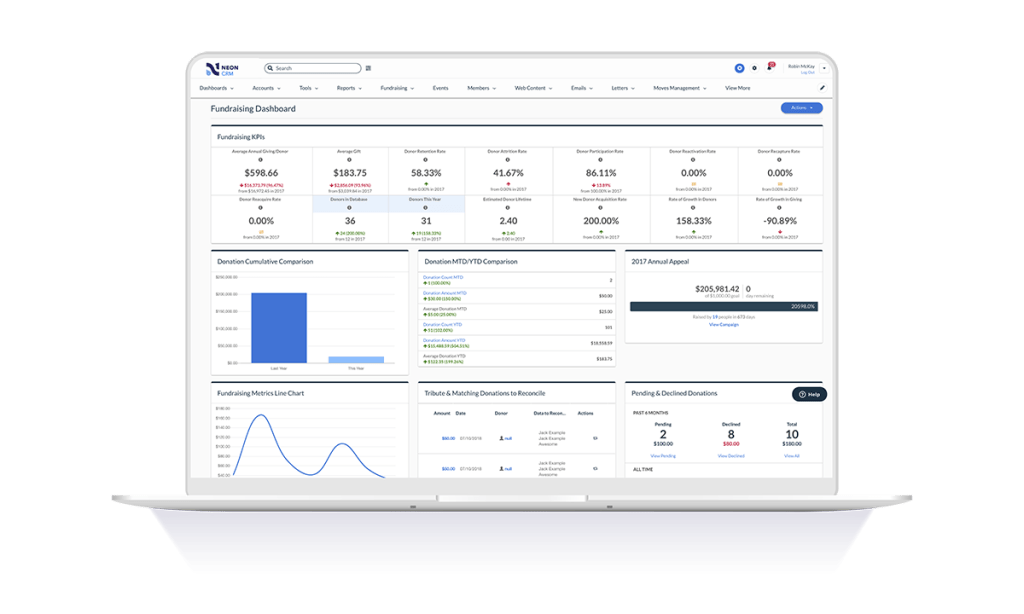
Neon CRM is a nonprofit relationship management platform for small and midsize nonprofits, used to make and maintain the personal connections that drive sustainable growth. By centralizing a nonprofit’s data and tools, Neon CRM helps teams save on manual work, deepen relationships with their supporters, and grow their impact. Key Features: Donor Management: Neon CRM provides a 360-degree view of supporters, automatically capturing every…
$99
per month
Agentforce 360 for Nonprofits
Score 8.7 out of 10
N/A
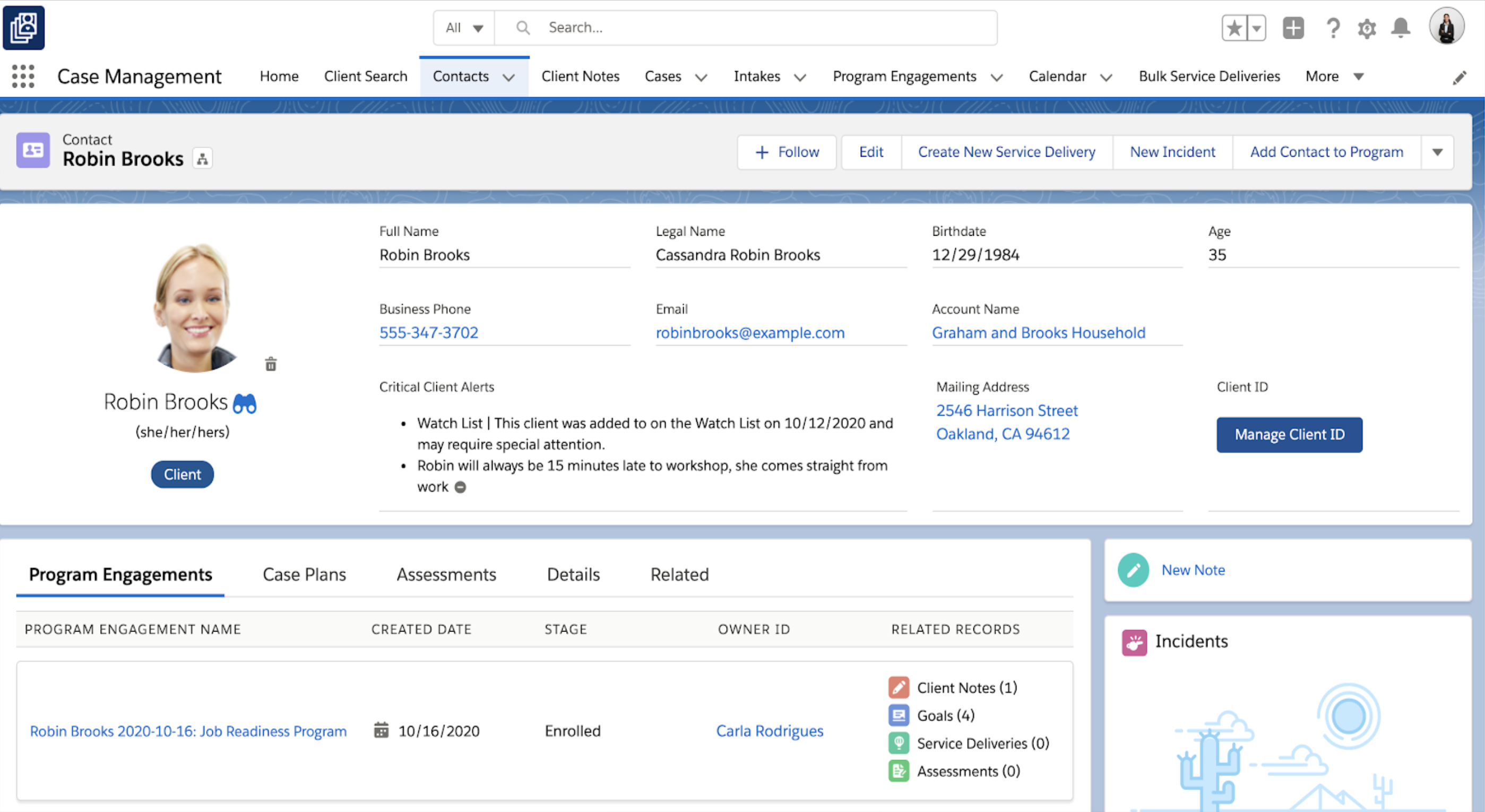
Salesforce for Nonprofits, the Salesforce.org Nonprofit Cloud, is a nonprofit constituent relationship management platform from Salesforce, which supports constituent engagement, fundraising, and grants. Nonprofit editions contain Salesforce Lightning Edition along with the former Nonprofit Success Pack (NPSP) combined.
$36
per month per user
Pricing
Neon CRM
Salesforce Agentforce 360 for Nonprofits
Editions & Modules
Essentials
$99
per month
Impact
$209
per month
Empower
$409
per month
Sales Cloud - EE
$36
per month per user
Sales + Service Cloud - EE
$48
per month (billed annually) per user
Nonprofit Cloud - EE
$60
per month (billed annually) per user
Nonprofit Cloud - UE
Contact
Offerings
Pricing Offerings
Neon CRM
Agentforce 360 for Nonprofits
Free Trial
No
No
Free/Freemium Version
No
No
Premium Consulting/Integration Services
Yes
No
Entry-level Setup Fee
$349 one-time fee
No setup fee
Additional Details
All plans include unlimited system users, unlimited records, unlimited online forms, and unlimited ticket support. Essentials is a streamlined version of Neon CRM designed for smaller nonprofits. Premium support options are included with Empower. All pricing is based on the organization's revenue.
Salesforce was over-complicated and overly expensive to use. The learning curve was huge and a real disincentive to use. It needed to be customized which was very expensive. Neon was easy to learn and we are still building it and figuring out how to maximize all of its …
We used Zoho as a database before we knew we needed a CRM. We even thought of creating our own database. We then tried Neon for a couple of years and then eTapestry. We found a few features missing with each of the packages when trying to manage our complicated family …
DonorPerfect appeared to be a decent enough solution, fairly robust. eTapestry and NeonCRM left much to be desired from a UX standpoint. Ultimately, Salesforce would compare with solutions like Microsoft Dynamics, etc. since it's a well-rounded CRM solution and platform that …
If you are looking for a quick and easy database option, which integrates breezily with email clients like MailChimp and Constant Contact, and has built-in credit/debit card processing capabilities, NeonCRM is a very good option. An affordable alternative to Salesforce or Raiser's Edge, it does lack some of their "bells and whistles" but gets the job done. On the one hand, Neon features a shallow learning curve and solid user interface, and is web based and mobile friendly. On the other hand, Neon might not be totally appropriate for large or national level organizations because some of the reporting seems less "robust" than pricier alternatives...
I’d say it’s very well suited for organizations looking to move toward AI integrations and make more data-driven decisions. As I mentioned, I’ve also used the competing product from Blackbaud, which is a very closed system — you can’t really pull out the data. Salesforce, on the other hand, has a big advantage with its APIs, allowing you to extract data, store it in Data Cloud, and do much more with it. However, if your requirements aren’t clearly defined or if there’s heavy customization involved, the implementation can get messy. So I wouldn’t recommend using Salesforce Nonprofit Cloud in cases where the requirements and structure aren’t clearly laid out.
NeonCRM allows you to build events, take registrations, and customize those events. Customizations include different ticketing options, add-ons, promotions, etc.
NeonCRM does a good job helping you track donors' activities/engagements.
It also provides a variety of reporting mechanisms - from dashboard snapshots to graphical reports - that allow you to review programs at a glance or in-depth.
Learning the ropes is largely accomplished by reading manuals and watching videos. I don't learn that way. I'd much prefer to be shown. I guess I'm old school.
They can be stingy with the customer support. We bought the big package and I still wind up going back to my salesperson to help me cut through any red tape to get what I need.
Organizations that are new to Salesforce need to be prepared for report building and other configurations. Customization is a great feature, but it can be overwhelming if not impossible for a brand new user.
Salesforce Trailhead is robust but can be confusing and overwhelming.
I'm currently comfortable with only using Salesforce CMS or any iteration on a desktop.
Neon CRM was difficult and frustrating to use without IT experience, and way to costly for the a small to mid-sized nonprofit. We believe that we lost donors due to the inaccurate report system in Neon CRM
The Neon CRM system is confusing (we had to watch video tutorials and html code to understand many of the features, many of which we did not need). Around 2022, Neon started to go downhill. Bells and whistles were added that were of no benefit (to our nonprofit) and the system became even harder to use
Salesforce CMS is very intuitive and easy to use. I have not found where it glitches or crashes out. You can tell where data is "supposed to live" and it you aren't sure, there is an easy search function. Support is made readily available.
As stated before, they push you to read the manual or watch the video when what I want is a human being to walk/talk me through it. Like I said, maybe I am old school but that's how I learn. It's been a challenge.
I have never had bad conversations with any support people with Salesforce but we also have not used them very much. I put it a little less because we are struggling to switch to lightning (some of our custom features do not migrate well) and it feels like the help and support for a little organization is not incredibly helpful unless we want to spend a lot of money.
It works. It's easy to customize for nonprofit and industry-specific categories. It does what it does well, and integrates with platforms that specialize in those areas rather than trying to be everything to all users.
As a cloud native organization with no previous Microsoft infrastructure, Salesforce was a more logical and effective option for us. The suite of products was also far more comprehensive and required less customization. We were able to adopt a "configure not code" approach to our development of systems to support our mission that lowered the cost of upgrades.