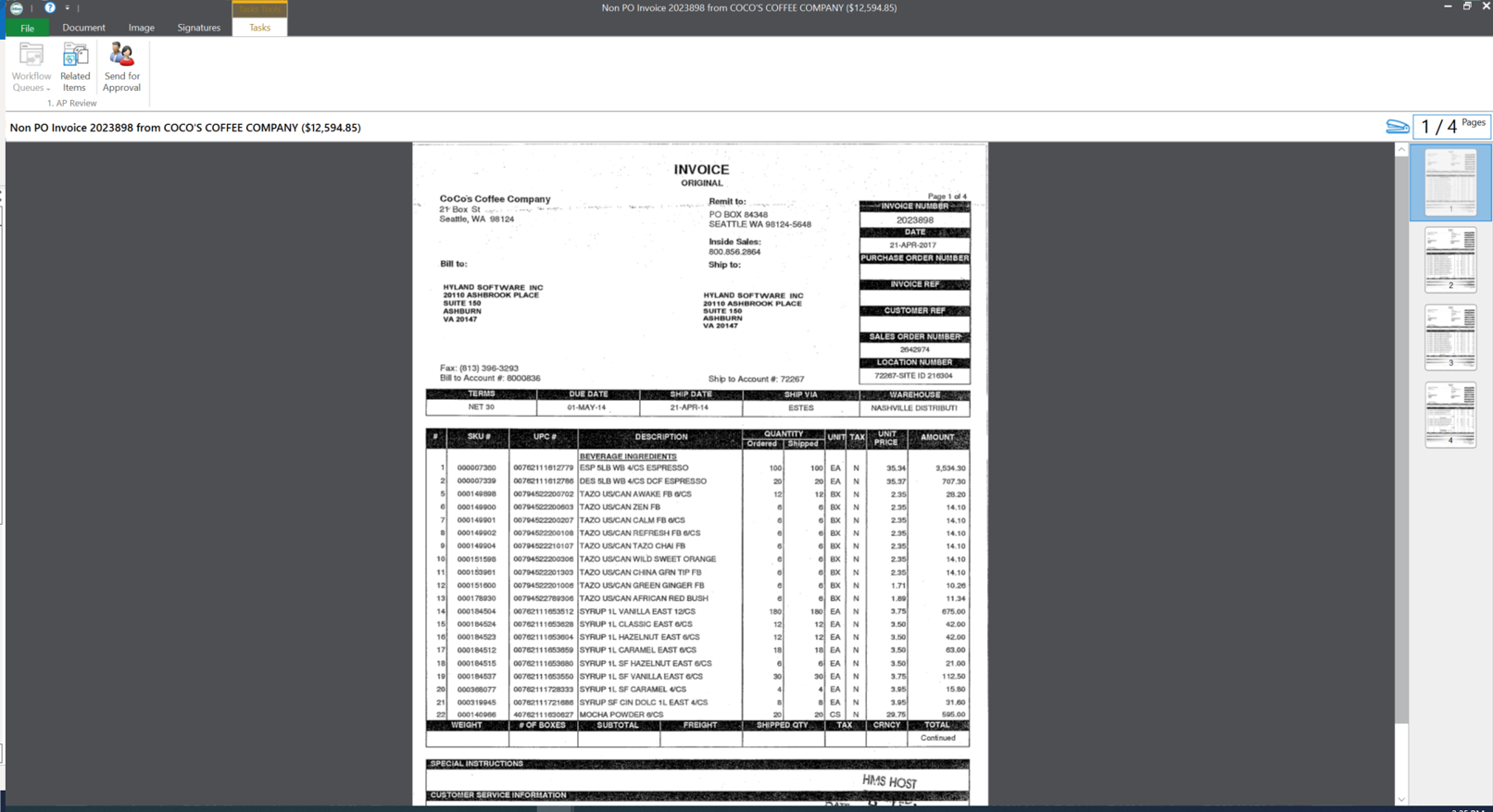
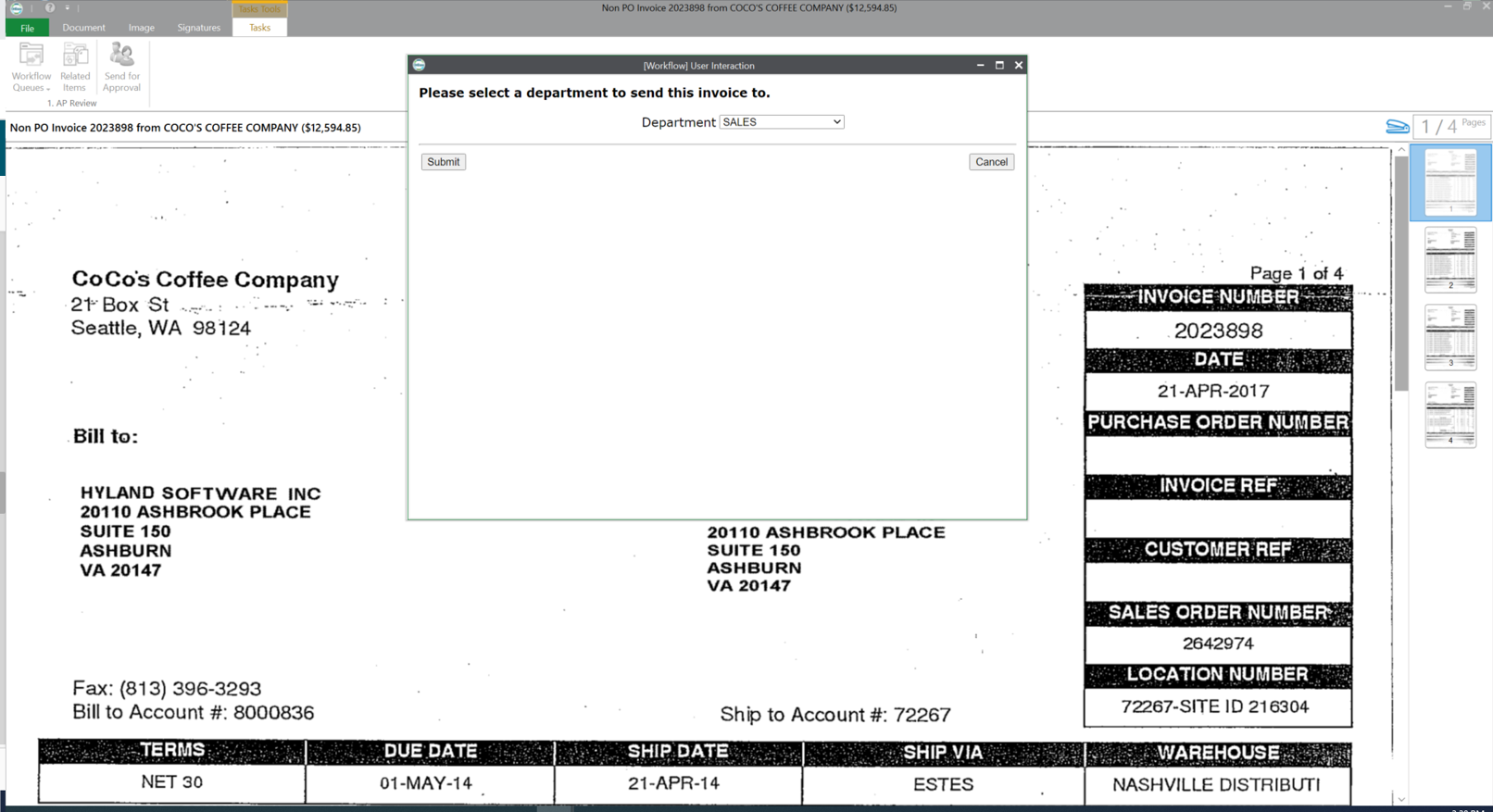
OnBase by Hyland is an enterprise content management platform with business process and case management capabilities. It is modular by design and allows users to tailor the solution to their specific requirements.
N/A
Salesforce Experience Cloud
Score8.3 out of 10
N/A
Salesforce Marketing Cloud Engagement (formerly Salesforce Experience Cloud or Salesforce Community Cloud) is an online forum powered by Salesforce that enables businesses to connect with their employees, customers, partner organizations, and prospects. Designed to help facilitate communication and information sharing, customers can ask questions and request help, administrators can integrate data from third-party apps, and employees can collaborate across projects and…
OnBase is a content services solution for organizations that need high visibility to documents or information across multiple teams or departments. It supports users' access control, workflow functionality with transaction history, electronic document retention, and destruction documentation. Hyland can support the organization for implementations or solutions, or the organization can utilize the education services and build out the solution themselves.
A de minimis incentive was given to thank the reviewer for their time. The incentive was not used to bias or drive a particular response, nor was the incentive contingent on a positive endorsement. More Info
For well-suited, this product is great for your external clientele groups that you would not necessarily want to have a high user fee rate for. So basically general public or a group that will be authorized to come in and just do a few things here and there, but you don't necessarily want them access to all of your systems and your data points for groups that it would not be a great use for. I'd say probably your high level internal staff, they're going to be using a lot of the backend functionality automations, evaluating data, managing data, and doing custom inputs. That's just not what's intended for.
A de minimis incentive was given to thank the reviewer for their time. The incentive was not used to bias or drive a particular response, nor was the incentive contingent on a positive endorsement. More Info
Easy to use, just like Salesforce's other products. Many users can sit down and figure it out in no time, and with a little training become power users.
Fast and secure - Salesforce is a leader in the cloud world so you get consistently fast results and security that is top notch in the industry.
Accessible from anywhere - if you use cloud CMS already this is a no-brainer, but for those that do in-house CMS still, this is a major difference. Mobile access from anywhere on the planet without a VPN is something you just can't do without the cloud.
A de minimis incentive was given to thank the reviewer for their time. The incentive was not used to bias or drive a particular response, nor was the incentive contingent on a positive endorsement. More Info
I personally find the user inferface to be obnoxious and obtuse.
When we have issues it is often hard to resolve the problem as there are many variables such as file types, DPI, and scanner setting that combine to make it hard to pinpoint trouble spots.
The upgrade process has always been a nightmare for our team. We are not on the latest version now due to this issue.
A de minimis incentive was given to thank the reviewer for their time. The incentive was not used to bias or drive a particular response, nor was the incentive contingent on a positive endorsement. More Info
Unlike other CMS platforms like Wordpress and Adobe Experience Manager, Salesforce does not provide a fully featured editor with a drag-and-drop design tool.
Our content creators and marketing team often struggle with permissions and how to distribute content across different experience cloud sites.
Also, there is no side-to-side comparison view for content editors to update the content easily.
A de minimis incentive was given to thank the reviewer for their time. The incentive was not used to bias or drive a particular response, nor was the incentive contingent on a positive endorsement. More Info
OnBase has become a core part of our enterprise solutions toolkit due to its ever-growing integration capabilities. Any business process that produces or tracks documents or object entities can be modeled and managed within OnBase and used to supplement almost any line-of-business system that we use.
A de minimis incentive was given to thank the reviewer for their time. The incentive was not used to bias or drive a particular response, nor was the incentive contingent on a positive endorsement. More Info
A de minimis incentive was given to thank the reviewer for their time. The incentive was not used to bias or drive a particular response, nor was the incentive contingent on a positive endorsement. More Info
You get out of something what you put into it. You reap what you sow! If an organization will spend time setting the solution up, dedicating staff to its development and ongoing support, and always keep the end-user in mind during development, you will have one of the most well-received solutions in your organization. So many organizations that I speak with stand up a solution but don't commit someone to its upkeep and development. It is vital that you have the staff to work within the solution on a daily basis.
A de minimis incentive was given to thank the reviewer for their time. The incentive was not used to bias or drive a particular response, nor was the incentive contingent on a positive endorsement. More Info
Strengths: - Intuitive for Salesforce Users – If you’re already working within the Salesforce ecosystem, the Salesforce CMS is easy to navigate, with a clean UI, drag-and-drop content management, and reusable assets for quick updates. - Seamless Integration – Since it connects natively with Experience Cloud, Marketing Cloud, and CRM, it allows for efficient multi-channel content distribution without needing extra third-party tools. - AI-Powered Personalization – The ability to deliver dynamic content based on user profiles and engagement data is a huge plus, making content delivery more relevant and impactful. Challenges: - Learning Curve for New Users – If you're not already familiar with Salesforce, the interface can feel overwhelming, requiring training to fully leverage all features. - Limited Customization & Workflow Automation – While it works well for structured content, advanced approval workflows and deep editorial customization are limited compared to enterprise CMS platforms like Adobe Experience Manager. - Media & Design Limitations – Salesforce CMS is not as robust for managing rich media-heavy content, which can be frustrating for teams needing more flexibility in multimedia presentation.
A de minimis incentive was given to thank the reviewer for their time. The incentive was not used to bias or drive a particular response, nor was the incentive contingent on a positive endorsement. More Info
Again, since we provide and recommend solutions, I can't speak to every client's individual experience, but can offer general reflections as to keep their collaborations private, that they are satisfied with the experience. We hear a lot about how this system helps to encourage collaborations between their own business partners, customers, and internal members, and enables quality integrations with other products that help drive revenue.
A de minimis incentive was given to thank the reviewer for their time. The incentive was not used to bias or drive a particular response, nor was the incentive contingent on a positive endorsement. More Info
This rating is a compromise because I technically have 2 tiers of support. I go through a re-seller that I give a (10). I send an email and receive acknowledgment within minutes. For the few times we need to contact Hyland for assistance, it sometimes takes a couple of days to receive a response - and then the first tier might go back and forth a dozen times through email instead of initiating a phone call. And for an advanced issue, they take too long before they forward to an evangelist or someone more knowledgeable that is able to assist. I give that process an (8).
A de minimis incentive was given to thank the reviewer for their time. The incentive was not used to bias or drive a particular response, nor was the incentive contingent on a positive endorsement. More Info
Although support from Salesforce itself can be quite unresponsive sometimes, the community hub is incredibly helpful. The large user base of Salesforce products contribute to troubleshooting and the forums are a powerful tool for finding solutions and possible bugs and response times can be quite fast compared to your regular support channels.
A de minimis incentive was given to thank the reviewer for their time. The incentive was not used to bias or drive a particular response, nor was the incentive contingent on a positive endorsement. More Info
The trainer was very knowledgeable and was a Hyland employee. The training was at their corporate headquarters, so it allowed our team to become familiar with organization and culture.
A de minimis incentive was given to thank the reviewer for their time. The incentive was not used to bias or drive a particular response, nor was the incentive contingent on a positive endorsement. More Info
A de minimis incentive was given to thank the reviewer for their time. The incentive was not used to bias or drive a particular response, nor was the incentive contingent on a positive endorsement. More Info
Using Hyland professional services to assist with the implementation made things much easier. They have the knowledge and experience to get the system live as users are expecting
A de minimis incentive was given to thank the reviewer for their time. The incentive was not used to bias or drive a particular response, nor was the incentive contingent on a positive endorsement. More Info
The version of SharePoint we were utilizing was not very practical. We oftentimes had issues with archived documents, where they could be found or opening them all together. It seemed the older the document the harder it was to access when logged into SharePoint. This is critical in our business as we need to behave full access to documentation sent and received for an owner's account.
Salesforce Experience Cloud was selected due to its tight integration with our existing Salesforce CRM platform. Customization of the portal was much, much simpler compared to Sharepoint - especially with role-based security parameters that are ultimately inherited based on attributes within the Salesforce CRM platform. Salesforce Experience Cloud was a natural fit for this customer-facing purpose.
A de minimis incentive was given to thank the reviewer for their time. The incentive was not used to bias or drive a particular response, nor was the incentive contingent on a positive endorsement. More Info
OnBase provides a very reliable ECM platform for the company.
OnBase helped to remove the dependency on paper files and file folders. This saved real estate cost as well as facilitated the ability to work from anywhere.
OnBase made same day processing of all incoming and outgoing documents a reality.
A de minimis incentive was given to thank the reviewer for their time. The incentive was not used to bias or drive a particular response, nor was the incentive contingent on a positive endorsement. More Info
A de minimis incentive was given to thank the reviewer for their time. The incentive was not used to bias or drive a particular response, nor was the incentive contingent on a positive endorsement. More Info