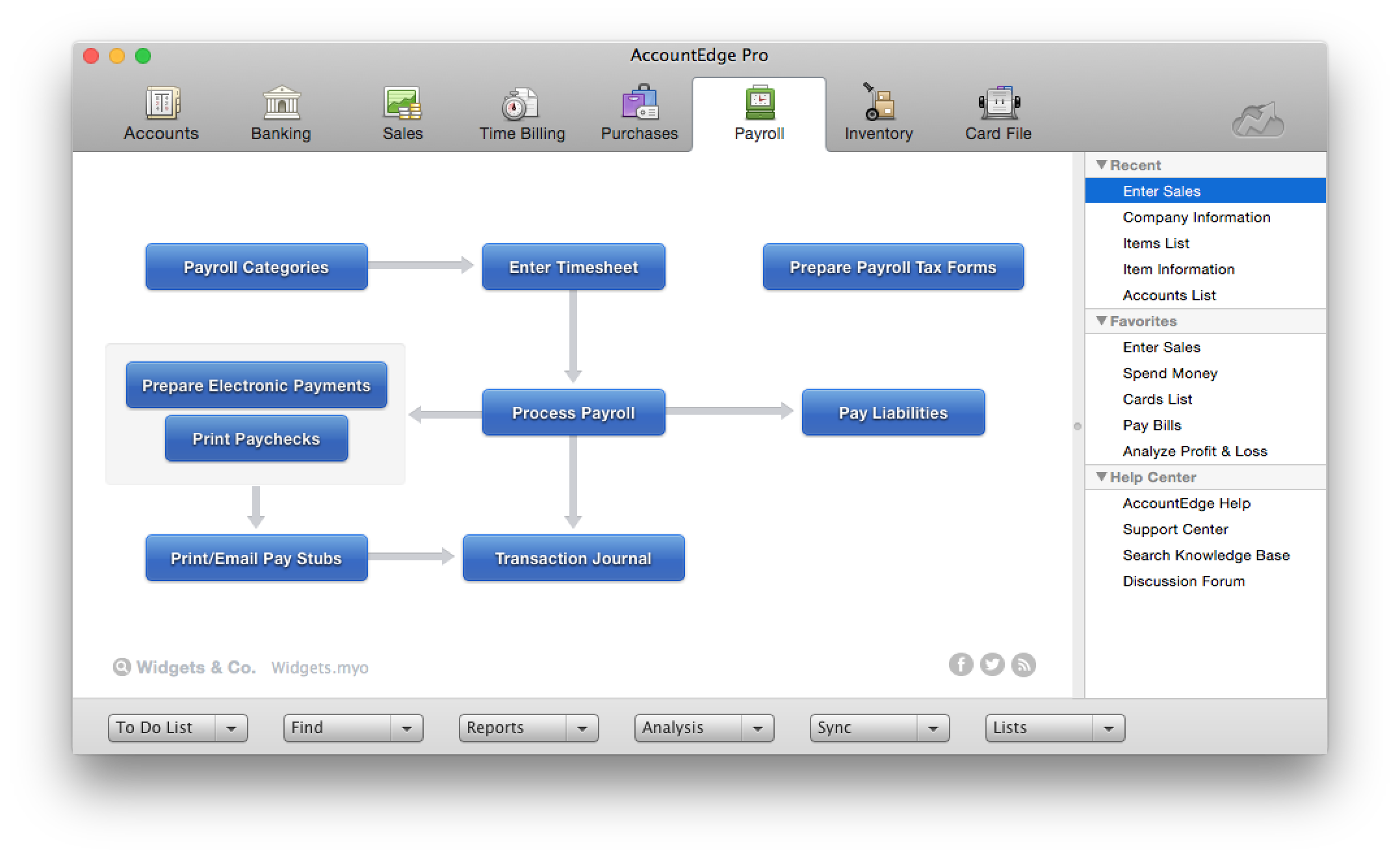
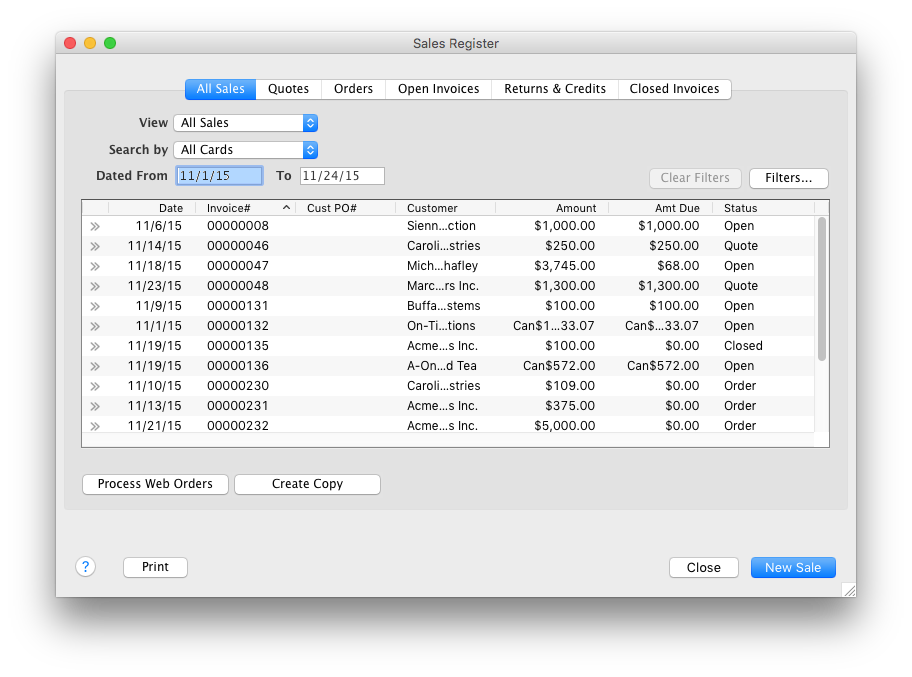
AccountEdge is a small business accounting software for Mac and Windows users. AccountEdge allows business owners to organize, process, and report on their financial information. Its features include accounting, integrated payroll, sales and purchases, contact management, inventory, and time billing. It was acquired by Priority Software in January 2018 to expand that company's small business portfolio.
$20
per month
Sage Accounting
Score7.5 out of 10
N/A
Sage Accounting is online accounting software made to simplify life for small business owners, entrepreneurs, and freelancers by providing the functions needed to take care of daily business to-dos.
Users can create and send professional quotes and invoices, track income and expenses and know where the business' financials stand. Every Sage Business Cloud Accounting subscription includes unlimited access to support as well as automatic backups and product updates.
$19
per month
Pricing
AccountEdge
Sage Accounting
Editions & Modules
AccountEdge Pro
$20
per month
AccountEdge Network Edition
$30
per month
AccountEdge Hosted
$50
per month
No answers on this topic
Offerings
Pricing Offerings
AccountEdge
Sage Accounting
Free Trial
Yes
Yes
Free/Freemium Version
No
No
Premium Consulting/Integration Services
Yes
No
Entry-level Setup Fee
No setup fee
No setup fee
Additional Details
—
Versions and pricing listed are for CA products. Versions available and pricing may vary by country.
* 2 months free to start, or free for 1 month to try, then $19/$43/$62 +tax/mo (tier depending). Offer valid for new customers only on monthly subscriptions of Sage Business Cloud Accounting. After the promotional period, the monthly subscription rate will renew at the then current rate. May not be combined with any other offers or discounts. To ensure continuous service the subscription plan is an automatically renewing plan. Subsequent months will automatically be billed to the same credit card each month on the anniversary date of purchase. Plans can be terminated at any time prior to the renewal data and not charged for renewal.
If you are handling a large client list, and are selling services, it is dead easy. If you are managing/selling a physical inventory, it seems like it has great options to do that quite well (disclaimer, I do not use those functions, but I have paid attention as that functionality was built into the software). If you want to link your bank account to a bookkeeping platform, this is not the software for you (at least so far).
A de minimis incentive was given to thank the reviewer for their time. The incentive was not used to bias or drive a particular response, nor was the incentive contingent on a positive endorsement. More Info
Sage Accounting seems appropriate for a small business that has basic accounting needs and is just starting from the beginning to set up its accounting software. It is less appropriate for businesses that have been using Sage 50, as Sage Accounting Standard does not successfully transfer important data from Sage 50.
A de minimis incentive was given to thank the reviewer for their time. The incentive was not used to bias or drive a particular response, nor was the incentive contingent on a positive endorsement. More Info
AccountEdge has a robust report menu that allows a user to slice and dice data for analysis. Report on projects for the life of the project across fiscal years. Report on different departments with segregated income statements.
For users who want to run payroll in house that is easily done through the payroll module. Print physical checks or direct deposit to employee's account, process payroll taxes and file year end W2s.
My personal favorites are time billing and retainers. As a service based business I can at my fingertips review how much money a client has on deposit with me and how much of that will be billed out at the end of the month. The integration with AccountEdge Mobile rounds it all out with being able to log my time on-site.
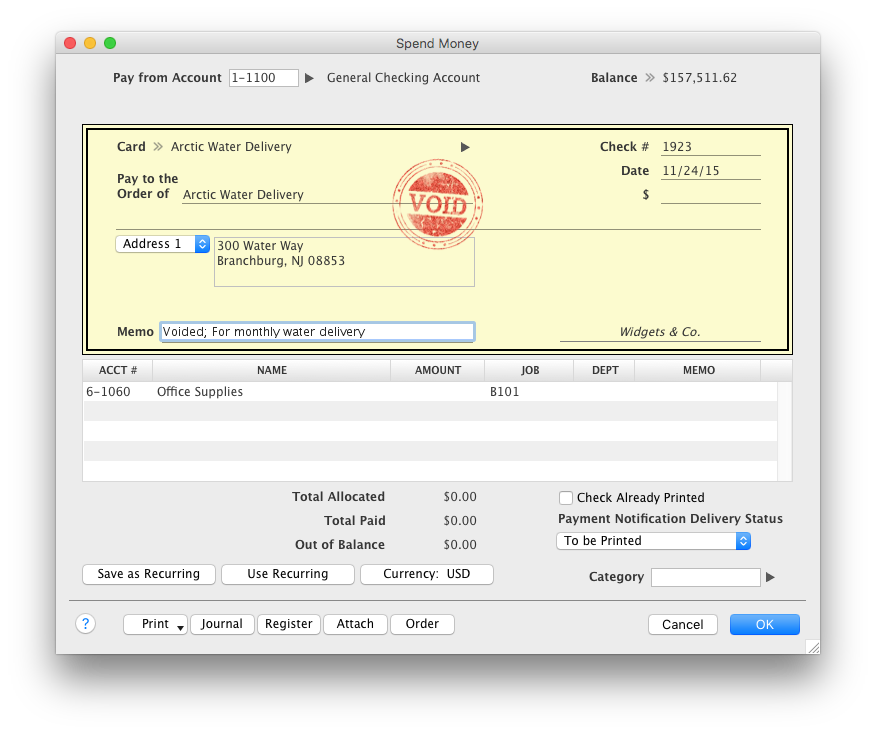
Last but not least AccountEdge Mobile in general, as the companion app for the desktop software is invaluable. My heaviest use is the spend money feature. Excellent for logging travel receipts & cash expenses while they are fresh on the brain. Really cuts back the data entry at the end of a trip and trying to recall what something may have been for.
A de minimis incentive was given to thank the reviewer for their time. The incentive was not used to bias or drive a particular response, nor was the incentive contingent on a positive endorsement. More Info
A de minimis incentive was given to thank the reviewer for their time. The incentive was not used to bias or drive a particular response, nor was the incentive contingent on a positive endorsement. More Info
My biggest frustration, and one that I've mentioned to Acclivity for many years, is that it only permits opening nine windows at a time (plus the home window). I hit that limit almost daily, and then I have to decide what do I close so I can complete the transaction that needed the "9th" window.
The Accounts section includes two quick reports, "Analyze Profit and Loss" and "Analyze Balance Sheet. These can be filtered for the current month or any prior month in the current fiscal year. And that's fine most of the year, but at the beginning of the next year, when I haven't yet started the new fiscal year, these only go to December of the prior year. The regular reports for these can select "next year;" why can't these?
It would be helpful if the journal entry number would have one or two additional digits available. For example, when I am entering journal entries for a client, I would like to use a number such as CPA2014001, CPA2014002, etc. to distinguish what I enter from the "automatic" entries that AccountEdge does. But that's one more digit than AccountEdge allows, so if I had over 100 adjustments, I would run out of entry numbers.
A de minimis incentive was given to thank the reviewer for their time. The incentive was not used to bias or drive a particular response, nor was the incentive contingent on a positive endorsement. More Info
Sorting reports - I want to sort my projects by what has and has not been paid, and this is unavailable.
Print preview.
FONT SIZE: This should be an option directly available to increase screen font sizes. Also, report font adjustments are incredibly difficult.
Understanding all options and the performance the program can do, I would much prefer an in-person session or scheduled webinar because it is far too overwhelming to search forums/help centers. Just a useless vortex to get sucked into.
Updates are easier than they used to be, but there’s still a big communication barrier. E.g., I install updates and restart programs, and then the next day or two it tells me to restart again because there have been updates. I know, I installed them already! It’s frustrating.
Removing inactive vendors or clients - why is this so difficult? Can I not just delete and move to the next one? Every time I try it, it just defaults back to the top of the report… It’s fine for the first couple of letters in the alphabet, but that’s about all. Multi-select would be nice!
A de minimis incentive was given to thank the reviewer for their time. The incentive was not used to bias or drive a particular response, nor was the incentive contingent on a positive endorsement. More Info
Without a doubt, when you need to do accounting use the program that will get the job done in the least amount of time with the least amount of errors. Once you are using a program that works you stay with it year after year and you will find yourself even excited about the updates
A de minimis incentive was given to thank the reviewer for their time. The incentive was not used to bias or drive a particular response, nor was the incentive contingent on a positive endorsement. More Info
Because we don't have time to migrate to a new system. So, we are kind of stuck with this system until our company grows or we are in a better financial position to afford the larger expense of moving to a new platform and doing what it should be doing in the first place.
A de minimis incentive was given to thank the reviewer for their time. The incentive was not used to bias or drive a particular response, nor was the incentive contingent on a positive endorsement. More Info
The intuitive interface does all the tasks we need our accounting software to do. Some tasks are slower to process than I would like but overall very usable. Customizable forms let us choose to either go with the easy ready-made out-of-the-box options or retool them to better fit our specific needs.
A de minimis incentive was given to thank the reviewer for their time. The incentive was not used to bias or drive a particular response, nor was the incentive contingent on a positive endorsement. More Info
I find Sage's usability very intuitive. Everything from data entry to high level reporting it easy to navigate. Some of the other accounting software programs I have used have not had adequate forms or menus to help navigate the program. Sage does a good job of balancing providing the proper forms without being overly difficult to understand or use
A de minimis incentive was given to thank the reviewer for their time. The incentive was not used to bias or drive a particular response, nor was the incentive contingent on a positive endorsement. More Info
One of the finer advantages of desktop software, it's always available. AccountEdge doesn't suffer from outages or sluggish internet like web based applications do. It's always there when you power on your device!
A de minimis incentive was given to thank the reviewer for their time. The incentive was not used to bias or drive a particular response, nor was the incentive contingent on a positive endorsement. More Info
Sage has been always available when I want it. If there is any maintenance work to be done by the Sage team, you are told well in advance. Maintenance is generally carried out late at night or before the day begins for most of us. It continues to be the most reliable software I use.
The day-to-day performance is very good. Items such as transactions or reports load and process quickly. You never feel like you're waiting in Sage. I have never seen Sage Accounting affect the speed or performance of any integrated system. However, I do think when you are bringing very old files up to date the updates are slow but that'll be a rare occurrence and not reflective of the day-to-day usage.
A de minimis incentive was given to thank the reviewer for their time. The incentive was not used to bias or drive a particular response, nor was the incentive contingent on a positive endorsement. More Info
On the few occasions we have needed tech support over the years, they were responsive and worked to get to the root of the issues. However, even though Checkout POS is a separate application, it was pitched to us as a natural extension of the functionality of our AE software that would integrate seamlessly. The company's support for Checkout has been minimal at best, and now totally abandoned. That colors our view of Priority's support unfortunately. And to be honest, that's why it's a 9 instead of a 10. So to be fair, AccountEdge's support itself has been very good over the years.
A de minimis incentive was given to thank the reviewer for their time. The incentive was not used to bias or drive a particular response, nor was the incentive contingent on a positive endorsement. More Info
Sage Accounting are easy to contact and have knowledgeable and helpful staff. Whenever I've encountered a problem I've always been able to get assistance and guidance and it feels like the person at the end of the phone/screen knows the product well.
Staff are always friendly, and patient, always work at a speed that suits you. You are never rushed, and In only a short time they seem to be able to help you make great strides. It has been a pleasure not a chore, learning how SAGE Accounting works and benefits me and the company.
I find the online training was very informative and they answered all my questions. I am also certified in Sage One and provided online training in the program which I have set up several people on and they love how it keeps them organized.
A de minimis incentive was given to thank the reviewer for their time. The incentive was not used to bias or drive a particular response, nor was the incentive contingent on a positive endorsement. More Info
This was generally a very straightforward process. I have previously implemented other software which required considerable external support. I implemented Sage Accounting with only a minimal amount of reference to the Sage support desk. I was extremely pleased with the implementation process.
A de minimis incentive was given to thank the reviewer for their time. The incentive was not used to bias or drive a particular response, nor was the incentive contingent on a positive endorsement. TR verified that a representative sample of customers was invited. More Info
For Mac enthusiasts, AccountEdge is the complete installed software solution for small to medium-sized businesses, as it has so many capabilities that QuickBooks for Mac lacks. However, it holds your hand less than QuickBooks for Mac does, so you ought to know what your are doing in keeping business books properly. If your needs are simple, QuickBooks for Mac may be a better solution. QuickBooks Online and Xero are excellent cloud accounting solutions that can be used on the Mac equally well as on Windows. QuickBooks Online offers a similar set of features as QuickBooks for Mac, with the addition of anywhere, anytime access. Xero is a great basic accounting solution in the cloud that can also be used equally well on Macs and WIndows, and offers endless customization and flexibility through its extensive third-party app integration for almost any need.
I also like Quickbooks Desktop, however, they are forcing customers to switch to Quickbooks Online. I will be moving forward with SAGE in this case, unless there is a valid reason the client would like to use QBO instead. I have not used the version of SAGE where the client doesn't need to purchase the full version, themselves, in order to access their file so this is something that I may consider looking into, in the near future, for this reason.
A de minimis incentive was given to thank the reviewer for their time. The incentive was not used to bias or drive a particular response, nor was the incentive contingent on a positive endorsement. More Info
The pricing structure is fair and offers good value for money. The billing is done through their online system and you can access your bills at any time. Most contacts only require 30 days' notice, so no need to feel tied in, although I can't imagine why you would want to leave Sage.
You can use Sage in your company for various aspects/positions such as bookkeepers, invoicing clerks, accountant, purchasing etc. Everyone can have their own user login and permissions can be set that specific people can do specific jobs without being able to access other peoples progress or accounts of the company.
A de minimis incentive was given to thank the reviewer for their time. The incentive was not used to bias or drive a particular response, nor was the incentive contingent on a positive endorsement. More Info
A de minimis incentive was given to thank the reviewer for their time. The incentive was not used to bias or drive a particular response, nor was the incentive contingent on a positive endorsement. More Info
A de minimis incentive was given to thank the reviewer for their time. The incentive was not used to bias or drive a particular response, nor was the incentive contingent on a positive endorsement. More Info
Sage has allowed us to be self-supporting and to perform full-cycle accounting up to the point of handing off to the accountant at year-end.
We are self-sustaining and do not need outside accounting assistance, such as an independent bookkeeper.
Sage has allowed us to save money at year's end, as we can do all the prep internally up until the handoff to the accountant, minimizing the hours he has to spend on our file.
A de minimis incentive was given to thank the reviewer for their time. The incentive was not used to bias or drive a particular response, nor was the incentive contingent on a positive endorsement. More Info