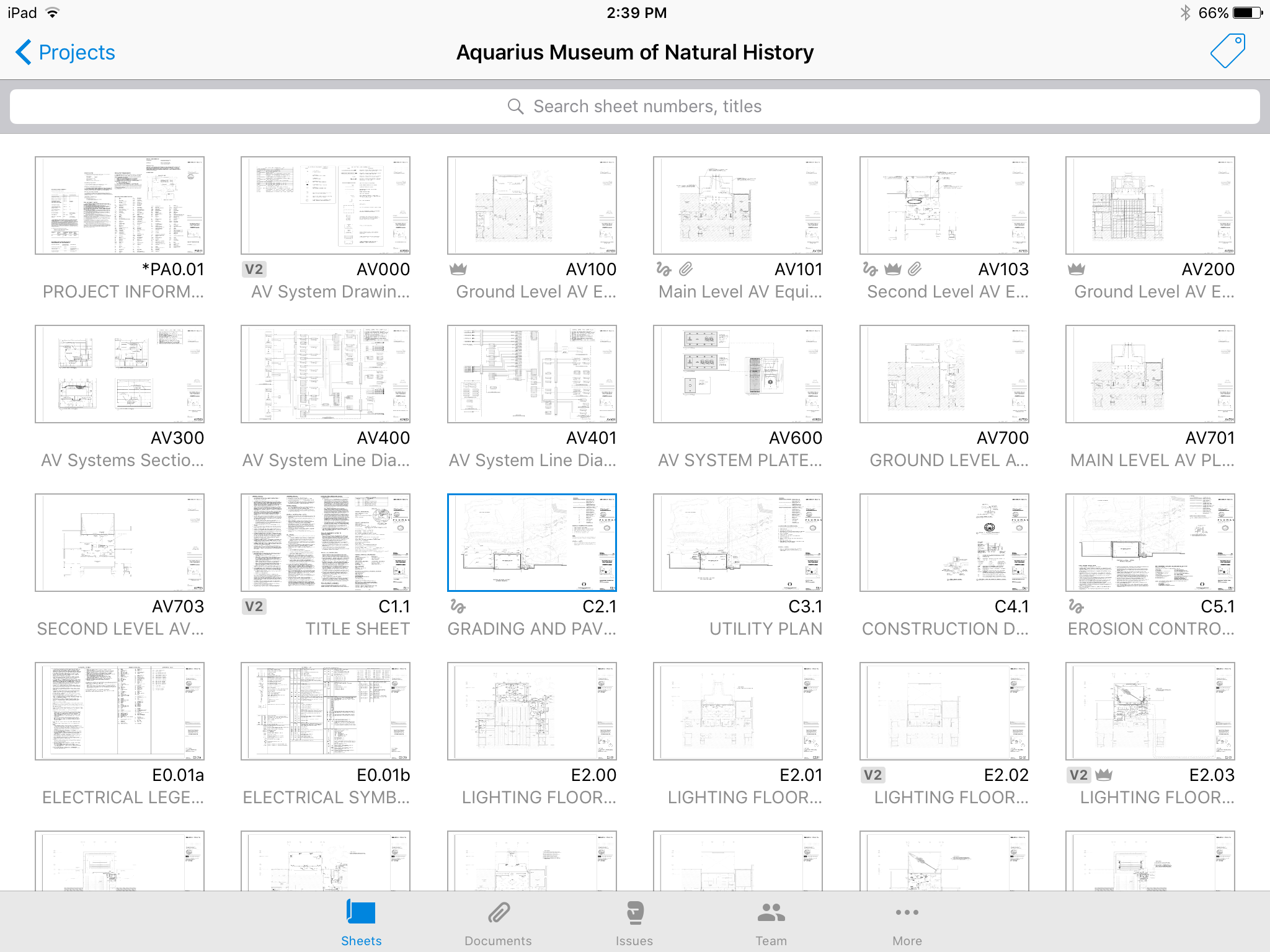
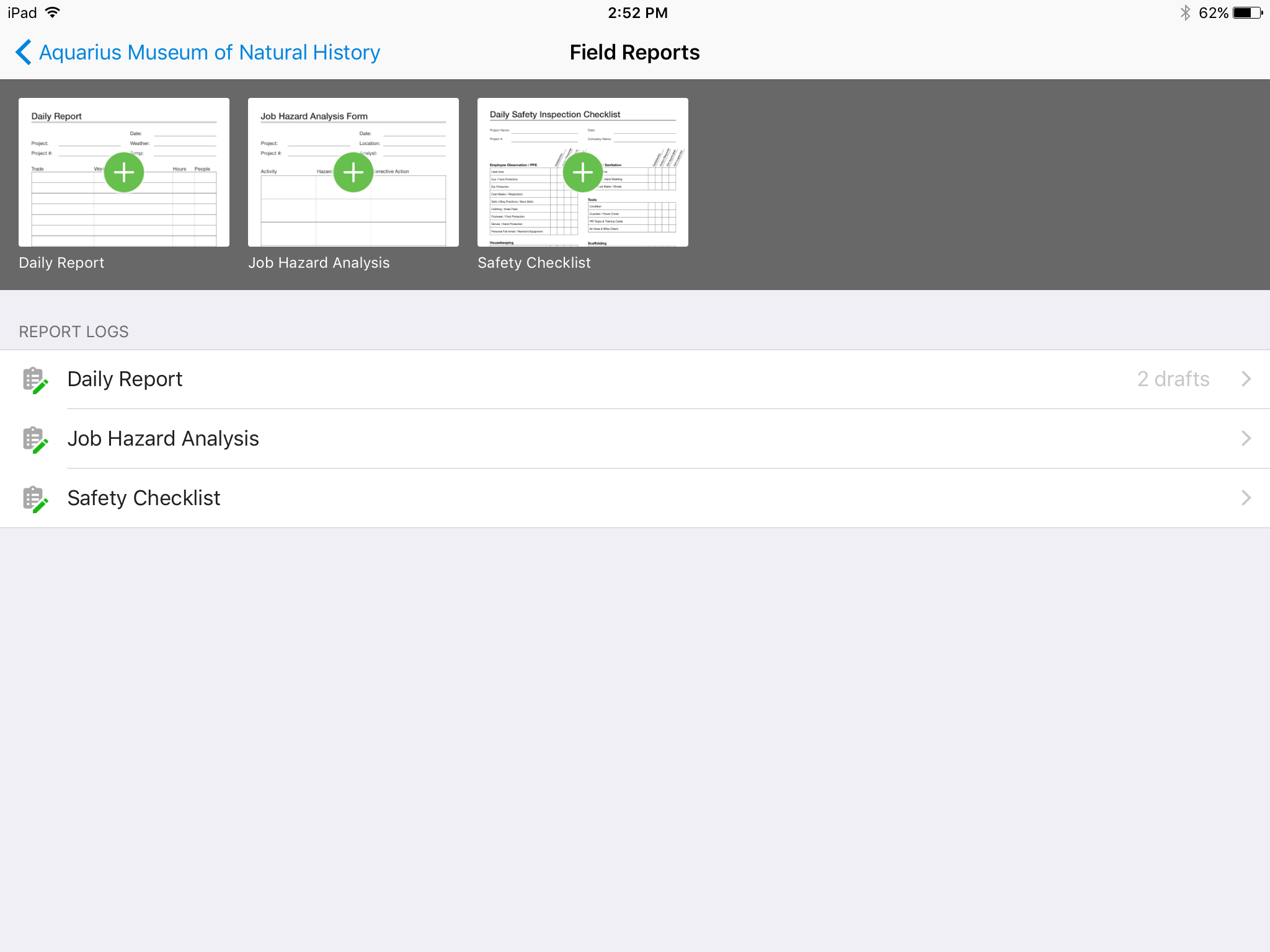
Autodesk Build, based on the former PlanGrid, is construction productivity software. It includes tools to collaborate, collect, and manage project information throughout the project’s construction and operations lifespan. It enables document centralization and tracking.
$39
user per month
Procore
Score8.3 out of 10
N/A
Procore is a project management software designed specifically for the construction industry. Procore is cloud-based and allows unlimited users per instance, so that construction team members and stakeholders can all access project information and documents.
N/A
Pricing
Autodesk Build
Procore
Editions & Modules
Nailgun
$39
user per month
Dozer
$59
user per month
Crane
$139
user per month
Custom Bundle
Custom Quote
annually
Offerings
Pricing Offerings
Autodesk Build
Procore
Free Trial
Yes
No
Free/Freemium Version
No
No
Premium Consulting/Integration Services
Yes
No
Entry-level Setup Fee
No setup fee
No setup fee
Additional Details
—
Procore charges an upfront annual fee by product and based upon Annual Construction Volume (ACV) - the aggregate dollar value of the construction work across the customer's projects. Procore contracts include access for unlimited users, customer support, unlimited data storage, and product enhancements, at no additional cost.
Multi-year pools: Contract volume is set for the entire multi-year term and can be consumed at any time during that period to help smooth out variability in consumption.
Volume opt-in: Up-front contractual pricing is put in place for additional volume that might need to be added mid-term, to increase predictability of costs.
Renewal rate protection: Up-front setting of rates is locked now, so businesses can budget accordingly for future renewals and improve cost predictability in future years.
More Pricing Information
Community Pulse
Autodesk Build
Procore
Considered Both Products
Autodesk
Verified User
Chose Autodesk Build
I have only used Autodesk Build at work. Compared to Procore which I have recently been introduced to, Autodesk Build has a more modern look and accessibility features. I can not give an in-depth review between the two products as I do not spend a lot of time using Procore.
A de minimis incentive was given to thank the reviewer for their time. The incentive was not used to bias or drive a particular response, nor was the incentive contingent on a positive endorsement. More Info
Verified User
Chose Autodesk Build
Procore and PlanGrid are the most direct competitors. The pricing structures are very dynamically different between PlanGrid and Procore. Procore tends to succeed better in the "project management" realm, while PlanGrid succeeds far beyond Procore in its ability to deal with …
A de minimis incentive was given to thank the reviewer for their time. The incentive was not used to bias or drive a particular response, nor was the incentive contingent on a positive endorsement. More Info
Verified User
Chose Autodesk Build
PlanGrid is very similar to Procore but offers a slightly more straightforward user interface and seems not to be loaded with extra options that rarely would get used like Procore. PlanGrid is a much smoother software than Submittal Exchange or CMiC due to that same interface. …
A de minimis incentive was given to thank the reviewer for their time. The incentive was not used to bias or drive a particular response, nor was the incentive contingent on a positive endorsement. More Info
Verified User
Chose Autodesk Build
Compared on pricing, PlanGrid was best. Procore does submittals and pay apps, but GoBridgit was completely unrealistic in price for us to consider them. The overall use of PlanGrid along with current pricing makes it worthwhile for us. If pricing goes up, it would no longer be …
A de minimis incentive was given to thank the reviewer for their time. The incentive was not used to bias or drive a particular response, nor was the incentive contingent on a positive endorsement. More Info
IT Manager in Information Technology at Edwards Construction Services Inc. (Construction, 51-200 employees)
Chose Autodesk Build
Plangrid would sit in between these two when it comes to mobile job site collaboration and document management. Procore is more a full-featured product but it is 2X-3X the cost and there is some question whether the extra costs actual turns in to an ROI at the end of the day. …
A de minimis incentive was given to thank the reviewer for their time. The incentive was not used to bias or drive a particular response, nor was the incentive contingent on a positive endorsement. More Info
Verified User
Chose Autodesk Build
PlanGrid is an easier system to use then Procore; however, Procore offers more of a full management software than PlanGrid does with plan distribution.
A de minimis incentive was given to thank the reviewer for their time. The incentive was not used to bias or drive a particular response, nor was the incentive contingent on a positive endorsement. More Info
Verified User
Chose Autodesk Build
Procore is a web-based service and is very slow. While PlanGrid updates and is not web based it is much quicker. PlanGrid is also much easier to use.
A de minimis incentive was given to thank the reviewer for their time. The incentive was not used to bias or drive a particular response, nor was the incentive contingent on a positive endorsement. More Info
Verified User
Chose Autodesk Build
PlanGrid provides the perfect balance of simplicity and accuracy. As I've noted, Procore is more robust but the learning curve is steep, and, for my company, the majority of features would go unused (and thus would be a waste of money). PlanGrid offers a few solid features and …
A de minimis incentive was given to thank the reviewer for their time. The incentive was not used to bias or drive a particular response, nor was the incentive contingent on a positive endorsement. More Info
A de minimis incentive was given to thank the reviewer for their time. The incentive was not used to bias or drive a particular response, nor was the incentive contingent on a positive endorsement. More Info
Project Manager in Professional Services at Sprig Electric (Construction, 501-1000 employees)
Chose Autodesk Build
Bluebeam and PlanGrid work great together, not sure one could replace the other. Bluebeam is really great for more detailed markups, better than PlanGrid in that respect. When you zoom out on the markups for PlanGrid, markups get really thick and unreadable.
A de minimis incentive was given to thank the reviewer for their time. The incentive was not used to bias or drive a particular response, nor was the incentive contingent on a positive endorsement. More Info
A de minimis incentive was given to thank the reviewer for their time. The incentive was not used to bias or drive a particular response, nor was the incentive contingent on a positive endorsement. More Info
Senior Estimator in Sales at Spacecon Specialty Contractors, LLC. (Construction, 51-200 employees)
Chose Autodesk Build
BlueBeam is a program that some of our customers use as their management tool. It is a little more cumbersome than Plan Grid. We would certainly prefer using PlanGrid over other products that we have tried. Our field staff prefers to have a consistent platform to share the …
A de minimis incentive was given to thank the reviewer for their time. The incentive was not used to bias or drive a particular response, nor was the incentive contingent on a positive endorsement. More Info
Verified User
Chose Autodesk Build
They have similar platforms and uses. At this time we use both because General Contractors require we use some of these programs to work on their projects, and we don't have a choice which one we use. It's tough because we then have multiple platforms to learn, manage and use …
A de minimis incentive was given to thank the reviewer for their time. The incentive was not used to bias or drive a particular response, nor was the incentive contingent on a positive endorsement. TR verified that a representative sample of customers was invited. More Info
A de minimis incentive was given to thank the reviewer for their time. The incentive was not used to bias or drive a particular response, nor was the incentive contingent on a positive endorsement. More Info
Verified User
Chose Autodesk Build
Bluebeam is easier to use for plan markups, but the punch list function of PlanGrid is far better.
A de minimis incentive was given to thank the reviewer for their time. The incentive was not used to bias or drive a particular response, nor was the incentive contingent on a positive endorsement. More Info
Project Manager/Estimator in Engineering at Hard Rock Concrete, Inc. Sunnyvale, CA (Construction, 51-200 employees)
Chose Autodesk Build
Plangrid, while not serving the external document distribution function, is unrivaled for internal document distribution and sharing in the construction industry. The speed at which documents are navigatable, the ability to download your projects for viewing without an internet …
A de minimis incentive was given to thank the reviewer for their time. The incentive was not used to bias or drive a particular response, nor was the incentive contingent on a positive endorsement. More Info
A de minimis incentive was given to thank the reviewer for their time. The incentive was not used to bias or drive a particular response, nor was the incentive contingent on a positive endorsement. More Info
A de minimis incentive was given to thank the reviewer for their time. The incentive was not used to bias or drive a particular response, nor was the incentive contingent on a positive endorsement. More Info
A de minimis incentive was given to thank the reviewer for their time. The incentive was not used to bias or drive a particular response, nor was the incentive contingent on a positive endorsement. TR verified that a representative sample of customers was invited. More Info
A de minimis incentive was given to thank the reviewer for their time. The incentive was not used to bias or drive a particular response, nor was the incentive contingent on a positive endorsement. More Info
Verified User
Chose Procore
Procore is far more userfriendly and adaptable than Plangrid or CMIC. It's a much more intuitive platform with better functionality and ease of use.
A de minimis incentive was given to thank the reviewer for their time. The incentive was not used to bias or drive a particular response, nor was the incentive contingent on a positive endorsement. TR verified that a representative sample of customers was invited. More Info
Verified User
Chose Procore
Procore is over priced, and other competitors have come a long way.
A de minimis incentive was given to thank the reviewer for their time. The incentive was not used to bias or drive a particular response, nor was the incentive contingent on a positive endorsement. More Info
Verified User
Chose Procore
Procore is leaps and bounds better than any other product on the market. While there is room for improvement, the other programs out there are cumbersome to use or do not have all of the functionality that Procore has as of today. I have yet to see anything that stands up to …
A de minimis incentive was given to thank the reviewer for their time. The incentive was not used to bias or drive a particular response, nor was the incentive contingent on a positive endorsement. More Info
A de minimis incentive was given to thank the reviewer for their time. The incentive was not used to bias or drive a particular response, nor was the incentive contingent on a positive endorsement. TR verified that a representative sample of customers was invited. More Info
Project Manager in Product Management at Gaylor Electric (Construction, 1001-5000 employees)
Chose Procore
Procore is very much the industry-standard software, I personally preferred using field wire because it was considerably more user-friendly for field operators to understand. Procore is utilized more readily between different trades, so often we would see Procore to be better …
A de minimis incentive was given to thank the reviewer for their time. The incentive was not used to bias or drive a particular response, nor was the incentive contingent on a positive endorsement. More Info
Verified User
Chose Procore
Since Procore attempts to be an all-in-one solution, it comes with more capability than just about any other system we have seen or used. However, that does not always mean it is better. Using PlanGrid as an example, Procore's plan viewing is inferior to the more professional …
A de minimis incentive was given to thank the reviewer for their time. The incentive was not used to bias or drive a particular response, nor was the incentive contingent on a positive endorsement. More Info
Verified User
Chose Procore
Procore is significantly better than e-Builder but on par with PlanGrid. In my experience, Procore is hands-down the best product of its kind. The Procore customer and technical support is excellent, they are always available to help with any issues or questions you may have. …
A de minimis incentive was given to thank the reviewer for their time. The incentive was not used to bias or drive a particular response, nor was the incentive contingent on a positive endorsement. TR verified that a representative sample of customers was invited. More Info
A de minimis incentive was given to thank the reviewer for their time. The incentive was not used to bias or drive a particular response, nor was the incentive contingent on a positive endorsement. More Info
Much easier to use. Because I learned Procore first, it set a good foundation of what I should be looking for as I hunt and peck to navigate other program management software.
A de minimis incentive was given to thank the reviewer for their time. The incentive was not used to bias or drive a particular response, nor was the incentive contingent on a positive endorsement. More Info
A de minimis incentive was given to thank the reviewer for their time. The incentive was not used to bias or drive a particular response, nor was the incentive contingent on a positive endorsement. TR verified that a representative sample of customers was invited. More Info
Verified User
Chose Procore
I can't compare Procore to most other construction software because they tend to focus more on one specific module (e.g. PlanGrid is only on drawing, RFI, and submittal management). I heard there's another company that is trying to build something like Procore that …
A de minimis incentive was given to thank the reviewer for their time. The incentive was not used to bias or drive a particular response, nor was the incentive contingent on a positive endorsement. TR verified that a representative sample of customers was invited. More Info
A de minimis incentive was given to thank the reviewer for their time. The incentive was not used to bias or drive a particular response, nor was the incentive contingent on a positive endorsement. TR verified that a representative sample of customers was invited. More Info
Verified User
Chose Procore
I've used PlanGrid for punchout related items for exteriors of builds and it works well. Procore has adopted very similar features which has made that software mostly obsolete since we really only use Procore on my project site.
A de minimis incentive was given to thank the reviewer for their time. The incentive was not used to bias or drive a particular response, nor was the incentive contingent on a positive endorsement. TR verified that a representative sample of customers was invited. More Info
Verified User
Chose Procore
I have previously used these other software's at other companies, and Procore is ahead of the game when it comes to these tools. These tools are all useful when it comes to one area of expertise in construction, but Procore is good at covering all of these areas and being a one …
A de minimis incentive was given to thank the reviewer for their time. The incentive was not used to bias or drive a particular response, nor was the incentive contingent on a positive endorsement. TR verified that a representative sample of customers was invited. More Info
A de minimis incentive was given to thank the reviewer for their time. The incentive was not used to bias or drive a particular response, nor was the incentive contingent on a positive endorsement. TR verified that a representative sample of customers was invited. More Info
Director Of Information Technology in Information Technology at Eldeco, Inc. (Construction, 501-1000 employees)
Chose Procore
We evaluated both PlanGrid and Procore at the same time in the field. We had numerous users in each. We implemented both products. Even paid PlanGrid to train. (Procore implementation is free.) Our teams on PlanGrid abandoned their projects within 2 months and begged to be …
A de minimis incentive was given to thank the reviewer for their time. The incentive was not used to bias or drive a particular response, nor was the incentive contingent on a positive endorsement. TR verified that a representative sample of customers was invited. More Info
Project Director in Engineering at Caribe Hospitality (Hospitality, 11-50 employees)
Chose Procore
We selected Procore because it manages to have the benefits of many programs on a single platform on both PC and mobile devices regardless of the number of users. It is also safe and reliable for informational use in the design and construction industry.
A de minimis incentive was given to thank the reviewer for their time. The incentive was not used to bias or drive a particular response, nor was the incentive contingent on a positive endorsement. TR verified that a representative sample of customers was invited. More Info
Procore Administrator in Product Management at Scalfo Electric Inc (Construction, 51-200 employees)
Chose Procore
We selected Procore because it offered a complete project management and bidding software program. It didn't offer pieces but a complete picture of each project. The mobile and web option was a big reason for the choice.
A de minimis incentive was given to thank the reviewer for their time. The incentive was not used to bias or drive a particular response, nor was the incentive contingent on a positive endorsement. TR verified that a representative sample of customers was invited. More Info
Superintendent at Fore construction (Construction, 11-50 employees)
Chose Procore
We have tried PlanGrid and one other program that I can’t remember. There are not any other products that we have elevated or used further to my knowledge.
A de minimis incentive was given to thank the reviewer for their time. The incentive was not used to bias or drive a particular response, nor was the incentive contingent on a positive endorsement. TR verified that a representative sample of customers was invited. More Info
Verified User
Chose Procore
We are still using this program as well. Between the two, PlanGrid works better for people without a constant internet connection. However, Procore works extremely well with the mobile app, submittals, and drawing updates.
A de minimis incentive was given to thank the reviewer for their time. The incentive was not used to bias or drive a particular response, nor was the incentive contingent on a positive endorsement. TR verified that a representative sample of customers was invited. More Info
Verified User
Chose Procore
The programs are very similar, but Procore can be customized to suit our needs. The future integration between Procore and Hedberg will be a real help to us.
A de minimis incentive was given to thank the reviewer for their time. The incentive was not used to bias or drive a particular response, nor was the incentive contingent on a positive endorsement. TR verified that a representative sample of customers was invited. More Info
Operations Coordinator in Information Technology at Advanced Cable Solutions (Construction, 51-200 employees)
Chose Procore
PlanGrid was a drawings solution that tried to become more of a project management solution. The drawings markups on PlanGrid were good, but the project management tools were lackluster.
Procore has more tools and they function much better than PlanGrid (except for the …
A de minimis incentive was given to thank the reviewer for their time. The incentive was not used to bias or drive a particular response, nor was the incentive contingent on a positive endorsement. TR verified that a representative sample of customers was invited. More Info
PlanGrid performs really well in all aspects of construction from the general to the sub/trade. The platform distributes and communicates project documentation in an extremely user-friendly manner. As with most software, it is cheaper the larger the scale of the project. In situations where the project is relatively small, and the trade contracts are also of relatively low dollar value, the product can be cost-prohibitive.
A de minimis incentive was given to thank the reviewer for their time. The incentive was not used to bias or drive a particular response, nor was the incentive contingent on a positive endorsement. More Info
It works great for project management and putting all job-specific documents in one place. We are able to share drawings, submittals, and forms with our customers and subcontractors in a safe and reliable platform. However, getting reporting data is somewhat lacking, so if your business needs advanced options, you might try and find a better product.
A de minimis incentive was given to thank the reviewer for their time. The incentive was not used to bias or drive a particular response, nor was the incentive contingent on a positive endorsement. TR verified that a representative sample of customers was invited. More Info
Plangrid is the best SaaS I have seen for ease of uploading construction plans and automated organization of those plans.
For companies that are not using other products for mobile access, the Plangrid mobile apps are perfect to allow people on and off site to share and collaborate in many phases of construction project documentation.
Plangrid has a very responsive technical support team (although it is pretty much email only).
Plangrid's website layout is easy to use and understand and allows new users to jump right in and do basic to moderate tasks without little training.
A de minimis incentive was given to thank the reviewer for their time. The incentive was not used to bias or drive a particular response, nor was the incentive contingent on a positive endorsement. More Info
A de minimis incentive was given to thank the reviewer for their time. The incentive was not used to bias or drive a particular response, nor was the incentive contingent on a positive endorsement. TR verified that a representative sample of customers was invited. More Info
The photo attachment process is a bit complicated. In ProCore (another similar software I've used), you can upload photos directly into RFIs for your reference, or into e-mails. For PlanGrid, you have to first upload the photo into the documents tab, then link them into the RFI. It's not intuitive and can add confusion to the documents tab.
Photos can't be directly uploaded. Between different devices and colleagues, it's possible you'll get an important photo outside of the PlanGrid photo capture feature within its app. Again, it's complicated for users to use.
In their new drawings viewer, the icons for actions do not have icons available. I had to use them all in order to understand what they meant, and I'm fairly tech savvy. I'm not sure if a new person to PlanGrid will pick up on each icon's abilities very easily.
There's no all-in-one solution in CM, but PlanGrid is fairly barebones, and I don't believe it has any ability to connect to other software. There's no ability to take meeting munites; you can hack the field reports feature to accomplish this, but it's clear that was not the intent of the designers.
A de minimis incentive was given to thank the reviewer for their time. The incentive was not used to bias or drive a particular response, nor was the incentive contingent on a positive endorsement. More Info
A de minimis incentive was given to thank the reviewer for their time. The incentive was not used to bias or drive a particular response, nor was the incentive contingent on a positive endorsement. More Info
We are at the point where we have shown our teams what is possible with this software. We cannot take it away and go back to the way we used to do things. I think that they would push back on us to give them access to something electronic. It is a good program that we will continue to use
A de minimis incentive was given to thank the reviewer for their time. The incentive was not used to bias or drive a particular response, nor was the incentive contingent on a positive endorsement. More Info
We will undoubtedly renew Procore as it has proven itself to be a means to better track and improve upon our efficiency and communications between job sites and their project managers as well as all other departments. Procore has made an incredible impact on how we, as a company, do our job on all levels; it is one of our most powerful and effective resources.
A de minimis incentive was given to thank the reviewer for their time. The incentive was not used to bias or drive a particular response, nor was the incentive contingent on a positive endorsement. More Info
Hard to get the hang of this software, but with time it become very repetitive and easier to navigate. I have used this software for over a year now and the constant updates by Autodesk have made the software better and better to use at work. This allows me to use this tool more effectively
A de minimis incentive was given to thank the reviewer for their time. The incentive was not used to bias or drive a particular response, nor was the incentive contingent on a positive endorsement. More Info
90% of Procore is very intuitive and any user can pick it up and go. There are a few elements, more so on the Financials side that need some prior knowledge of systems in order to understand how and why it functions as it does. Once this is understood, it flows effortlessly
A de minimis incentive was given to thank the reviewer for their time. The incentive was not used to bias or drive a particular response, nor was the incentive contingent on a positive endorsement. TR verified that a representative sample of customers was invited. More Info
If you are working in an area with little to no signal, Procore will still allow you to get in the system and use it fully and will then update once you are at a place with a strong enough signal. Whether it be with wifi or LTE cell phone reception.
A de minimis incentive was given to thank the reviewer for their time. The incentive was not used to bias or drive a particular response, nor was the incentive contingent on a positive endorsement. TR verified that a representative sample of customers was invited. More Info
A de minimis incentive was given to thank the reviewer for their time. The incentive was not used to bias or drive a particular response, nor was the incentive contingent on a positive endorsement. TR verified that a representative sample of customers was invited. More Info
Online chat during business hours is extremely helpful. The Plangrid staff has gone above and beyond many times to help us. One time they even offered to completely rebuild our 900+ sheet project so I could slip sheet a few old drawing revisions! This undoubtedly would have taken hours on Plangrid's end. They are always responsive and are continually improving, listening to user feedback.
A de minimis incentive was given to thank the reviewer for their time. The incentive was not used to bias or drive a particular response, nor was the incentive contingent on a positive endorsement. More Info
General Support for Project Management and Financials is consistent. The ERP support is never consistent and I do end up at times in a black hole. I have to continually reach out to get the issue resolved or get an update. The ERP support needs more of Procore's attention
A de minimis incentive was given to thank the reviewer for their time. The incentive was not used to bias or drive a particular response, nor was the incentive contingent on a positive endorsement. TR verified that a representative sample of customers was invited. More Info
Procore's Implementation Team does a great job of ensuring users are confident in using the system. They run through a process of training sessions based on the tools you have purchased, and lay ou ta plan to help the power users configure the tool to suit the company's needs. They provide useful resources for certifications, support and ongoing training as well.
A de minimis incentive was given to thank the reviewer for their time. The incentive was not used to bias or drive a particular response, nor was the incentive contingent on a positive endorsement. TR verified that a representative sample of customers was invited. More Info
Procore's certification program and focused how-to training videos allowed for easy training that did not feel overwhelming. The way the certification programs were broken up into small parts made it seem much less daunting to complete. The training feels focused and does not overload users with too much information all at once.
A de minimis incentive was given to thank the reviewer for their time. The incentive was not used to bias or drive a particular response, nor was the incentive contingent on a positive endorsement. More Info
Iron out your cost code list in your accounting software before you link with Procore. Once the link is established that list is more or less permanent. Review the permission matrix carefully. It controls so much. You want to ensure the information provided to your users adequate but you also want to protect your sensitive data. Procore Financials are organized in a total contract value style. Any markup or Profit will need to be sent somewhere on your budget. This may be significantly different than the Cost budgeting that many contractors do
A de minimis incentive was given to thank the reviewer for their time. The incentive was not used to bias or drive a particular response, nor was the incentive contingent on a positive endorsement. TR verified that a representative sample of customers was invited. More Info
Plangrid, while not serving the external document distribution function, is unrivaled for internal document distribution and sharing in the construction industry. The speed at which documents are navigatable, the ability to download your projects for viewing without an internet connection, and the document mark-up and photo tools place it head and shoulders above the competition.
A de minimis incentive was given to thank the reviewer for their time. The incentive was not used to bias or drive a particular response, nor was the incentive contingent on a positive endorsement. More Info
Procore has a clearer user interface and a wider variety of tools than any program I've used. Procore also lives up to their name in terms of helpful and fast customer service. There is always a Procore rep. that is available to contact, making any problems just a mini hurdle.
A de minimis incentive was given to thank the reviewer for their time. The incentive was not used to bias or drive a particular response, nor was the incentive contingent on a positive endorsement. TR verified that a representative sample of customers was invited. More Info
It helped us "wow" a joint commission survey in 2016 and have a successful survey because he loved how we could access plans on an iPad, check suite sizes, and didn't have to carry around huge, heavy sets of life safety plans.
A de minimis incentive was given to thank the reviewer for their time. The incentive was not used to bias or drive a particular response, nor was the incentive contingent on a positive endorsement. More Info
A de minimis incentive was given to thank the reviewer for their time. The incentive was not used to bias or drive a particular response, nor was the incentive contingent on a positive endorsement. More Info