
TrustRadius: an HG Insights company

LogMeIn Resolve

Score9.1 out of 10

267 Reviews and Ratings

What is LogMeIn Resolve?

LogMeIn Resolve is an IT management and support solution designed to help organizations take control of their IT infrastructure. The platform combines features like remote monitoring, access, and support with tools such as ticketing, AI-assisted task automation, and patch management.

Read more details.

Media

Screenshot of LogMeIn Resolve Device Quickview
Screenshot of LogMeIn Resolve - Devices
Screenshot of LogMeIn Resolve - Guided Agent Flow
Screenshot of LogMeIn Resolve MS Teams Ticketing
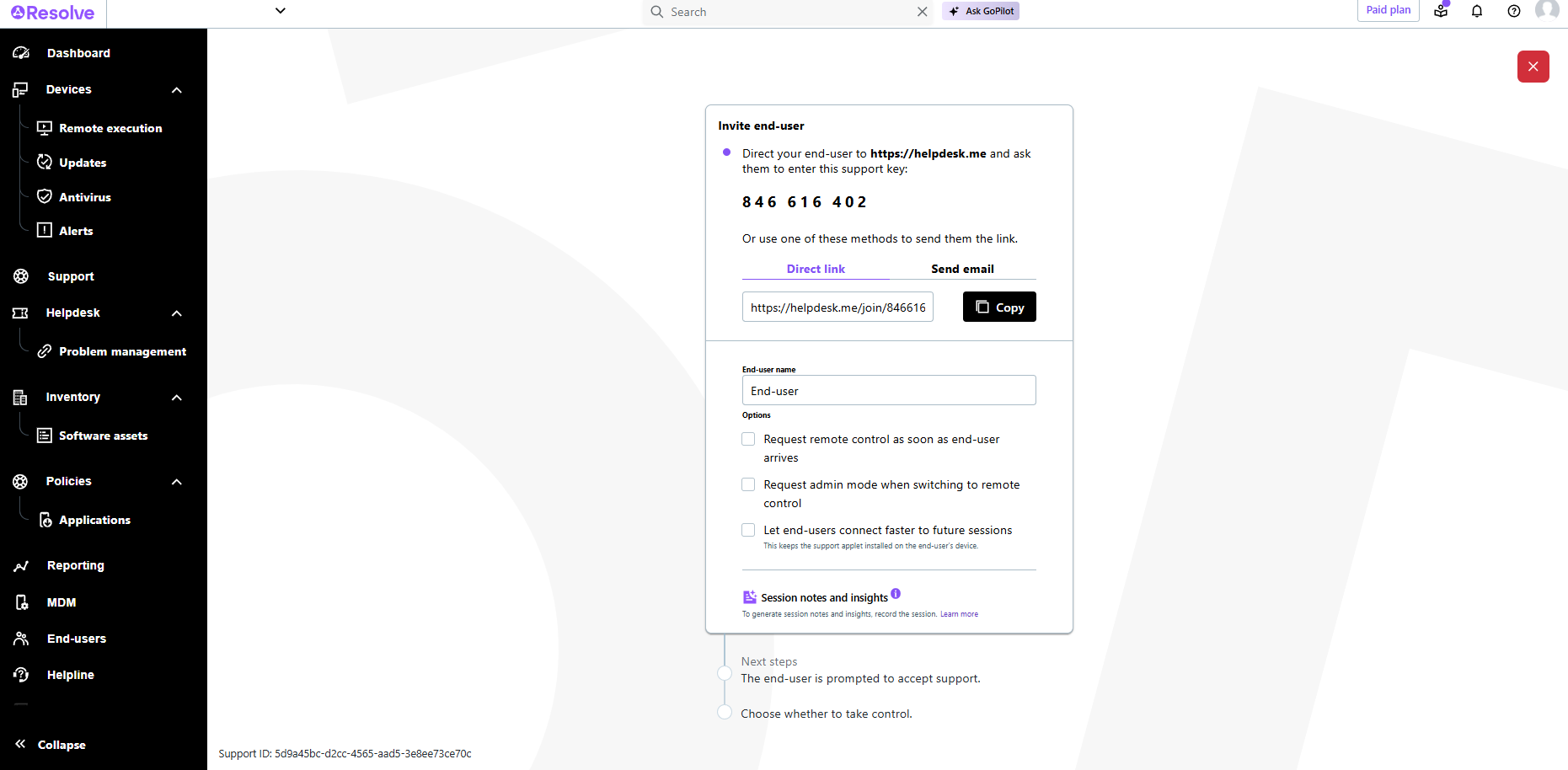
Screenshot of LogMeIn Resolve Support Session
Screenshot of LogMeIn Resolve Tickets Board
Screenshot of LogMeIn Resolve Slack Ticketing
Screenshot of Alerting – Manage Policies
Screenshot of File Manager – Drag and Drop
Screenshot of LogMeIn Resolve - Dashboard
Screenshot of Resolve - Windows Update Policy
Screenshot of Resolve - AI Session Notes

1 / 12

Screenshot of LogMeIn Resolve Device Quickview

Pros

  • Robust remote access and support capabilities for quick issue resolution
  • Comprehensive device monitoring and information gathering without direct intervention
  • Consolidation of IT support tools into a single, integrated platform

Cons

  • Frequent connectivity issues, including lagging and slow sessions
  • High bandwidth consumption impacting performance on slower connections
  • User interface difficulties and a need for more comprehensive training

AMAZING

Use Cases and Deployment Scope

I use LogMeIn Resolve as a necessary tool within my business because I offer MSP services. Resolve, lets me remote in computers and offer IT support but for my ongoing customers, it lets me manage their AV, Windows Updates, App Updates, so much more. LogMeIn has been a game changer because I don't have to explain and walk someone through the issue over the phone or have to go their house/business for an issue that takes less than 5 minutes. I love this software and the capabilities are unmatched.

Pros

  • Remote Access
  • AV Management
  • Windows Updates
  • Application Updates

Cons

  • integration within GoHighLevel. Being able to embed my helpdesk manual ticket form, would be a game changer, weather it be for existing customers or new ones.
  • Be able to remote into offline devices.
  • While in a system, be able to use keyboard functionality without controlling our own computers.

Return on Investment

  • LogMeIn is a MSP's best friend
  • Real-time stats on your end-users pc
  • Remote Functionality

Usability

Reliable and secure comprehensive IT support platform

Use Cases and Deployment Scope

LogMeIn Resolve is being used in our organization for various purposes like helpdesk ticketing, remote support, remote monitoring, etc. It provides your IT team a comprehensive IT support platform, which offers them Helpdesk ticketing, remote monitoring and support in a single solution. It provides them faster and secure remote access to computer and mobiles and helps them resolve system related issues quickly.

Pros

  • It increases you IT team efficiency by allowing them to resolve end users system issues remotely
  • It offers you comprehensive IT support platform which includes helpdesk ticketing, remote support and remote monitoring.
  • It provides you faster and secure remote access to any computer or mobile irrespective of their OS

Cons

  • Little costly than other solutions
  • Lagging issue on slow internet

Return on Investment

  • It provide us comprehensive IT support platform which includes helpdesk ticketing, remote monitoring and support in one place
  • It helped us to resolve system related issues quickly
  • It improved our productivity

Usability

Alternatives Considered

AnyDesk

Other Software Used

Cisco AnyConnect, Cisco Duo, TeamViewer, FortiClient, Sophos Firewall

Resolve - great product that continues to mature

Use Cases and Deployment Scope

We mainly use it for remote sessions, both unattended and attended. the terminal is very helpful as well as the services feature. We only use patching on a few customers; we already sell patching as part of our WatchGuard EPDR package. We are considering moving to Resolve as our premier patching service, but are waiting for further updates.

Pros

  • easy support sessions
  • best use of an ai chatbot in a program
  • wide view of details on a device without having to remote into it

Cons

  • session connectivity feels really slow at times
  • no option to kick an agent off a session or join a session without approval from agent (reset connection option from goto assist needs to be implemented)
  • pathching details is limited

Return on Investment

  • scripting has greately reduced downtime for customers
  • customers feel more comfortable with support sessions
  • not being able to reset a connection on an endpoint has been a big problem for us
  • the reporting tool needs serious work. i have a ticket open on an issue that has been in the works for months with no fix in sight

Usability

Other Software Used

Watchguard Endpoint Security, WatchGuard Network Security, Hornetsecurity VM Backup

Every day Technician

Use Cases and Deployment Scope

We use LogMeIn Resolve as our main tool to remote into laptops and assist end users with daily issues across different construction jobsite In Texas. Force updates when certain computers get left behind. We also used LogMein Resolve to access Fortigate firewall and troubleshoot them when a jobsite has WiFi issue, network issue. This gives us the ability to help end user without having to drive to different locations without leaving the main office.

Pros

  • Telemetry information regarding each laptop
  • Remote tool to help end users
  • Ability to push updates

Cons

  • More integration with other IT tools
  • Ticket system
  • Trending Issues

Return on Investment

  • Consolidation tools
  • Agent productivity’s

Usability

Alternatives Considered

TeamViewer

LogMeIn is the best

Use Cases and Deployment Scope

I use it to support my clients with IT service as well as educucation

Pros

  • Customers can show me what the problem is
  • I can fix customers computers when they are away
  • I can make changes and updates while they are away remotely.

Cons

  • The file transfer is a little clunky
  • sound can be a little challengeing
  • copy and paste gets a little clumsy
  • Multiple screens makes my head spin

Return on Investment

  • This product lets me do things I cannot do with any other product I know of
  • My clients love the service I provide
  • Your product reduces downtime and lost productivity

Usability

Alternatives Considered

GoTo Meeting and LogMeIn Pro by GoTo

Other Software Used

Microsoft 365, Dialpad Connect