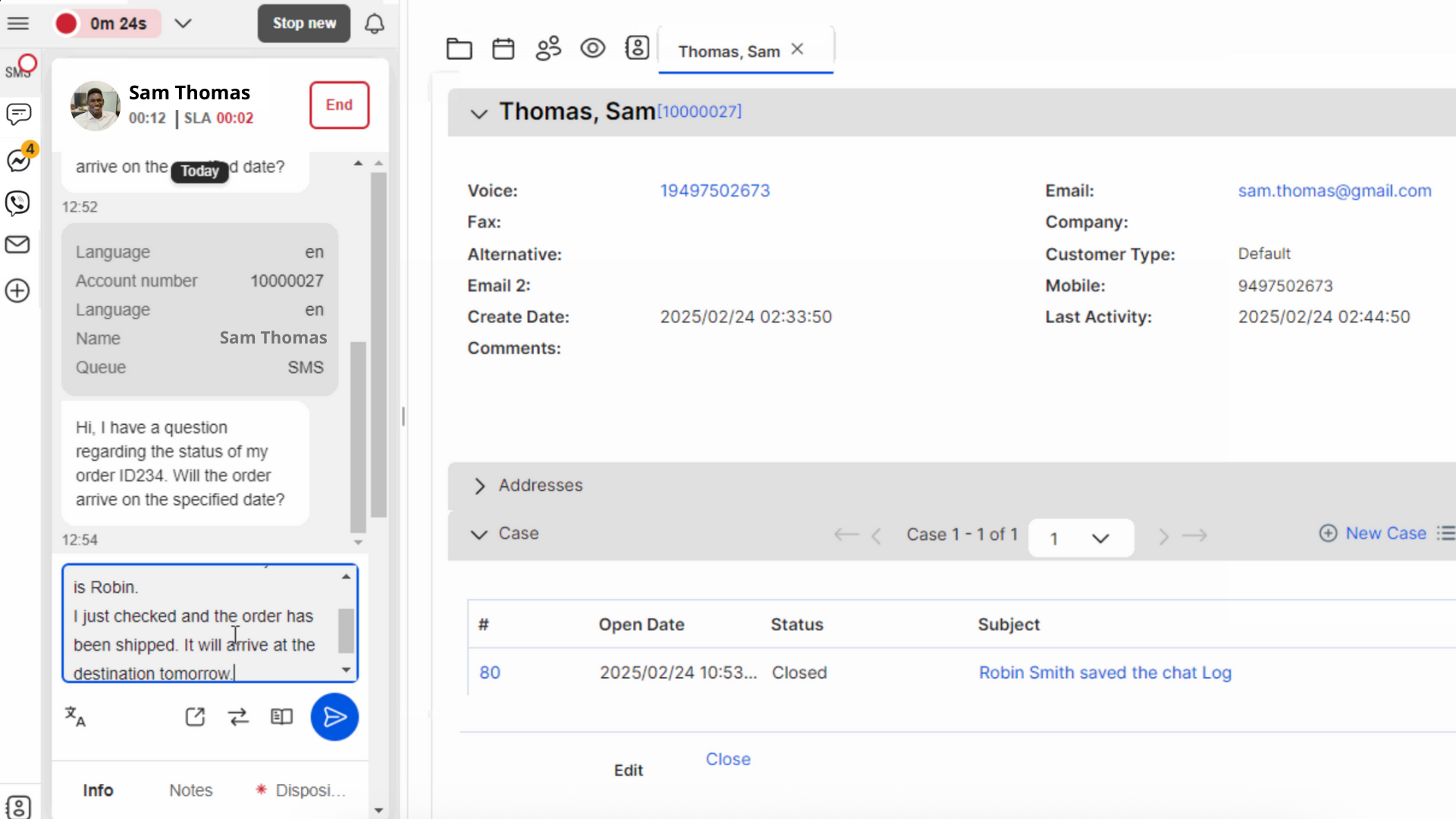
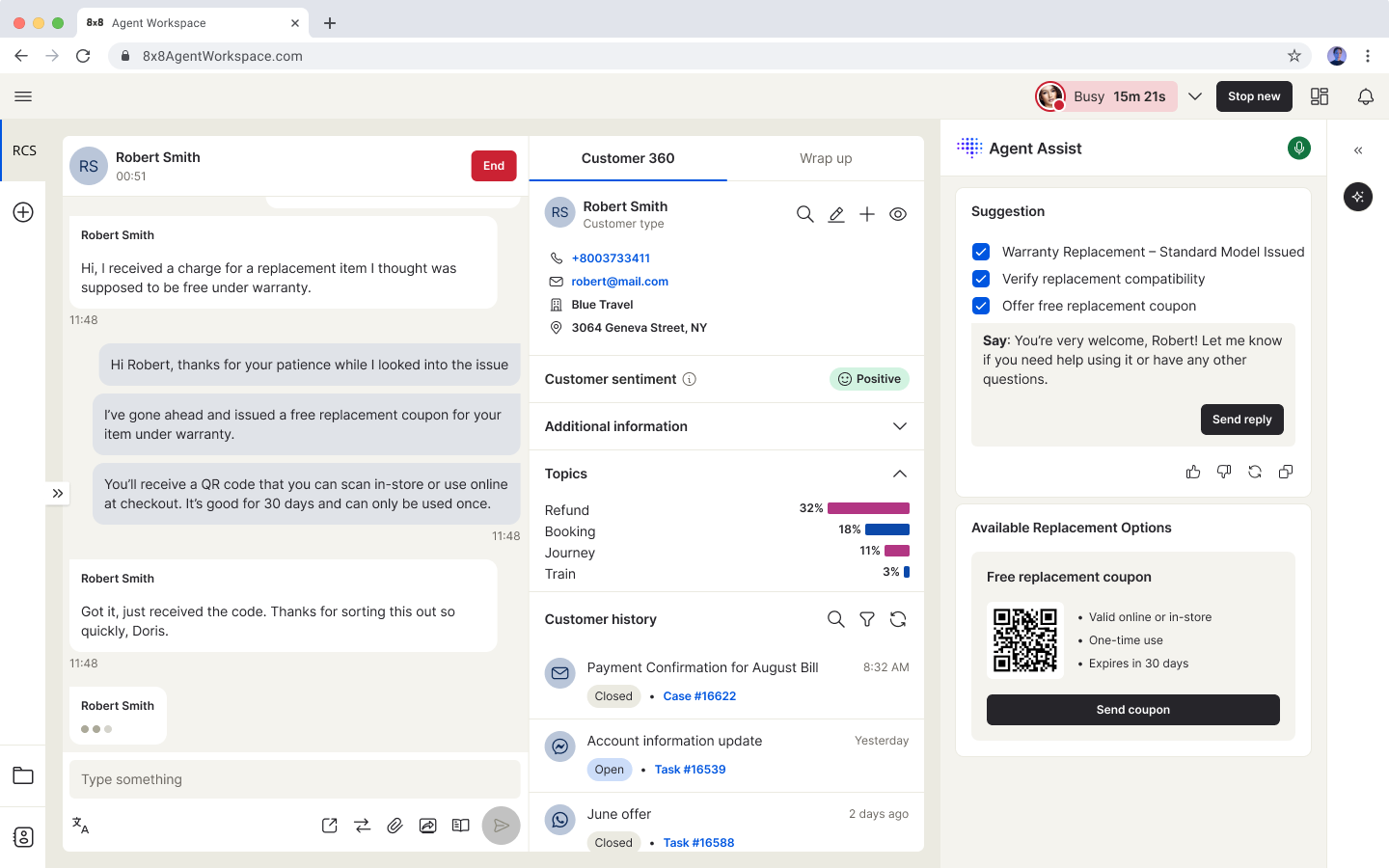
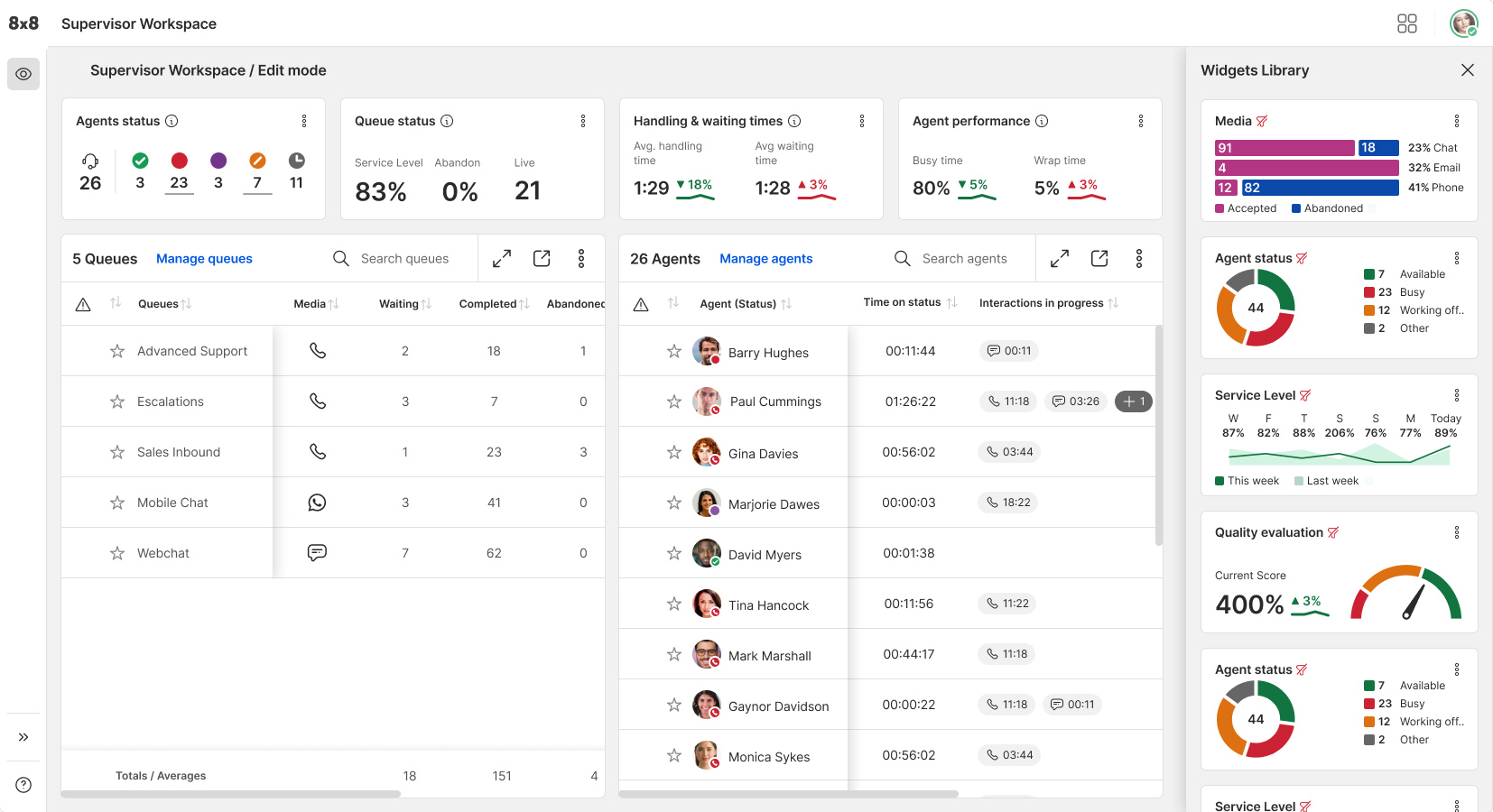
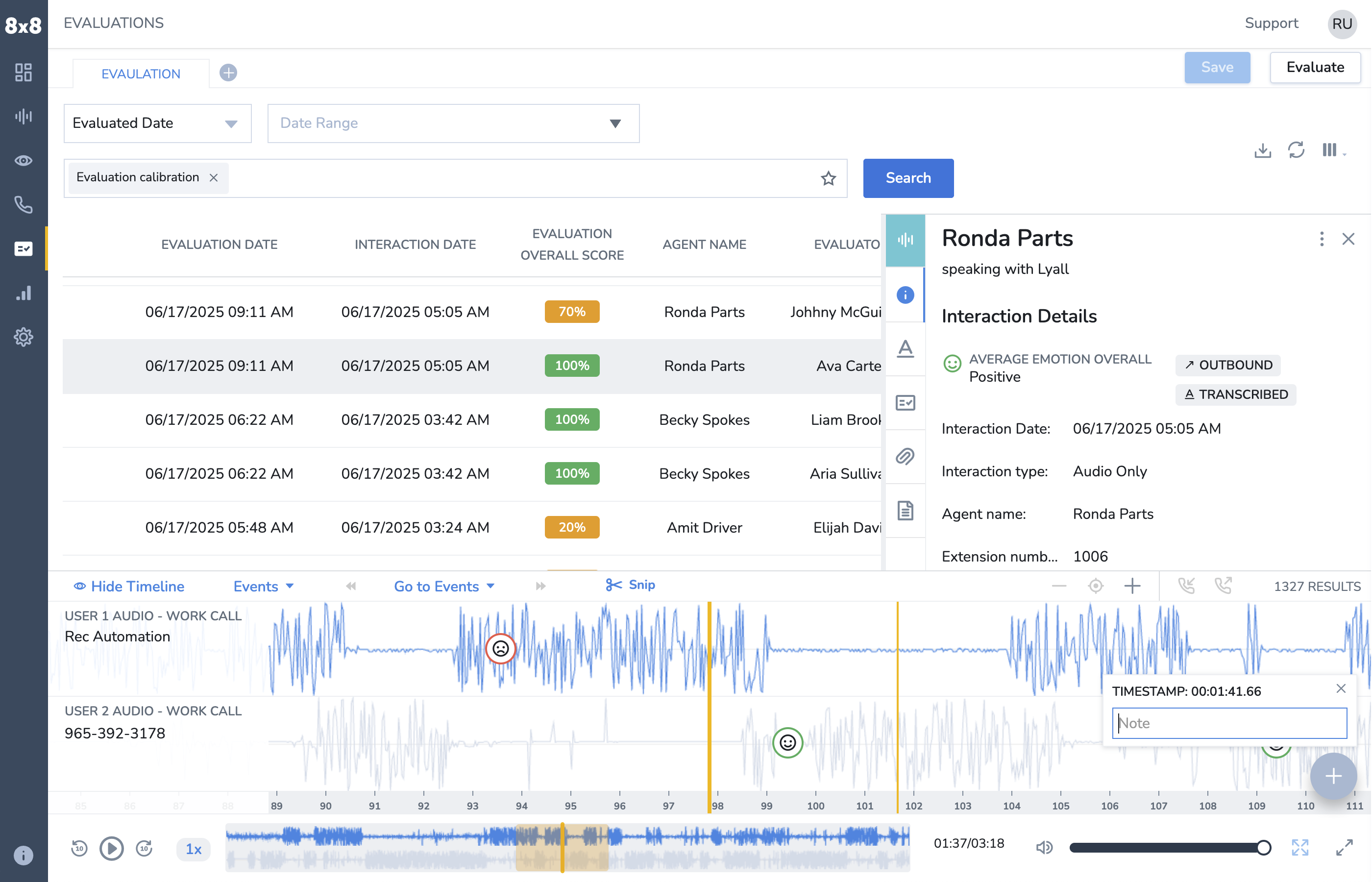
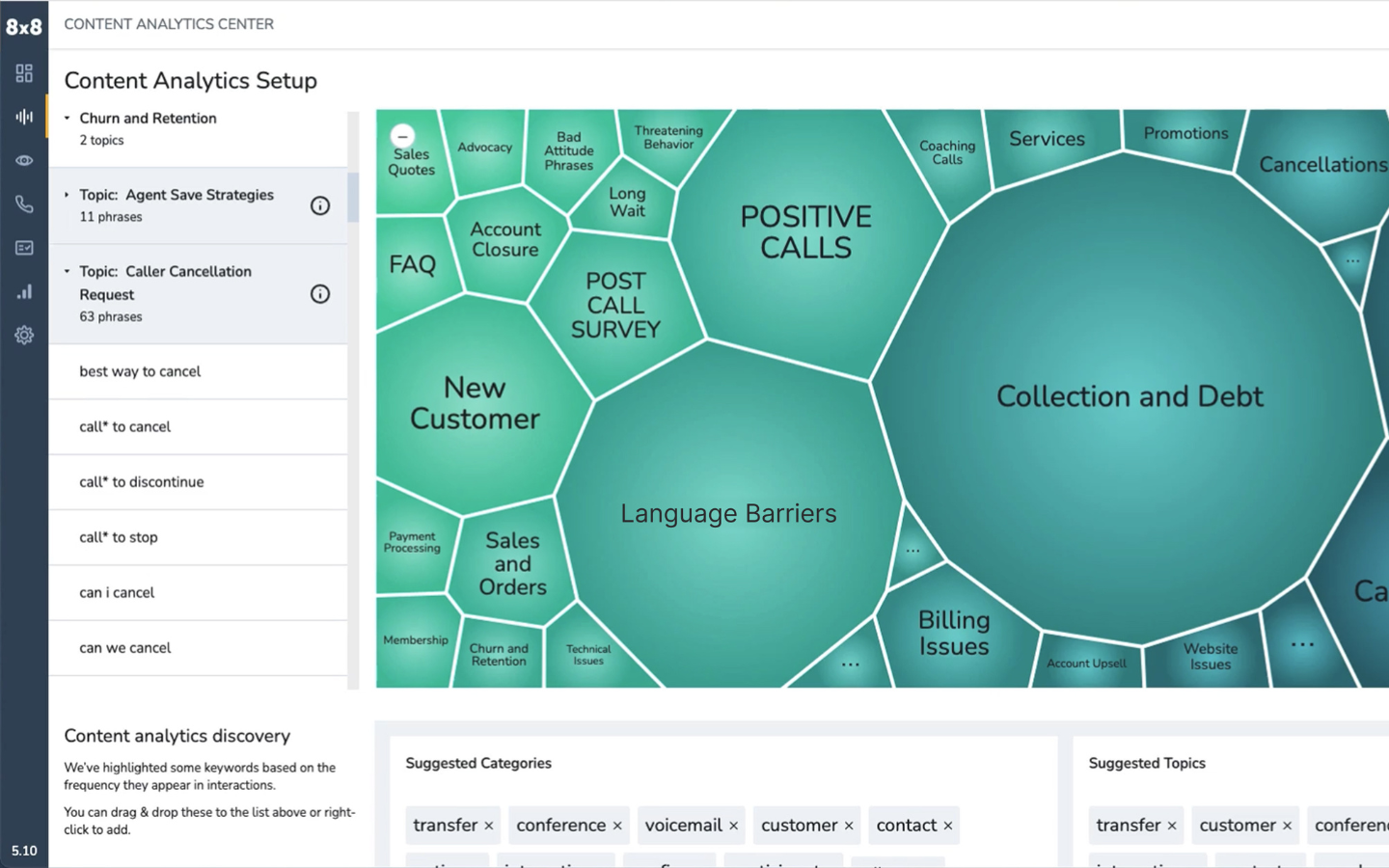
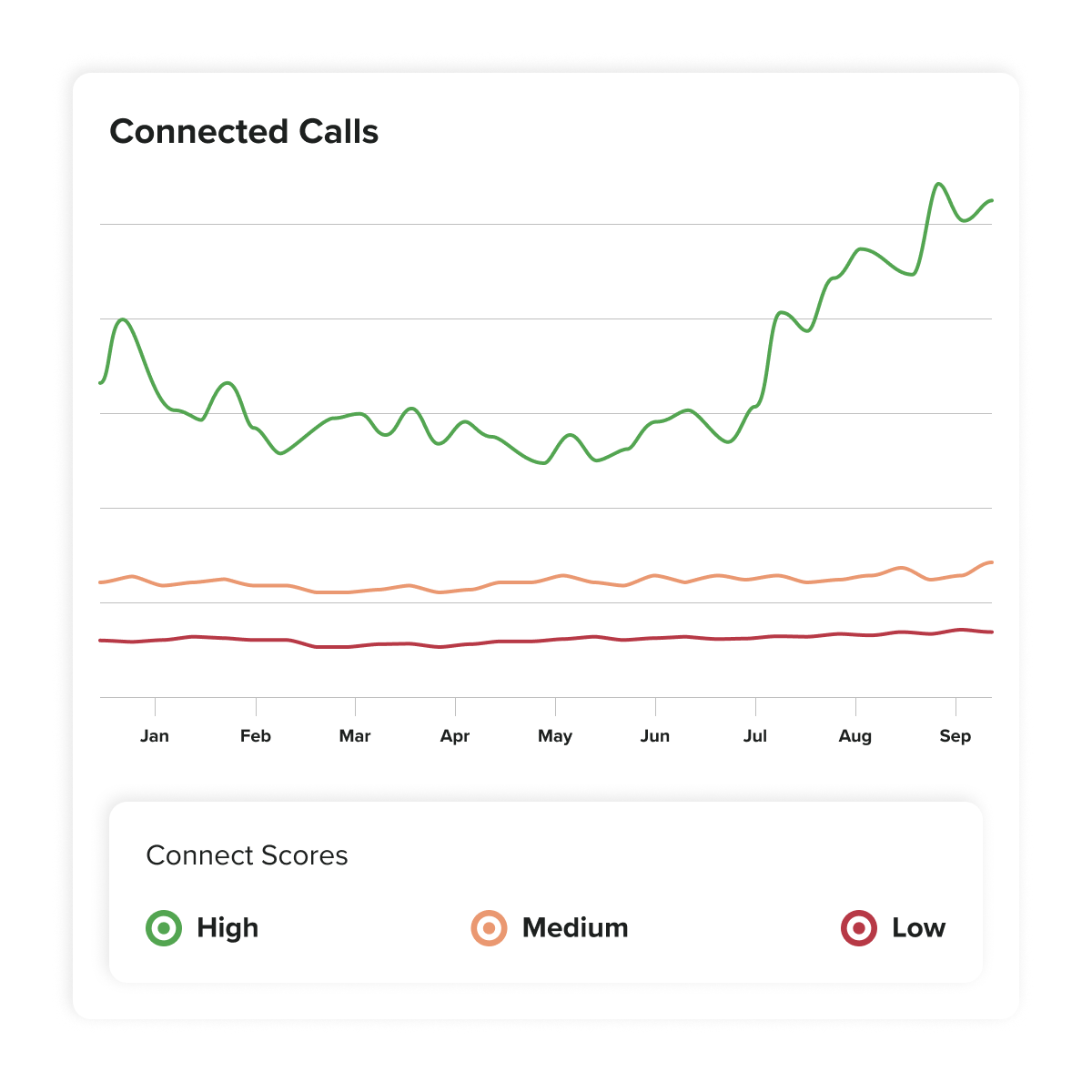
8x8 Contact Center is a cloud-based platform that unifies customer interactions across voice, chat, email, video, SMS, and social. It offers intelligent self-service automation, real-time analytics, and CRM integrations. With omnichannel engagement, agents deliver consistent, personalized service from one interface.
N/A
NiCE CXone
Score 8.6 out of 10
N/A
NICE CXone Mpower is a cloud-based contact center platform that manages customer interactions across multiple communication channels. It includes features such as automatic call distribution (ACD), interactive voice response (IVR), omnichannel routing, workforce optimization, feedback management, and interaction analytics.
$71
per month per user
PhoneBurner
Score 6.0 out of 10
Small Businesses (1-50 employees)
PhoneBurner is an automatic phone dialing system. It provides the ability to load a list of contacts and includes a built-in contact manager. It allows users to record a voicemail message and to choose which contacts to call.
$165
per month per user
Pricing
8x8 Contact Center
NiCE CXone
PhoneBurner
Editions & Modules
No answers on this topic
CXone Mpower Digital Agent
$71
per month per user
CXone Mpower Voice Agent
$94
per month per user
CXone Mpower Omnichannel Agent
$110
per month per user
CXone Mpower Essential Suite
$135
per month per user
Cxone Mpower Core Suite
$169
per month per user
CXone Mpower Complete Suite
$209
per month per user
CXone Mpower Ultimate Suite
$249
per month per user
Standard
$165
per month per user
Professional
$195
per month per user
Premium
$215
per month per user
Offerings
Pricing Offerings
8x8 Contact Center
NiCE CXone
PhoneBurner
Free Trial
No
Yes
Yes
Free/Freemium Version
No
No
No
Premium Consulting/Integration Services
No
No
No
Entry-level Setup Fee
No setup fee
No setup fee
No setup fee
Additional Details
—
—
15% discount available with an annual contract. No setup fees. No per minutes fees. No credit card free trial. Admin account is free unless engaged in dialing.
The right technology for the size contact center we have. The right RoI for migrating to a Cloud Contact Center. The E5 Microsoft license allowed us to leverage the 8x8 Contact Center integrations and not add additional cost for user PSTN. Able to reduce licensing across all …
We spend a lot of time calling insurance companies to check claim status, verify benefits, or fix denials. 8x8 is great for handling high call volume days when our team is making and receiving a ton of those calls. The call routing makes sure insurance calls go to our billing reps and patient calls go to the right team, so things don’t get mixed up. If we’re doing a compliance review or responding to an insurance dispute and need a specific recorded call from months ago, it can take some digging to find it unless we have exact details. It’s not impossible, just not super quick
NICE CXone Mpower offers a great suite of products and tools appropriate for contact centers. It is a one stop shop for all of the monitoring, scheduling, reporting, and quality tools a large or small contact center may need. It is very feature rich and has many components, some of which we haven't even grown to adopt yet but may in the near future.
There's a few feature gaps that have been called out for years that haven't been addressed yet. I.e. passing calls from UC to CC requires a phone number (like why?)
Another frequent complaint I get is "why can't I just completely shut off a user's voicemail". You can fiddle with call forwarding rules, but sooner or later, an errant call finds a way to end up there.
There can be changes in interface of the app, however it's still very good
I would appreciete detailed web page with all necessary information, but when I need anything, the customer support is very quick and provide all the information
8x8 contact center is meeting our needs as a call center communication solution. We use 8x8 across the entire organization and have been able to work with our account management team to ensure our configuration and integrations meet our business, legal & compliance needs across the organization. The greatest benefit has been the 8x8 account management team who consistently works with us to ensure our needs are being met.
Nice made it possible for employees to work from anywhere with access to the internet, it made it possible to extract data from contacts in a very thorough way. In addition, the meticaes can be fully customized and the day-to-day monitoring of the operation is more visible.With nice, contacts with clients abroad became easier.
Incredibly simple to use the platform - clear, insightful, and impactful dashboards and access to relevant call metrics. GUI is nice and easy to read and interact with. It is clear to see that UX has been tested thoroughly. Internal feedback has been positive on its usability and ease of access. UI is very intuitive.
The lack of written SOPs makes some features (WFM / Performance management) very difficult to use. The training provided by NICE is extensive, but it's hard to remember everything shared in the hour. We spend so much time on the platform just trying to figure out how to use the features; it would be much easier with written instructions and screenshots.
PhoneBurner as I said before, has an excellent graphical interface, super friendly, with menus that the user can easily find and program the calls. The layout is good, fast, and has little delay and errors. I really like the tool and from the beginning, I had no difficulty with the usability.
NICE inContact CXone is available when you need it. I have been using it for about a year and I have never suffered any issues that caused my not to have access to the product. If there are updates, they must be downloaded and install in the background because I do not see them
NICE inContact CXone performs very well even on old computers that are limited in resources. I use a older computer with limited memory and it seems to handle NICE inContact CXone very well in most cases. There will be times when it acts up for whatever reason bust over ninety percent of the time.
Charlie Knutson is fantastic, however when you call the support number it is almost impossible to get through and when you do they cannot fix your issue. That is the biggest challenge. It is a difference between that and reaching our contact directly. The email support number that our company was given is very responsive and good.
inContact only allows specific users to contact them for support. Even though I use the product daily and it accounts for a large amount of my workload, I still have to contact an authorized user to create an incident. These users are managers and their schedules are very busy. This can result in delays in incidents being opened and resolved.
Every interaction I have had with any member of their support team has been pleasant. Issues are quickly addressed and their response time is excellent through the chat service.
Detailed training and good quality to provide our customers to achieve their needs and to give the best we can as far as information and technology and the best service we can to have the customers be satisfied with the technology and the best quality to get the best answers to their doubts.
The In-person training was fine for a general overview. I think it would have been really helpful to have a review of pre-built reports and how to use them as tools.
The training was easy but would probably be much easier in person. Easier to ask questions and show someone your computer when you are in person. Easier to differentiate between network issues and 8x8 issues. Online works too but for how technical 8x8 can be, I would recommend you try and do in person if possible. Would make it much easier to get help when needed. This is a personal preference and not something that is required by any means. The online training is still great and still did the trick. The good thing is that help is always available months or years after if there is something new you want to do
I would rate 10, since the explanations were far enough to catch all the usabilities.I would rate 10, since the explanations were far enough to catch all the usabilities.I would rate 10, since the explanations were far enough to catch all the usabilities.I would rate 10, since the explanations were far enough to catch all the usabilities.
The transition from Mitel to 8 x 8 was smooth and no "hiccups". The support was one of the best that we had received. No surprises except what 8 x 8 is actually capable of doing! Support remained available throughout the transition! Co-workers were amazed at what they were able to do with having 8 x 8,
We love the use of our new tools. However, NICE staff turnover was frustrating. We lost ground each time a new team took over. Some people were good some were not as much. Some people did great training while others were not as helpful
I prefer 8x8; it has the right number of features and modes for the communication I need. I much prefer 8x8 meetings to Zoom meetings, as it is much, much easier to transition between devices when I am on the road. 8x8 is also easier to manage across multiple modes of communication.
When it comes to this specific situation (cell centers) NICE definitely has an ADP beat. The analytics, scheduling, and forecasts are extremely well-tailored for this situation. ADP has a more comprehensive solution in my opinion - I feel their UI and mobile app are also more user-friendly. But in terms of performance management functionality, NICE has a more robust system and is able to create additional metrics if we need them When I used ADP there were no custom options available.
We selected PhoneBurner because it is very easy to integrate with Zoho CRM and if you have a silver plan, you can do a lot such as Sending SMS and unlimited calling, you can also record and drop voicemail, timezone calling is automatic. It is a good dialer to use if you are part of sales.
I rated 10, because Nice CX one is very much functional. You can simply acess it by website Nice, in any navigator, desktop, notebook or mobile, so you can in a fast way run on every departament of the company.
The callback queue was a big thing for a while. Still is to a point but we would have MANY duplicate callbacks & it was frustrating to both the customer & the agent.
Support is my biggest negative for 8x8 Contact Center. Being able to communicate with someone is essential yet having MANY support agents have a language barrier has made it difficult on both ends to get things addressed/taken care of. Being able to follow the requests of the ticket is a big one as well. I talked about both of these points before, but if I request to communicate via email 9/10 times, I am being called to talk about the problem when it could have been an email. They also request information MANY many times that seems to be useless when I have provided what I think to be all the necessary information. It just doesn't make a lot of sense to me. It has been a little bit since I have had to put anything in for support the last one I did it was substantially better so hopefully that continues.
Being able to work solely on 8x8 work or 8x8 Contact Center would be a HUGE plus for agents & IT. I see other platforms that are able to do this, if 8x8 was able to do this it would make it 100x better for us so we don't have to work out of two things for an agent to be able to work.
The last thing is the plans. Not offering an unlimited talking plan to me seems very weird. What we are paying for & the amount of minutes that agents are using doesn't make a lot of sense on a billing standpoint. Offering better pricing/unlimited plans for enterprise like other companies would be a HUGE plus as well.