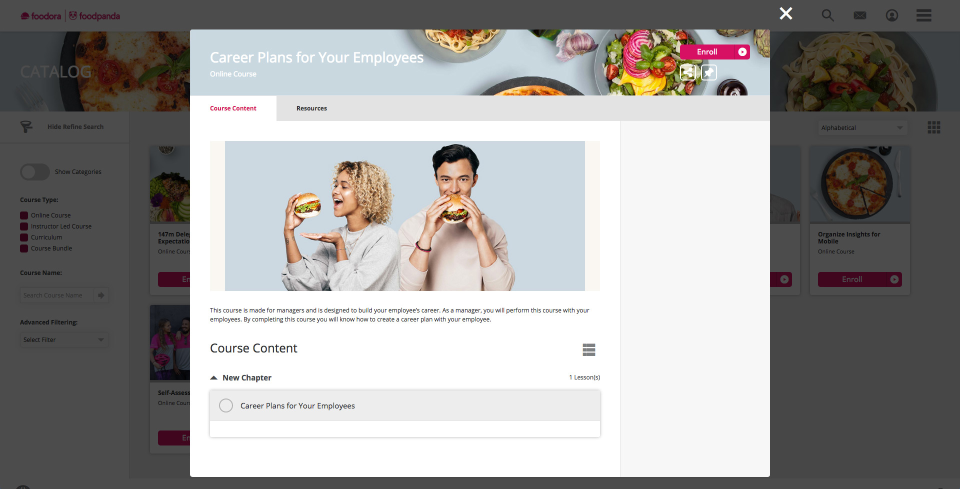
Absorb LMS aims to empower organizations to train employees with the skills needed to stay modern and relevant in today's fast-paced world. The LMS software focuses on aligning learning needs with business demands.
N/A
iSpring Suite
Score7.7 out of 10
N/A
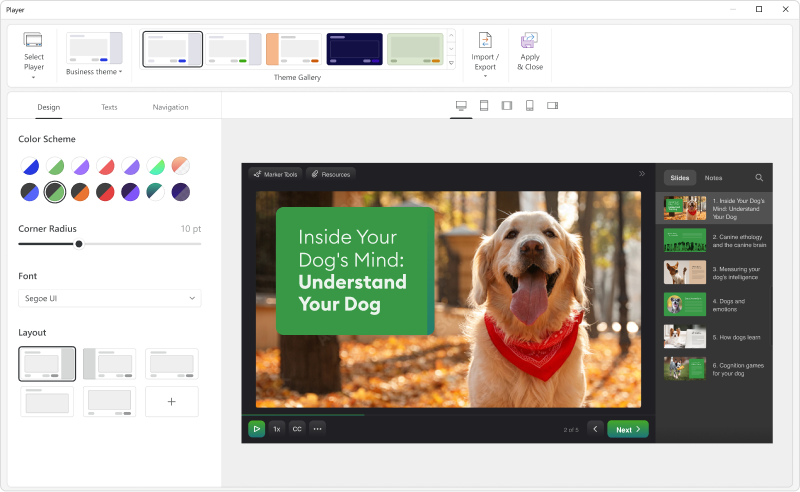
iSpring Suite is an authoring tool with AI-assisted features for creating slide-based online courses, quizzes, and video lessons in Microsoft PowerPoint. Instructional designers, corporate L&D and HR teams, educators, and independent course developers can build training content without relying on multiple specialized tools. iSpring Suite enables users to: Generate a course from a topic. Users can describe what to teach or upload subject…
$970
per year per user
Pricing
Absorb
iSpring Suite
Editions & Modules
No answers on this topic
No answers on this topic
Offerings
Pricing Offerings
Absorb
iSpring Suite
Free Trial
Yes
Yes
Free/Freemium Version
No
Yes
Premium Consulting/Integration Services
Yes
No
Entry-level Setup Fee
Required
No setup fee
Additional Details
—
Academic, non-profit, government and volume discounts are available.
Health and safety engineer at 3Conseils (Construction, 1-10 employees)
Chose iSpring Suite
A more attractive price, an easier-to-use platform for user monitoring and content publishing. Customer service is easily accessible in case of difficulty.
A de minimis incentive was given to thank the reviewer for their time. The incentive was not used to bias or drive a particular response, nor was the incentive contingent on a positive endorsement. More Info
Verified User
Chose iSpring Suite
I think iSpring Suite works much better than Cornerstone and Brainshark. Brainshark was much more expensive and hardly did a fraction of what iSpring Suite does. Also, much easier to use and convert courses.
A de minimis incentive was given to thank the reviewer for their time. The incentive was not used to bias or drive a particular response, nor was the incentive contingent on a positive endorsement. More Info
Absorb is highly intuitive for end users. The resources feature allows for uploads of materials that are not marked as part of any training but rather available for users to review at their convenience. Scheduling reports so they are sent to users via email has been a pain. Reports are duplicated and there is also no start and end date, which causes the portal to continuously push the reports unless they are manually cancelled
A de minimis incentive was given to thank the reviewer for their time. The incentive was not used to bias or drive a particular response, nor was the incentive contingent on a positive endorsement. More Info
iSpring Suite gives me a platform to easily create training courses for any number of subjects, custom-designed to fit my workplace. I can include quizzes that allow me to track both the completion rate of the course and the success rate of the training. Its user-friendliness stands out and makes my role as Training Director much easier on a day-to-day basis.
Overall, Absorb LMS is pretty easy to use for learners and especially for admins. It's practical to create and manage course content - it provides the most crucial options and yet is lean enough not to overcomplicate the admin's life. The consistent and customizable "table-view" in most of the admin-areas is very helpful and easy to follow.
Using Enrollment Rules, Absorb LMS let you define who a course applies to and how they get enrolled. You can build rules based on learner attributes, such as department, location job role, group, to include or exclude specific audiences. The way Absorb LMS is using enrollment attributes, no other LMS actually can fulfill our requirements easier. Enrollment rules are mainly embedded in individual course options (you can also create scheduled enrollments outside of the courses).
A de minimis incentive was given to thank the reviewer for their time. The incentive was not used to bias or drive a particular response, nor was the incentive contingent on a positive endorsement. More Info
A de minimis incentive was given to thank the reviewer for their time. The incentive was not used to bias or drive a particular response, nor was the incentive contingent on a positive endorsement. More Info
The "And" and "Or" rules for self + automatic enrollment could be spelled out more to clarify who we're enrolling into courses
The thumbnail and poster "Upload photo" section is confusing. There should be a "Favorites" folder where we can easily find most commonly used posters and thumbnails
more education around Absorb analyze essentials
How the Featured courses section ranks courses is confusing on the back-end. I need to switch the primary one to second place to feature the new one first. But if the previous one now becomes second place, what happens to the old course that was in second place? I've noticed the order you select on the back-end for this isn't always reflected on user side
Same comment as Featured Courses but for appearance of billboards. Hard to position each in the right order
A de minimis incentive was given to thank the reviewer for their time. The incentive was not used to bias or drive a particular response, nor was the incentive contingent on a positive endorsement. More Info
Add details on what the customized play includes when the mouse hovers over the icon. It took a bit of time to realize that this was where we could select different layouts.
A de minimis incentive was given to thank the reviewer for their time. The incentive was not used to bias or drive a particular response, nor was the incentive contingent on a positive endorsement. More Info
We love the ability to have a user-friendly system that integrates well with our different HR interfaces (we have 3 systems that feed data/employees into the system). It makes it easy to track course completions and report out on metrics enterprise-wide. In addition, the ability to provide consistent education to staff who are geographically dispersed is a huge incentive for us, and Absorb LMS does this seamlessly.
Our company has performed many software implementations over the last few years. Getting Absorb LMS up and running was one of the easiest and most pleasant by far. The process is fairly straightforward, but you are also given excellent support in instances when it is needed.
A de minimis incentive was given to thank the reviewer for their time. The incentive was not used to bias or drive a particular response, nor was the incentive contingent on a positive endorsement. More Info
iSpring Suite is a perfect tool overall to create contents in collaboration with colleagues. There are some difficulties though in usability but the usability is OK in total. We are fully satisfied with the customer support. There are simple online tutorials and a team of competent support colleagues. The support content is sometimes not simply accessible, you need to search for them longer.
A de minimis incentive was given to thank the reviewer for their time. The incentive was not used to bias or drive a particular response, nor was the incentive contingent on a positive endorsement. More Info
We have never had any major issue with Absorb's availability. Any outages that have occurred have been planned an communicated. Any small issues that occur within the Absorb platform have been addressed efficiently and quickly by support and the development team
We have experienced infrequent issues with things like load times on reporting, or pages timing out, but for the large majority of our time within the system things have worked as they should
A de minimis incentive was given to thank the reviewer for their time. The incentive was not used to bias or drive a particular response, nor was the incentive contingent on a positive endorsement. More Info
My client success manager had to reach out once for our company once. Although it was not an Absorb issue (it was an issue on the course vendor side), Absorb offered a resolution while the vendor was fixing the issue. We were very happy with the resolution and feel like Absorb went above and beyond for us.
A de minimis incentive was given to thank the reviewer for their time. The incentive was not used to bias or drive a particular response, nor was the incentive contingent on a positive endorsement. More Info
Great software is only exceeded by their fantastic support. Prompt responses, complete with clearly outlined steps to follow, are just the beginning. There are tremendous resources and continual webinars to challenge what we think we know about the iSpring Suite. I often use PowerPoint to lay out marketing slides, add music and narration, then publish them as an MP4 video. I can count on iSpring support to assist me when I need help.
The training was comprehensive - there were existing modules to learn functionality but working with Absorb staff, and receiving recordings of those walk-throughs, made a rapid understanding of the LMS achievable and covered the necessary material that was needed and allowed for specific questions to be addressed.
A de minimis incentive was given to thank the reviewer for their time. The incentive was not used to bias or drive a particular response, nor was the incentive contingent on a positive endorsement. More Info
The implementation of Absorb went very seamlessly. We previously had the Oracle LMS and importing user data and getting the new system up to speed was painless. The smooth transition helped leaders and staff gain confidence early in the application/company and we have had a successful partnership with Absorb since.
Absorb offers a more flexible and robust experience for managing learning ecosystems. The user interface is more modern and provides a stronger user-centric learning experience. Absorb is at parity for social learning, which most learning platforms struggle with. The admin capabilities within Absorb are stronger than those of each of these providers. The notifications are strong, too.
A de minimis incentive was given to thank the reviewer for their time. The incentive was not used to bias or drive a particular response, nor was the incentive contingent on a positive endorsement. More Info
Ultimately, I selected iSpring Suite because of the ease of use and small learning curve. I needed to be able to start creating content immediately, and after doing trial periods with iSpring as well as some of the other options, it was clear that I could be up and running the quickest with iSpring. I don't see any features that are missing for what I need, and it was also the cheapest option.
A de minimis incentive was given to thank the reviewer for their time. The incentive was not used to bias or drive a particular response, nor was the incentive contingent on a positive endorsement. More Info
Clear and easy to understand. Of course, I would love to have seen these costs during my research of different LMSs, but I understand why they don't share this information.
A de minimis incentive was given to thank the reviewer for their time. The incentive was not used to bias or drive a particular response, nor was the incentive contingent on a positive endorsement. More Info
We have already scaled our LMS from a couple hundred users to 1000 users and have plans to scale even larger. We use the LMS across multiple internal departments. countries and user types. Absorb has made it easy to integrate and scale and we will continue to scale in the near future.
We work directly with Kirsten Spak, who has continuously provided timely and quality help for myself as the lead and our organization. Kirsten has helped us ensure that we are going about things as efficiently and is always willing to walk through things to demonstrate suggestions and functions. As we look to expand our offerings further, Kirsten has helped strategize for the best approach, which has helped our workflow and the end-user experience. As we are still relatively new users, but using the LMS every day, Kirsten has been very patient and provided clear instruction on processes when we were unsure of what to do and has been able to troubleshoot, with her team, functions that were desired but not availability at the time, to provide us with solutions.
A de minimis incentive was given to thank the reviewer for their time. The incentive was not used to bias or drive a particular response, nor was the incentive contingent on a positive endorsement. More Info
We used Absorb LMS to track Annual Safety Training to ensure compliance with inspectors and ensure our teammates understand the risks and how to mitigate them safely. We were never able to track this before and thus, we simply didn't have mandatory annual training.
A huge drawback prior to implementation of Absorb LMS was our inability to offer more than our 40 purchased e-courses to our employees. These were mostly safety and equipment based courses, so we didn't have any soft skill development happening. Now we have hundreds of courses available from the Absorb library that cover the safety aspects, but we also have dozens of leadership courses, communication and influence courses, etc. It has been a huge gamechanger for our employees and their development opportunities! When I look at our course library, there are 400 courses, which over 300 being available through Absorb library (the other 80+ were made using Absorb Create).
A de minimis incentive was given to thank the reviewer for their time. The incentive was not used to bias or drive a particular response, nor was the incentive contingent on a positive endorsement. More Info
It has enhance my reputation personally within the organization. This has led to other departments requesting me by name to head up eLearning development projects, even delaying their own deadlines to ensure that I am involved.
Other than a few duds (I let some inexperienced vocal talent slip thru in the heat of multiple conflicting deadlines), learner feedback has skyrocketed over that developed before I became involved and standardized the effort on iSpring