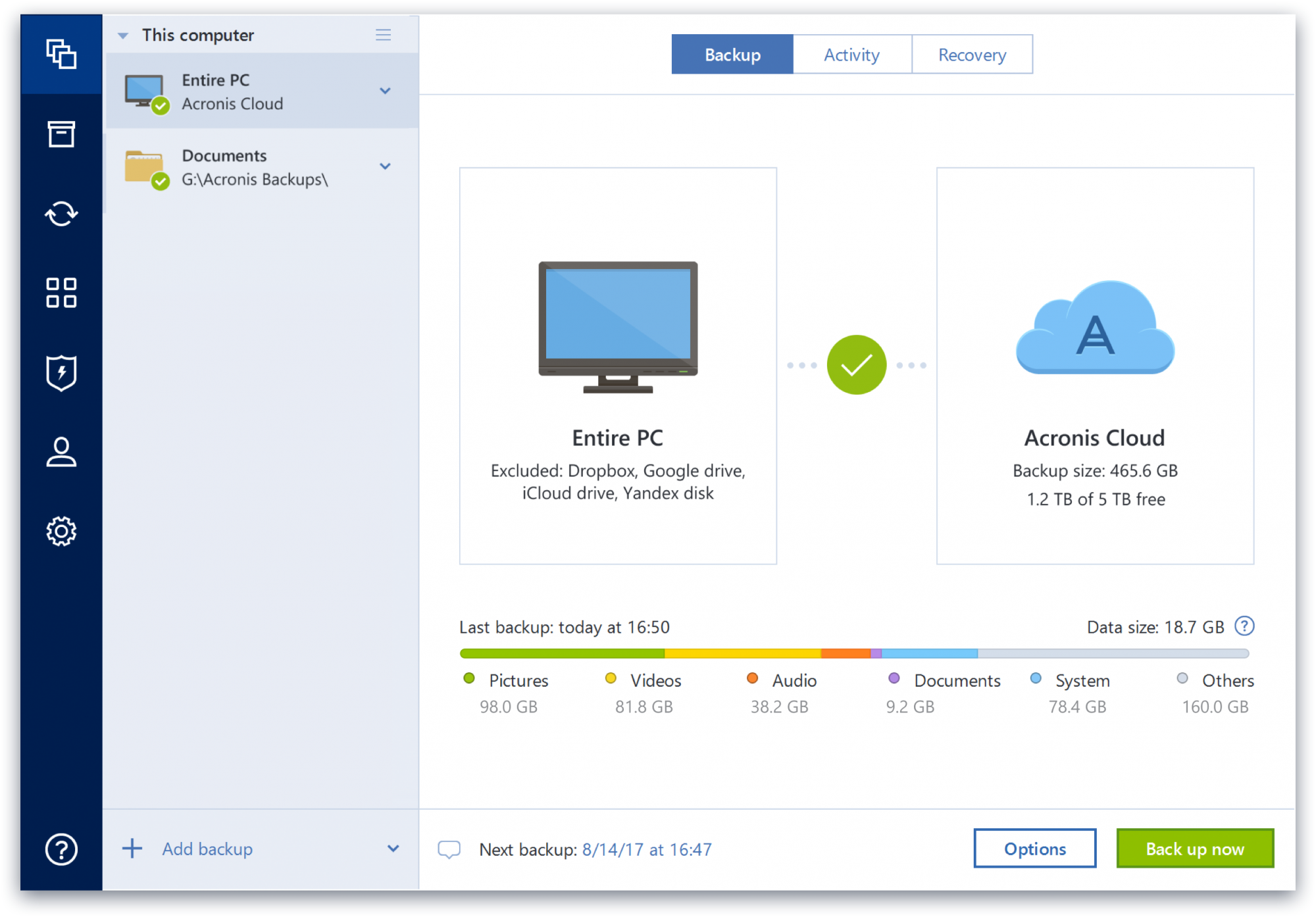
Acronis True Image is a backup, cloning, cyber protection and privacy tool suite for home users.
N/A
Dropbox
Score 8.5 out of 10
N/A
Dropbox is a cloud storage solution, equipped with features that help users to save time, improve productivity, and collaborate with others. Users can edit PDFs, share videos, sign documents, and collaborate with stakeholders without leaving Dropbox.
$9.99
per month
MEGA
Score 7.8 out of 10
N/A
Launched in 2013, MEGA is a zero-knowledge cloud storage provider that delivers user-controlled end-to-end encryption, with an emphasis on easy accessibility.
pCloud has better user management. Mega has encryption. pCloud also offers a lot more generous storage than Dropbox. I like how pCloud offers you a virtual hard disk.
MEGA
Verified User
Administrator
Chose MEGA
The two apps Google Drive and MEGA provided free cloud storage but Google Drive grants just 15 GB not more as free to try, At that time MEGA granted us 50 GB at the beginning of use, which gave us a chance to use it with high capacity.
Mega is a must go to first when expanding cloud storage capabilities and security. Mega can store any file types beyond that of Google Drive and iCloud. Mega is competitively priced to be a suitable option to replace or augment other cloud storage options depending on your …
Acronis Cyber Protect is great for any small/mid-sized business. The price point makes it attractive to all budgets >$100/year for 5 device deployments. Competitors offer less and charge more! Very happy with the suite of products, and renewals are simple and straightforward as well. I hope they don't change a thing!
Let me describe a scenario that happened recently in our organization's marketing team storing thousands of images videos and pdfs and Dropbox is done a great perfomer in this situation by the product features which is very helpful for the team, such as smart sync reduces disc usage, preview support for many media formats & Integrate with Adobe Creative Cloud.
MEGA is great for storing and syncing files across devices. It has a great web interface, as well as a sync tool for desktop and a mobile app that works very well on iPhone. (I have not used the Android version of the app.) I like the overall usability, as well as some of the features like the QR code and contact list functionality. I like the file versioning and file management features as well. What works less well for me is collaboration with other users, and file sharing among users. I have not been able to find a way to view all files shared with me from other users in the same view as my own files. In fact, when files are shared with me, the only way I have been able to locate them is through Notifications, which is sub-par. I would much prefer to see all shared folders alongside my files, without having to make a copy of the shared folder, thus losing the ability to sync with another user's changes, as well as using up my storage space.
I can make projects available to editors so that they can do their work.
Dropbox is a place where I can store files that I can access from anywhere, even if I don't have my laptop with me at the time.
I have an old friend who is an acting professor in Tokyo. He loves the dialogue that I write in my novels. He converts chapters into scenework for his acting students. They get very excited when there's new material!
Some features have actually become more complicated over the years. One that comes to mind is creating a backup plan that can execute daily to an external USB media that is changed daily (older versions would back up to the, for example, "F" drive regardless of which drive was attached - newer versions identify each drive uniquely, and a backup task created with a given external drive will fail due to the lack of media presence if the drive is replaced).
Error messages could be less cryptic.
Support turnaround time and live assistance could be faster.
I’d like to be able to hover over an image/document and have it expand/enlarge without actually opening it
I’d love to see a carousel that lets me thumb through more quickly
I’m almost always in thumbnail view. I’d like to see them re-organize automatically when something is moved or deleted instead of leaving an empty space.
Dropbox is a user-friendly, easy tool which requires little to no skill and they offer a free version with a good amount of storage available. There are other file sharing tools available however at a cost. Dropbox free version I have used for years and it serves every purpose I need.
Protect my system from data loss and also can manage multiple devices via online cloud from any where and also can set Multifactor authentication for more secure login access. Archive any backup which will use less space and we can transfer it to any other space also so it is very easy as server admin to manage acronics utilities
It works extremely well, and we have never had any issues with connecting or sharing files. It's very easy to use, and any team member can share, add, and delete files to a virtual drive. This is extremely helpful, and it's an amazing tool to use, ensuring everyone can connect and work together effectively.
Clean, contemporary UI that is heavily polished and works great. You can tell they did a lot of user testing with this, and have a top notch UI design team that really cares about the customer. A highly user-friendly service across platforms and form factors, I found their web, desktop and mobile apps to all be impeccably designed and consistent.
I really recommend the product for the Dropbox availability is a great having very very less downtimes, they errors are less I have been faced yet, due to connectivity sometimes we are getting errors. Only sometimes the limitations of some features show some errors.
Dropbox is really useful, you can access any file from anywhere and you can upload and even edit files online, but, sometimes it can be slow. Downloading, uploading, and syncing is a bit slow, it can take several minutes. Furthermore, the search engine for large amounts of data can be slow too and it is not powerful.
Beyond a single instance, I haven't had to approach Acronis' support. I needed a new key following the death of my previous workstation, and they rapidly supplied it. I've heard from colleagues that they've quickly answered any questions that've been asked. If I need something, I'll generally frequent FAQ pages first, although Acronis actually has instructional videos to help users get started, which is forward-thinking. Great software that fills a vital niche for Windows systems.
They immediately responded like in an example that I gave where one of our staff members accidentally deleted the whole Special Hope Network Dropbox, we immediately contacted Dropbox they walked us through the steps of how to retrieve the information and luckily enough we were able to retrieve the entire Dropbox and we have had back and forth with Dropbox on what to do when an employee leaves how to remove them how to add another employee.
While I have never contacted customer support, there is a large user community that has posted solutions on third party websites to a number of common questions like how to share files, and how to access files that have been shared with you. When I received a 40 GB shared file, I was not able to find how to access it until I searched on Google to find a solution, which was easy to find. The large user community helps with support tremendously.
The person for corporate product dealing and knowledge of the product explore and better and secure use are properly handover to us. Also provide full software and tool training from the basic to the pro level with each and every possible explanation. Provide many sessions regarding every doubt. Also Guide better suitable options for our business to migrate and integrate for the expansion in all places employee smoothly.
I did not personally take any training for Dropbox so I am self taught but I know when our Vice President selected Dropbox, he personally did do some training modules on it and I'm assuming it was very easy and simple to understand since he now acts like he is a pro at it!
I needed to stay current in improving my daily operations. Dropbox was suggested to me by a former colleague two-years ago and I've been using it just fine ever since.
IDrive is incredibly faster than Acronis on cloud backup. After Acronis' failures on cloud storage I moved to IDrive for peace of mind. IDrive can also do local backups, and either variant of system state, server, outlook, exchange, etc. It does not however have the ability to do a full image of a bitlocked machine like Acronis, so I'm continuing the local imaging with Acronis.
I prefer the layout and visual aspect of Dropbox as it mirrors my files on my computer. I feel that I am more organized, and it's easier to find my files in Dropbox than it was with Google Drive.
The two apps Google Drive and MEGA provided free cloud storage but Google Drive grants just 15 GB not more as free to try, At that time MEGA granted us 50 GB at the beginning of use, which gave us a chance to use it with high capacity.
I would recommend to this product directly to the sales team of Dropbox for the best deal provide to my referred person and provide the best service to them.
The Windows version is generally reliable and only ran into one issue thus far. Restores are easy and there are many features. On MacOS, it's a completely different story. There is significant resource leakage related to the updater app that can bog down part of a CPU core continuously until it is disabled. The mobile backup feature also needs to be disabled via UNIX command line or CPU usage will go up when a mobile device on the same network like an iPad or iPhone's screen is turned on.
It's easy to integrate with the systems of Windows and Linux, easy to have web versions accessible, which provide the web login credentials. Also, it can be installed for individuals for the best autosync features.
When it works (usually if a client already has Dropbox, so they don't get the solicitation to sign up), it works flawlessly.
I've had multiple clients not see the "continue with download only" at the bottom and email me to resend the media another way because they don't have a Dropbox account.