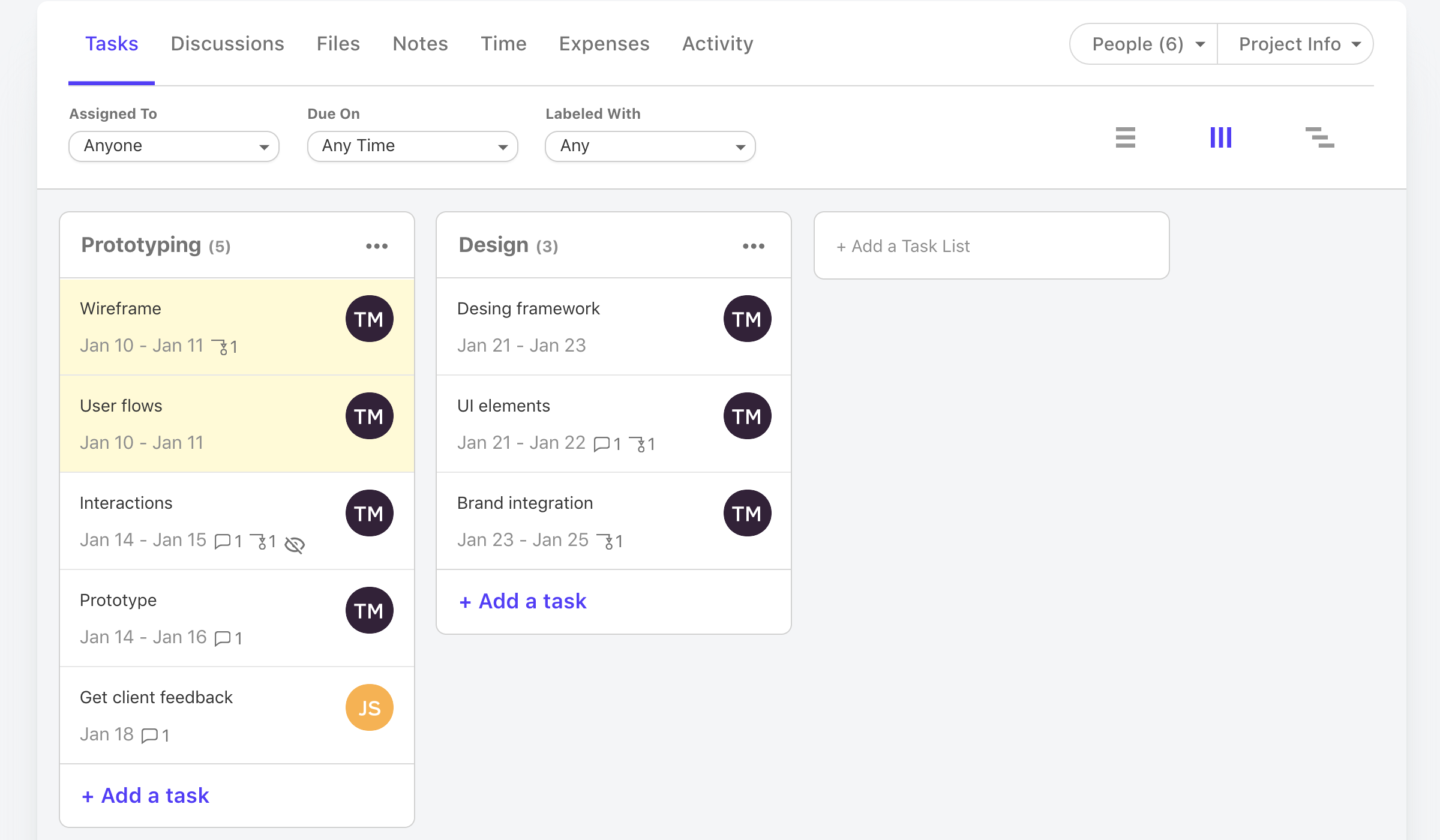
Active Collab is a project management solution built around features such as task management, collaboration, time tracking, and invoicing.
$8
per member/per month
Kanbanchi for G Suite
Score 10.0 out of 10
N/A
Kanbanchi is a project management solution built as a web-based deployment through Google Drive.
$7.95
per user
Wrike
Score 8.6 out of 10
Mid-Size Companies (51-1,000 employees)
Wrike is a project management and collaboration software. This solution connects tasks, discussions, and emails to the user’s project plan. Wrike is optimized for agile workflows and aims to help resolve data silos, poor visibility into work status, and missed deadlines and project failures.
$0
per month per user
Pricing
ActiveCollab
Kanbanchi for G Suite
Wrike
Editions & Modules
ActiveCollab Project Management
$8
per member/per month
Self-Hosted Plan
$999.00
license
Starter
$7.95
per user
Professional
$19.97
per user
Enterprise
custom
per user
Wrike Free
$0
per month per user
Wrike Team
$10
per month (billed annually) per user (2-15 users)
Wrike Business
$25
per month (billed annually) per user (5-200 users)
Apex
Request a quote
per month per user
Pinnacle
Request a quote
per month per user
Offerings
Pricing Offerings
ActiveCollab
Kanbanchi for G Suite
Wrike
Free Trial
Yes
Yes
Yes
Free/Freemium Version
Yes
Yes
Yes
Premium Consulting/Integration Services
No
No
No
Entry-level Setup Fee
$6.25 per member, per month, annual billing
No setup fee
No setup fee
Additional Details
—
—
Every premium plan begins with a 14-day trial period.
Unfortunately, I find that every single one of these alternatives is a better tool. ActiveCollab is a legacy tool my organisation had in place when I joined because their team had been much smaller and had less need for collaborative views and workload management within a tool …
ActiveCollab has similar features to Basecamp for both project management and communication purposes. However, Basecamp has a better interface for organization of projects within clients and allows for linking to specific comments. However, ActiveCollab is more affordable than …
ActiveCollab is easier to use and simpler in its setup. It has the right mix of features and simplicity. It's also project-oriented which is important for our workflow. Other tools are often too task-oriented, making it hard to track projects. Overall, ActiveCollab has a great …
I have used multiple project management platforms such as ActiveCollab, Jira, Trello, etc. Trello has great visualization with their (Kanban Board) board system and support drag and drop functionality for managing tasks. ActiveCollab, however, does not have the fancy …
ActiveCollab is 100% better than any of the other tools we have used. We had previously spent thousands of dollars trying out different software that was comparable, but this has been one of the best decisions we have made as a company. It's also the cheapest ongoing option, …
Certainly, each of them has a particular advantage, which in the end makes it unique. ActiveCollab also belongs to a group of platforms created to be represented in particular, its way of project management is superior to Jira or Trello. With this software, the work is more …
Since we moved from fixed capacity project to T&M we need some tool who support our billing & invoicing. HP ALM did not provide good support for invoicing so we moved out from HP ALM to ActiveCollab. The features like Timer, reminders are not available in other project management …
ActiveCollab has all the functions that are in these services, unlike them. Not everywhere there is a diagram of gantt. And somewhere the interface is very rewarded and in general looks obsolete.
We chose Active Collab overall because we liked its easy to use user interface, project management suite and agency/vendor/client interaction capabilities. We also chose it primarily because it was offered as a web-based platform that offered very clean and easy mobile access …
Asana provides user friendly interface and suitable platform for software engineering teams. But Wrike stood out because it provides good balance of project planning, workflow automation and dashboard functionalities in a single place.
Wrike has a broader application than task management apps like Toggl or Todoist. I do use Toggl as a basic time tracking software, however Wrike covers more ground. It is robust and user-friendly, and much less expensive than MS Project.
We used RoboHead prior to Wrike for document control and project management. Wrike is by far more advanced and interactive. It gives us so many more opportunities for communication.
Wrike's UI, combined with its low-cost solutions, has been the standout factor compared to the other options sought. They have multiple license types suited to different usage, a standout compared to others that don't leave you stuck paying high license fees for licenses you …
I utilized basecamp at my last position and I just remember it was extremely limited in what you could do. If I remember correctly there was no workflow integration of the platform, it was essentially just an app that you could create folders in that housed all of the files. No …
Cost and functionality. We were able to gain consensus on Wrike across numerous stakeholders. It may not be the best at everything but it's capable at a wide range of things.
Wrike was more capable that ProWorkflow (at least when we compared them several years ago) and more team/smaller workflow real time oriented than MS Project - where Project is better for detailed PM work. ClickUp is far more flexible and better value for a similar price at the …
our past products have been so hard to customize, streamline, and make work for all types of roles in the company. i feel like wrike is a great fit for everyone to work together well.
Honestly for me, it depends what you’re utilizing these tools for. In my experience, some of the other project management tools I’ve used the past such as Jira are way too complex for the use case we run into with our business. I feel like the overall goal of Wrike is to …
I think Wrike is very similar to other project management platforms such as Monday, Asana and Teamwork that I have used before. As they all provide strong tools for task and project organization, one feature particularly liked by me in TW was its time-tracking functionality, …
Monday wasn't as customizable as Wrike. Basecamp is great for tracking simple tasks and communicating with outside agencies, but isn't complex enough to track projects. Smartsheet is basically a fancy spreadsheet.
We have been using Wrike for over seven years, so I don't recall the specific reason why we chose it over Asana. I recall that the functions were similar, but I think we found that Wrike offered flexibility and structure that we felt would function the best for our department.
Wrike is more robust and suited for enterprise teams. Learning curve is more difficult and involved. Other platforms you can learn in a day or two. Wrike takes a month or two to get the hang of
Monday is a easier for project management and task tracking. Where Wrike excels is with the ticketing system for our IT, legal, or other specific teams.
Active Collab is great for small teams who want a web-based project management platform to help them on their day-to-day workflow tasks, billing, estimations, vendor assignments and even client communications. It is also great for agencies with users who are sometimes remotely working. Active Collab starts to show shortcomings when you have an immense amount of projects in the system (1000+), and, being a web-based platform, can sometimes experience downtime.
I believe it's well suited if you have multiple jobs/projects that you need to keep organized. We work with multiple job types from print/creative to web, copy and digital ads so it helps us stay organized. I don't think it would be suitable for a company that doesn't have a lot of jobs to manage. We average over 1,200 requests a year.
It isn't possible to set members of staff as part time, so if someone is unavailable on certain days you must manually enter them as OOO every single day that they are not in, that other teammates work. Hours also can't be edited individually - everyone is treated as working the same hours in a day, rendering capacity planner useless for flexi working teams
Subtasks cannot be assigned their own hours and deadlines, meaning the To Do list view can't be seen in actual date order and capacity planner does not reflect all time allocated to an individual's schedule unless every task is set up as a separate task rather than subtask
There is no way to see all tasks of a certain type across multiple campaigns (e.g all copywriting tasks vs all technical tasks) - support team suggested exporting data and making spreadsheets
Kanban view isn't available for people's own task lists ('board' view here shows a list)
Not possible to have one task be assigned to more than one person
Notifications are not sent when tasks are updated, so you have to leave comments and tag people each time
I wish that Wrike had more drag and drop functionality that would be connected to assignee and also I wish that the finish date of a task would update to the date where you checked completed. It does not do that. Also finishing a task doesn't move the start date of the next task it "protects your time in that way", but our management team wants us to quickly see what we have down the pipeline rather than having to scroll down the list of upcoming tasks.
It does take some time and work to really understand and use it properly, but I think the accessibility to help and documentation make that completely feasible. Once you know how to use it, I find it to be very user-friendly, and have very few complaints.
Over two years of (almost) daily usage without outages. Don't remember any errors. I give it 9 only because some Wrike plugins (for online document edit) are based on NPAPI architecture. These types of plugins are being phased out in new browsers, and NPAPI plugins are disabled by default in recent versions of Chrome so you have to do some browser adjustments when you switch browsers or move to another computer.
Wrike tasks loads fine, but I hate clicking files and wait for a bit of time since it is powerpoint or word, Wrike assumes I want to open those on Wrike. My suggestion is to link it to office 365 so we do not need Wrike based decoder for PPTX and DOCX
The support team is responsive to requests and their annual support fees are reasonable. Honestly, we don't have to contact them much. Updates happen automatically and the platform is very solid and does not require a lot of support. Documentation is good and the platform is easy to learn.
Time and time again, Wrike has proved that they listen to their customers and put us first. From sales to support - they are quick to respond, encourcage community engagement and I never feel like i am callling a help center
I love the Wrike training options. Wrike Discover has tons of courses, learning plans, certifications, etc. This is an area where Wrike definitely shines! I wish these resources were more in your face for new people, because it seems like a lot of coworkers didn't know all of this training was available to them.
There are a lot of bells and whistles in Wrike, and not all of it is easy or intuitive to understand once it's plopped in your lap. It's easier when there are a few choice people who understand Wrike as a platform and articulate it in such a way where it makes it easy to pass it along to others in the group
Since we moved from fixed capacity project to T&M we need some tool who support our billing & invoicing. HP ALM did not provide good support for invoicing so we moved out from HP ALM to ActiveCollab. The features like Timer, reminders are not available in other project management tools like JIRA, Rally & ALM making AC the first choice since we have strict SLA's & AC helps in meeting that.
Wrike's UI, combined with its low-cost solutions, has been the standout factor compared to the other options sought. They have multiple license types suited to different usage, a standout compared to others that don't leave you stuck paying high license fees for licenses you won't use to that extent.
I’d go with a 9/10. It scales really well across teams and use cases, especially once you set things up properly. The only reason it’s not a full 10 is that it can take some effort to structure everything cleanly at the start.
A central communication portal is used to keep all members of the team informed as to the status of specific projects. All staff have access to read past discussions to enable contribution to the current discussion.
We have found it difficult to get our clients to adopt usage of ActiveCollab for communication on a reliable basis.
The cost per person is high when using it as a communication center.