Overview
ProductRatingMost Used ByProduct SummaryStarting Price
Adobe Acrobat
Score 8.8 out of 10
N/A
Adobe Acrobat DC is the current version of the well-established document / PDF management solution, part of the Adobe Document Cloud (the other part being Adobe's eSign services based on technology acquired with EchoSign in 2011).
$29.99
per month per seat
Adobe Acrobat Reader
Score 8.6 out of 10
N/A
Acrobat Reader is a PDF viewer and converter, available as a free download from Adobe. Users can view, sign, collaborate on and annotate PDF files, or edit and convert PDFs into file formats like Excel and Word.N/A
Smallpdf
Score 6.7 out of 10
N/A
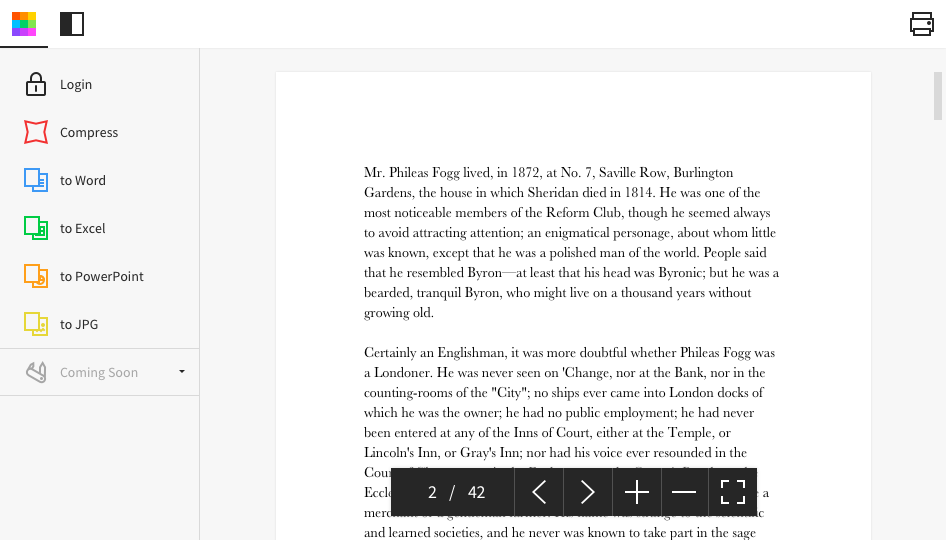
Made in Switzerland, Smallpdf is a company that offers a suite of document management tools for everyone-for work, for home, for life. Founded in Switzerland in 2013, Smallpdf provides what they describe as a simple, secure, and reliable answer to the world's PDF challenges. Smallpdf boasts serving over a billion users in 24 different languages since 2013, and in every country in the world.
$0
Pricing
Adobe AcrobatAdobe Acrobat ReaderSmallpdf
Editions & Modules
Acrobat Pro for Individuals
$19.99
per month
Acrobat Pro for Teams
$23.99
per month per user
Acrobat Studio for Individuals
$24.99
per month
No answers on this topic
Smallpdf Basic
$0.00
Smallpdf Pro
$12.00
per month
Smallpdf Pro
$108.00
per year
Offerings
Pricing Offerings
Adobe AcrobatAdobe Acrobat ReaderSmallpdf
Free Trial
YesNoYes
Free/Freemium Version
NoNoYes
Premium Consulting/Integration Services
YesNoNo
Entry-level Setup FeeOptionalNo setup feeNo setup fee
Additional DetailsDiscounts are available for bulk purchases
More Pricing Information
Community Pulse
Adobe AcrobatAdobe Acrobat ReaderSmallpdf
Considered Multiple Products
Adobe Acrobat
Chose Adobe Acrobat
In comparison to Smallpdf and iLovePDF, inevitably, Adobe Acrobat is the most popular and higher marketed software. Additionally, Smallpdf and iLovePDF are online conversion software, so your document needs to be uploaded to a cloud where it is converted and then you need to …
Chose Adobe Acrobat
I feel like Adobe Acrobat does it all from converting files to and from PDFs while it preserves the formatting. although Adobe Acrobat Sign and Adobe Acrobat Reader are pretty self explanatory i just feel that Adobe Acrobat has and does it all. This is what i love the most.
Chose Adobe Acrobat
Adobe Acrobat stacks up way above Apple Preview. There is just no comparison. Adobe Acrobat is just way more robust and even though Adobe Acrobat has way more features I think it is far easier to use than Apple Preview. Apple Preview is seldom used in our company. Adobe Acrobat …
Chose Adobe Acrobat
I selected Adobe Acrobat as i have been using it for quiet a long time and I have spend years using it and with a learning curve or other apps i dont want to learn a new service. Also Adobe Acrobat does all the work I have been doing for years
Chose Adobe Acrobat
it has many more features. I have always used adobe products
Chose Adobe Acrobat
Adobe Acrobat is the only player I know. In my experience, Adobe Acrobat is easily accessible.
Chose Adobe Acrobat
Adobe Acrobat has been the market leader against these other solutions for our organization when needing more robust, enterprise grade features. Cost versus benefit has placed Adobe Acrobat at or near the top option for our organization. Some of the other solutions do …
Chose Adobe Acrobat
Adobe Acrobat is more robust and does much more than Reader. Reader is basic but, I think Adobe Acrobat is a huge step up.
Chose Adobe Acrobat
The most important factor in choosing and using Adobe Acrobat is that it is an Adobe Suite software and nicely integrates with the other Adobe software we use to create print projects, such as InDesign, Photoshop, and Illustrator. It is also convenient that Acrobat has the free …
Chose Adobe Acrobat
Both read documents through Adobe, which is better for security and because the service is more optimized.
Chose Adobe Acrobat
Adobe Acrobat stands out because its more powefull and feature rich as compared to these free tools. and it offers more compatibilty, security and many other editing options in a single software. which is much suitable for professional work rather than these cheap alternatives. …
Chose Adobe Acrobat
Adobe Acrobat has more features and very convenient to use. Aside from that, because of the software integration of Adobe Acrobat. You can convert everything using that. The security feature of Adobe Acrobat is very reliable.

Then you can access that with other Adobe Products …
Chose Adobe Acrobat
I selected Adobe Acrobat because of the following reasons..

1. It provides the Ai powered features and straight forward cloud integration which is not available with other providers. 2.Adobe Acrobat has global certifications of market standards for security and compliance areas.
Chose Adobe Acrobat
Acrobat allows files to be edited, and works very well at doing so.
Chose Adobe Acrobat
PDF readers allow you to access PDF files, but that is a bare minimum in my work and not sufficient for my needs when preparing content, adapting it, or even combining content into new PDF files. I've not encountered any application that works as well or intuitively as Adobe …
Chose Adobe Acrobat
I found Adobe to be richer in features than Foxit or Soda, more intuitive to learn and more reliable when in use. Both alternatives were more prone to crashes or had needed features missing, which is how i made my decision to go with Adobe
Adobe Acrobat Reader

No answer on this topic

Smallpdf
Chose Smallpdf
When comparing Smallpdf to Adobe Acrobat the first thing that comes to mind immediately is how much cheaper Smallpdf is compared to Adobe. The difference has been huge for our company and has allowed us to save money while keeping the same quality level for the products …
Chose Smallpdf
I think that Smallpdf stacks up against its competitors in terms of easiness of use. The tool is very user-friendly, every feature is communicated in an efficient way and very simple to user so the user doesn't have to be particularly good at using software. Its features are …
Chose Smallpdf
Smallpdf has a wonderful free version and is extremely simple to use. Adobe Acrobat can be a bit jumpy and heaven forbid you click on the wrong icon and it will ask you to sign in over and over again. Smallpdf isn't always the prettiest to use, but it is the best to get the job …
Chose Smallpdf
Adobe is not so quick. It takes a lot of effort to do a job in it. but small PDFs do the same job as in the second. Even adobe Acrobat does not have as many features as Smallpdf. Smallpdf is like an ocean because you don't know ocean depth so a small pdf has so many features.
Chose Smallpdf
Smallpdf is a basic PDF editor platform. Overall, it is best for beginners and those who only need a PDF editor to make simple edits and changes. Would also recommend it to those with a smaller budget. If you prefer an advanced, all-in-one PDF editor and also use other Adobe …
Chose Smallpdf
This is a more ethical decision. Adobe tends to lock you into their products and then charge you to end your contract. Smallpdf allows us to remain flexible and do our work at a lower cost.
Chose Smallpdf
Smallpdf has had a great impact on our business since we moved to this software from Adobe which is more expensive, so we managed to save a lot of money for using it.
Chose Smallpdf
Smallpdf is accessible online as a web-based .pdf solution not like many software that must be installed on a computer.
Chose Smallpdf
I used to convert my PDF files with LightPDF software. But It was slightly difficult for me to navigate on that software. The interface of that software was not very easy to understand. And compression result quality was also not satisfactory. So I selected Smallpdf for all my …
Chose Smallpdf
Smallpdf is a cheaper alternative. There is no additional software to purchase, so no need to pay to upgrade licensing every year. I think it is easier to use, although it doesn't have as many tools or options as Adobe. Depending on what you use it for, I think it is a great …
Features
Adobe AcrobatAdobe Acrobat ReaderSmallpdf
PDF Editors
Comparison of PDF Editors features of Product A and Product B
Adobe Acrobat
-
Ratings
Adobe Acrobat Reader
9.1
2 Ratings
4% above category average
Smallpdf
-
Ratings
Edit Text and Images00 Ratings9.02 Ratings00 Ratings
Merge or Split PDFs00 Ratings9.52 Ratings00 Ratings
Add Annotations00 Ratings9.02 Ratings00 Ratings
Text Recognition (OCR)00 Ratings8.02 Ratings00 Ratings
Page Management00 Ratings8.52 Ratings00 Ratings
Form Creation and Editing00 Ratings10.01 Ratings00 Ratings
Secure PDFs00 Ratings10.01 Ratings00 Ratings
Convert to Different Formats00 Ratings9.02 Ratings00 Ratings
Comment and Review Tools00 Ratings9.02 Ratings00 Ratings
Undo and Redo Actions00 Ratings8.52 Ratings00 Ratings
Best Alternatives
Adobe AcrobatAdobe Acrobat ReaderSmallpdf
Small Businesses
Square 9 Softworks
Square 9 Softworks
Score 9.7 out of 10
Tungsten Power PDF
Tungsten Power PDF
Score 9.7 out of 10
Square 9 Softworks
Square 9 Softworks
Score 9.7 out of 10
Medium-sized Companies
MSB Docs
MSB Docs
Score 9.4 out of 10
pdfFiller
pdfFiller
Score 9.0 out of 10
MSB Docs
MSB Docs
Score 9.4 out of 10
Enterprises
Tungsten Capture
Tungsten Capture
Score 8.0 out of 10
Bluebeam
Bluebeam
Score 9.2 out of 10
Tungsten Capture
Tungsten Capture
Score 8.0 out of 10
All AlternativesView all alternativesView all alternativesView all alternatives
User Ratings
Adobe AcrobatAdobe Acrobat ReaderSmallpdf
Likelihood to Recommend
8.8
(811 ratings)
9.5
(75 ratings)
8.7
(25 ratings)
Likelihood to Renew
9.1
(45 ratings)
7.2
(2 ratings)
-
(0 ratings)
Usability
9.2
(254 ratings)
9.5
(3 ratings)
9.5
(6 ratings)
Availability
9.1
(3 ratings)
-
(0 ratings)
-
(0 ratings)
Performance
5.8
(10 ratings)
-
(0 ratings)
9.4
(6 ratings)
Support Rating
9.2
(63 ratings)
-
(0 ratings)
9.9
(2 ratings)
Online Training
9.0
(1 ratings)
-
(0 ratings)
-
(0 ratings)
Implementation Rating
9.8
(15 ratings)
10.0
(1 ratings)
-
(0 ratings)
Configurability
8.0
(4 ratings)
-
(0 ratings)
-
(0 ratings)
Contract Terms and Pricing Model
4.5
(2 ratings)
-
(0 ratings)
-
(0 ratings)
Ease of integration
8.0
(8 ratings)
-
(0 ratings)
6.8
(6 ratings)
Product Scalability
7.0
(4 ratings)
-
(0 ratings)
-
(0 ratings)
Vendor post-sale
1.0
(2 ratings)
-
(0 ratings)
-
(0 ratings)
Vendor pre-sale
1.0
(1 ratings)
-
(0 ratings)
-
(0 ratings)
User Testimonials
Adobe AcrobatAdobe Acrobat ReaderSmallpdf
Likelihood to Recommend
Adobe
When preparing artwork for print production from an application like Adobe Illustrator, Photoshop, or InDesign, the best way to preview and preflight the work is to export to PDF and use Adobe Acrobat's output preview to check process colors, spot colors, dielines, and any special requirements, like foil stamping or varnish. Adobe Acrobat is also where you make any needed final adjustments to ensure correct reproduction on press. Documents intended for screen viewing must be exported to PDF and edited in Adobe Acrobat so as to add and edit needed accessibility features critical for legislative compliance.
Read full review
Adobe
After creating a document, converting it into Adobe Acrobat Reader is usually very easy for storage in my computer, sending/sharing via emails, etc. This also saves a significant amount of unnecessary printing and paper waste, which is great for reducing waste. I don't have to worry about not having the right software/app to view, edit, and share with anyone.
Read full review
Smallpdf
As per my knowledge and experience, Small PDF is well suited when we want to convert the large and bulk processing on the images to convert them into a single file and share. I found it well suited for college students because daily they scan multiple images and merge them to send as a single assignment file. Smallpdf has the future in the education field. Sometimes it is less appropriate for the people who want to share official documents by converting them into pdf without a watermark. I personally really like the Small PDF, it really helped reduce the difficulty of sending files, and photos to others.
Read full review
Pros
Adobe
  • Ability to manipulate a PDF in various ways.
  • Print production is incredibly helpful for checking off and making sure PDFs are ready for print.
  • Commenting in Adobe Acrobat is awesome! So nice to be able to hand off a PDF and get it back with edits that are easy to navigate and resolve!
Read full review
Adobe
  • It has all the tools that individuals need for reading/doing light editing of PDF files.
  • It is the most secure PDF reader on the market, and it tends to get patched with timely updates on a regular basis.
  • It usually works very well, as far as the software itself. It doesn't crash a lot, or is particularly an error prone software platform.
Read full review
Smallpdf
  • It's PDF editing tool suite is extremely comprehensive.
  • Drag & Drop functionality and intuitive user interface means non-technical users can easily use most of its features.
  • It's online-first design avoids typical problems of depending on one specific computer for specific tasks.
Read full review
Cons
Adobe
  • More printing settings, like being able to adjust the margins and place the print area on the page when the file size is larger than the page, and I only want to print one section. Illustrator has this feature. Often, we print from Illustrator instead, because of this limitation.
Read full review
Adobe
  • Being able to add image "stamps" to a document is a little tricky as the stamp has to already be in PDF format (at least on Mac) to work. This mean you have to convert the image to PDF before you can use it as a stamp.
  • Being only able to save one signature and one set of initials is a bit of a pain but you can actually use stamps if you need different versions frequently used scribbles for various reasons. The stamp won't secure the document and prevent future changes the same way the signature would though.
  • All of the other features you might want to use are only included with Acrobat Pro but the options are all displayed in the Reader app. When clicked they will offer the free trial that leads to a paid subscription. This is more of an annoyance but you can't fault Adobe for trying to make a sale.
Read full review
Smallpdf
  • It has everything I'm not sure what I will say. E-sign, Share, convert. You can give an option in upload priorities features which I can see later.
  • Background remover thing also you can add in it. So I can remove the unnecessary thing from an image.
  • You can add a chatbot for help.
Read full review
Likelihood to Renew
Adobe
Adobe Acrobat works seamlessly with the other Adobe products we use that are industry-standard. We will certainly continue to use Adobe InDesign, Photoshop, and Illustrator, meaning it will always be convenient to work seamlessly with Adobe Acrobat for our organization. We are happy with the performance of Acrobat and it's meets our expectations.
Read full review
Adobe
To be honest, I do not have any say in the renewal of Adobe Acrobat Reader DC. It is managed at an enterprise level, and the decision to renew or not renew is handled well above my pay grade as an external consultant.
Read full review
Smallpdf
No answers on this topic
Usability
Adobe
It’s a very easy app to learn and software is essential. I feel like the app could load a bit faster but overall, is one of my go to apps. Makes reading and editing pdfs easy and I enjoy the usability of the app. It is definitely something I make sure to have downloaded on any computer I’m working from
Read full review
Adobe
Again, Adobe Creative Suite is widely used and backed by an industry leader, making the experience very familiar and common for anyone who has used a PDF and wants more features to interact with it. It also makes copy text a lot easier than just previewing the file.
Read full review
Smallpdf
I give this rating to Smallpdf because it comes with a large array of tools and gadgets. It allows not only pdf reading but also mixing, splitting, conversion to and from pdf, pdf compression or protecting. It is really complete and it works excellent compared to other much more expensive alternatives in the market.
Read full review
Reliability and Availability
Adobe
We have not had availability issues with Adobe Acrobat, or at least none that I am personally aware of. Some may encounter crashes of the software during outages of electricity in their city or neighborhood, which no one can plan for, but with generators in our organization, we have been lucky not to have outages
Read full review
Adobe
No answers on this topic
Smallpdf
No answers on this topic
Performance
Adobe
One of the best features of Adobe Acrobat is its speed and stability. When dealing with massive multi-page files, having to reload a crashed program over and over again would slow down progress unnecessarily. And expanding on that, having the table of contents generated allows me to skip to different pages with ease, a necessary feature with exceptionally long files. word searches are even more helpful with text recognition.
Read full review
Adobe
No answers on this topic
Smallpdf
1.- Because it is easy to use and each function is duly indicated so you can not go wrong. 2.- Its service is fast, it takes only a few seconds to transform the files and in less than a minute it is downloaded and you can occupy it without problem. 4.-This IS online so you do not install anything, which is very useful because you can also use it from a tablet or your mobile
Read full review
Support Rating
Adobe
For a while, Acrobat DC crashed pretty frequently. I contacted Adobe Acrobat support about the problem. At first support was unable to provide a solution. After about a month Adobe's software engineers provided a fix. I just wish it had taken less than a month to solve the problem.
Read full review
Adobe
No answers on this topic
Smallpdf
Everything is so simple and works so well, you shouldn't need support, but on the one occasion in several years that I needed it, support was quick and courteous.
Read full review
Online Training
Adobe
Answered basic questions.
Read full review
Adobe
No answers on this topic
Smallpdf
No answers on this topic
Implementation Rating
Adobe
I was not involved with the implementation process, so I cannot answer this question. However, when it was installed on my computer system, they did so virtually. I just sat there while they took control of my computer over the network and watch them install it, lickety split
Read full review
Adobe
The application is pretty much "plug and play"
Read full review
Smallpdf
No answers on this topic
Alternatives Considered
Adobe
In my opinion, both complement each other. Microsoft clearly has with Copilot the AI Edge. However, the visual dynamics of Adobe Creative are Outstanding and provide a balanced approach to creativity, utilizing both Excellent, user-friendly Tools.
Read full review
Adobe
We have reviewed DocuSign in comparison to [Adobe] Acrobat Reader [DC's] e-sign capabilities. We found that DocuSign has more robust options when creating contracts and consent capabilities. DocuSign's online UI is much more suited to this type of task as well. However, we decided to stick with [Adobe] Acrobat Reader DC because of the price (DocuSign is more expensive) and we felt we didn't need all of the bells and whistles for contract signature and consent.
Read full review
Smallpdf
I think that Smallpdf stacks up against its competitors in terms of easiness of use. The tool is very user-friendly, every feature is communicated in an efficient way and very simple to user so the user doesn't have to be particularly good at using software. Its features are superficial when compared to Acrobat but easiest to use for sure.
Read full review
Contract Terms and Pricing Model
Adobe
I am not responsible for sales or purchasing
Read full review
Adobe
No answers on this topic
Smallpdf
No answers on this topic
Scalability
Adobe
I find that many users aren't aware of many features of the software they use, nor may they be comfortable with learning multiple-step processes. For the simplest of PDF purposes (scanning, downloading, exporting), it gets a thumbs-up. For anything involving electronic signatures, meh--causes eyes to glaze over, or forgetting what all is involved.
Read full review
Adobe
No answers on this topic
Smallpdf
No answers on this topic
Return on Investment
Adobe
  • Adobe Acrobat has saved us time in managing documents. In this day, everything is fast, moves fast, and keeping up with that pace demands software that functions at the same level. Adobe Acrobat does that. It has streamlined the steps I need to take to edit and create documents we need to manage our customers.
  • Adobe Acrobat removes the worry and stress associated with managing a large influx of documents. Something as simple as a document featuring an image that was sent to us upside down. Using the old method, I would have to open other software, click 'Edit', find the 'Rotate Image' button, click it a couple of times, save it as a JPEG, then attach it to Word, and finally save it as a PDF. It was a grueling process that consumed a great deal of time. Now, I simply open the image, and Adobe automatically recognizes it is upside down and fixes it for me. I can save and move on; it literally takes me seconds. Amazing.
  • Adobe Acrobat is intuitive and easy to use, and the additional apps are relevant to the needs that come up. If I have an idea, I can go to the available apps and find exactly what I need. Impressive and speaks to the years of experience this company has had to fine-tune its product and make it obvious that it is aggressive in staying on top.
Read full review
Adobe
  • It's available for free, so there is no excuse to not install
  • Contains features that you would normally have to pay for in competitor software, so it has a positive impact on ROI
  • Reduces the amount of printing
  • Decreases the amount of time spent on regulatory and governance documentation
Read full review
Smallpdf
  • It has definitely increased efficiency. Lower paid employees can complete a simple task with Smallpdf rather than having a higher paid employee use their time to do it differently.
  • Smallpdf decreases the customer-response time. Being able to send over the proper sized file quickly makes us look great!
Read full review
ScreenShots

Adobe Acrobat Screenshots

Screenshot of where to create, edit, convert, and share PDF files all from within Microsoft Teams – as part of Acrobat integrations with Microsoft 365 apps.Screenshot of Liquid Mode in Adobe Acrobat Reader mobile app, where users can read PDFs on phones and tablets without having to pinch and zoom. Navigate lengthy documents with intelligent outline and search tools, while maximizing readability and comfort with font size and line spacing that are adjustable.Screenshot of where to fill and sign PDF forms from anywhere and on any device. Here, users can collect signatures, digitally track progress, and automatically archive the signed document.Screenshot of the Adobe Scan mobile app, used to capture and convert documents into high-quality, interactive PDF documents that can be filled out, signed, and shared. This eliminates the hassle of finding a printer, filling a form by hand, and scanning it again.

Smallpdf Screenshots

Screenshot of Desktop AppScreenshot of Homepage