Adobe Analytics vs. Whitespark Local Rank Tracker

Overview
ProductRatingMost Used ByProduct SummaryStarting Price
Adobe Analytics
Score 8.2 out of 10
N/A
Adobe acquired Omniture in 2009 and re-branded the platform as SiteCatalyst. It is now part of Adobe Marketing Cloud along with other products such as social marketing, test and targeting, and tag management. SiteCatalyst is one of the leading vendors in the web analytics category and is particularly strong in combining web analytics with other digital marketing capabilities like audience management and data management. Adobe Analytics also includes predictive marketing capabilities that help…N/A
Whitespark Local Rank Tracker
Score 7.8 out of 10
N/A
Track Local SEO Success With Local Rank Tracker The Local Rank Tracker helps companies monitor their performance in search engines and discover new opportunities for improving online visibility. Users can discover where a business dominates in local search results, and track its top competitors to make informed decisions. The vendor states agencies, SMBs, and multi-location businesses use Whitespark's Local Rank Tracker to gain critical insights into their online…
$25
per month
Pricing
Adobe AnalyticsWhitespark Local Rank Tracker
Editions & Modules
No answers on this topic
Small Business
$25
per month
Specialist
$50
per month
Agency
$100
per month
Enterprise
$200
per month
Offerings
Pricing Offerings
Adobe AnalyticsWhitespark Local Rank Tracker
Free Trial
NoYes
Free/Freemium Version
NoNo
Premium Consulting/Integration Services
YesNo
Entry-level Setup FeeOptionalNo setup fee
Additional DetailsThe pricing table above is based on tracking daily rakings, however, users also have the option to track rankings weekly. Small Business $17 per month Specialist $35 per month Agency $70 per month Enterprise $140 per month
More Pricing Information
Community Pulse
Adobe AnalyticsWhitespark Local Rank Tracker
Features
Adobe AnalyticsWhitespark Local Rank Tracker
Web Analytics
Comparison of Web Analytics features of Product A and Product B
Adobe Analytics
8.0
75 Ratings
1% below category average
Whitespark Local Rank Tracker
-
Ratings
Lead Conversion Tracking7.569 Ratings00 Ratings
Bounce Rate Measurement7.772 Ratings00 Ratings
Device and Browser Reporting8.473 Ratings00 Ratings
Pageview Tracking8.772 Ratings00 Ratings
Event Tracking8.572 Ratings00 Ratings
Reporting in real-time6.871 Ratings00 Ratings
Referral Source Tracking8.071 Ratings00 Ratings
Customizable Dashboards8.471 Ratings00 Ratings
Best Alternatives
Adobe AnalyticsWhitespark Local Rank Tracker
Small Businesses
StatCounter
StatCounter
Score 9.0 out of 10
Google Business Profile
Score 8.2 out of 10
Medium-sized Companies
Siteimprove
Siteimprove
Score 9.0 out of 10
Google Business Profile
Score 8.2 out of 10
Enterprises
Optimal
Optimal
Score 9.1 out of 10

No answers on this topic

All AlternativesView all alternativesView all alternatives
User Ratings
Adobe AnalyticsWhitespark Local Rank Tracker
Likelihood to Recommend
8.3
(229 ratings)
10.0
(2 ratings)
Likelihood to Renew
8.5
(95 ratings)
-
(0 ratings)
Usability
8.0
(80 ratings)
-
(0 ratings)
Availability
8.1
(12 ratings)
-
(0 ratings)
Performance
8.0
(11 ratings)
-
(0 ratings)
Support Rating
3.6
(41 ratings)
-
(0 ratings)
In-Person Training
1.1
(5 ratings)
-
(0 ratings)
Online Training
7.0
(5 ratings)
-
(0 ratings)
Implementation Rating
8.1
(10 ratings)
-
(0 ratings)
Contract Terms and Pricing Model
7.3
(6 ratings)
-
(0 ratings)
Product Scalability
10.0
(2 ratings)
-
(0 ratings)
Professional Services
7.9
(5 ratings)
-
(0 ratings)
User Testimonials
Adobe AnalyticsWhitespark Local Rank Tracker
Likelihood to Recommend
Adobe
Maybe for a small company with small products for their thing, Adobe may be bit of an implementation too much for them, but when it comes to companies like us, like a life sciences or large enterprises and even small enterprises, but with more products, more analysis that they need to make their marketing experience better, maybe Adobe product is the best suitable.
Read full review
Whitespark
They are a time saver for any agency looking to understand the impact of their local and organic SEO.
Read full review
Pros
Adobe
  • It summarizes large complex data better than any other analytics solution I've dealt with without the need for sampling, gives the right level of detail, does the right level of breakdowns, aggregation. I consistently not only use Adobe Analytics, but I use other data sets and compare against Adobe Analytics. And as I go into Adobe Analytics and compare, as long as I've done the query right and the other systems, they're very, very close. And if anything, with a lot of Adobe's newer products, they've gotten more accurate over time. So that's basically, you asked me what I liked about it. I like that it's accurate. I like that I don't have to do a lot of explaining. There's enough explaining in the world of web analytics to have to go back and explain why data's problematic. And so like I said, provided that the implementation is correct, it's a very easy conversation. Even if people may not like the answer.
Read full review
Whitespark
  • Finds listings on directories
  • Finds press releases that mention brands or business names
  • Helps find bad data
Read full review
Cons
Adobe
  • Support. I mentioned this earlier and we don't know what we don't know. Researching the massive amounts of documentation isn't realistic with bandwidth constraints, and our rep getting frustrated with us when we go through what we are seeing is disappointing.
  • Education. More please, and designed more towards the "business side". I get with the many many many different implementations (every company is different!), that it's tough, but even a basic of the basics would be nice for situations that everyone is looking at, like the engagement with the merchandising on the home page (or any certain page).
Read full review
Whitespark
  • It would be nice to see a geo-grid of ranking around a location
Read full review
Likelihood to Renew
Adobe
We've found multiple uses for Adobe Analytics in our organization. Each department analyzes the data they need and creates actionables based off of that data. For E-Commerce, we're constantly using data to analyze user engagement, website performance and evaluate ROI.
Read full review
Whitespark
No answers on this topic
Usability
Adobe
Sometimes the processing times are very long. I have had reports or dashboards time out multiple times during presentations. It could be improved. It is understandable since there is a huge data set that the tool is processing before showing anything, however for a company that large they should invest in optimizing processing times.
Read full review
Whitespark
No answers on this topic
Reliability and Availability
Adobe
I do not ever recall a time when Adobe Analytics was unavailable to me to use in the 8 or so years I have been an end user of the product. My most-used day-to-day analytics tool Parse.ly however, generally has a multiple hours planned offline maintenance every two to four weeks, and sometimes has issues collecting realtime analytics that last anywhere between 15 minutes to an hour, and happen anywhere between 1 to 5 times a month.
Read full review
Whitespark
No answers on this topic
Performance
Adobe
Again, no issues here. Performance within the day updates hourly. other reports are updated overnight and available to access by the next morning. Pages load quickly, the site navigates easily and the UX is quite straightforward to get command over. On this front, I give Adobe kudos for building a great experience to work within
Read full review
Whitespark
No answers on this topic
Support Rating
Adobe
I barely see any communication from Adobe Analytics. The content on the web is also not that great or easy to read. I would recommend a better communication about the product and the new addons information to come to its user by a better mean.
Read full review
Whitespark
No answers on this topic
In-Person Training
Adobe
It was a one-day training several years ago that cost the organization several thousand dollars. There were only about 10 people in the training class. Adobe tried to cram so much information into that one-day class that none of our users felt like they really learned anything helpful from the experience. Follow-up training is too expensive
Read full review
Whitespark
No answers on this topic
Online Training
Adobe
The online training for Adobe SiteCatalyst consists of short product videos. These are ok, but only go so far. For a while Adobe charged a fee for this, but recently made these available for free. There are many great blog posts that help users learn how to apply the product as well.
Read full review
Whitespark
No answers on this topic
Implementation Rating
Adobe
One of the benefits and obstacles to successfully using Adobe Analytics is a great / more accurate implementation, make sure your analytics group is intimate with the details of the implementation and that the requirements are driven by the business.
Read full review
Whitespark
No answers on this topic
Alternatives Considered
Adobe
Google Analytics comes across more of a reporting tool whereas Adobe Analytics is more of an Enterprise level analytics tool. Contentsquare provides some traffic and flow capabilities but not to the same level as Adobe Analytics. However, Contentsquare's major advantage is its Zoning (Heatmapping), Impact Quantification and Find 'n' Fix modules; none of which are knowingly available in Adobe Analytics.
Read full review
Whitespark
I prefer Link Research Tools' CBLT tool for competitive backlink reports.
Read full review
Contract Terms and Pricing Model
Adobe
Adobe Analytics is relatively affordable compared to other tools, given it provides a range of flexible variables to use that I have not found in any other tools so far. It is worth investing in if your company is medium or large-sized and brings a steady flow of revenue. For small companies, it can be overpriced.
Read full review
Whitespark
No answers on this topic
Scalability
Adobe
My organization uses Adobe Analytics across a multitude of brand portfolios. Each brand has multiple websites, mobile apps and some even have connected TV apps/channels on Roku and similar devices. Adobe can handle the multitude of properties that have simple, small(ish) websites and the larger brand properties that include web, mobile and connected TVs/OTT devices.
Each of those larger brands has multiple categories and channels to keep track of. We can see the data by channel/device or aggregate all the data together. This gives our executive teams the full picture and the departmental teams the view they need to see their own performance.
Read full review
Whitespark
No answers on this topic
Professional Services
Adobe
The professional services team is one of the best teams for complex adobe analytics implementations, especially for clients having multiple website and mobile applications. However, the cost of professional services is a bit high which makes few clients opt out of it, but for large scale implementations they are very helpful
Read full review
Whitespark
No answers on this topic
Return on Investment
Adobe
  • Adobe Analytics impacts nearly every aspect of a billion plus dollar revenue eCommerce business. From measuring the impact of new build features to marketing campaigns.
  • We are saving substantial money and resource effort by consolidating all of our properties to Adobe Analytics from alternative solutions, at which point we will finally be able to report on Total Digital, rather than disparate reports.
  • We support experimentation on every platform and the performance is only known through Adobe Analytics tagging.
Read full review
Whitespark
  • The results are compelling for my presentations
Read full review
ScreenShots

Adobe Analytics Screenshots

Screenshot of the Alert Builder in Adobe Analytics.Screenshot of an Analysis Workspace Training Tutorial in Adobe AnalyticsScreenshot of attribution in Adobe AnalyticsScreenshot of the Segment Builder in Adobe AnalyticsScreenshot of anomaly detection in Adobe AnalyticsScreenshot of the Alert Builder in Adobe Analytics

Whitespark Local Rank Tracker Screenshots
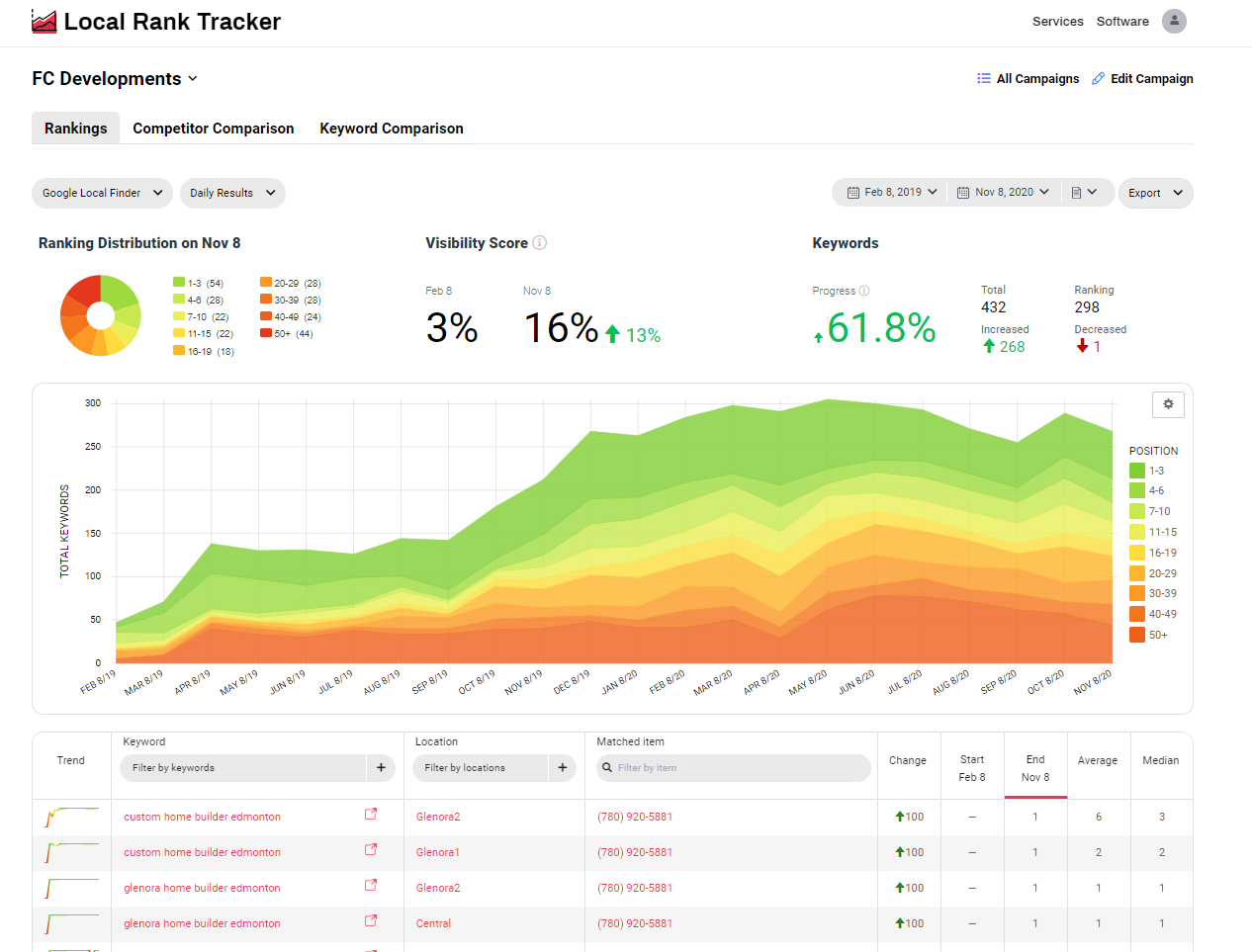
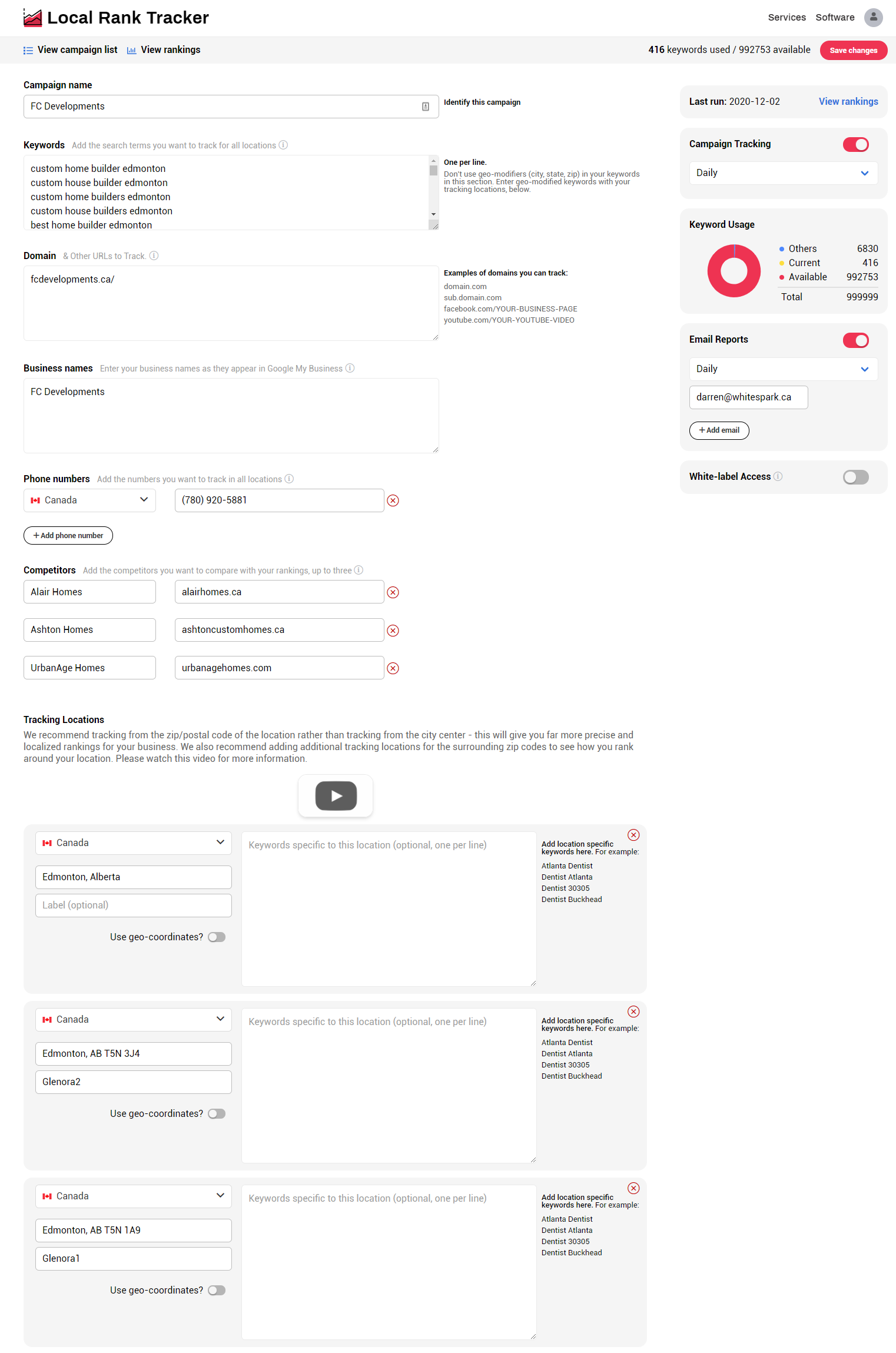
Screenshot of Rankings Campaign Overview - View your rankings across the different result types (Google Pack, Google Local Finder, Google Organic, etc) and see your aggregate rankings for the selected period.  This area provides you with insights on your ranking distribution, calculates your visibility score, and keyword progress.Screenshot of Ranking Results Table - This area provides a break down of your campaign.  Here you'll see what keywords are ranking and for which location, and the matched URL or phone number to that result.Screenshot of Filters -Segment your ranking data by specific keywords or keyword groups, location, URL or phone number.Screenshot of Competitor Comparison - See how you stack up against your top competitors. Use this data to identify areas of improvement for your business and outrank the competition.Screenshot of Keyword Comparison - Review keyword progress over time for your top most important keyword terms.Screenshot of Campaign Setup - Here's where all the finer details go. Tracking locations are setup individually based on Zip/Postal Code or geo-coordinates.