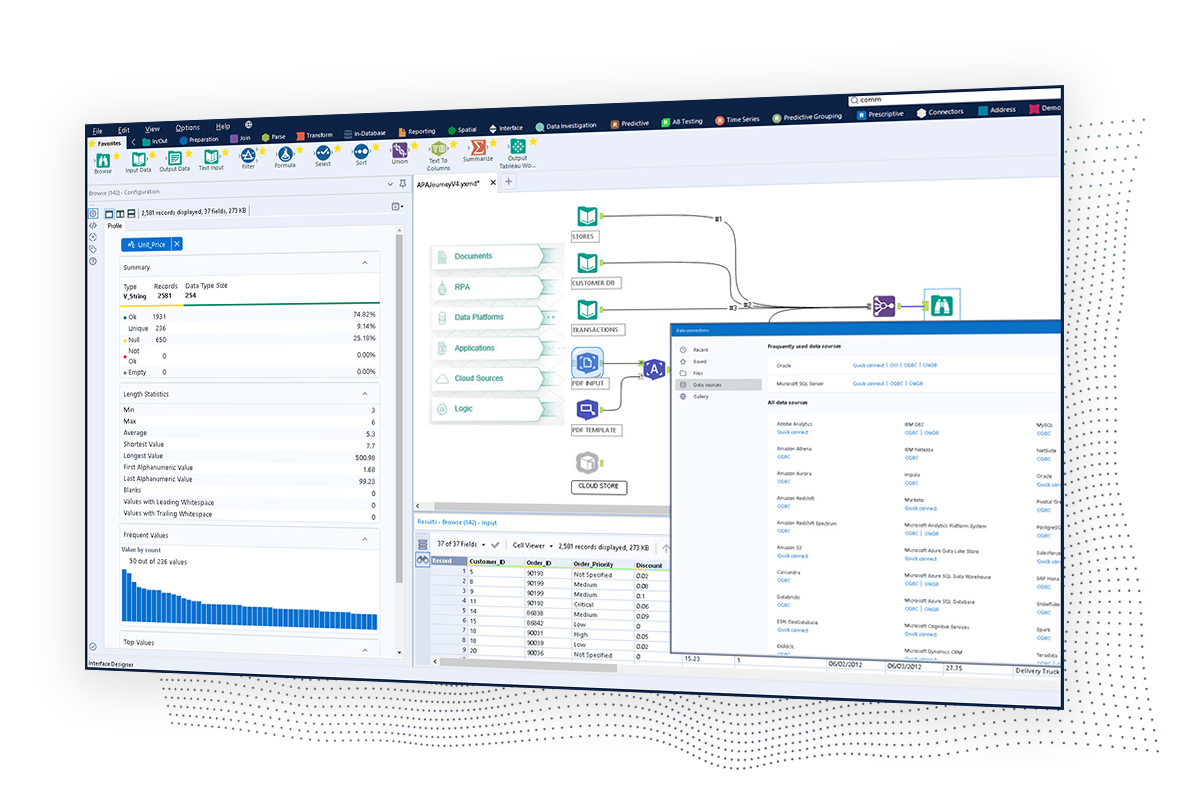
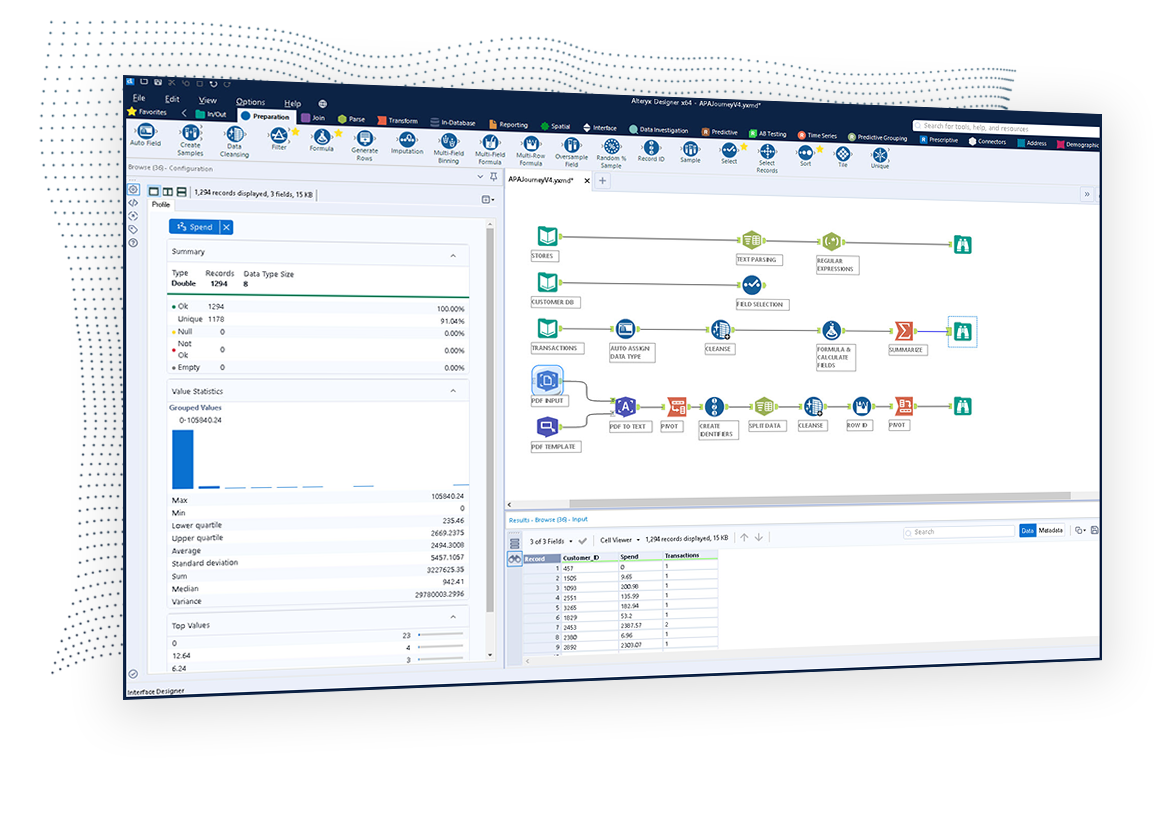
The Alteryx AI Platform gives organization automated data preparation, AI-powered analytics, and machine learning with embedded governance and security. Its self-service functionality, with self-service data prep, machine learning, and AI-generated insights, gives enterprise teams with a simplified user experience allowing everyone to create analytic solutions that improve productivity, efficiency, and the bottom line. Alteryx Designer can be used to automate every analytics step…
$14,850
per year 3 users (minimum), cloud edition
Google Analytics
Score 8.2 out of 10
N/A
Google Analytics is perhaps the best-known web analytics product and, as a free product, it has massive adoption. Although it lacks some enterprise-level features compared to its competitors in the space, the launch of the paid Google Analytics Premium edition seems likely to close the gap.
Marketing Technology & Intelligence Program Manager
Chose Alteryx Platform
Alteryx's UI is fantastic insomuch that training can really be self-driven, albeit with several Google searches a day and visits to the Alteryx community. The other solutions we looked at were much less intuitive and not nearly as flexible, automated, and didn't give you the …
I would 100% recommend Alteryx to a friend, for me its friendly interface is the best, it has all the tools I need without the headache that programming is. It can be used for simple or complex analysis, so honestly, I don’t see a scenario where it wouldn’t suit. I’ve used Alteryx to make simple things I could do in Excel, for example, but it was less complex and faster to do in Alteryx, so why not? Its a very versatile tool.
Google Analytics is particularly well suited for tracking and analyzing customer behavior on a grocery e-commerce platform. It provides a wealth of information about customer behavior, including what products are most popular, what pages are visited the most, and where customers are coming from. This information can help the platform optimize its website for better customer engagement and conversion rates. However, Google Analytics may not be the best tool for more advanced, granular analysis of customer behavior, such as tracking individual customer journeys or understanding customer motivations. In these cases, it may be more appropriate to use additional tools or solutions that provide deeper insights into customer behavior.
Pulling data from multiple disparate data sources.
Allows users to see the data at every step of the workflow to be able to cleanse, analyze, and optimize the data.
Provides an analytics platform that is easy for users of all levels to thrive in whether they are just starting out in their analytics journey or they have a master's degree in Data Science.
Steeper Learning Curve: Alteryx can have a steep learning curve for users who are new to the platform or have limited experience with data analytics. Enhancements to the user interface and user onboarding resources could help make the learning process more intuitive and accessible to a wider range of users.
Enhanced Data Visualization Capabilities: Alteryx offers basic data visualization capabilities, but there is room for improvement in terms of advanced visualizations and interactive dashboarding features. Adding more sophisticated chart types, interactive widgets, and customization options would enhance the data visualization capabilities within the platform.
Improved Error Handling and Debugging: Alteryx provides error handling mechanisms, but enhancing the error reporting and debugging capabilities would be beneficial. Improved error messages, better visibility into data flow, and debugging tools could help users troubleshoot and resolve issues more efficiently.
We've developed a working partnership with Alteryx. As an enablement suite, we're continuing to innovate and deliver great products with use of Alteryx in our solutions. Alteryx use expands to our global product development teams and is in use in multiple parts of our organization. Alteryx also delivers Experian demographic content to other clients in their product offering. We're highly likely to renew, but that decision is way above my pay grade.
We will continue to use Google Analytics for several reasons. It is free, which is a huge selling point. It houses all of our ecommerce stores' data, and though it can't account for refunds or fraud orders, gives us and our clients directional, real time information on individual and group store performance.
I've found that while some things might take a little longer to create, the flexibility of Alteryx allows you to perform any function needed. I haven't found a use that was not available in Alteryx yet. APIs and XMLs can be created to perform certain functions. In addition, CMD line commands can be sent using Alteryx to perform certain functions as well.
Google Analytics provides a wealth of data, down to minute levels. That is it's greatest detriment: find the right information when you need it can be a cumbersome task. You are able to create shortcuts, however, so it can mitigate some of this problem. Google is continually refining Analytics, so I do not doubt there will be improvements
I use many programs and compared to others, Alteryx virtually never goes down, freezes up or gives an application error. Over a 4 year time period that I have used this program, any of these may have happened 3 times. It is an incredibly stable program that I feel completely confident in.
We all know Google is at top when it comes to availability. We have never faced any such instances where I can suggest otherwise. All you need is a Google account, a device and internet connection to use this super powerful tool for reporting and visualising your site data, traffic, events, etc. that too in real time.
I already gave the example of journal entries created in less than a second. What else can I tell you about.... I can tell you those 2 journal entries have historically had to be split into separate accounting systems so the outputs had to be very different (D365 vs Intacct) such that they are exactly ready for uploading. I can tell you I used to have some tire and battery queries hitting a line item detail table and they took hours to run UNTIL I asked IT for a view in SQL and now they're ready in about 5 minutes total. I guess I'd say if anything does take a long time - do some research with others and figure out what would speed them up
This has been a catalyst for improving our site's traffic handling capabilities. We were able to identify exit% from our sites through it and we used recommendations to handle and implement the same in our sites. We have been increasing the usage of Google Analytics in our sites and never had any performance related issues if we used Analytics
Stellar, bar-none. Some of the best support folks of any vendor. The Alteryx Community is the most responsive and supportive. On the rare occasion of a release issue or bug, we've been able to get quick help to solve the core problem. Alteryx does not play the blame game. They genuinely help the users solve their issues or respond to questions
The Google reps respond very quickly. However, sometimes they can overly call you to set up an apportionment. I'm very proficient and sometimes when I talk to reps, they give beginner tutorials and insights that are a waste of time. I wish Google would understand my level of expertise and assign me to a rep (long-term) that doesn't have to walk me through the basics.
1st level of trainings which I've attended in Paris was easy and I was already knowing %90, that learning could have been an e-learning instead of in-person
Very good, detailed online trainings which you can take at your own pace, and strong certifications exists, certifications are extremely detailed and hard...
love the product and training they provide for businesses of all sizes. The following list of links will help you get started with Google Analytics from setup to understanding what data is being presented by Google Analytics.
There is really not much to it (the installation, that is). Once you get it installed, along with any of the add-ons (demographics, R, etc.), you are up and running almost immediately. There is really no additional setup. You can immediately begin blending data, running demographics, performing spatial queries, running predictive analysis, etc. And for many of these functions, the learning curve is quite easy.
I think my biggest take away from the Google Analytics implementation was that there needs to be a clear understanding of what you want to achieve and how you want to achieve it before you start. Originally the analytics were added to track visitors, but as we became more savvy with the product, we began adding more and more functionality, and defining guidelines as we went along. While not detrimental to our success, this lack of an overarching goal resulted in some minor setbacks in implementation and the collection of some messy data that is unusable.
Alteryx is MUCH more user friendly. both provide the ability to code within them, but Alteryx has much nicer interface. The formula tools have a more simple language that is easier to learn than formulae in SSIS. Alteryx is easy to read with multi colored tools identifying what each one does. It also allows for macros. You can build your own tool to process records of data or batch records together.
I have not used Adobe Analytics as much, but I know they offer something called customer journey analytics, which we are evaluating now. I have used Semrush, and I find them much better than Google Analytics. I feel a fairly nontechnical person could learn Semrush in about a month. They also offer features like competitive analysis (on content, keywords, traffic, etc.), which is very useful. If you have to choose one among Semrush and Google Analytics, I would say go for Semrush.
Individual analysts can quickly generate results using their own copy of Alteryx Designer. But using the Server and developing macros for more complex needs can be time consuming.
Google Analytics is currently handling the reporting and tracking of near about 80 sites in our project. And I am not talking about the sites from different projects. They may have way more accounts than that. Never ever felt a performance issue from Google's end while generating or customising reports or tracking custom events or creating custom dimensions
Error handling - allows controls to be built into workflows easily and allows them to be isolated and spat into control reports that can be easily reviewed and audited, thanks to the ability to create multiple outputs in one go.
Time-saving - saved huge amounts of time, especially when moving Excel processes into Alteryx.
Product development - allowed my firm to create products that we have been able to market and sell to clients.