Chose Apache Guacamole
It's available and free to use, no service or maintenance-free required.

| Product | Rating | Most Used By | Product Summary | Starting Price |
|---|---|---|---|---|
 Apache Guacamole | N/A | Apache Guacamole is a clientless remote desktop gateway. Once installed on a server, all that is needed to access remote desktops is a web browser. Apache Guacamole is free and open source software. It is licensed under the Apache License, Version 2.0, and is maintained by a community of developers that use Guacamole to access their own development environments. | N/A | |
 Cisco Webex Support | N/A | Cisco Webex Support was a remote access and support tool that has been discontinued and is no longer available. | N/A | |
 RealVNC Connect | N/A | RealVNC® Connect is a secure remote access solution from RealVNC. It can be used to connect to a remote device anywhere in the world to view its desktop in real-time and take control as though sitting in front of it. | $8.25 per month (billed annually) per concurrent session |
| Apache Guacamole | Cisco Webex Support (discontinued) | RealVNC Connect | ||||||||||||||||||||||
|---|---|---|---|---|---|---|---|---|---|---|---|---|---|---|---|---|---|---|---|---|---|---|---|---|
| Editions & Modules | No answers on this topic | No answers on this topic |
| |||||||||||||||||||||
| Offerings |
| |||||||||||||||||||||||
| Entry-level Setup Fee | No setup fee | No setup fee | No setup fee | |||||||||||||||||||||
| Additional Details | — | — | Plans work on a Per Concurrent Session basis. Each plan gives access to a bundled number of devices, but limits apply to the amount of devices that can be connected at any given time. The Premium plan includes On-Demand Assist, a useful tool for providing just-in-time remote support to end-users without them needing RealVNC Connect installed on their device. | |||||||||||||||||||||
| More Pricing Information | ||||||||||||||||||||||||
| Apache Guacamole | Cisco Webex Support (discontinued) | RealVNC Connect | |
|---|---|---|---|
| Considered Multiple Products |  Apache Guacamole |  Cisco Webex Support  Julio Cesar Lara Favela Director ejecutivo zona Noroeste-Centro Chose Cisco Webex Support Very intuitive and easy to use tool that integrates well with other Cisco products.  Kurt Ferguson Lead Desktop Analyst Chose Cisco Webex Support GoToAssist was the product we used previously that we replaced with WebEx Support Center. While GoToAssist is certainly a good product and it worked quite well for us, we as a team feel that WebEx Support Center is a more robust overall product. They have a great deal of … |  RealVNC Connect  William Waks Partner Chose RealVNC Connect Remote desktop - works well but not as easy to initiate Teamviewer - works well, easy to initiate but more expensive  Cole Thompson Owner Chose RealVNC Connect There is no comparison. pcAnywhere was terribly buggy and was never reliable. VNC connect is 99% reliable.  Dr. Jim Bidlack Professor of Biology Chose RealVNC Connect We have tried Netmeeting, CUSeeMe, Messenger, PC Anywhere, and some others.  Nicholas Bates Network Administrator Chose RealVNC Connect I have used TeamViewer and while both are great programs, VNC just seem more minimalist and tuned to doing EXACTLY what I need it to do.  Samuel Dickinson Research & Development Project Manager Chose RealVNC Connect Overall the VNC Connect software outperforms the TeamViewer software in most areas however, the TeamViewer billing model can be more appropriate for some situations.  Paul Li Senior Associate Chose RealVNC Connect VNC Connect stacks up very well to other competitors. With this simple program, you can remotely connect and access other computers with the same VNC Connect agent installed. The only reason we're moving away from using this is that our current Ninja RMM Tools computer …  Rob Hamlin Director: Solution Engineering Chose RealVNC Connect Real VNC Displaced TeamViewer for my work.  Steve Hooper Director Chose RealVNC Connect I'm afraid that the only thing VNC has going for it is that it's free. Otherwise ConnectWise is an infinitely superior product and one which I would heartily recommend. We also looked at Bomgar, but the pricing there was astronomical in comparison with Connectwise. The free … Kurt Ferguson Lead Desktop Analyst Chose RealVNC Connect VNC works really well. It gives a superior level of access compared to far more expensive products such as GoToAssist or WebEx Support Center, and does so at a tiny fraction of the cost. It also consumes far fewer resources than either of those two competing products. It's an …  David Whittaker System Administrator Chose RealVNC Connect At the time of our switch to GotoAssist, we we seeking a solution that allowed admin access to workstations. GotoAssist met our requirements for this problem.  Angel Swalve Systems Administrator/Technology Support Specialist Chose RealVNC Connect We have been using VNC for many years now and continue to use VNC due to its reliability and ease of use. When we need quick access to a remote computer for troubleshooting, VNC doesn't glitch or cause disconnects. Sometimes it may run slow but that is due to network issues, …  Seth Arnoff Security and Compliance Coordinator Chose RealVNC Connect TeamViewer seems to crash often, causing the TeamViewer host to have to be restarted. The performance isn't comparable to RealVNC and the GUI isn't very intuitive. TeamViewer does shine better when using it for external connections, but RealVNC is moe lightweight and adaptable …  Scott Cook Owner, System and Network Administrator Chose RealVNC Connect Screen quality compared to others like ScreenConnect, Bomgar, and others is not as good. But I don't need quality screens. I just need the minimal when connecting to servers so RealVNC fits that need very nicely. |
| Apache Guacamole | Cisco Webex Support (discontinued) | RealVNC Connect | |||||||||||||||||||||||||||||||||||||||||||||||||||||||||||
|---|---|---|---|---|---|---|---|---|---|---|---|---|---|---|---|---|---|---|---|---|---|---|---|---|---|---|---|---|---|---|---|---|---|---|---|---|---|---|---|---|---|---|---|---|---|---|---|---|---|---|---|---|---|---|---|---|---|---|---|---|---|
| Remote Administration |
|
| Apache Guacamole | Cisco Webex Support (discontinued) | RealVNC Connect | |
|---|---|---|---|
| Small Businesses |  Getscreen.me Score 9.7 out of 10 | Getscreen.me Score 9.7 out of 10 | Getscreen.me Score 9.7 out of 10 |
| Medium-sized Companies |  Remote Desktop Manager Score 9.6 out of 10 | Remote Desktop Manager Score 9.6 out of 10 | Remote Desktop Manager Score 9.6 out of 10 |
| Enterprises | Remote Desktop Manager Score 9.6 out of 10 | Remote Desktop Manager Score 9.6 out of 10 | Remote Desktop Manager Score 9.6 out of 10 |
| All Alternatives | View all alternatives | View all alternatives | View all alternatives |
| Apache Guacamole | Cisco Webex Support (discontinued) | RealVNC Connect | |
|---|---|---|---|
| Likelihood to Recommend | 8.6 (0 ratings) | 9.7 (0 ratings) | 9.5 (0 ratings) |
| Likelihood to Renew | 8.0 (0 ratings) | 9.1 (0 ratings) | 8.0 (0 ratings) |
| Usability | 10.0 (0 ratings) | 7.0 (0 ratings) | 8.0 (0 ratings) |
| Support Rating | - (0 ratings) | 1.0 (0 ratings) | 8.0 (0 ratings) |
| Online Training | - (0 ratings) | - (0 ratings) | 7.0 (0 ratings) |
| Implementation Rating | 10.0 (0 ratings) | - (0 ratings) | 8.0 (0 ratings) |
| Apache Guacamole | Cisco Webex Support (discontinued) | RealVNC Connect | |
|---|---|---|---|
| Likelihood to Recommend |
|
Kurt Ferguson Lead Desktop Analyst |
|
| Pros |
|
Julio Cesar Lara Favela Director ejecutivo zona Noroeste-Centro |
|
| Cons |
|
|
|
| Likelihood to Renew | No answers on this topic |
 Shawn Oudavanh Software Support Engineer |
|
| Usability |
|
|
|
| Support Rating | No answers on this topic |
|
|
| Online Training | No answers on this topic | No answers on this topic |
 Matt Medley Systems Analyst |
| Implementation Rating |
| No answers on this topic |
 Michael Mei Senior Web & Database developer |
| Alternatives Considered |
|
|
Paul Li Senior Associate |
| Return on Investment |
|
|
William Waks Partner |
| ScreenShots | RealVNC Connect Screenshots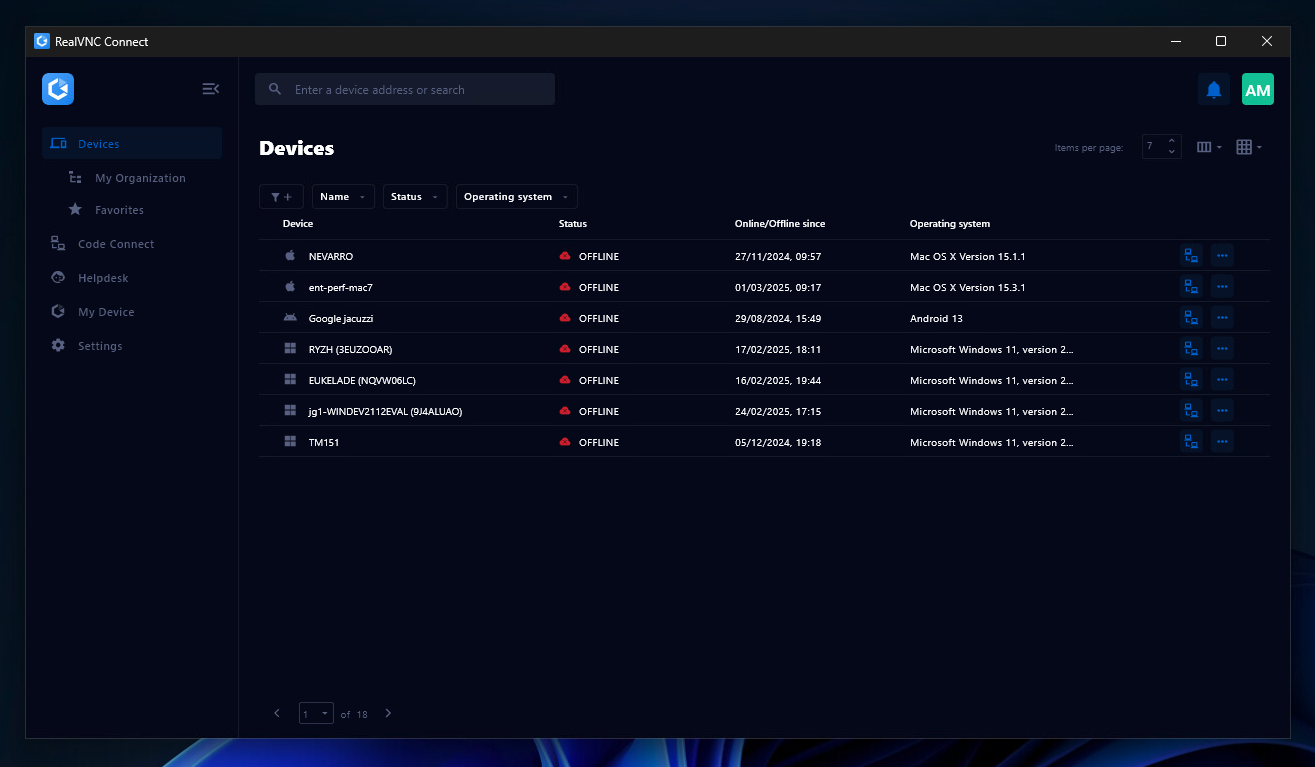  |