Asana is a web and mobile project management app. With tasks, projects, conversations, and dashboards, Asana lets an entire team know who's doing what by when, enabling workload balancing. Users can also add integrations for GANTT charts, time tracking and more.
$13.49
per month per user
Avaza
Score 8.1 out of 10
Mid-Size Companies (51-1,000 employees)
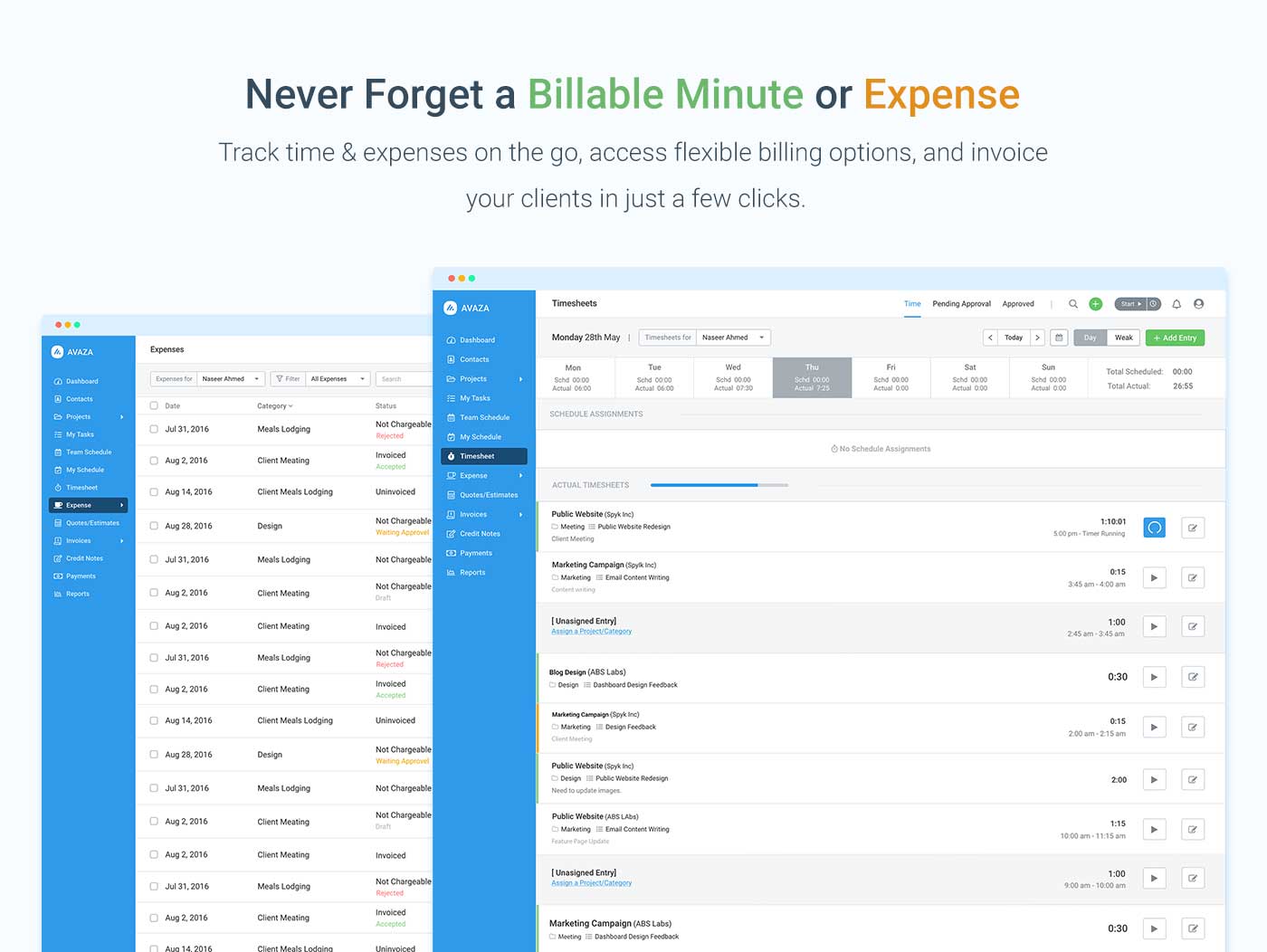
Avaza is a software suite targeted for all business sizes. It includes modules for project management and collaboration, resource scheduling, team chat, time tracking, expense management, quoting and invoicing. Depending on their business needs, companies can use as many, or as few, of the modules as they need. Avaza offers reporting functionality, and the project management module is designed with both list view and Kanban style task management, so users can choose…
Workzone is a web-based tool for project management and collaboration from Workzone in Norristown, PA, that contains a full array of the features needed for project management. It's hub is the project dashboard, which provides a platform for team communication and tracking tasks over time as they progress towards completion. An automated to-do list can be sent to each user. Alerts flag issues nearing a critical moment or events of which team members need be aware. Templates classify projects and…
Asana is a highly effective instrument for managing teams and projects. The paid edition provides a multitude of features that can be tailored and used in accordance with the organisation's specific requirements.
Email integration facilitates notifications that remind team …
Overall for the money Asana brings a lot of value for organizations who want to do more with less and need a task and project management solution as a small company is growing and scaling to get to the next level. In the space when we evaluated didn't find a lot of other …
Against Jira it offers a more modern experience with less complex user interfaces. The admin and setup experience is also way faster with less (or no) legacy complexity.
Against other modern players like Linear and Basecamp it offers way more integrations so we can pull in data …
Asana is a top-tier project management software that helps us organize and track projects from start to finish. It allows us to apply tasks/to-dos to multiple projects without duplication, divide complex projects into smaller tasks, and track project progress. It also helps us …
Asana provides a mix of features between notion and Jira. Unlike Notion, it helps ease up the collaboration on vast projects and between multiple teams. Jira proved to be a little expensive with similar set of features if not more and which is why we thought of going with Asana.
I believe that Asana is more professional than Trello. I used Trello a long time ago, but it looked more suitable for a student project rather than for a professional team or business environment. I believe it has great features to help companies in different stages and of …
Since I have tried the two applications and saw their advantages and disadvantages, I see that Asana is much better in terms of dealing with files, ease of use, and the many features and characteristics that it has. Also, I noticed that it does not consume much space on my …
Side by side with the other two Asana by far beats Monday.com and is comparable and slightly better than ClickUp. Monday is completely browser-based and is hard to navigate and figure out how to set up. Asana and ClickUp are the exact opposite. Both are easy to set up and …
I like how extensive the capabilities are for Asana. With other softwares it seems there are many things lacking. I feel like Asana is also a very user friendly platform and aesthetically pleasing which is important in a modern office. We have many young people entering our …
Asana compared to Jira is certainly better in terms of user experience, since most of the people can start using it basically without having any kind of training or previous explanation, which makes it really useful not only for people already used to project management but …
Asana is amazing for a remote team, that we are currently as its accessible seamlessly to all our team member no matter where they are in the world. Its very easy to onboard new members to this platform as its very intuitive and easy for new people to get a hang of it. It has …
Basecamp was a great tool, but it was paid and things like recurring tasks and opening new projects was a pain. Asana, as a free tool, has been better for our organization as it serves the basic functions very well and is not complicated otherwise. I really like the …
Avaza's time tracking capabilities are much more detailed than Upwork's. Upwork focuses on simplicity, using a simple on/off button and a spot for taking notes about each project, but Avaza gives you more to work with, allowing you to add detailed notes and specify tasks.
I've used Trello before, but Avaza has way more features and is more applicable for cross-team collaboration. We selected Avaza for it's ability to not only project manage, but also for invoicing, expenses and it's ability to track time. We've gotten more accurate with estimate …
This is miles ahead of ActiveCollab. It has more features, the interface is easier to use and the invoicing is easier to use. Across the board better. We migrated from ActiveCollab, but that was just essentially a Fancier Wunderlist. If you just need one project and a few tasks …
Workzone uses project templates and project request forms to standardize workflows and it is easy for teams to adopt. Every team member is more productive on this centralized workspace since it keeps everyone on the same page. The customer support is very responsive when it …
Compared to ADP streamline, which did not have the ability to provide single payroll services
for all the international locations, Workzone proved to be the best because it
facilitated single-source payroll for all the international locations
I started working with Work zone when I change jobs. I like how it is easy to see who is responsible and how everyone can see what’s going on with a project.
Workzone fills a need and so does ArchiOffice. I would like a hybrid program between the two or a link between the two programs. Workzone and ArchiOffice have a lot to offer our company, but don't currently hold the full package. What about linking to the Outlook calendar with …
We selected WorkZone as we were seeking out a single source payroll provider for all our international locations to process payroll. Our payroll provider used WorkZone as the platform to upload secure data.
WorkZone is an overall good product. It allows for ease of use, easy integration and has a friendly client interface. It gave us years of service towards delivering rough cuts and storyboards. WorkZone was loved by all of our producers, who became unhappy when we switched, but …
We evaluated Workamajig, Asana, and Basecamp. We selected WorkZone because it offered the transparency and reporting that we needed. It was the right fit for our department.
I selected WorkZone based on several criteria: 1. It is web based 2. It has more robust reporting capabilities 3. the price was right 4. It was easy to use and easy to train people 5. Timelines are easy to update.
Verified User
Anonymous
Chose Workzone
Our team researched multiple project management systems online, and ultimately demoed two systems: WorkZone and Basecamp. WorkZone seemed much easier to use and seemed to offer more amenities than Basecamp; after initial demos and trainings, our team felt more comfortable using …
Features
Asana
Avaza
Workzone
Project Management
Comparison of Project Management features of Product A and Product B
Asana
8.4
Ratings
9% above category average
Avaza
8.0
Ratings
4% above category average
Workzone
8.6
Ratings
11% above category average
Task Management
9.20 Ratings
10.00 Ratings
10.00 Ratings
Resource Management
8.00 Ratings
7.00 Ratings
9.00 Ratings
Gantt Charts
9.10 Ratings
7.00 Ratings
8.80 Ratings
Scheduling
8.40 Ratings
8.00 Ratings
9.00 Ratings
Workflow Automation
9.10 Ratings
00 Ratings
9.60 Ratings
Team Collaboration
9.40 Ratings
10.00 Ratings
10.00 Ratings
Support for Agile Methodology
8.50 Ratings
7.00 Ratings
8.00 Ratings
Support for Waterfall Methodology
8.50 Ratings
7.00 Ratings
8.40 Ratings
Document Management
8.40 Ratings
9.00 Ratings
9.00 Ratings
Email integration
8.50 Ratings
8.00 Ratings
1.40 Ratings
Mobile Access
8.80 Ratings
8.00 Ratings
9.60 Ratings
Timesheet Tracking
6.10 Ratings
7.00 Ratings
9.00 Ratings
Change request and Case Management
8.40 Ratings
00 Ratings
10.00 Ratings
Budget and Expense Management
7.00 Ratings
8.00 Ratings
8.40 Ratings
Professional Services Automation
Comparison of Professional Services Automation features of Product A and Product B
The usability of Asana is broad since it's available in a variety of platforms that are widely used nowadays. I think that it would be great for people who are constantly on the move and switching devices, since it has allowed me to work from my phone, too. I also think that Asana has proven itself to handle a large quantity of work
There are teams who work hard, and there are those who work smart. Avaza helps you be the latter--it's is a great tool for any team collaborating on several projects, especially multiple projects with a lot of simultaneously moving parts. It has just about everything you need - from team schedules to timesheets, down to the task and sub-task monitoring. The best part for me is that we can switch from List View to Kanban to Gantt charts!
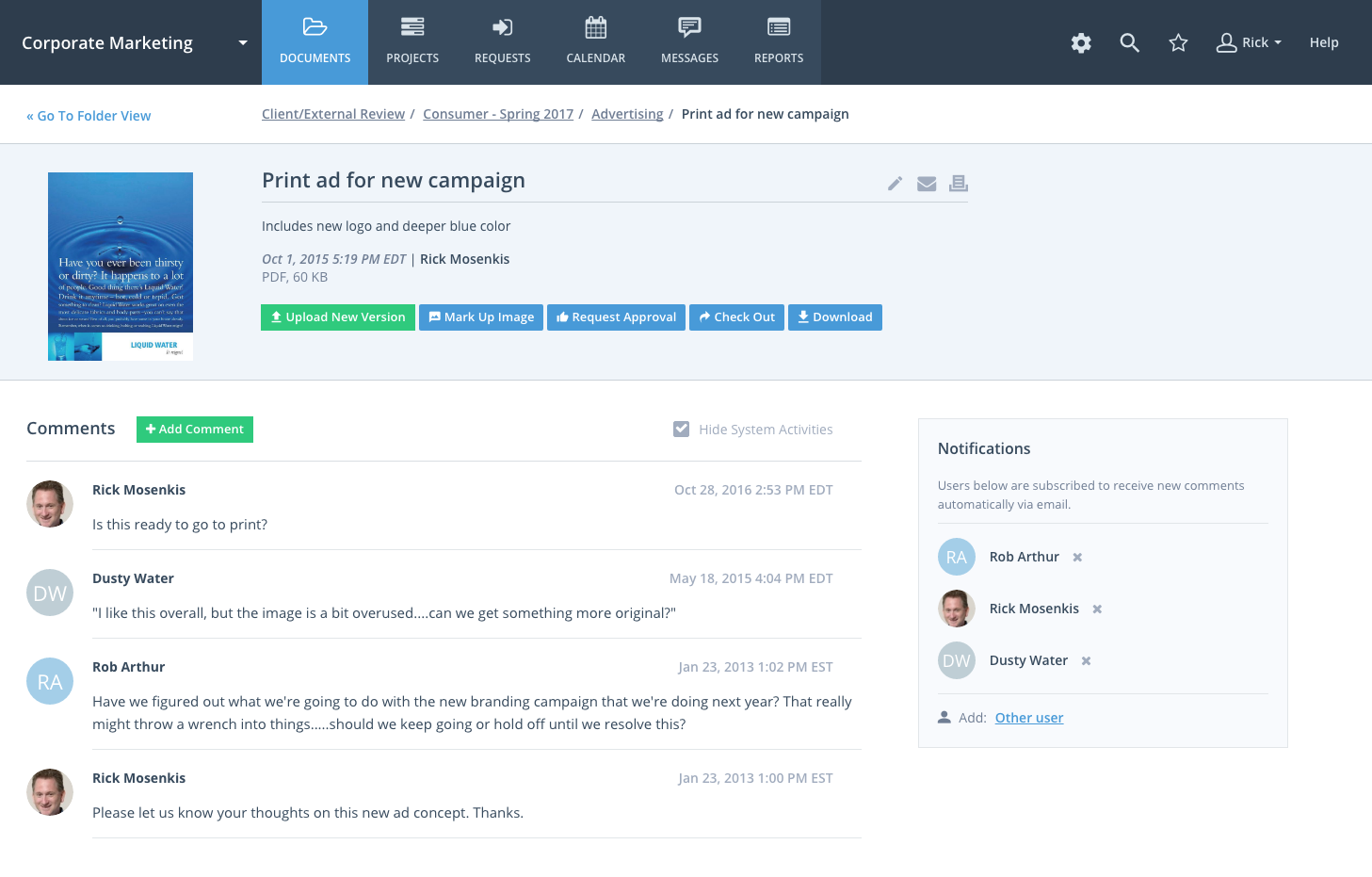
WorkZone would be a great tool for a company that develops content/ideas and has to share them with multiple people/clients. It allows for easy sharing and commenting. For a company that creates content for web, radio or television and would like to store them for presentation purposes- then you might want to look elsewhere. WorkZone was everything we needed and wanted until we started to expand. We've recommended WorkZone to a few companies and two of them are using it today. One of those clients does construction. They use WorkZone to share building schematics and ideas throughout their company and on the job site. We are working with them on a job that they are constructing and they've added us as a 'client user' to access items that are beneficial towards the ads we're creating.
Unless you have the resources to create a proprietary project management software WorkZone was the best "off the shelf" software that I could find. It is also web based so it was easy to implement.
It is easy to use and easy to train users on how to utilize the software.
I was specifically looking for Project Management software for marketing purposes. Many of the software that is out there has been built for larger construction and software projects that may have a lot of dependencies. These types of software are too cumbersome for marketing projects and aren't user friendly. Although you could use WorkZone for these types of projects if you wanted too.
Like BaseCamp you have the ability to share documents and post messages but in addition, you have easy to use timeline capabilities. It was also important to be able to build different types of reports for campaigns, projects and resources.
If a project is put on hold by the client, Workzone sends me notifications that I am approaching a deadline that is no longer applicable. There needs to be a "on hold" button.
Sometimes it is hard to forecast a few months out with projects, so I can only use the program for weekly projections.
In my industry, there are daily fires we have to put out per say, that were not accounted for in the program. At that point I dont have time to update the schedule, because it is a moving target.
I just can't see us getting it off of Asana any time soon, despite the many headaches it has caused us. We have too much data in there, too much time & training invested into it, too much at stake to move. If we were just starting out today, fresh, I don't know for certain that I would absolutely go the same direction, but I *think* I still would. I just haven't seen anything better yet. Maybe if Podio's support staff hadn't treated me like a worthless nuisance to them, I might feel differently, but the fact is that their task management is simply inferior to Asana's. That can't be denied, and in fact Podio said it themselves: "Tasks are a simple function. They cannot be customized. Tasks in Podio can be used for quick to-do's for you and your team members." In our operation, however, prompt task completion is a big deal; one task can't be completed until another one is done first, and closing the gaps between those tasks is critical in meeting deadlines and servicing our customers. Asana gets us there, the others don't.
Because of time constraints, our team hasn't been able to fully implement and change our existing processes. If we can get our templates set up and maybe some better export options figured out, I think it'll be a no-brainer to renew, but until then it maybe be difficult to financially justify something we're only partially using.
It is very user-friendly. Takes a new employee an hour to start figuring out how the system works. That's an important factor. You don't want to encounter the issue where employees need a week to understand how the system works. For example, JIRA, I tried using it for a week and I still don't understand the complicated layout. Asana has a simple interface. Once you see it, you get it type of program.
All the features of this software have been enhanced to meet all requirements of the modern software. For instance, the security of data handled by software has been a major concern in many organizations. Also, the effectiveness of the task accomplished using certain software has been a major concern. Both have been enhanced with Workzone.
Throughout the use of the WorkZone software, we never had a issue with it being unavailable. This is important, considering we wanted to access our projects and see our progress at any moment. WorkZone was always available and made constant supervision of tasks and goals easy; no excuses for not checking in on the status of a project.
I have zero complaints about the performance of WorkZone; for our organization's needs, it was a perfect tool for keeping track of various responsibilities and tasks. We never experienced a lag or down-time when using the software, and the simple interface made things exactly that from our end...simple. WorkZone is a fantastic tool for work management that never fails to perform, in my experience.
I haven't had to use their support so I can't rate it. The fact that I haven't needed them reflects the ease of use of the product. I would recommend that any new users schedule a complete demo of the product to ensure that they are using it to it's fullest (there's a lot of useful features).
The team at WorkZone is incredibly helpful and very willing to lend support when they can. Our team was constantly growing, and our new team members needed training every time someone cam on board. The WorkZone support staff was more than willing to ensure our new team members were completely comfortable using the software and set up for success.
The WorkZone trainers are wonderful! They offered us unlimited over-the-phone and online support, and the trainings were always informative. The WorkZone support team was willing to answer multiple questions and review sections of the training if need be. They were always accommodating, and trainings were scheduled very quickly for when our team needed them!
Implementation of WorkZone was very easy. We simply log into a portal online and begin to set up our projects. Access codes were sent very quickly to our team, so there was practically no delay once we signed the contract for our subscription. Training was scheduled quickly and was very helpful, especially as new team members joined our organization.
Asana is a top-tier project management software that helps us organize and track projects from start to finish. It allows us to apply tasks/to-dos to multiple projects without duplication, divide complex projects into smaller tasks, and track project progress. It also helps us organize work on Kanban boards or linear lists. It stands out from the crowd in a big way compared to the competition.
I've used Trello before, but Avaza has way more features and is more applicable for cross-team collaboration. We selected Avaza for it's ability to not only project manage, but also for invoicing, expenses and it's ability to track time. We've gotten more accurate with estimate project hours, and therefore create more accurate proposals
Workzone uses project templates and project request forms to standardize workflows and it is easy for teams to adopt. Every team member is more productive on this centralized workspace since it keeps everyone on the same page. The customer support is very responsive when it comes to solving issues or providing training to their users.
We are a small organization, so the need to expand our use of WorkZone was limited. I only rate it below a 10 simply because I do not have much experience with the scaleability of the product. From the previews and training sessions, it does seem that the software can easily be adjusted to accommodate a growing workload; something we may use in future, just not at this point in our organization's development.