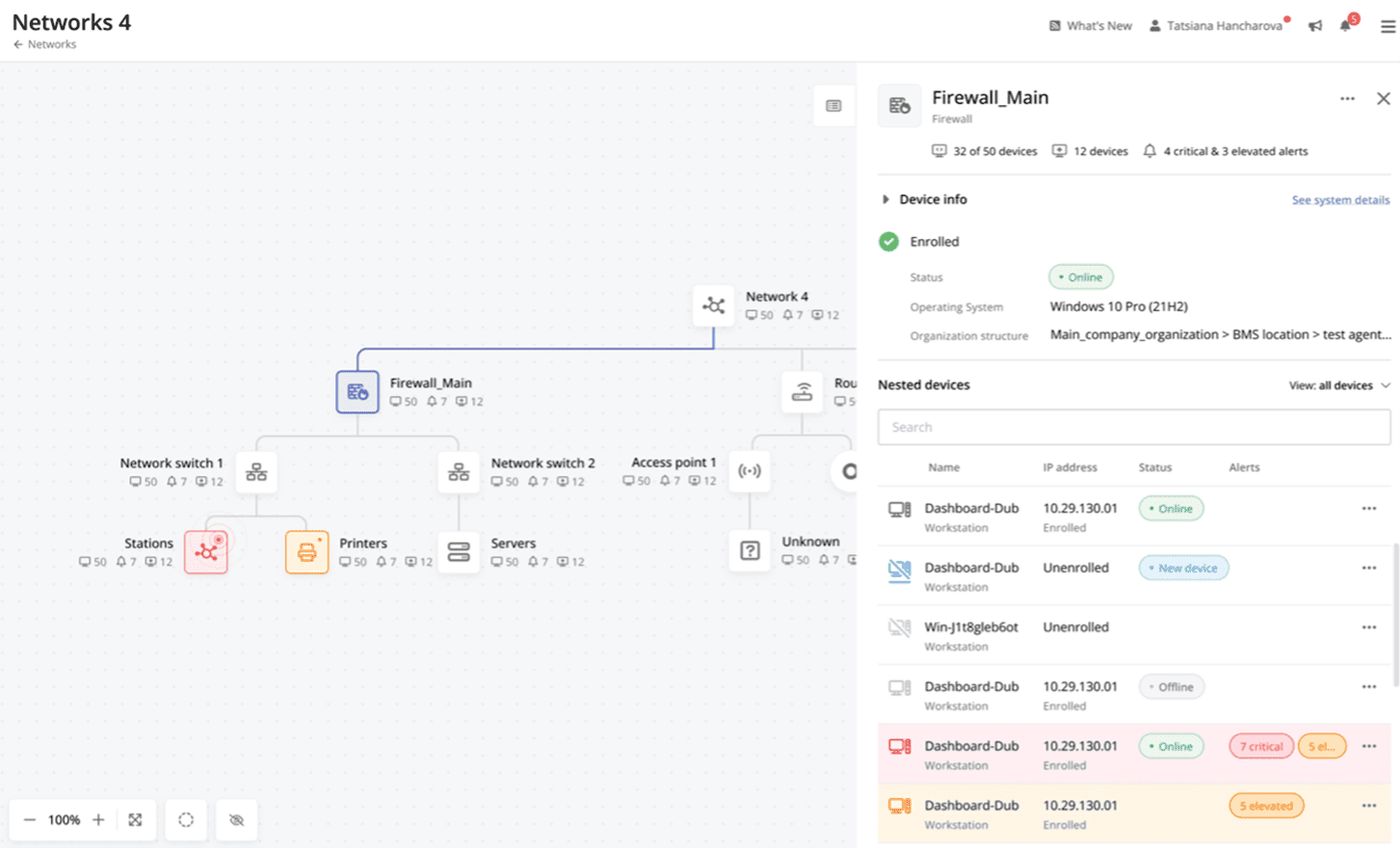
Atera is presented as an Agentic AI platform for IT management, that offers a digital workforce of AI agents that proactively and autonomously support entire IT operations. Atera’s all-in-one IT management platform consolidates RMM, helpdesk, ticketing, and automation, so IT teams and MSPs can manage and protect infrastructure, automate tasks, and boost service quality by reducing downtime and improving SLAs. Atera has shifted focus from automation to AI-powered autonomy in IT. With…
$129
per month (billed annually) per user
HPE OneView
Score 6.0 out of 10
N/A
HPE OneView is an IT infrastructure monitoring platform, from Hewlett-Packard Enterprise.
N/A
Pulseway
Score 6.9 out of 10
Mid-Size Companies (51-1,000 employees)
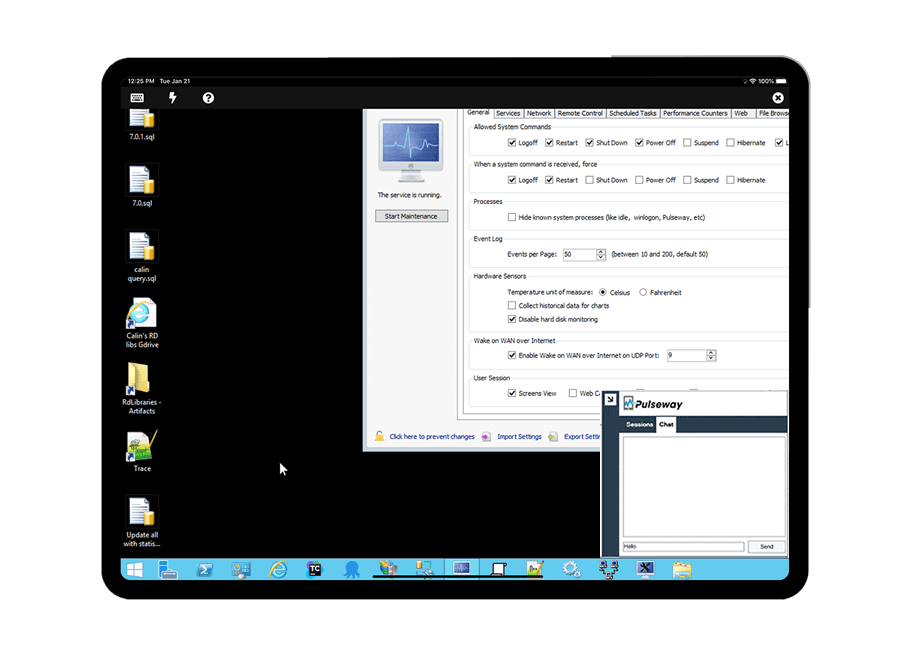
Pulseway is an IT monitoring and management solution that enables users to monitor, manage and control all systems and servers from a smartphone, tablet or browser. For system administrators, Pulseway sends a notification, so they can see an issue and sort it in seconds. Pulseway features: Automation: Auto-remediation workflows, so that IT issues are fixed before users even notice them. Mobile Access: Customers can monitor, manage, connect with…
$0.80
per month per installation
Pricing
Atera
HPE OneView
Pulseway
Editions & Modules
MSP - Pro
$129
per month (billed annually) per user
IT Department - Professional
$149
per month (billed annually) per user
MSP - Growth
$179
per month (billed annually) per user
IT Department - Expert
$189
per month (billed annually) per user
MSP - Power
$209
per month (billed annually) per user
IT Department - Master
$219
per month (billed annually) per user
No answers on this topic
Enterprise
$0.80
per month per installation
Offerings
Pricing Offerings
Atera
HPE OneView
Pulseway
Free Trial
Yes
No
Yes
Free/Freemium Version
No
No
Yes
Premium Consulting/Integration Services
No
No
No
Entry-level Setup Fee
No setup fee
No setup fee
No setup fee
Additional Details
Unlimited devices.
—
No hidden fees or contracts. Term-based discounts.
In terms of age Atera is a bit more mature than these younger competitors and it shows with its wider array of features. Pricing might be a bit higher depending on which features you want or deem to be most necessary but in our experience Atera was the cheapest one on the …
Atera is well designed for remote monitoring and management purposes. The other tools, such as ManageEngine endpoint central, are more focused on managing the endpoints and applications, such as installation or removal of applications, and blocking or whitelisting applications. A…
We used Logmein for remote access and used another platform called Fresh Service for our ticketing. Logmein was okay but the ability for us to merge the two together, on top of all of the other features that Atera offers (reporting and monitoring!) has been game changing. We …
I think Atera is the leader here. The aggressive pricing along with feature set is unparalleled in my opinion. They seem to be headed in the right direction and keep pushing the envelope in what the tool can do. The one thing lacking for me is the Apple integration into …
After trying out both Atera and NinjaOne, we found that Atera was generally easier to use, especially for non-tech people. Atera's learning curve has been much less steep than NinjaOne's and the team had a better response to using it. Atera's price point has also been more …
Atera is very similar to Syncro in feature set and pricing, but we liked Atera just a bit better. (We switched from Atera to Syncro and then back to Atera, and have stuck with Atera for several years now.) Kaseya gave us bad vibes from their sales department and we ultimately …
I also used other org suites, but Atera is the winner here. It offers services like IT service management, network monitoring, and billing. We get most of the service under one roof. Hence, Atera is the winner compared to other applications I have used.
Atera Billing of per technician is a great way to save Atera has 24/7 support that response in a matter of seconds The Copilot that they have added recently is a game changer and will make anyone wants to associate themselves with Atera
NinjaOne is a great tool for Remote management and patch management. However, Atera is more polished and gives better functionality for the end user side through things like work from home, and the support portal knowledge base. Also, when using NinjaOne, I don't remember there …
Because Atera is a much more effective and efficient solution to manage all our IT operations, it automates each of our business processes. It offers us the best support to respond to any problem that may arise. I think Atera is much more cost-effective and reliable; its value …
In my experience, Atera lured us in with the pricing per technician to try and save us money. They then proceeded to take features away and lock them behind higher-tiers. In addition, in my opinion, their customer support is atrocious. I think if you enjoy long times between …
It is live in our organization and it works along with Atera in our organization, however I have more trust on Atera due to its stability and ruggedness, so Atera is the only choice most of the IT dept works on. I would not comment on the ManageEngine PAM solution as I have less …
Atera was very similar with Syncro but a bit more user friendly. There were a few features with Syncro I really liked that Atera does not have yet like custom reporting.
Atera is way more user friendly , it has a smooth learning curve and the pricing is favorable. Atera also has a lot of features that make it superior. They even have additional features like the ticketing system that was a pleasant surprise to have. Overall Atera stands out at …
Atera's pay-per-technician pricing just made sense for us. They don't nickel-and-dime either. NinjaOne, by contrast, was over twice as expensive to start out, but they wanted to charge extra just for a ticketing system and many other things.
Pulseway offers a reliable suite of tools at a reasonable cost. It has a lot of power in it if you are willing to put in the time to configure the automations and such in a way that works for you. They also integrate well with other tools offered by Kaseya.
The 2 major factors were: 1. The fact there was no contract at the time, though later on they pressured us bad to sign long term contracts. We believe vendors should have to validate the usefulness of their product and their support to their customers every day, not just 1 or …
I will admit, we started with Pulseway several years ago because we were able to start using it with a free account, which allowed us to install it on some in-house servers and gain experience with it. The other products we looked at all seem to require a considerable …
Pulseway has a more moderate learning curve compared to Nagios, which was overkill for our environment. Nagios also requires a server to run on, and we wanted to separate our monitoring from our hypervisor.
Pulseway has the most features, the best looking app with the best design and better usability than any others we evaluated. We liked the uniformity of the app design across all platforms (Windows, Android, Apple) and the notifications displayed on each platform. The price was …
Pulseway is by far the easiest to set up. The dashboard is very straight forward and has very little need for custom configuration. We use Pulseway to review basic server information and compare it to other similar servers to track outliers. It is very easy to see resources, …
Atera is doing well in the monitoring part as it is informing the real time ping of running devices and if any device goes down, it is informing us on the real time. It is helping us to monitor the last reboot status, current logged in users, time zone, IP addresses and other things so that we can track our end devices status. In the patching part Atera is pathing our all devices with the notification stating user to restart device at their convenient time. It is also patching our third party applications. It is good in installing and uninstalling of the third party application but limited to availability in the Atera inventory. Atera is not good in some parts such as in the patching part of applications, sometime it fails to update all 3rd party applications that were not installed via Atera. It is not good if you have to transfer a file to multiple systems at the same time.
I have found that HPE OneView is well suited for all of our scenarios in our shared data center platform to control all the compute hardware with firmware, patches and profiles of all compute components.
Pulseway is well suited for just about any situation where there is a need to remotely monitor and manage computers. The most basic features are available to anyone with a free account, so even a home user can set it up and use to keep an eye on computers. The more sophisticated features require a fairly inexpensive subscription, but are well worth the cost for a business wanting to monitor the health of their servers, etc. My experience with Pulseway is limited to using it in situations where there are fewer than a dozen or so computers/servers being monitored. I'm not really sure how well it scales up, so I can't say if it is a good solution for a large corporation with hundreds or thousands of machines that need to be monitored.
Managing the 3Pard Oneview will allow you to do things like reuse LUN IDs and setup multiple export groups with the same volume. This can cause performance issues, or worse. They could do a better job of protecting you from yourself...
There are a couple of computers that I keep ScreenConnect around for - as I lose connection with Pulseway and have to reestablish with ScreenConnect. I can't seem to get tech support interested in resolving this issue and it cost's me many $$ just to keep ScreenConnect running.
There is an issue with Webroot, their new endpoint solution. I can't get it to work - again, no help from Pulseway - they ignore my emails.
As of right now, we have found nothing that can offer as many features as Atera does along with the affordability. They are doing monthly releases each month and not just making small changes (shared scripting library, chocolatey support, Install packages, Splashtop SOS support, Scheduled tickets to name a few). The uptimes are great and accessibility to the dashboard has yet to be limited. We are a happy customer and bordering on fanboy status now
Atera has a user-friendly interface that improves navigation. Support staff can quickly access real-time alerts and remote devices and manage tickets without much training. Atera’s usability has positively impacted our organization by increasing operational efficiency and improving response times to resolve issues.
The tool is easy to use however it is can be daunting with the amount of features available in it. Last I checked, their knowledge base was not very expansive and they relied a lot on the changelog for how to do some stuff. This can make it hard to learn how to do some more advanced things like the automation.
Atera support provides answers to my questions lightning fast. They have never left me feeling like I'm out there on my own. I can ask questions by email, or by chat, or by opening a ticket with them and they are always on it quickly. They also have a forum where other Atera users can help you if you need it, and you can also add feature requests via the forum.
Support and training when we implemented OneView were excellent. We haven't required any additional support since we put it in and configured it for our systems. The OneView systems have been stable through updates and HPE documentation is excellent.
I have never had to use the support for Pulseway. However, when initially starting out, we would receive emails every so often asking how we are doing and if there is any support that they can provide. I would imagine that any request would be supplied with the same great support!
Atera is well designed for remote monitoring and management purposes. The other tools, such as ManageEngine Endpoint Central, are more focused on managing the endpoints and applications, such as installation or removal of applications, and blocking or whitelisting applications. Atera is well structured for core monitoring and management purposes. It works like a well designed monitoring tool and at the same time works as a well designed management tool. Price point of Atera is very low as compared to other applications and the main part is that it does not cost you for the number of devices it covered, instead it will cost you on the basis of admin licenses you have. You can have one license and under that you can manage thousands of devices. Apart from this, Atera has a lot of tools that are integrated with it, and they are really useful.
The 2 major factors were: 1. The fact there was no contract at the time, though later on they pressured us bad to sign long term contracts. We believe vendors should have to validate the usefulness of their product and their support to their customers every day, not just 1 or 2 months every few years. This is the same reason we allow our clients to leave at any time if we fail to meet their standards. 2. The ease of managing the product, we demoed other products that would have almost required a full time employee just to manage the RMM tool itself. The ease of use of Pulseway meant a tech could manage it as part of their other duties much improving the ROI. Note: We also felt NinjaOne met these same conditions but we evaluated it after having used Pulseway for a few years and while we found it a great product, possibly even superior, we originally didn't find enough reason to go through all the work and retraining to change over we Update: Eventually we did make the move to NinjaOne and have been very happy we did as we get much more value from it.
Problems can be dealt with more rapidly because I have access to systems from anywhere. I don't have to carry a computer with me nor do I have to find a location with potentially non-secure wifi to gain access to my systems.
I can handle 99% of my system admin tasks using Pulseway and never have to touch a system or connect to the console.
Pulseway gives so much control over a system that I don't need to spend extra money on other software to perform management tasks.