
Michelli Capecchi
Software Developer
Chose azendoo

| Product | Rating | Most Used By | Product Summary | Starting Price |
|---|---|---|---|---|
 azendoo | Mid-Size Companies (51-1,000 employees) | Azendoo is a work management application to help teams work more effectively by giving them the tools to communicate, plan and execute together. Azendoo is designed to make teams collaborate in a more transparent and positive way while making work more enjoyable. Conversations are held in threads shared on projects to see through every piece of information and eventually take action by creating a task based on a conversation. Tasks allow team members to see all of their work in one… | $7.50 per user | |
 Plutio | N/A | Plutio is a project management application from the UK company of the same name, featuring configurable shareable task lists, task notifications and alerts, and a client portal. | N/A | |
 Trello | N/A | Trello from Atlassian is a project management tool based on a Kanban framework. Trello is ideal for task-management in a to-do list format. It supports sharing boards and cards across users or teams. The product offers a free version, and paid versions add greater automation, collaboration, and administrative control. | $6 per month per user |
| azendoo | Plutio | Trello | ||||||||||||||||||||||
|---|---|---|---|---|---|---|---|---|---|---|---|---|---|---|---|---|---|---|---|---|---|---|---|---|
| Editions & Modules |
| No answers on this topic |
| |||||||||||||||||||||
| Offerings |
| |||||||||||||||||||||||
| Entry-level Setup Fee | $7.50 per user | No setup fee | No setup fee | |||||||||||||||||||||
| Additional Details | Add some time tracking: +$5.00 user/month Scheduled and accumulated time per task | — | A discount is offered for annual billing and for larger numbers of users. | |||||||||||||||||||||
| More Pricing Information | ||||||||||||||||||||||||
| azendoo | Plutio | Trello | |
|---|---|---|---|
| Considered Multiple Products | azendoo Michelli Capecchi Software Developer Chose azendoo |  Plutio  Daniel Städeli CEO (Chief Executive Officer) Chose Plutio
Chose Plutio  Dustin Day Director of UX development, social media and SEO/SEM Chose Plutio  Michael Naylor Internet Marketing Consultant Chose Plutio  Thomas Schuller Owner Chose Plutio Well, to be honest, the other tools are somewhat limited in their functionality and other software suites are way more expensive. Also with Plutio, you have the option to completely white label it. |  Trello  Smeetha Singh Founder Chose Trello I have been able to use the free version of Trello for many years and for the free version, this platform offers incredible value. I have not yet found such value in other free versions of similar platforms. This platform is also very easy to use as a first time user. |
| azendoo | Plutio | Trello | |||||||||||||||||||||||||||||||||||||||||||||||||||||||||||
|---|---|---|---|---|---|---|---|---|---|---|---|---|---|---|---|---|---|---|---|---|---|---|---|---|---|---|---|---|---|---|---|---|---|---|---|---|---|---|---|---|---|---|---|---|---|---|---|---|---|---|---|---|---|---|---|---|---|---|---|---|---|
| Project Management |
| ||||||||||||||||||||||||||||||||||||||||||||||||||||||||||||
| Professional Services Automation |
|
| azendoo | Plutio | Trello | |
|---|---|---|---|
| Small Businesses |  Stackby Score 8.9 out of 10 | Stackby Score 8.9 out of 10 | Stackby Score 8.9 out of 10 |
| Medium-sized Companies |  InEight Score 8.3 out of 10 | InEight Score 8.3 out of 10 | InEight Score 8.3 out of 10 |
| Enterprises | InEight Score 8.3 out of 10 | InEight Score 8.3 out of 10 | InEight Score 8.3 out of 10 |
| All Alternatives | View all alternatives | View all alternatives | View all alternatives |
| azendoo | Plutio | Trello | |
|---|---|---|---|
| Likelihood to Recommend | 9.0 (3 ratings) | 8.0 (13 ratings) | 9.4 (222 ratings) |
| Likelihood to Renew | - (0 ratings) | - (0 ratings) | 10.0 (6 ratings) |
| Usability | - (0 ratings) | 9.0 (2 ratings) | 9.4 (60 ratings) |
| Availability | - (0 ratings) | - (0 ratings) | 10.0 (1 ratings) |
| Performance | - (0 ratings) | - (0 ratings) | 10.0 (1 ratings) |
| Support Rating | - (0 ratings) | 10.0 (7 ratings) | 9.9 (81 ratings) |
| In-Person Training | - (0 ratings) | - (0 ratings) | 10.0 (1 ratings) |
| Implementation Rating | - (0 ratings) | - (0 ratings) | 8.0 (2 ratings) |
| Configurability | - (0 ratings) | - (0 ratings) | 5.0 (1 ratings) |
| Product Scalability | - (0 ratings) | - (0 ratings) | 10.0 (1 ratings) |
| Vendor post-sale | - (0 ratings) | - (0 ratings) | 10.0 (1 ratings) |
| azendoo | Plutio | Trello | |
|---|---|---|---|
| Likelihood to Recommend | azendoo
 Thomas Riffey Child Welfare Specialist | Plutio
| Atlassian
 Ellen Valdez, CMP Event Manager |
| Pros | azendoo
| Plutio
 Nayanaba Gohil Sr Digital Marketer | Atlassian
|
| Cons | azendoo
Michelli Capecchi Software Developer | Plutio
| Atlassian
 Nick Butler Trainer and coach |
| Likelihood to Renew | azendoo No answers on this topic | Plutio No answers on this topic | Atlassian
 Sahr Saffa CXO |
| Usability | azendoo No answers on this topic | Plutio
Nayanaba Gohil Sr Digital Marketer | Atlassian
|
| Reliability and Availability | azendoo No answers on this topic | Plutio No answers on this topic | Atlassian
|
| Performance | azendoo No answers on this topic | Plutio No answers on this topic | Atlassian
|
| Support Rating | azendoo No answers on this topic | Plutio
| Atlassian
 Jared DeLong Onboarding & Services Manager |
| In-Person Training | azendoo No answers on this topic | Plutio No answers on this topic | Atlassian
|
| Implementation Rating | azendoo No answers on this topic | Plutio No answers on this topic | Atlassian
 Raylene Wall Owner |
| Alternatives Considered | azendoo
Thomas Riffey Child Welfare Specialist | Plutio
 Omar Abdelrehim CEO/President | Atlassian
 Courtney Wolf Founder |
| Scalability | azendoo No answers on this topic | Plutio No answers on this topic | Atlassian
|
| Professional Services | azendoo No answers on this topic | Plutio No answers on this topic | Atlassian
|
| Return on Investment | azendoo
| Plutio
Daniel Städeli CEO (Chief Executive Officer) | Atlassian
|
| ScreenShots | azendoo Screenshots 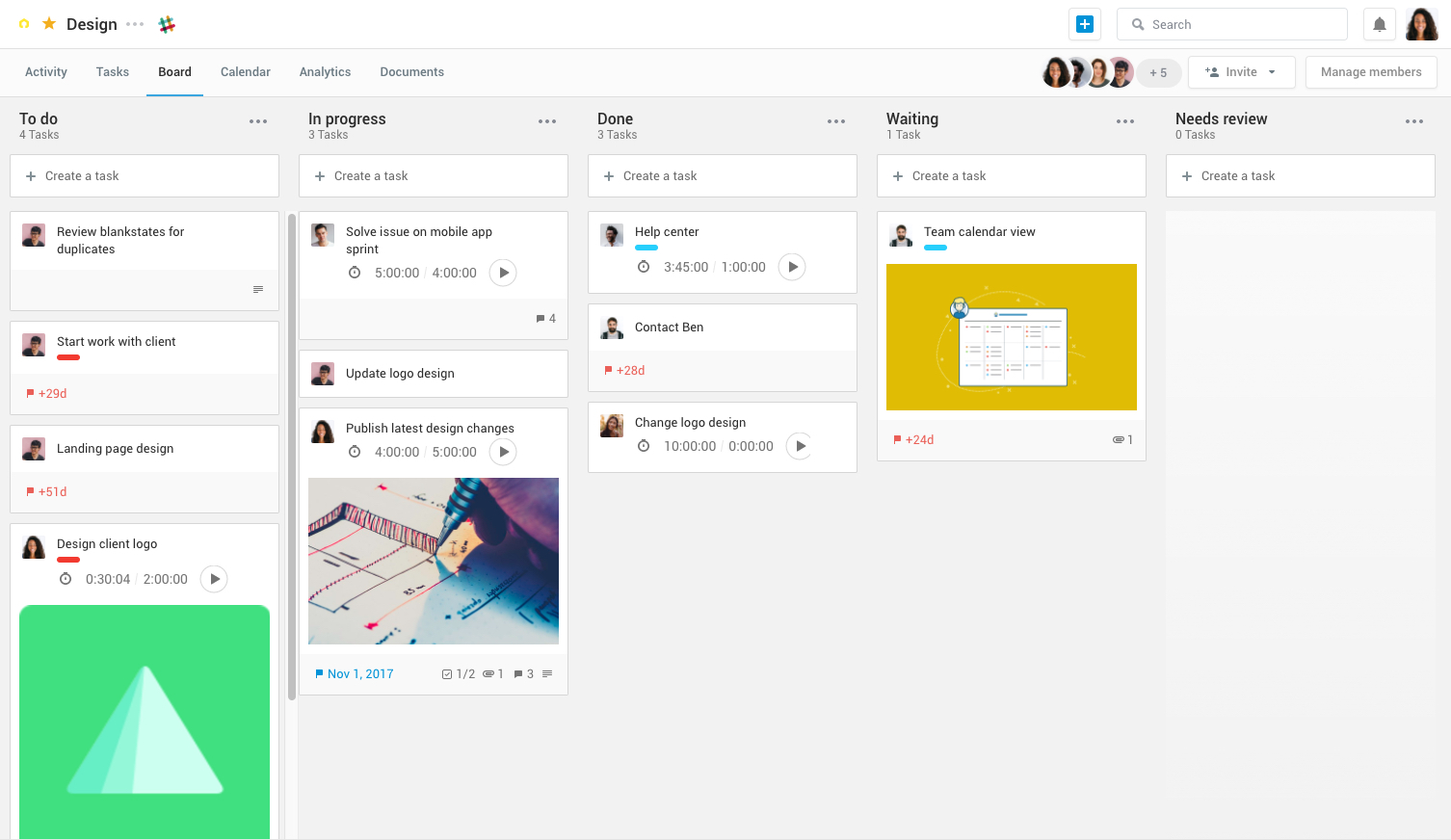 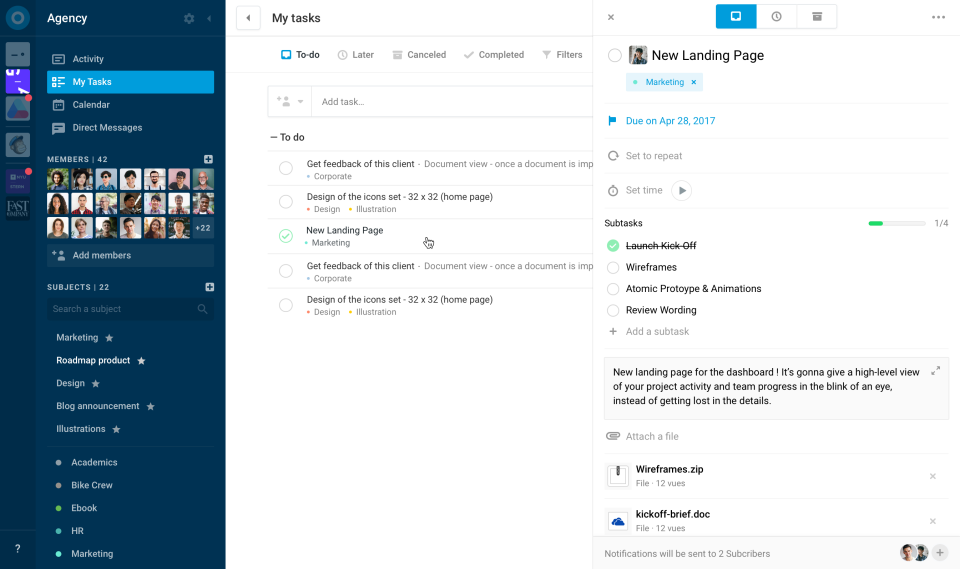  |
