The Microsoft Azure App Service is a PaaS that enables users to build, deploy, and scale web apps and APIs, a fully managed service with built-in infrastructure maintenance, security patching, and scaling. Includes Azure Web Apps, Azure Mobile Apps, Azure API Apps, allowing developers to use popular frameworks including .NET, .NET Core, Java, Node.js, Python, PHP, and Ruby.
$9.49
per month
Progress Kendo UI
Score 8.0 out of 10
N/A
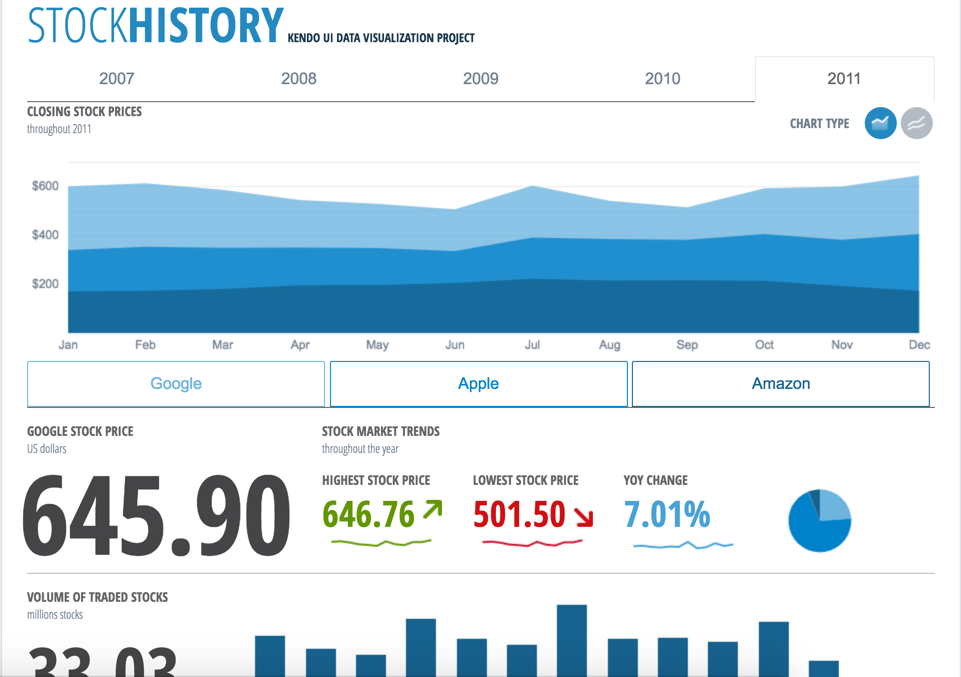
Kendo UI is a JavaScript UI toolkit that allows users to build responsive web-based apps integrated into their framework of choice (jQuery, Angular, React, or Vue). The vendor’s value proposition is that Kendo UI offers a large library of popular and configurable components ranging from sophisticated grids and charts to basic buttons, so users don’t have to waste development time building their UI. The vendor also says the large library of customizable themes means users can easily deploy a…
$999
per developer, royalty-free
SAP Business Technology Platform
Score 8.5 out of 10
N/A
SAP Business Technology Platform (SAP BTP) is the company's Platform-as-a-Service (PaaS) offering, that brings together intelligent enterprise applications with database and data management, analytics, integration and extension capabilities into one platform for both cloud and hybrid environments, including hundreds of pre-built integrations for SAP and third-party applications.
N/A
Pricing
Azure App Service
Progress Kendo UI
SAP Business Technology Platform
Editions & Modules
Shared Environment for dev/test
$9.49
per month
Basic Dedicated environment for dev/test
$54.75
per month
Standard Run production workloads
$73
per month
Premium Enhanced performance and scale
$146
per month
Kendo UI with Priority Support
$999
per developer, royalty-free
DevCraft UI
$1,299
per developer, royalty-free
DevCraft Complete
$1,499
per developer, royalty-free
DevCraft Ultimate
$2,199
per developer, royalty-free
No answers on this topic
Offerings
Pricing Offerings
Azure App Service
Progress Kendo UI
SAP Business Technology Platform
Free Trial
Yes
Yes
Yes
Free/Freemium Version
No
No
Yes
Premium Consulting/Integration Services
No
Yes
Yes
Entry-level Setup Fee
No setup fee
No setup fee
No setup fee
Additional Details
Free and Shared (preview) plans are ideal for testing applications in a managed Azure environment. Basic, Standard and Premium plans are for production workloads and run on dedicated Virtual Machine instances. Each instance can support multiple applications and domains.
Kendo is more configurable. It has a great support base and community. It's well suited to integrate with ASP.NET MVC. It's well suited to integrate with AngularJS. You can create generic and dynamic controls which are configurable. With grids it provides higher …
We previously used DevExpress, and it was fine. We were embarking on a large project, and more people were familiar with Kendo than DevExpress, so we decided to standardize the platform with Kendo and move in that direction across all our work. It has been a fine …
You may easily deploy your apps to Azure App Service if they were written in Visual Studio IDE (typically.NET applications). With a few clicks of the mouse, you may already deploy your application to a remote server using the Visual Studio IDE. As a result of the portal's bulk and complexity, I propose Heroku for less-experienced developers.
It allows us to extend the components or create new components in an easy way. The control suite is complete and powerful enough that you do not need to consider other competing packages. The controls are relatively easy to implement and when we ran into problems the documentation and online support were very reliable.
If you want to use a well-designed SAP technology to shift into the cloud, you will be more than satisfied with the BTP services overall. There are some improvements for beginners to help them get a better overview of what to do and how to start with their account. My recommendation is to take a foundation training course from the SAP learning hub to prepare for the first steps.
Kendo UI controls provides rich set of features and capability that is required for enterprise products.
Performance of controls are satisfactory overall though few other vendors provides extraordinary performance for specific controls and for specific purpose. Kendo UI provides most of the required controls and with rich feature that made us to select Kendo UI controls for our development.
Kendo UI controls quality, in terms of performance, robustness and well defined interfaces are very positive notes.
All the documentation around it is geared towards the enterprise use case, unlike some other hyperscalers' platforms.
The SAP Business Technology Platform is very good because it's got the SAP customer and their business processes in mind. Probably my favorite thing about it is how easy it is to get up and running with a new use case and how well it natively connects to an SAP solution.
You may wind up putting a lot of eggs in one basket--not necessarily a con but something to keep in mind (most of your data will likely be managed and processed through Microsoft products/services if you fully commit to Azure App Service).
Learning new technology. If you're moving from on-premises to Azure App Service (or any cloud solutions), you'll likely have to rethink how things are done to achieve the same end results (and/or resources may become expensive quickly).
Kendo UI is always moving forward and staying current with latest development trends. While that is beneficial, that can cause some issues when supporting customers (particularly government) that don't move their IT infrastructure along nearly as fast. A prime example is web font icons. Great and easy to use, but where Kendo UI utilizes web font icons as the sole means of displaying an icon, not all organizations (again, especially government) allow the use of these. There have been times where Kendo UI became unusable and we had to downgrade to a version a few years old. Makes continued payment for licenses sometimes feel wasted as we may not be able to always use the new releases
Kendo UI has a wonderful feedback system and they do indeed listen to the community. However, there do seem to be some instances where there is large support for a new feature/component and it never gets addressed. It is easy to understand that not all ideas are easy or even prudent to implement, but would be nice to see a better follow-up on ideas with a current status
Refreshing Kendo UI grids is simple, yet the standard API method causes the grid to return to the default state. We have many use cases where we would love to update the grid data but need current grid state (such as expanded detail rows, sorts, filters, etc) preserved after the grid is updated so that users do not have to perform grid actions again to return to the desired state.
The Automation Integration service has some outdated workflows
New services should be available as entitlements as soon as they are released for a particular region without having to buy them from SAP for zero dollars
Any subaccount should be able to change the IAS tenant. Currently, if you set it up for a particular IAS, you cannot change to another tenant and are required to recreate the services in a new subaccount.
Nothing better has come along. I'm always on the lookout for new UI libraries and I have tried most of them. Kendo has done a good job of keeping my business. They aren't perfect, but no one has done it better as far as I can tell. I'll keep a look out and my rating may change in the future if they get complacent.
Seamless integration with external system and dashboard to monitor the data flow and analysis are very essential for the business. The way the product is designed and modelled lead to minimum business disruptions. Adopting to the new and modern technology was easy. Keeping the central system as clean and adopting project bases development are advantages.
I have given this rating because Azure App Service performs very well in terms of speed, reliability, and reducing overhead, and improves overall team productivity, with a little scope for improvement in complex testing scenarios and configurations, scalability concerns in a large setup, and similar tracking and audit needs.
it's easy to implement in applications. The kendo widgets are able to be used in almost any type of business application which has a UI. For most part, once the developer has completed a project which uses Kendo, many time code can be copy/paste into a new application. Kendo UI documentation keeps improving so finding the answers to questions can be easy
Okay, so the content that we have built on the platform is limited to specific testing on the iFlows within integration suite. The visualization layer is nice to use and helps with the design elements, however with developers that are more used to markup languages, it doesn't have the same CLI type feel when you want it. Perhaps the majority of users are that deep, but other platforms have a better CLI type developer experience.
Microsoft has always been known for providing a high standard in terms of customer support and Azure App Service (and as a matter of fact the whole Azure Platform) is no exception. Azure App Service never caused us any issues and we only contacted their customer support for questions regarding server locations and pricing. I feel pretty satisfied with how they treat their customers.
Overall, we are satisfied with the support offered by the Progress Kendo UI team. We had raised few helpline incidents in the past and they have been resolved timely by the team. Also, we were satisfied with the level of information and support provided by the team.
The biggest problem we ran into was communication between SAP Business Technology Platform and onsite resources. Unfortunately our SAP Business Technology Platform and Cloud systems are under different customer numbers. I constantly had to open tickets under each customer number because I was unsure of where the issue lied. And having to create a dummy ticket for our ECC systems to open the ECC connections for another ticket under the Cloud customer is a pain.
Training material in Developers Community or from Learning hub are really good... also most of the time we route through Discovery center... so materials provided by SAP is really good.
it took me about one day to make the components available for all the team members, including a quick demo, parallel setup in everyone’s workstation and packages deployment into our nuget server after 3 days of one to one support, everyone was able to use the components or find help in the documentation or resuest support
Having a full cloud native environment for devlopment of microservices and digitals solutions while having standardized access to our core data on SAP via cloud connector is one of the main benefits of using BTP over others hypervisors. BTP is the standard hyperscaler as soon as something relies on data from SAP systems in our company now
When we chose it, we did so because of its integration with Microsoft applications; now we need to integrate with AI, and Azure doesn't offer a good integration. That is the main reason to change it. It is still great to develop Windows- and Microsoft-based applications, but if we need to integrate with AI, Google wins by far.
At the time of our product selection we identified better cross-browser compatibility and we estimated that turnaround for support was superior. At the time, the vendor had a higher positive feedback footprint among their user community.
SAP Concur allows our staff to book, reimburse and remain spend audit compliant. Our Concur system takes feed from Workday and interacts with Credit card vendor. It also makes posting to Accounting and does clearing. SAP Business Technology Platform helped in establishing connection with all these different tools in real time. It helps in getting paid to the card service provider through our Bank through interface, which is built on SAP Business Technology Platform.
Deployment of ASP.NET apps at the organization has been sped up.
An option to offer access to the version control system on a third platform so that we could easily deploy our apps.
Because of Azure App Service's scalability capabilities, the costs of running the services are kept to a minimum. As a result, we may save hundreds of dollars each month compared to the expenses of traditional servers by using fewer resources during slack periods.
Kendo UI has saved us a ton of time in development.
We were able to get certain things to market faster due to the fact that we didn't have to piece multiple libraries together like is so common with modern web development.
Because of the price of the library, however, we have not been able to purchase upgrades every year.
Infusing Generative AI capabilities easily into our solutions with existing talent with minimal learning curve, has been very impactful. We have been able resolve several challenges for our clients with AI capabilities, that we could not, previously.
Integration Suite is quite extensive in capabilities for bringing together the IT landscape into a single ecosystem.