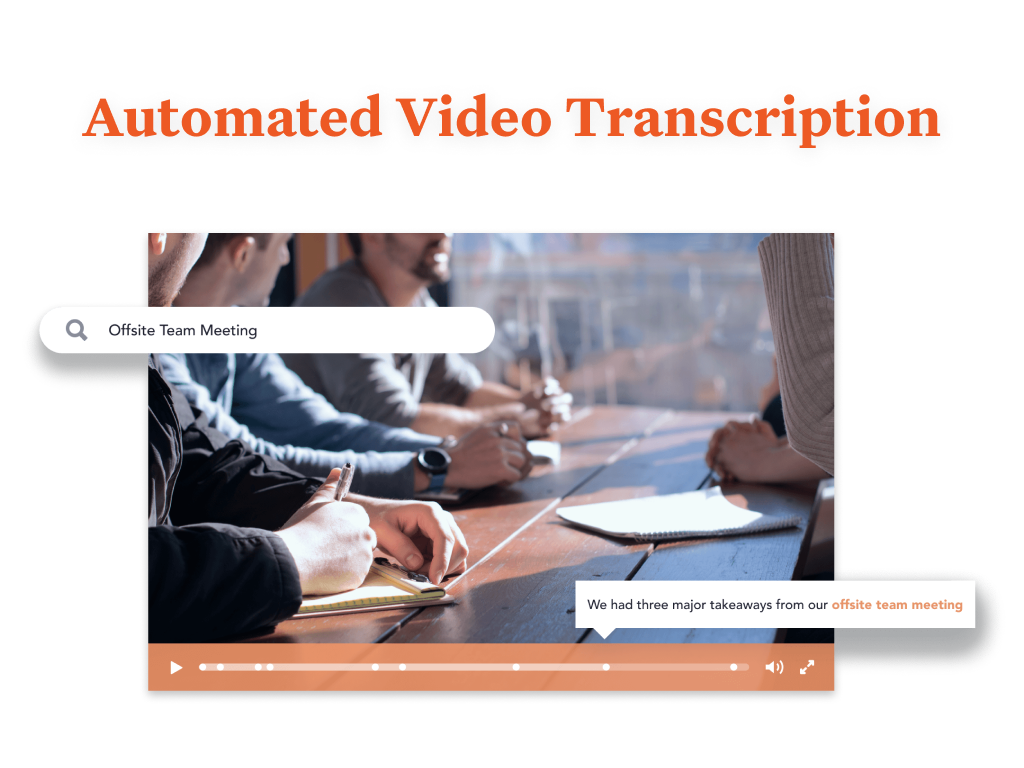
Bloomfire provides knowledge engagement, aiming to deliver an experience that connects teams and individuals with the information they need to excel at their jobs. Their cloud-based knowledge engagement platform aims to give people one centralized, searchable place to engage with shared knowledge and grow their organization's collective intelligence.
$25
per month
Flock
Score9.5 out of 10
N/A
Flock is a collaborative business messaging application, designed to compete with Slack. The app is presented as a fast and reliable means of communication, and is available in a free edition for teams of up to twenty members.
$0
for teams of 1-20 members
Pricing
Bloomfire
Flock
Editions & Modules
Basic
$25.00
per month
Starter
$0
for teams of 1-20 members
Pro
$6
per month per user (ideal for teams of 20-100 users)
PTS: needed to bring a new senior marketing team member up to speed on how we got to our current TV campaign
Solution: Series featuring consumer insights, why specific spokesperson, agency brief, the entire creative process - scrips, animatics, rough cuts, feedback, and testing at each step. Including the actual creative from each step.
Total time to build: 1 hour
Concept testing:
PTS: things get lost, findable but version control
Solution: everything in one placeConcepts, testing, IHUTs, verbatims, videos with transcripts. Reduces the possibility of missing something, helps with any builds (reuse), but gives us a the chance to dig deeper. Example: search on terms like "indulgent", or "crispy" or "share" much faster
A de minimis incentive was given to thank the reviewer for their time. The incentive was not used to bias or drive a particular response, nor was the incentive contingent on a positive endorsement. More Info
Flock is very well suited in scenarios where individuals must communicate via chat. It also works great when teams need to communicate via group chat messages. File and document sharing is another area where Flocks works well. Channels are used for discussions on specific topics or organization-wide announcements. Flock may be less appropriate when you use it for voice and video calls. Where.
A de minimis incentive was given to thank the reviewer for their time. The incentive was not used to bias or drive a particular response, nor was the incentive contingent on a positive endorsement. More Info
Quickly reach out to whatever employee segment you want to reach by posting a topic and it will send a notification to everyone in that group with a link to the posting.
Bloomfire saves all of the previous posts so in your free time you can go to the site, and explore the various range of topics others have posted. The information on there will only be as good as the person posting it, but it will be people within your company and industry posting it. So it will always be helpful.
Bloomfire is a place to be noticed by your peers. Have a great topic you want to express, my company allows all to post there as long as we keep it professional. So you can share your ideas or experiences in a safe and productive manner. But we do have some fun on there too!
A de minimis incentive was given to thank the reviewer for their time. The incentive was not used to bias or drive a particular response, nor was the incentive contingent on a positive endorsement. More Info
Networked phones are a thing of past now. We don’t have to stop what we are doing to receive phone calls currently because Flock can do that
It is now easy to send messages to many people at the same time, all we need to do is to add all the contants in the chat and select all to send a message
This software has an in-built to-do-list which allows us to assign tasks to different people or users and then supervise each independently
A de minimis incentive was given to thank the reviewer for their time. The incentive was not used to bias or drive a particular response, nor was the incentive contingent on a positive endorsement. More Info
I would recommend adding a feature to combine different posts/series by job title (so in addition to the Revenue Ops category, there could be a structured walkthrough for Revenue Manager).
Live Q+A sessions for group onboarding initiatives.
A de minimis incentive was given to thank the reviewer for their time. The incentive was not used to bias or drive a particular response, nor was the incentive contingent on a positive endorsement. More Info
A de minimis incentive was given to thank the reviewer for their time. The incentive was not used to bias or drive a particular response, nor was the incentive contingent on a positive endorsement. More Info
Most likely we will renew, our team needs a refresher on possible opportunities to advance our usage and learning of opportunities to move this answer to a 10, can't live without it.
A de minimis incentive was given to thank the reviewer for their time. The incentive was not used to bias or drive a particular response, nor was the incentive contingent on a positive endorsement. TR verified that a representative sample of customers was invited. More Info
We would likely to renew use of Flock for our organization since it meets most of the requirements of team collboration and communication for a small group like us. Most of our Flock users like it's features and use it extensively for day-to-day work. We are quite optimistic about it's future updates.
A de minimis incentive was given to thank the reviewer for their time. The incentive was not used to bias or drive a particular response, nor was the incentive contingent on a positive endorsement. More Info
Bloomfire is an easy-to-use platform for posting information and asking questions of my peers. It also has a user-friendly search capability. Yet like any other CMS, the secret to success rests in such items as the ability to use metadata to tag content or posts, and Bloomfire provides a wide range of options to make posting content and subsequently searching for it.
A de minimis incentive was given to thank the reviewer for their time. The incentive was not used to bias or drive a particular response, nor was the incentive contingent on a positive endorsement. More Info
It is good to give what an app deserves, Flock is very efficient and effective app to manage the all day to day activities and communicate across all team members, create groups, share files, send reminders schedule reminders for each group or persons and share notes.Pin files and search any messages from anyone with advanced filters. It's a great app.
A de minimis incentive was given to thank the reviewer for their time. The incentive was not used to bias or drive a particular response, nor was the incentive contingent on a positive endorsement. More Info
I have not needed to pose questions to the support team yet, as it is a very simple piece of software to use, however, its help documents and the bot ready to answer questions let me know I am in good hands. The help center could load a little quicker, but that's my only complaint.
A de minimis incentive was given to thank the reviewer for their time. The incentive was not used to bias or drive a particular response, nor was the incentive contingent on a positive endorsement. TR verified that a representative sample of customers was invited. More Info
We've only needed customer support a few times with Flock (mainly concerning app integration and security), and they've always been timely and helpful, which are the only things I truly need from support. The response rate was still rapid, and there's plenty of support available online as well for Flock.
A de minimis incentive was given to thank the reviewer for their time. The incentive was not used to bias or drive a particular response, nor was the incentive contingent on a positive endorsement. More Info
I like Bloomfire because it is more concise with the work I do whereas Google search engine would provide broader information. It has just been so user-friendly, and easier to use [than] I could have imagined. I would use this program over any other that I have tried in the past.
A de minimis incentive was given to thank the reviewer for their time. The incentive was not used to bias or drive a particular response, nor was the incentive contingent on a positive endorsement. More Info
Flock as mentioned takes the best of all these apps and improves upon them. Flock's UI was exactly what we were looking for and Flock doesn't overcharge small teams for search functional or messaging. It just offers a great product at a great price combined with great support. Their chat ticket system works almost immediately.
A de minimis incentive was given to thank the reviewer for their time. The incentive was not used to bias or drive a particular response, nor was the incentive contingent on a positive endorsement. More Info
A de minimis incentive was given to thank the reviewer for their time. The incentive was not used to bias or drive a particular response, nor was the incentive contingent on a positive endorsement. TR verified that a representative sample of customers was invited. More Info
A de minimis incentive was given to thank the reviewer for their time. The incentive was not used to bias or drive a particular response, nor was the incentive contingent on a positive endorsement. More Info