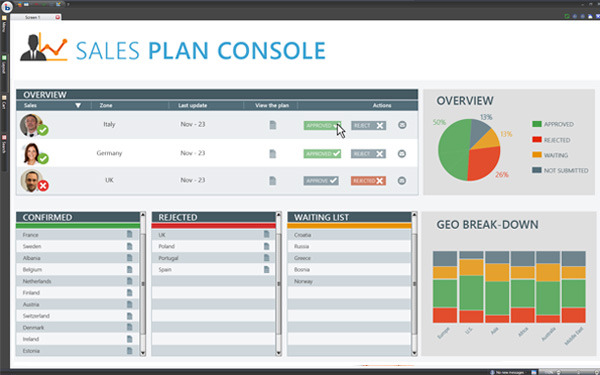
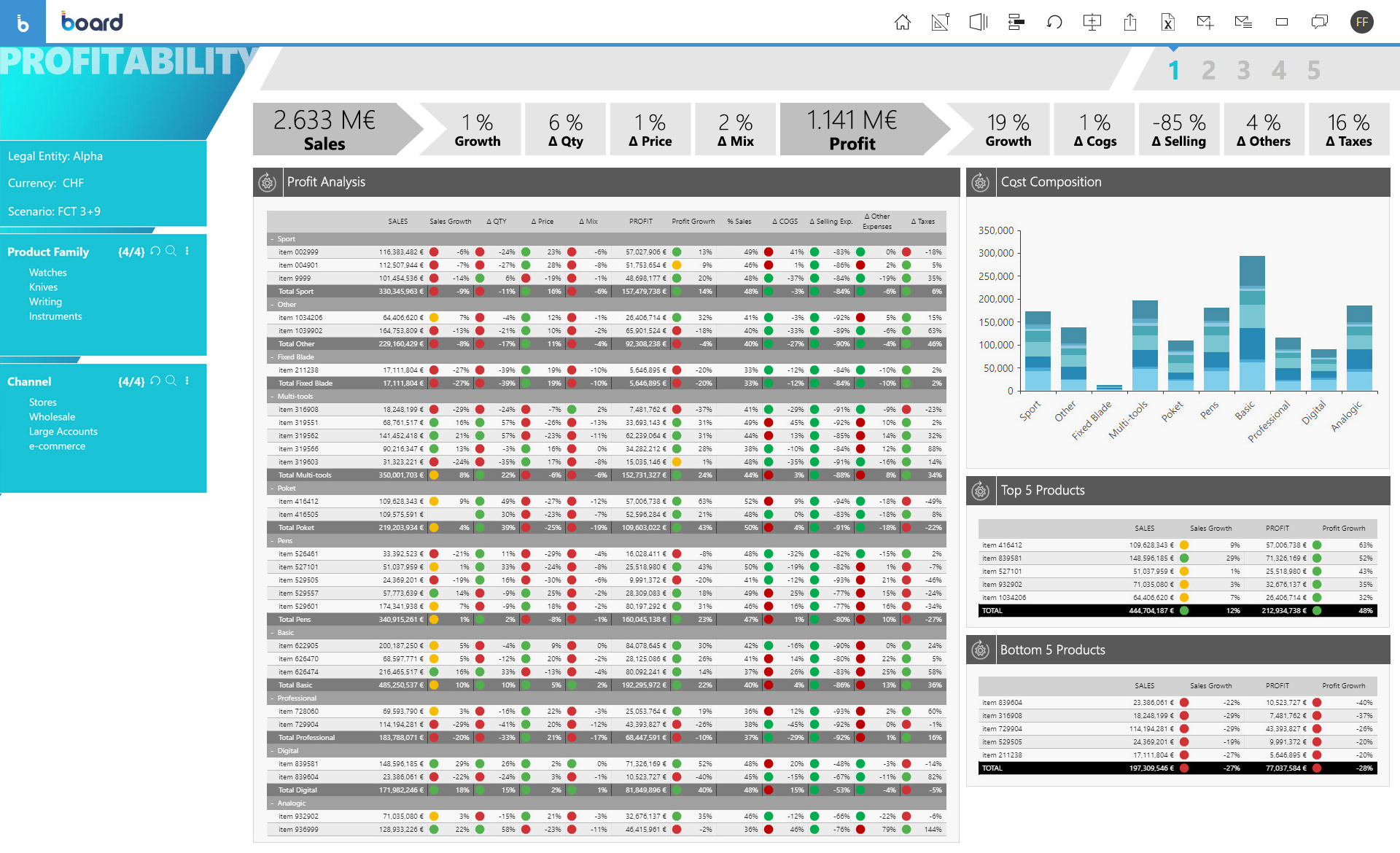
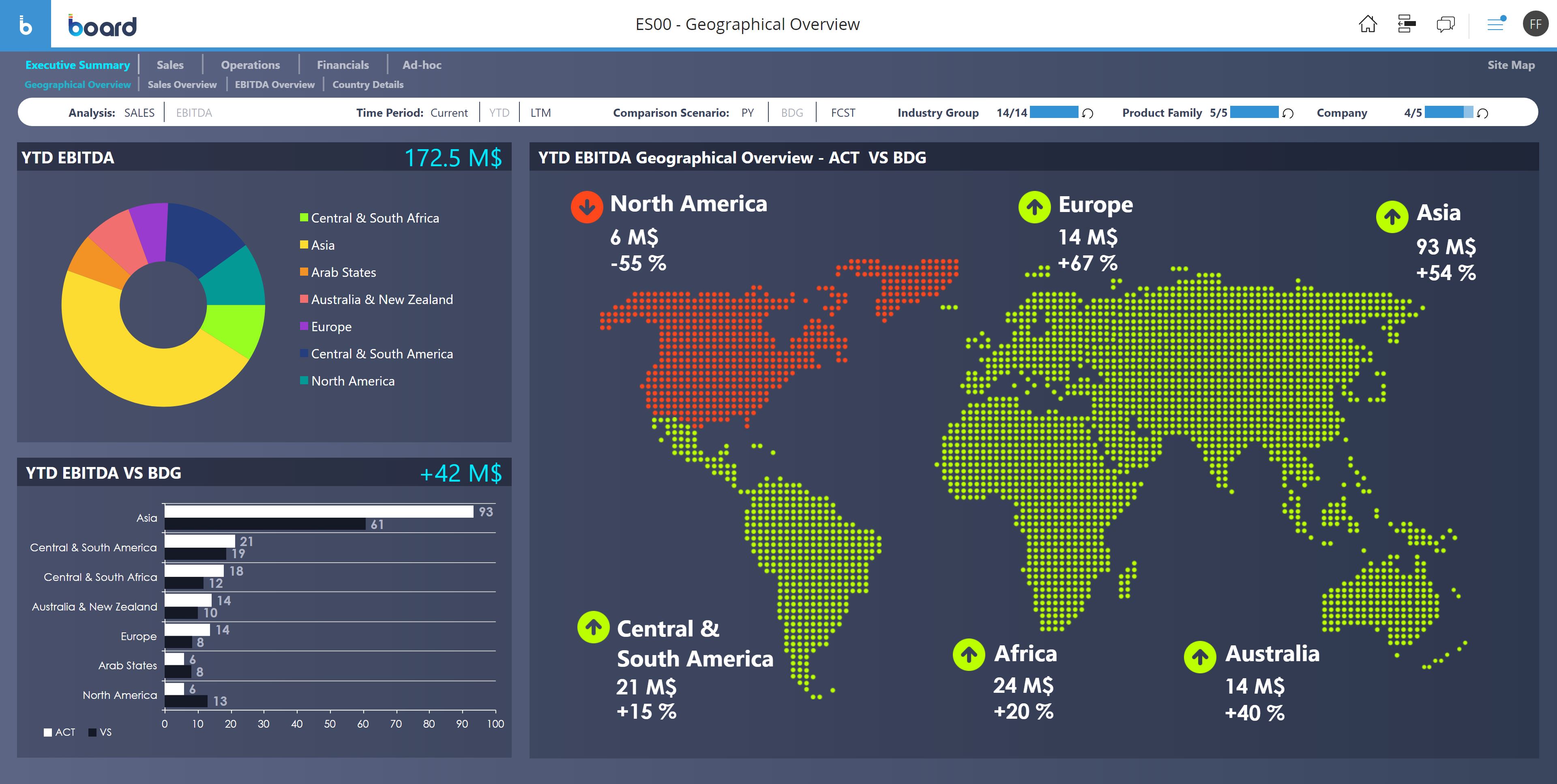
Board is presented as an enterprise planning platform, offered as a solution to accelerate business performance and enable continuous planning with greater forecast accuracy to drive confident, aligned decisions.
N/A
QuotaPath
Score8.4 out of 10
Mid-Size Companies (51-1,000 employees)
QuotaPath automates the commission process, helping revenue teams manage and track variable pay. Teams that use QuotaPath gain real-time visibility into commissions and forecasted earnings.
$250
per month per user
Pricing
Board
QuotaPath
Editions & Modules
No answers on this topic
Essential
$25
per month (billed annually) per user
Growth
$35
per month (billed annually) per user
Premium
$50
per month (billed annually) per user
Offerings
Pricing Offerings
Board
QuotaPath
Free Trial
No
Yes
Free/Freemium Version
No
No
Premium Consulting/Integration Services
Yes
No
Entry-level Setup Fee
No setup fee
No setup fee
Additional Details
—
QuotaPath has three pricing editions, each with a platform fee that includes the all-in cost of QuotaPath for teams with up to five users. (This includes user access, ongoing support, integration implementations, and is billed annually. Any users beyond the first five have a per-seat cost relative to their associated tier.)
The Growth tier offers a free trial.
Board is a useful tool with a great set of features. We migrated from human apps to board and we find it relatively fast in search results and better-managed threads and forums. There are some areas, such as UI and interactions which could be improved but overall a great product. The learning section is also pretty good.
Well suited for getting your sales team visibility on their efforts, it’s great for showing how and why commissions payout as they do with each deal. Adjustments can also be made very quickly on the backend if needed. It’s straightforward and quick to set up and doesn’t require much training, which is very good for smaller-end businesses and sales forces. It doesn’t work well with more nuanced deals that may age multiple pay points or for larger sales forces, and some custom CRMs will have trouble or be incompatible.
A de minimis incentive was given to thank the reviewer for their time. The incentive was not used to bias or drive a particular response, nor was the incentive contingent on a positive endorsement. TR verified that a representative sample of customers was invited. More Info
We don’t have to calculate commissions in Excel anymore! It takes a fraction of the time it used to calculate commissions. Saves about 1-2 days on month end close. I like that it is easy for me and reps to drill down and see the calculations of their payouts. Reps can see calcs all month long instead of having to wait until the end of the month, so acts as a motivator. Sales managers can manage their direct reports better.
When I first started using QP, I was not thrilled with the quota attainment reporting for dollars, percent, and team management. I’m glad that they added leaderboards and are working on better reporting. I like the UX and UI of the whole software.
I like being able to export the following easily to Excel – resolved payouts for all payouts, payouts by rep, and Ledger (ASC 606) info.
Admins can request that reps acknowledge their plans through QP, which helps with compliance and ensures we are in agreement with calculations. I like that they are adding a docusign feature.
You can easily adjust earnings if a correction is needed, even after the month is closed. Just make sure you reverse from the end of the process (i.e. undo in ledger, undo the resolved payout, delete the unresolved payout, un-approve the deal).
More workspace roles with the ability to customize what each user is able to do. Currently, there's only member and team manager. The team manager currently has too much power and we want to remove some of the things they're able to do like approve deals.
When you sync a deal from the CRM, you can override the earnings but you cannot override the field value you're syncing over. It would be great if that was possible.
When you want to exclude a deal, you have to go in the filters and add a rule to exclude the ID. It would be better if there's an option to reject deals in certain paths as an approver.
A de minimis incentive was given to thank the reviewer for their time. The incentive was not used to bias or drive a particular response, nor was the incentive contingent on a positive endorsement. More Info
Board is a fantastic product for swift BI solution delivery when compared with its peers. Ease of use, support and integration with Microsoft Office Addin open a wide horizon of opportunities for further enhancements to solutions. Easy bespoke app development capabilities make it a winner for us. BOARD is just like a white canvas, it lets you explore your creative side while designing and delivering a solution
A de minimis incentive was given to thank the reviewer for their time. The incentive was not used to bias or drive a particular response, nor was the incentive contingent on a positive endorsement. More Info
I don't have buying decision but we have input on the software or solutions we use and this has been a game changer to review our commissions. Quota Path makes it very easy to ensure we are on target. Saves us a lot of time compared to using spreadsheets
A de minimis incentive was given to thank the reviewer for their time. The incentive was not used to bias or drive a particular response, nor was the incentive contingent on a positive endorsement. More Info
From a user perspective, Board is quite simple to use. You can evaluate the presentation of the data, the navigation, the configuration of the users, the selection of the data etc ... It would have a better rating if it were even more intuitive as regards the construction of a project, starting from the database, to the info-cubes, to entities, to data acquisition procedures from other servers.
A de minimis incentive was given to thank the reviewer for their time. The incentive was not used to bias or drive a particular response, nor was the incentive contingent on a positive endorsement. TR verified that a representative sample of customers was invited. More Info
A de minimis incentive was given to thank the reviewer for their time. The incentive was not used to bias or drive a particular response, nor was the incentive contingent on a positive endorsement. More Info
The only time I needed assistance was due to a problem in the prints: the colors of the brochures as they were on the screen were not reproduced in the print, but a series of standard colors were reproduced. This fact made colored numbers on a colored background illegible. From the assistance they confirmed that it was a problem of version 10.2 that occurred when leaving the brochures with the default colors proposed by Board. To obtain the desired colors, they had to be personalized ... I didn't like the solution very much and the technician who recommended it didn't like me either, but they would have solved the problem with the following versions. In any case, the assistance was quick and effective even if not exactly efficient.
A de minimis incentive was given to thank the reviewer for their time. The incentive was not used to bias or drive a particular response, nor was the incentive contingent on a positive endorsement. TR verified that a representative sample of customers was invited. More Info
I ran into some issues with setting up an MRR earning path. Their customer service team was readily available to assist, provide guidance and get their hands on our setup, which made getting this up and running much easier. Also (shame on me), I missed a couple of calls with my CSM, Daniel, but he never got frustrated with my absence. In fact, he was always able to reschedule and was flexible with my schedule — when we were able to connect, he was a major, major help.
Board is fairly simple and straight forward. Advance training on workflows and procedures is a good one but the training content only touches through the interesting areas. training content needs to cover a few areas more in-depth
A de minimis incentive was given to thank the reviewer for their time. The incentive was not used to bias or drive a particular response, nor was the incentive contingent on a positive endorsement. More Info
The problem of user profiling in our context is certainly quite complex. The complexity is given by the fact that the company is divided territorially into logistic points of sale, but at the same time they are virtually divided into divisions (or specific implementation areas) and points of sale of competence. The same operator can have access to data at different logistic sales points, sales points of competence and divisions.
A de minimis incentive was given to thank the reviewer for their time. The incentive was not used to bias or drive a particular response, nor was the incentive contingent on a positive endorsement. TR verified that a representative sample of customers was invited. More Info
Board has been more complete when compared to Anaplan. Although I didn't participate in the buying decision of any of those products I have used both and by far Board just has more features. It's more than a CPM, it's BI and CPM put together. If I had to make a choice now it would be Board.
Xactly Incent was very difficult to configure. And UI wasn't very friendly. Spiff and CaptivateIQ had a good UI but the learning and coding required was going to be too much for the short window of time before implementation was due. QuotaPath was able to build our comp plans in less than a month so we could focus on the necessary configuration of data in Salesforce.
A de minimis incentive was given to thank the reviewer for their time. The incentive was not used to bias or drive a particular response, nor was the incentive contingent on a positive endorsement. More Info
Board facilitates proactive decision making - it gives all the insights of the company's needs, which includes predictive analytics and manipulation of data to make different types of reports.
Easy to use for non-programmer and integration with other software is seamless. It has [the] ability to handle large amounts of data.
A de minimis incentive was given to thank the reviewer for their time. The incentive was not used to bias or drive a particular response, nor was the incentive contingent on a positive endorsement. More Info
Reduce commission calculations from a full day to minutes
Provides both managers and reps with insight into their earnings
Highly flexible plan structuring that allowed us to pay based on our objectives
While saving money on the elimination of manual commission processing (+/12c days per year) I believe the real payback has been the way it has helped us to better incentivize and motivate our reps
A de minimis incentive was given to thank the reviewer for their time. The incentive was not used to bias or drive a particular response, nor was the incentive contingent on a positive endorsement. More Info