Overview
ProductRatingMost Used ByProduct SummaryStarting Price
BQE CORE
Score 8.8 out of 10
Small Businesses (1-50 employees)
BQE CORE is a business management solution built specifically for professional service firms. BQE CORE is a combination of a billing assistant, project management, and accounting solution. CORE is designed to do the hard work of delivering actionable insights directly to the user's dashboards or inbox. BQE CORE replaces the products Engineeroffice, Archioffice, and BillQuick; the functionality of these applications is now found in BQE CORE.N/A
Buddy Punch
Score 10.0 out of 10
Small Businesses (1-50 employees)
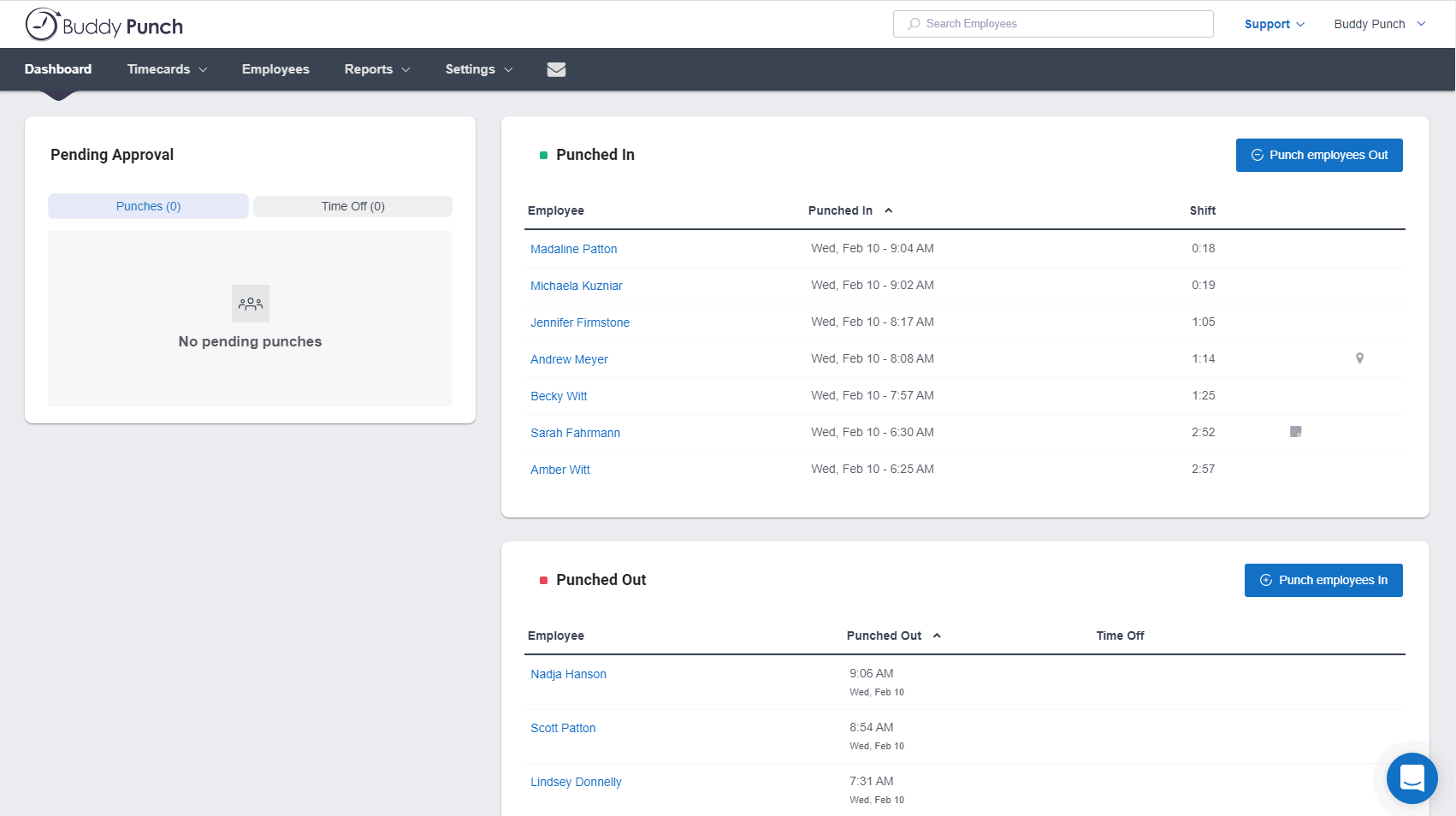
Buddy Punch is an online time tracking, scheduling, and payroll application. Track time, time off, locations, and jobs. The solution aims to help make punching in and out intuitive for employees and easy for users to view and export time. Employees can clock in using a browser or the Buddy Punch Google, iOS, and Android apps. Users can view who's working, their GPS position, or even limit where they can punch. The solution integrates with QuickBooks, ADP, Paychex, and SurePayroll, to name a…
$5.49
per month per user
monday.com
Score 8.3 out of 10
Mid-Size Companies (51-1,000 employees)
monday.com Work OS is an open platform designed so that anyone can create the tools they need to run all aspects of their work. It includes ready-made templates or the ability to customize any work solution ranging from sales pipelines to marketing campaigns, CRMs, and project tracking.
$12
per month per user
Pricing
BQE COREBuddy Punchmonday.com
Editions & Modules
No answers on this topic
Starter
$5.49
per month per user
Pro
$6.99
per month per user
Enterprise
$11.99
per month per user
Basic
$12
per month per user
Standard
$14
per month per user
Pro
$24
per month per user
Enterprise
Contact Sales
Contact us
Offerings
Pricing Offerings
BQE COREBuddy Punchmonday.com
Free Trial
YesYesYes
Free/Freemium Version
NoNoYes
Premium Consulting/Integration Services
NoNoNo
Entry-level Setup FeeNo setup feeNo setup feeOptional
Additional DetailsThree plans are available via a monthly or annual payment option. Each plan has a per user price and a base fee of $19. There are no startup, cancellation, support, or additional fees of any kind. A discount is available for the annual payment option.An 18% discount is available for annual billing.
More Pricing Information
Community Pulse
BQE COREBuddy Punchmonday.com
Considered Multiple Products
BQE CORE
Chose BQE CORE
Toms Planner gant charts are very easy to navigate and edit.
Chose BQE CORE
I previously used Gusto for both benefits / employee details and also time tracking. It was really nice to have everything in one place, and Gusto felt very simple. However, it did not have as many broken down categories for time allotment. Harvest felt similar to Gusto, and it …
Chose BQE CORE
It helps and have a great impact on It employees like me to track and submit my timesheet to my managers and higher officials and make a note that I have spend my working house valuable and resourceful and the managers can take a look at what have I done in my working hours
Chose BQE CORE
our team uses both the platforms and does not tie very well. bamboo does have a more pleasant to the eye interface comparatively. it is also a bit easier to navigate and not have to click too many times to reach any particular information on bamboo. BQE CORE does do visuals of …
Chose BQE CORE
BQE CORE combined numerous products for us. It allows everything to be in one place which cuts down on the back and forth, as well as user error.
Chose BQE CORE
It was an admin desiring to switch. However CORE is easy to manage and calculate timesheet automatic with timer future. In addition I believe the admin stag like the billing aimless function and multiple additional future that monograph does not have. Without mentioning that …
Chose BQE CORE
BQE has more visual tools for determining billable hours and for tracking hours against a project. BQE has a better system for involving employee and simpler methods of tracking expenses.
Chose BQE CORE
Monograph did not allow exporting/importing of data nor did they offer integration with Quickbooks Desktop
Chose BQE CORE
Again, since I'm only an employee, I had no part in choosing BQE for my organization. But it is the best timesheet tracking system that I've used, and I've used 3 other ones in the past. BQE is the simplest to use, yet equally as powerful as the others. When editing my …
Chose BQE CORE
It’s the best program I have used to date! It was selected for me through my company.
Chose BQE CORE
They aren't used for the same thing so not able to compare.
Chose BQE CORE
Not used any other software than accounting. This is much easier for my staff to use because it's not a straight up accounting software.
Chose BQE CORE
I didn't take part in selecting BQE CORE; however, our CEO chose it because of its ability to help with invoicing and incorporating other software into the program such as Gantt charts. I like BQE CORE better than BillQuick because it is more user friendly and also displays the …
Chose BQE CORE
BQE CORE has a much more streamlined process for entering expense entries than Concur. You are able to select which project you would like to charge to and where expense entries are sent for approval, whether that be your manager or the project manager. BQE CORE also is very …
Chose BQE CORE
I have only really used this product.
Chose BQE CORE
BQE CORE is much more in-depth at time tracking than Harvest. Harvest is easier to use out of the gate but BQE CORE is worth the learning curve. I haven't had a chance to use BQE CORE on a mobile device so I can't speak to how it stacks up there against Harvest.
Chose BQE CORE
I don't recall the previous program we used as this was years ago, but we had to put in time manually each week and this was very time consuming. BQE CORE keeps your projects in the timesheet from week to week to you don't have to reinput the project number.
Buddy Punch
Chose Buddy Punch
More economical and more user friendly than Quickbooks Time.
Chose Buddy Punch
Frank Crum isn’t the same as Buddy Punch, but it would be the closest to Buddy Punch I’ve used. Frank Crum was extremely annoying and hard to use. It almost seemed as if they were trying to hide information from the user, and finding tax documents and year-to-date information …
Chose Buddy Punch
Way easier to learn and use. I looked into using the QuickBooks time tracking program, but their system seemed a lot more complex and would’ve taken a lot more time and effort to learn. Buddy Punch set up was definitely way easier to learn and set up for my employees.
Chose Buddy Punch
Frankcrum was very hard to use and understand. I rarely knew what I was getting paid and how many hours I was at.
Chose Buddy Punch
Customer services is soooo much better. Any problems I would have with Isolved would take 2+ weeks to get solved.
Chose Buddy Punch
It features a feature that Connecteam dislikes: GPS tracking, PTO monitoring, and photo capture when someone logs in and out.
Chose Buddy Punch
It's been over 15 years where I had to punch in for work. I did this with two different companies. Prior to this, both of those companies had their own personal punching system. It was much harder to use than this when it came to editing or entering in PTO. Even though I …
Chose Buddy Punch
I really like everything about Buddy Punch.
Chose Buddy Punch
going from Paychex Flex to Buddy Punch has been a huge improvement! For peace of mind and time management. As a manager, it's streamlined for me with the website being easy to use and navigate. I am very thankful for the move.
Chose Buddy Punch
This was the first platform this organization has tried to implement. I cannot remember if we used a trial on another company like this.
Chose Buddy Punch
I would prefer Buddy Punch, every day, any time.
Chose Buddy Punch
When we decided to try Buddy Punch we were using a normal time clock and needed to have a better way to track time. I reviewed a few products, but went with Buddy Punch and have been happy ever since.
Chose Buddy Punch
Buddy Punch was chosen for it's security. In the past service we used had a breach in their user base, i.e., it was hacked. We found Buddy Punch easy to access and edit.
Chose Buddy Punch
I have not used any other product that I can remember. I used whatever system the retail stores had when I worked there short term and part time 6,7, 8 years ago.
Chose Buddy Punch
I have not reviewed or evaluated any other similar products and this is the first time I am using this type of product. I have been a salaried employee for 25 years and this is my first contract position, but Buddy Punch has made the time tracking very simple and efficient.
Chose Buddy Punch
I did not use a system prior to Buddy, but when comparing they were the best price and had all the features I needed.
Chose Buddy Punch
We originally scheduled and ran payroll through Homebase, but in the last few months the software became very buggy, customer service was slow and when they did respond, was not helpful. When we cancelled our account they didn't even try to make things right. We are so happy …
monday.com
Chose monday.com
monday.com feels like it offers a lower barrier to entry as well as more versatility, extensibility without becoming too complex. Atlassian is geared more for larger companies requiring a greater degree of granular controls.

Both platforms have a number of integrations (though, …
Chose monday.com
I used Pipedrive in my previous roles, so I did not evaluate monday.com as an alternative to Pipedrive. Similarly, Salesforce is not positioned as an alternative to monday.com for us. We currently use both Salesforce and monday.com, as they serve different purposes and …
Chose monday.com
monday.com does more than just a single function like other tools.
Chose monday.com
Planner is very hard to figure out. Insightly is a good resource to keeping track of customers and their info but for tasks, monday.com is far superior
Chose monday.com
Workfront offered a more intuitive user interface, which made team adoption easier. It also included additional products that aligned well with the needs of our Dev, Work Management, and Service teams.
Chose monday.com
Atlassian Jira, Jira Service Management and Jira Work Management
Chose monday.com
I actually found clickup easier to use and they had better features for recurring tasks
Chose monday.com
Cost is a big factor as the alternatives stacked up poorly in user costs and built in features. Also, the business was already using a different facet of monday.com so it was a quick setup and we already had experience and people were Jo knew the platform. Less complex and also …
Chose monday.com
monday is more capable and comprehensive when it comes to project and task management as well as the CRM side. However, Odoo is better suited for managing other areas that monday doesn’t cover, such as employee management, payroll, and invoicing. If one were to prioritize cost …
Chose monday.com
Very similar feature-function-wise wise but the UI is the ultimate differentiator that makes adoption so much easier on monday.com.
Chose monday.com
We have not used anything like Monday.com before. We used to do all of what I described on Google Sheets and share them with the company. It was very time consuming and cumbersome to remake new sheets every year, Monday.com gives us the freedom to add on year by year and not …
Chose monday.com
monday.com is far superior to Microsoft Planner and Basecamp, and arguably superior to Trello and Slack Lists as well. Asana (for work management and Zendesk (for request management) put it to shame. My main monday-using client selected it primarily because of its slightly …
Chose monday.com
We have only ever tried one other software that was designed to work similarly to monday.com. I will not name the company but our experience with it was just short of harrowing. The company was friendly and supportive but the product they designed was not user friendly. It did …
Chose monday.com
monday.com is the sweet spot of rich feature set and simplicity
Chose monday.com
I think trello was nice so self-use, but not for a team
Chose monday.com
monday.com is so much better and cheaper. We moved from Zendesk because, in our experience, their customer service was terrible, they kept raising prices, and there was limited functionality relevant to our organization. The tools within monday.com allow us to use it as more …
Chose monday.com
It's been a while since trying Asana, so it's hard to say. I think they are very similar from what I remember, but maybe monday.com has more reporting and customization possibilities?
Chose monday.com
monday.com offer much of the standard tools and seems to be ever evolving. They seem to take feedback and constantly upgrade the tools. If all the tools are there, the differentiating factor might be the cost, any integrations you may need, and the visual "chemistry". To me, …
Chose monday.com
We chose to move from Zoho to monday.com when our company started growing exponentially. Overall, our team was thankful for the change because we were growing at far to fast of a speed for Zoho's tools to keep up with us. monday.com is a better, beefier platform with far better …
Chose monday.com
We decided to go with monday.com because they offered a free tier for nonprofits and because they are easier to use and offered additional features that we could not find on the other choices. Hands down, there was no better choice for us than monday.com.
Chose monday.com
When I arrived at my org, I was initially disappointed to hear that we used something other than Asana for project management. Fast forward just a few months, and I became a complete monday.com convert. While its organization is similar to Asana's, it's user interface, …
Chose monday.com
We use Jira, Confluence, Miro and the full Salesforce stack and it's very reliable as are the other softwares.
Features
BQE COREBuddy Punchmonday.com
Project Management
Comparison of Project Management features of Product A and Product B
BQE CORE
8.1
Ratings
5% above category average
Buddy Punch
-
Ratings
monday.com
8.2
Ratings
6% above category average
Task Management9.40 Ratings00 Ratings9.20 Ratings
Resource Management9.00 Ratings00 Ratings8.20 Ratings
Gantt Charts9.30 Ratings00 Ratings8.20 Ratings
Scheduling9.00 Ratings00 Ratings8.50 Ratings
Workflow Automation8.10 Ratings00 Ratings8.60 Ratings
Team Collaboration6.90 Ratings00 Ratings9.30 Ratings
Support for Agile Methodology7.40 Ratings00 Ratings8.20 Ratings
Support for Waterfall Methodology4.60 Ratings00 Ratings7.00 Ratings
Document Management8.70 Ratings00 Ratings7.90 Ratings
Email integration6.30 Ratings00 Ratings7.70 Ratings
Mobile Access7.80 Ratings00 Ratings7.80 Ratings
Timesheet Tracking9.70 Ratings00 Ratings7.70 Ratings
Change request and Case Management8.40 Ratings00 Ratings9.00 Ratings
Budget and Expense Management9.10 Ratings00 Ratings8.00 Ratings
Professional Services Automation
Comparison of Professional Services Automation features of Product A and Product B
BQE CORE
8.7
Ratings
12% above category average
Buddy Punch
-
Ratings
monday.com
7.9
Ratings
2% above category average
Quotes/estimates8.40 Ratings00 Ratings7.80 Ratings
Invoicing8.90 Ratings00 Ratings00 Ratings
Project & financial reporting9.00 Ratings00 Ratings8.10 Ratings
Integration with accounting software8.40 Ratings00 Ratings7.80 Ratings
Best Alternatives
BQE COREBuddy Punchmonday.com
Small Businesses
Stackby
Stackby
Score 8.9 out of 10
Dayforce Powerpay
Dayforce Powerpay
Score 9.2 out of 10
Stackby
Stackby
Score 8.9 out of 10
Medium-sized Companies
InEight
InEight
Score 8.2 out of 10
TimeClock Plus
TimeClock Plus
Score 9.5 out of 10
InEight
InEight
Score 8.2 out of 10
Enterprises
InEight
InEight
Score 8.2 out of 10
Zoho People
Zoho People
Score 8.9 out of 10
InEight
InEight
Score 8.2 out of 10
All AlternativesView all alternativesView all alternativesView all alternatives
User Ratings
BQE COREBuddy Punchmonday.com
Likelihood to Recommend
9.3
(0 ratings)
9.3
(0 ratings)
8.6
(0 ratings)
Likelihood to Renew
7.0
(0 ratings)
-
(0 ratings)
9.1
(0 ratings)
Usability
9.5
(0 ratings)
9.3
(0 ratings)
8.6
(0 ratings)
Availability
8.2
(0 ratings)
-
(0 ratings)
8.2
(0 ratings)
Performance
7.3
(0 ratings)
-
(0 ratings)
8.6
(0 ratings)
Support Rating
7.4
(0 ratings)
-
(0 ratings)
8.1
(0 ratings)
In-Person Training
-
(0 ratings)
-
(0 ratings)
9.1
(0 ratings)
Online Training
6.4
(0 ratings)
-
(0 ratings)
9.1
(0 ratings)
Implementation Rating
2.3
(0 ratings)
-
(0 ratings)
9.1
(0 ratings)
Configurability
-
(0 ratings)
-
(0 ratings)
8.2
(0 ratings)
Ease of integration
4.5
(0 ratings)
-
(0 ratings)
9.0
(0 ratings)
Product Scalability
8.2
(0 ratings)
-
(0 ratings)
6.9
(0 ratings)
Vendor post-sale
8.2
(0 ratings)
-
(0 ratings)
9.0
(0 ratings)
Vendor pre-sale
8.2
(0 ratings)
-
(0 ratings)
9.0
(0 ratings)
User Testimonials
BQE COREBuddy Punchmonday.com
Likelihood to Recommend
I would recommend this for our industry: architecture, engineering, or construction. I would recommend this for any larger firm with many employees or high number of projects. I would particularly recommend this for a company with projects that have budget constraints and where time tracking and expense tracking is very important. I would not recommend this complicated software for a small firm with a small amount of income or number of projects.
Read full review
I think that is very convenient as far as tracking your employees when they are punching in or out to ensure they are physically at the location they are supposed to be for that shift. I also think that the option to download this app to your personal phone is amazing, it makes it more convenient to punch in or out when you aren't near a laptop or a residence to use one. The feature of being able to attach a note with your punches explaining possible late punchers or absences is very beneficial to the employee allows show proof if needed.
Read full review
The platform is very well suited for our nonprofit programs that serve low-income clients who need diapers, wipes, and period products. It has helped us run our programs, capturing information and allowing us to view the data for reporting purposes. The ability to filter data is very helpful by allowing us to categorize information to get a better picture of the progress of our programs.
Read full review
Pros
  • Invoice Collections within Billing is a great tool because of the ability to take notes and track contact.
  • Invoices are professional looking and easy for our clients to understand the overall progress within each phase of their project.
  • Dashboards are the best tool EVER!
  • The Contact List feature within Clients setup is the perfect way to track multiple project managers within a large company that also has multiple contracts with us.
Read full review
  • Customer service is the best we've seen! Their knowledge base is clear, and when we do have a question it can't answer, we get a quick, informed solution.
  • The software allows us to schedule our staff seamlessly for work in more than one department in a day, so tracking how many payroll hours are being used in each department is easy.
  • The reporting for Payroll hours is easy and fast.
Read full review
  • I like summary of subitems, especially with subitasks as subitems and add item tracking for each subtask it can show total tracked in parent item. Similar with other columns, like numbers, status, date.
  • Dashboard features, Many kinds of dashboard view available, we can utilize on the basis of requirements.
  • monday.com workform is very powerful, easily share form link when submitted it will create line item in board with provided data.
  • monday.com automation is very helpful in order to automate steps with specific rules and easy setup.
  • monday.com also provides integrations in order to automate processes if need to integrate multiple app together. or need to transfer data between multiple apps.
Read full review
Cons
  • Customizable Reporting
  • Linking Project to Payment all together
  • Assigning contacts to particular roles - such as Invoicing, Contracts, etc.
  • Accounting Functionality - they are basically a project management accounting software, so in my opinion, they could learn some things from other accounting software such as QuickBooks etc.
Read full review
  • the simplicity can go to far in that direction. So it seems a bit sparse at times. Theres a lot of dead space on some page landings.
  • update on colors to be more vibrant and fun.
  • menu buttons to go to particular specifics like vacation and sick submissions
Read full review
  • The desktop app for Mac seems to have a few issues with visual glitches appearing on screen, it only seems to go away when I close the tool and reopen it
  • Subtasks don't show on the individual users to-do list, only main level tasks
Read full review
Likelihood to Renew
We have been using Core for a few years now, and honestly started to look at other software systems to see what was out there. What we chose was a nightmare for migration so we never left Core. Now we have added invoicing and payments from Core instead of double entry with QBO. Still only a few cycles in but looks like it will be up to speed soon and working smoothly.
Read full review
No answers on this topic
Teams involved in content creation, such as marketing or editorial teams, could use monday.com to manage the entire content lifecycle. Boards might track content ideas, assignments, drafts, reviews, approvals, and publication schedules, helping teams collaborate and keep content production on track.
Read full review
Usability
The foundation is awesome, like I have said before, however the house being built on it, the educational resources being provided to us (more of sales pitches that don't work), and flexible workflow opportunities, is making us look elsewhere for how much we will be spending on per user. It's crazy to think how flexible they are not when it comes to user settings. Lack of integration with other sources is awful.
Read full review
Most of my employees have figured it out pretty quickly, even the ones who are a little less technically savvy. If you have a phone, then you have the ability to use this app. There are a few quirky things with notes and punches that happen, but this may just be the employees
Read full review
It's really about ease of use. I use Click-Up as well, which I really enjoy, but monday.com is a lot less complex to use. Its structure is a bit easier to understand and I got accustomed to the functionality very quickly. I have not explored enough of its functionality to comment any further but it's a really great tool for tracking progress and for capturing absolutely everything I need to save, including ideas, brain-dump, insights, continuous improvement on tasks and processes. I am lucky to be able to use monday.com as a member of my client's team.
Read full review
Reliability and Availability
I can only remember a couple of times in 4 years that Core has been unavailable.
Read full review
No answers on this topic
There have only been 2 instances in the past year where monday.com was down.
Read full review
Performance
This is one area that does need some improvement. It can be slow at time, so we had our IT look at it from our side and we had no issues, so it has to be some slowness on their side.
Read full review
No answers on this topic
Everything performs fairly well. Every now and then there are user errors where an employee will not click "ok" on a note they've created and simply exit out (I do wish that something was in place to prevent this, such as a pop "are you finished?")
Read full review
Support Rating
As a new employee and CORE user, I talk to support on a weekly basis. I have never had to wait for more than 3 min to get connect with a support rep, and all my questions have been answered. The support representatives are polite and eager to help no matter how simple your question is.
Read full review
No answers on this topic
monday.com only really care about accounts that have 20 seats or more. While this is great for monday.com, it pushes smaller organisations to evaluate alternatives. We rate monday.com highly in our organisation because key staff have already got good experience with the application and we know we will get to 20+ seats one day. But, till then the billing model and lack of permanent enterprise features is a dread.
Read full review
Online Training
Make sure you have someone training you that fits your style of learning.
Read full review
No answers on this topic
To have someone walk you thru the features and capabilities of Monday.com is priceless. Someone also coming along later in the contract to see if you are maximizing the program to suit your company needs is beyond helpful. The staff that have provided this training are fun, creative and very patient.
Read full review
Implementation Rating
wont let me skip
Read full review
No answers on this topic
We signed up for the accounts. Created the accounts. Ran the trial version and tested it live while we were running multiple projects and found that it was fitting our needs perfectly. When the trial ended and we were asked to purchase the full version, we did. We have found other ways to use it and it's a breeze.
Read full review
Alternatives Considered
Deltek Vision is far more advanced, more encompassing and offers more flexibility with what you want to do. However, it's also quite difficult to use, whereas BQE CORE is intuitive and user friendly. The trade off is worth it in some arenas but overall it's not suited for a larger fast paced company. Great for smaller companies.
Read full review
I have not reviewed or evaluated any other similar products and this is the first time I am using this type of product. I have been a salaried employee for 25 years and this is my first contract position, but Buddy Punch has made the time tracking very simple and efficient.
Read full review
monday.com feels like it offers a lower barrier to entry as well as more versatility, extensibility without becoming too complex. Atlassian is geared more for larger companies requiring a greater degree of granular controls. Both platforms have a number of integrations (though, Atlassian may have "more" because of it's marketplace and longer tenure), but monday.com may be easier to configure, though with potentially more limited functionality. monday.com definitely lends itself well to getting a business off the ground with simpler automations and the ability to grow you to the point of "graduating" to a more specialized tools.
Read full review
Scalability
This software works on a small and large scale.
Read full review
No answers on this topic
For it to work across multiple departments and sites, I would like to see improvements made with integrations and automation. For this question, I am acknowledging not only the addition of internal triggers/automation, but also an expansion on external ones.
Read full review
Return on Investment
  • Quick setup of new tasks under a parent project, with immediate hourly billing to it.
  • Monitoring of details of non-chargeable efforts in appropriate detail
  • Validation of hourly cost, billing cost, benefit cost, profitability by person and role
  • Company tracking of write-off's included in corporate and project reporting, no data is "lost"
  • Can track excessive work time as +PTO in lieu of pay for use as future vacation
Read full review
  • Improved Efficiency: Allows us to track time when employees are on site.
  • Reduced Costs: Able to avoid unnecessary OT due to employees getting alerts.
  • Reduced Costs: No longer paying an employee to tally hours like when we used a regular time clock.
Read full review
  • By using monday.com as an enablement tool for templated onboarding plans, we have been able to begin calculating the number of manager hours saved through our work (not defined yet).
  • monday.com's reporting tools also allow us to more easily report on the productivity and output of our team since we keep up with all projects and subitems in monday.com.
Read full review
ScreenShots

BQE CORE Screenshots

Screenshot of Core powered by BQE SoftwareScreenshot of BQE CORE Project Dashboard ViewScreenshot of BQE CORE 360* Firm Performance ViewScreenshot of BQE CORE Reporting & AnalyticsScreenshot of BQE CORE Project Time EntryScreenshot of BQE CORE Project Expense Tracking

Buddy Punch Screenshots

Screenshot of the Administrator's DashboardScreenshot of Time Off CalendarScreenshot of Schedule View

monday.com Screenshots

Screenshot of Work OSScreenshot of Ready-Made TemplatesScreenshot of MobileScreenshot of Visual BoardsScreenshot of Real-time NotificationsScreenshot of Automations