Broadcom DX Unified Infrastructure Manager, formerly from CA Technologies, is a unified tool for systems monitoring and analytics. It offers multiple deployment options for IT teams and MSPs .
N/A
SolarWinds Pingdom
Score 9.5 out of 10
N/A
SolarWinds Pingdom is a website uptime monitoring and alert tool, with additional reporting and Real User Monitoring capabilities. Pingdom is part of SolarWinds’s DevOps package, enabling full-stack monitoring as a service.
$14.95
per month
Splunk Observability Cloud
Score 8.2 out of 10
N/A
Splunk Observability Cloud aims to enable operational agility and better customer experience through real-time AI-driven streaming analytics allowing accurate alerts in seconds. It is designed to shorten MTTD and MTTR by providing real-time visibility into cloud infrastructure and services.
Well Suited: - Multiple units (you may split Nimsoft per Groups, companies, etc.) - When your Business Teams NEED Dashboards (they'll love it after they learn how to use, for example, if they discover that the may even run SQL queries together with monitor the webpage of the application, and display business data) Less appropriate: - If you are beginning to monitor your environment (because you need to know your environment at least a little bit to check if the entire set of monitoring Nimsoft plugins will really help you or you will only use it to ping your application) - If you don't have at least one (i do recommend 2 or 3 after some short time) people dedicated to deploy and fine-tune the monitoring. The tool is really good, but if you don't have anyone working on it, you will notice that you're spending money in an elephant to kill an ant or worst, that you passed the entire year, and still have the same problems of the last year, cause no one put the hands enough time in the tool. I saw this happening during the first year when I was the only one working with the tool and still supporting the entire team.
I believe the scenarios we used it for were quite well covered, from the executive perspective. The downtime alarms worked very well and were easy to setup, uptime monitoring tools were clear and easy to use, even for non-technical people (C-level) and the SLA management tools allowed us to spend less time, and have less friction, with our clients
Its great if you need real-time visibility across complex or regulated environments. Also strong for hybrid or multi-cloud setups where uptime, observability and fast IR are required. It’s probably overkill for smaller teams or environments that don’t have constant changes or compliance reporting needs. It's expensive and has a steep learning curve. Also, in my opinion, do not get yourself into a consumption based model. Costs can certainly get out of control quickly.
The first one is its Kubernetes container monitoring.
I really like this features because as we know how much K8s is vast and to manually monitor each part of the Kubernetes it takes so much time but Splunk Observability Cloud makes it easier. And even once we integrate K8s with Splunk Observability Cloud it gives us some prebuilt dashboards which gives holistic view of our Cluster and its nodes, pods, etc.
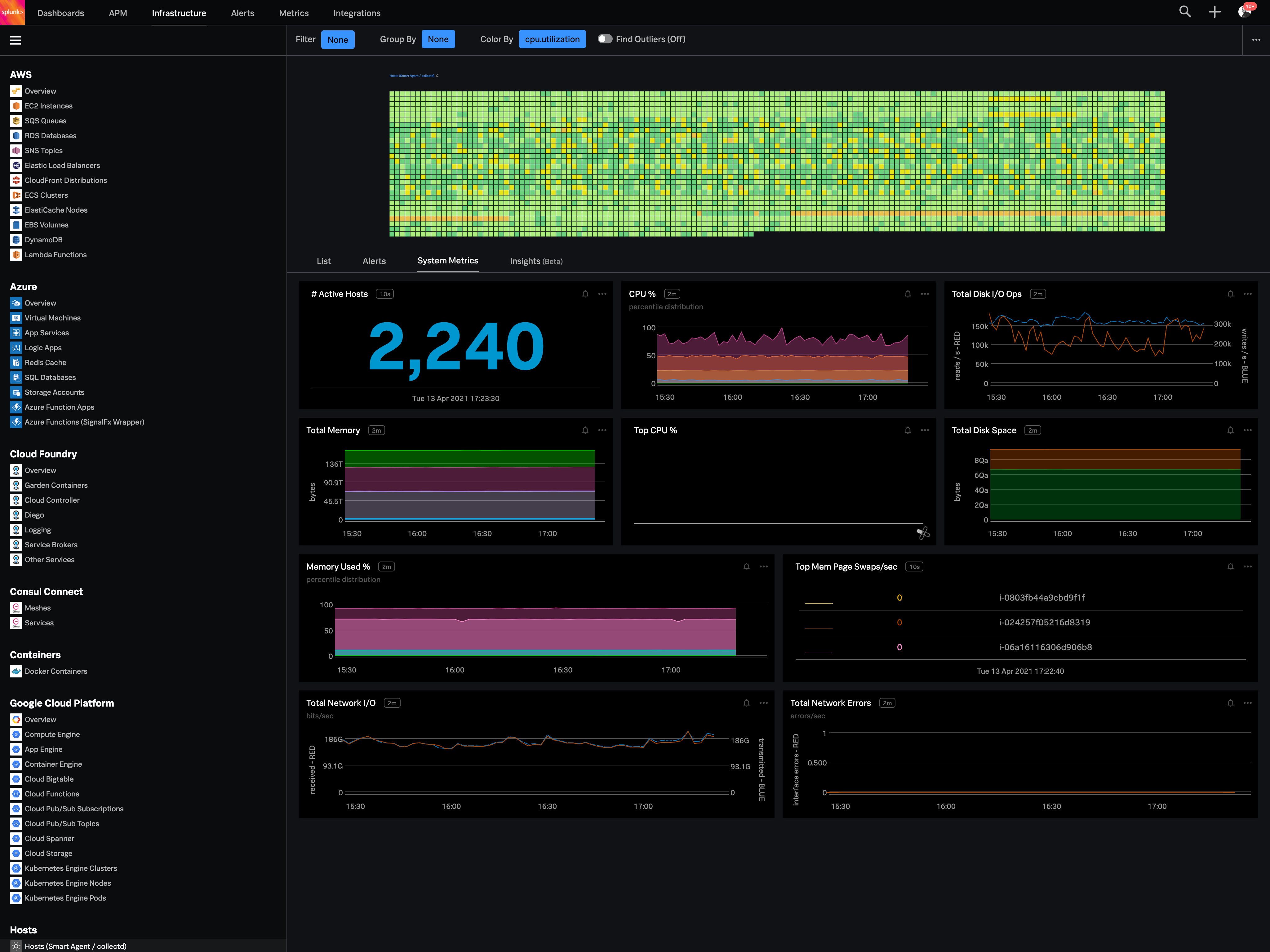
The dashbaord feature of Splunk Observability Cloud, it gives us full flexibility to customize our dashboard with a wide range of predefined chart types.
Now it also supports OTEL, which is a plus point for observability. As now everyone is moving towards Otel and in current market there are only few tools who supports OTEL based integrations, Splunk Observability Cloud is one out of them.
I'd like to see improvements in inventory management. Currently node management isn't as efficient as I'd like.
I also see a big opportunity to offer greater customization in the Detail Tab. I'd like the ability to pick and chose which metrics are displayed by default in the Detail Tab snapshot.
The PagerDuty integration could be a lot better. When you use the PagerDuty integration, it doesn't send any information about which check failed! It just sends a message like "Timeout (> 30s)" -- this isn't very helpful when we have hundreds of checks. We've worked around this by using both the PagerDuty and Slack integrations and having them both post to the same Slack channel. But this means that when an engineer is paged from PagerDuty, they have to go to Slack (or Pingdom) to find the details about the page; it's not available on the page itself.
You can use table-like functionality to generate dashboards, but these queries are heavy on the system.
It could be easier to give insight into what type of line parsing is used for specific documents in a company-managed environment and/or show ways to gain the insights needed.
I would like to see ways to anonymize specific data for shared reports without pre-formatting this in a dashboard on which reports could be based.
Recently added features have made Pingdom less intuitive for our requirements. While Pingdom has a broad offering and remains a good value, it is becoming more than we need. Our customer base is becoming more and more global and Pingdom still lacks Asia-Pacific monitoring, which we will need within a year.
Good: Stable system with low error rate Easy to use for simple use cases Bad: UI is not very clear for complex usage Mobile view (when logged in from phone) is bad No library for .net
Pingdom is easy to use, very intuitive and has a very short learning curve. From the onset, we've been able to jump in and leverage the tool to accomplish our goals for page speed performance and discover the insights we need to make improvements. Its a well-designed tool and makes for a good user experience.
When there is an issue, it’s a win if one can easily identify the root cause. To do the same, it should allow the user to dig deep with multiple data points and compare the data and identify the anomaly. In this use case, it’s good to drive from Splunk 011y.
Support responded the same day to my query, as I was setting the product up but couldn't find the setting I needed. This was successfully resolved in a short time frame, so I was pleased with how quickly we were able to get this resolved. I haven't needed to contact support since.
All tools have their own gaps , some seem to do more than others, some just work better. With UIM we have found a sweet spot with features, price point, pros, cons, etc
PRTG Network Monitor was a far more complicated tool to use and set up albeit it does both Internal and External monitoring. The setup wasn't intuitive and there are too many configuration options to complete to form an alert
Amazon CloudWatch is specific to AWS resources and cannot be easily use outside of the AWS Ecosystem
Splunk Infrastructure Monitoring provides far superior options for anybody using a complex hybrid multi-cloud environment and allows both your SOC and NOC to work together on the same data while driving their own insights. We found other products are still in the old world view of servers and agents residing together within a single data centre, but modern apps are no longer like this.
Business Units love It - Good for them, but worse for the IT Team until we share the responsibility of the dashboards.
If no one put their hands on it, it will take some time to give results. I'm talking about environments with 400 devices, for example, in something about 6 months to one year, if no one is dedicated, and depending on the consulting company. Some, even certified by CA, was not good. If possible, try to use CA services directly.
IT Teams, after they start to notice that the tool really work, will want to monitor everything. Depending on the company, this will be more or less easy to measure, as ROI. And I'm telling this because usually IT teams don't know how to sell them to C-Levels, and the tool, because of the price, is always a motivation to questions like: "What is this tool? Do you really need it? Is there another way to monitor this?"
Honestly, we have 4 other products that overlap this functionality whose organizations provide far superior support. At this point it is an unnecessary expense.
In my opinion, their lack of support responsiveness and commitment has impacted our IT agility.