
Chose BrowserStack
BrowserStack vs. Selenium vs. WebEngage
BrowserStack vs. Selenium vs. WebEngage
| Product | Rating | Most Used By | Product Summary | Starting Price |
|---|---|---|---|---|
 BrowserStack | N/A | BrowserStack is a test platform built for developers and QAs to expand test coverage, scale and optimize testing with cross-browser, real device cloud, accessibility, visual testing, test management, and test observability. BrowserStack states it currently powers over a billion tests a year for customers who include Amazon, Paypal, Well Fargo Bank, Nvidia, MongoDB, Pfizer, GE, Discovery, React JS, Apache, JQuery and several others rely on BrowserStack to test their web and mobile apps. | $0 per month Unlimited users and 5000 free screenshots | |
 Selenium | N/A | Selenium is open source software for browser automation, primarily used for functional, load, or performance testing of applications. | N/A | |
 WebEngage | N/A | WebEngage calls itself a multi-channel user engagement platform. It automates communication across a user's lifecycle and helps companies send messages via these channels: Web Messages In-app Messages Push Notifications Web Push Notification Email Marketing SMS Marketing Facebook Remarketing According to the vendor, cross-device tracking helps keep communication coherent and contextual, making the… | N/A |
| BrowserStack | Selenium | WebEngage | ||||||||||||||||||||||
|---|---|---|---|---|---|---|---|---|---|---|---|---|---|---|---|---|---|---|---|---|---|---|---|---|
| Editions & Modules |
| No answers on this topic | No answers on this topic | |||||||||||||||||||||
| Offerings |
| |||||||||||||||||||||||
| Entry-level Setup Fee | No setup fee | No setup fee | No setup fee | |||||||||||||||||||||
| Additional Details | — | — | Pricing is customised according to the customer usage and requirement. Contact support@webengage.com to know more about pricing plans. | |||||||||||||||||||||
| More Pricing Information | ||||||||||||||||||||||||
| BrowserStack | Selenium | WebEngage | |
|---|---|---|---|
| Considered Multiple Products |  BrowserStack  Abhineet Sharma Specialist in Quality Engineering Chose BrowserStack I have used Saucelabs with Jenkins and would say both of them are really comprehensive. Yet I suggested BrowserStack to our customers and team since I have used it recently and felt it easy to use and implement Tests on it. BrowserStack support team is another reason behind why … |  Selenium | WebEngage No answer on this topic |
| BrowserStack | Selenium | WebEngage | |||||||||||||||||||||||||||||||
|---|---|---|---|---|---|---|---|---|---|---|---|---|---|---|---|---|---|---|---|---|---|---|---|---|---|---|---|---|---|---|---|---|---|
| Automation Testing |
| ||||||||||||||||||||||||||||||||
| Email & Online Marketing |
| ||||||||||||||||||||||||||||||||
| Lead Management |
| ||||||||||||||||||||||||||||||||
| Campaign Management |
| ||||||||||||||||||||||||||||||||
| Reporting & Analytics |
| ||||||||||||||||||||||||||||||||
| Platform & Infrastructure |
|
| BrowserStack | Selenium | WebEngage | |
|---|---|---|---|
| Small Businesses |  TestComplete Score 7.9 out of 10 | BrowserStack Score 8.5 out of 10 |  Vbout Score 9.9 out of 10 |
| Medium-sized Companies |  ReadyAPI Score 6.3 out of 10 | ReadyAPI Score 6.3 out of 10 |  PFL Direct Mail Platform Score 9.0 out of 10 |
| Enterprises |  ignio AIOps Score 8.1 out of 10 | ignio AIOps Score 8.1 out of 10 | PFL Direct Mail Platform Score 9.0 out of 10 |
| All Alternatives | View all alternatives | View all alternatives | View all alternatives |
| BrowserStack | Selenium | WebEngage | |
|---|---|---|---|
| Likelihood to Recommend | 8.9 (244 ratings) | 9.2 (55 ratings) | 7.3 (6 ratings) |
| Likelihood to Renew | 9.1 (19 ratings) | 9.2 (6 ratings) | - (0 ratings) |
| Usability | 7.8 (23 ratings) | 8.8 (6 ratings) | - (0 ratings) |
| Availability | 9.7 (5 ratings) | - (0 ratings) | - (0 ratings) |
| Performance | 5.4 (78 ratings) | - (0 ratings) | - (0 ratings) |
| Support Rating | 7.7 (24 ratings) | 8.3 (11 ratings) | - (0 ratings) |
| In-Person Training | 7.3 (1 ratings) | - (0 ratings) | - (0 ratings) |
| Online Training | 4.2 (3 ratings) | - (0 ratings) | - (0 ratings) |
| Implementation Rating | 8.9 (8 ratings) | 9.0 (3 ratings) | - (0 ratings) |
| Configurability | 8.3 (6 ratings) | - (0 ratings) | - (0 ratings) |
| Contract Terms and Pricing Model | 8.9 (4 ratings) | - (0 ratings) | - (0 ratings) |
| Ease of integration | 8.3 (3 ratings) | - (0 ratings) | - (0 ratings) |
| Product Scalability | 9.8 (6 ratings) | - (0 ratings) | - (0 ratings) |
| Professional Services | 8.9 (4 ratings) | - (0 ratings) | - (0 ratings) |
| Vendor post-sale | 9.0 (4 ratings) | - (0 ratings) | - (0 ratings) |
| Vendor pre-sale | 8.3 (4 ratings) | - (0 ratings) | - (0 ratings) |
| BrowserStack | Selenium | WebEngage | |
|---|---|---|---|
| Likelihood to Recommend | BrowserStack
| Open Source
| WebEngage
 Atul Chaudhary Product Manager |
| Pros | BrowserStack
 Erin Hinnen Technical Project Manager | Open Source
| WebEngage
 Rohit Asesh Deputy Manager - Digital Marketing |
| Cons | BrowserStack
| Open Source
| WebEngage
Rohit Asesh Deputy Manager - Digital Marketing |
| Likelihood to Renew | BrowserStack
| Open Source
 Siddharth Walia Test Engineer | WebEngage No answers on this topic |
| Usability | BrowserStack
| Open Source
| WebEngage No answers on this topic |
| Reliability and Availability | BrowserStack
| Open Source No answers on this topic | WebEngage No answers on this topic |
| Performance | BrowserStack
 Steven Boutcher QA Automation Engineer | Open Source No answers on this topic | WebEngage No answers on this topic |
| Support Rating | BrowserStack
| Open Source
 zahit bogus Business Intelligence & Database Consultant | WebEngage No answers on this topic |
| In-Person Training | BrowserStack
| Open Source No answers on this topic | WebEngage No answers on this topic |
| Online Training | BrowserStack
| Open Source No answers on this topic | WebEngage No answers on this topic |
| Implementation Rating | BrowserStack
| Open Source
 Dmitry Shyshkin Lead QA Automation Engineer | WebEngage No answers on this topic |
| Alternatives Considered | BrowserStack
 Kuman Kothiya Test Lead | Open Source
| WebEngage
Atul Chaudhary Product Manager |
| Contract Terms and Pricing Model | BrowserStack
| Open Source No answers on this topic | WebEngage No answers on this topic |
| Scalability | BrowserStack
| Open Source No answers on this topic | WebEngage No answers on this topic |
| Professional Services | BrowserStack
| Open Source No answers on this topic | WebEngage No answers on this topic |
| Return on Investment | BrowserStack
| Open Source
 Janice Cruz (L.I.O.N.) Quality Assurance Analyst | WebEngage
|
| ScreenShots | BrowserStack Screenshots 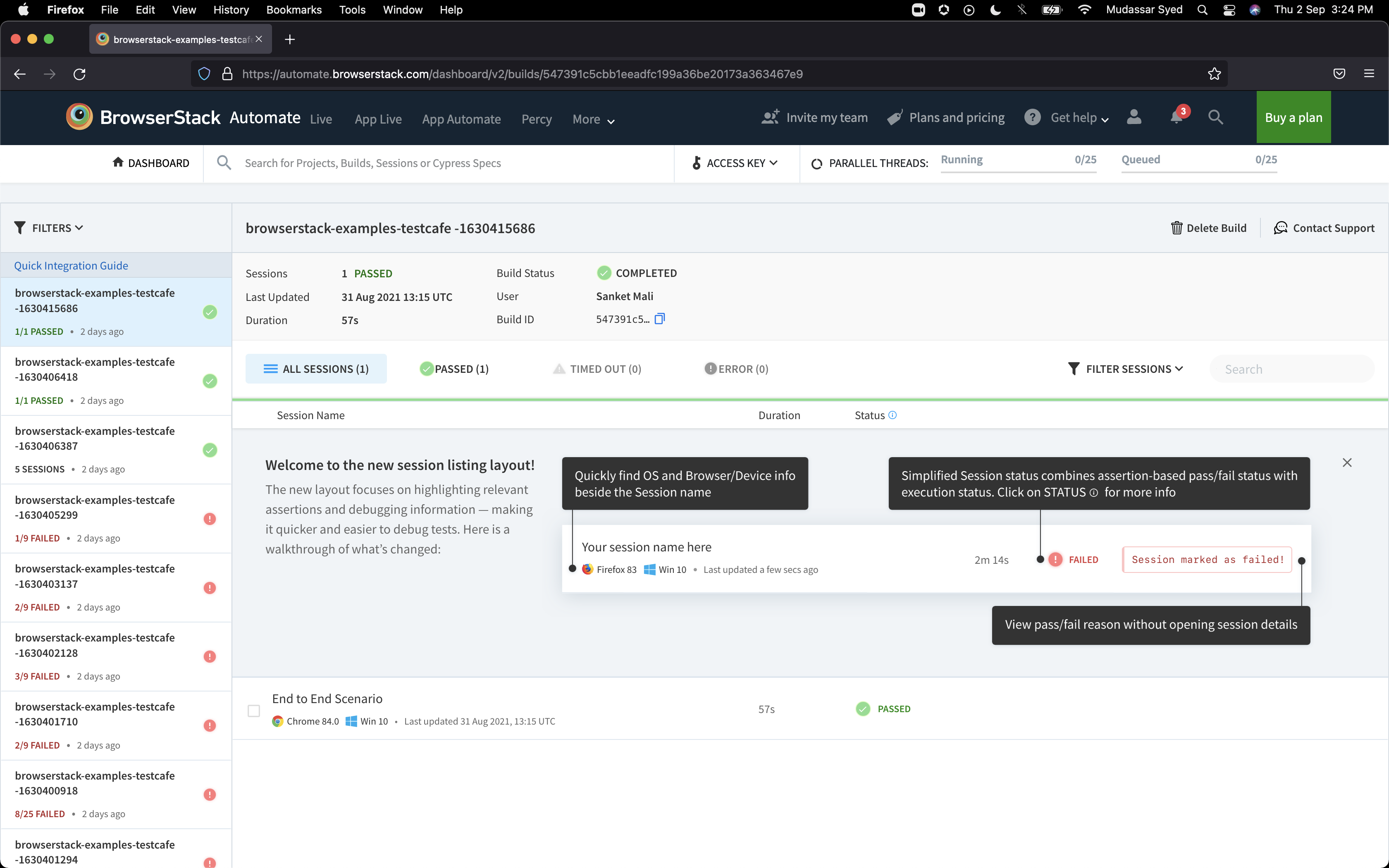 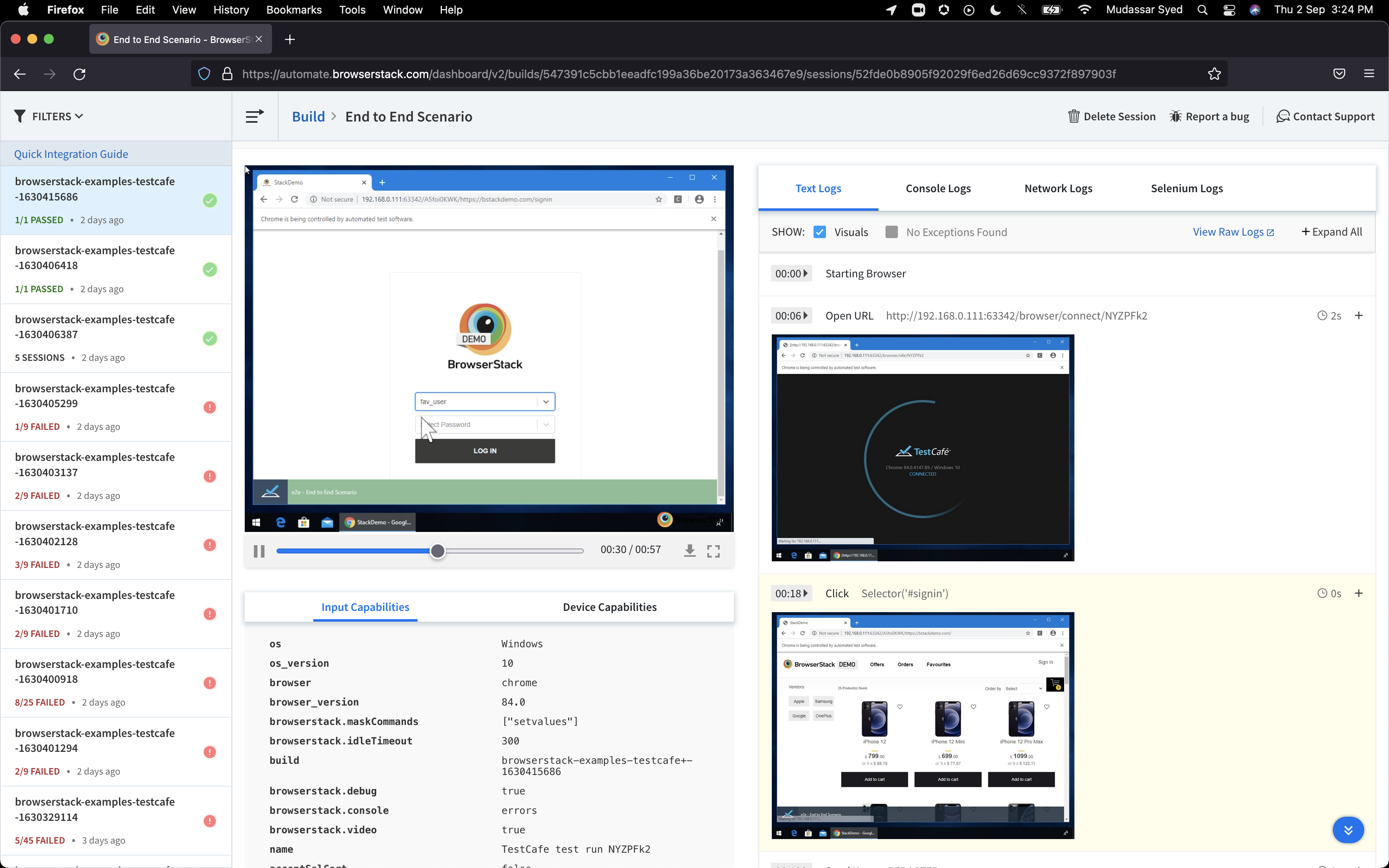 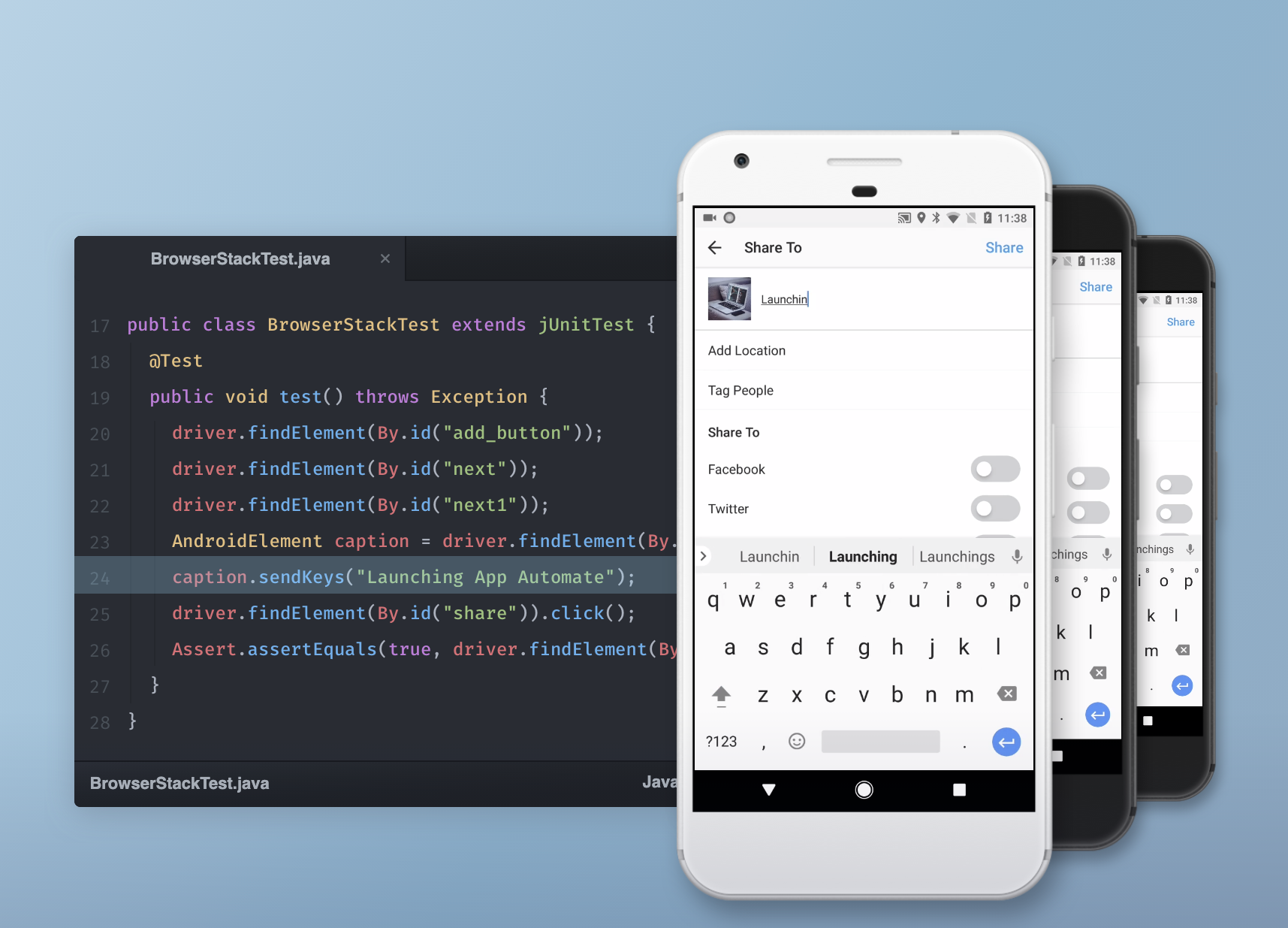  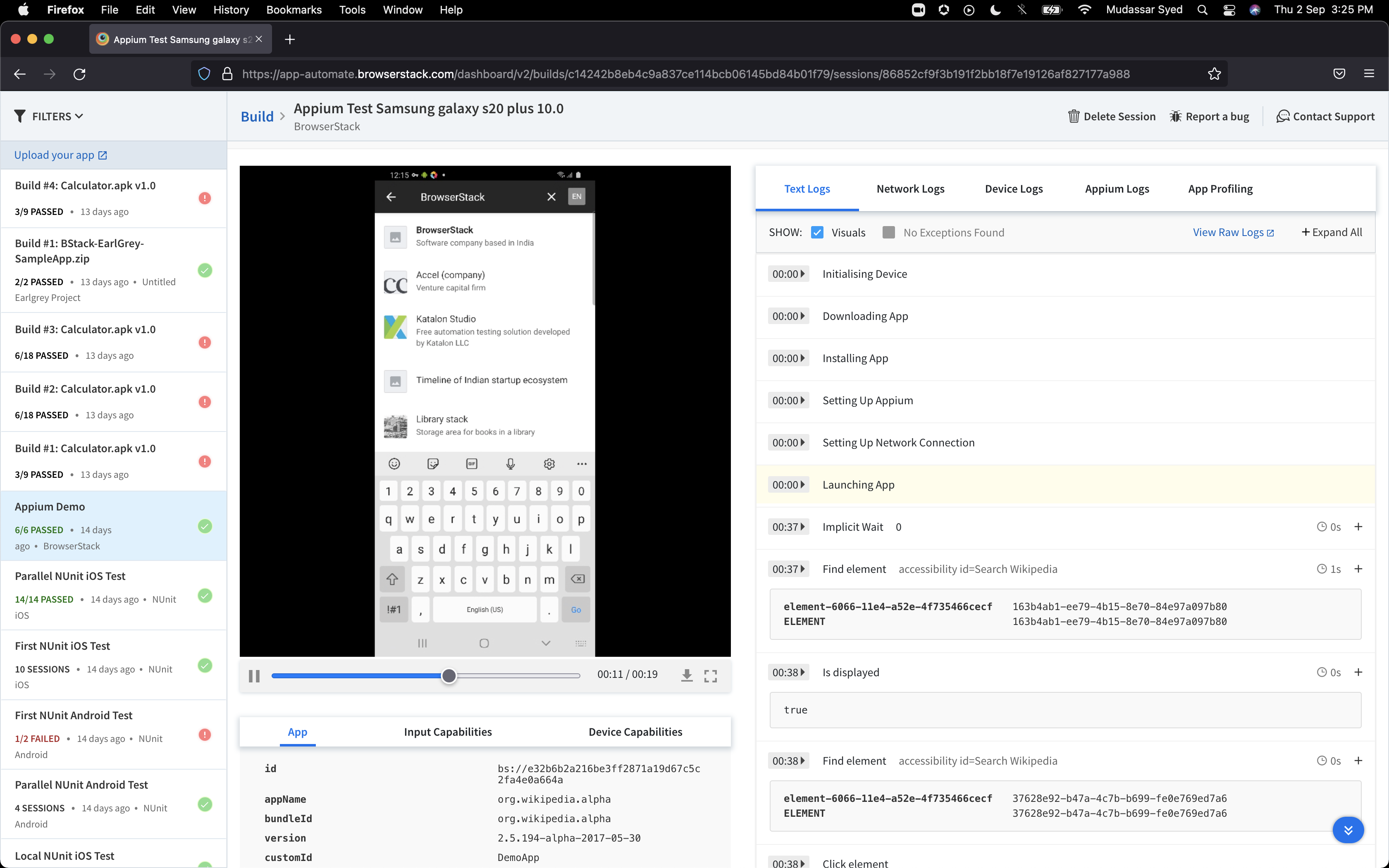 | WebEngage Screenshots  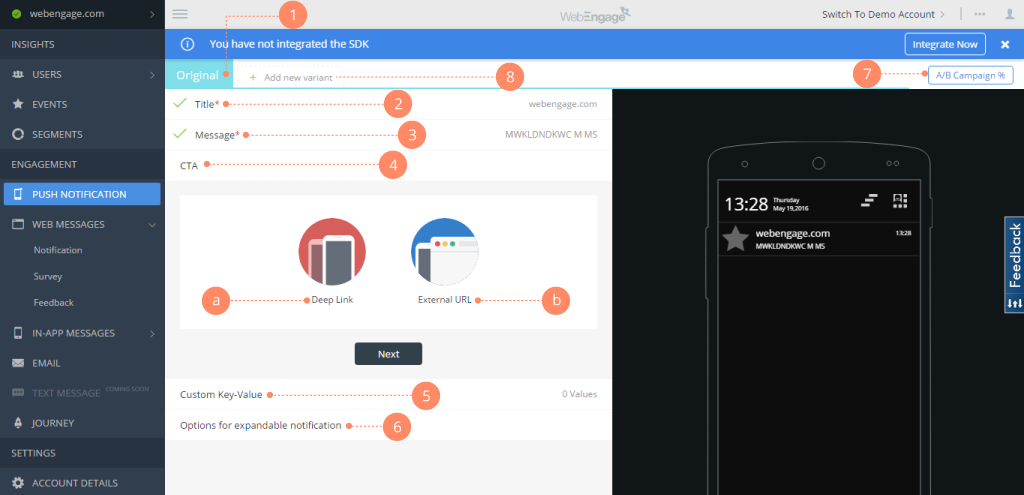    |