Buildertrend vs. QuickBooks Online

Overview
ProductRatingMost Used ByProduct SummaryStarting Price
Buildertrend
Score 7.5 out of 10
N/A
BuilderTrend is a construction management system. It includes functionality for pre-sale, project management, financial management, and customer management processes. It also provides mobile accessibility.N/A
QuickBooks Online
Score 8.1 out of 10
N/A
QuickBooks Online is a SaaS version of the QuickBooks product. It contains all of the features found in the local version. Higher-priced plans include greater automation, payment management, inventory and time tracking, and analytics features.
$38
per month
Pricing
BuildertrendQuickBooks Online
Editions & Modules
Core Subscription
Contact for quote
per year
Premium
Contact for quote
per month
Premium
Contact for quote
Simple Start
$38
per month
Essentials
$75
per month
Plus
$115
per month
Advanced
$275
per month
Offerings
Pricing Offerings
BuildertrendQuickBooks Online
Free Trial
NoYes
Free/Freemium Version
NoNo
Premium Consulting/Integration Services
YesYes
Entry-level Setup FeeNo setup feeNo setup fee
Additional Details
More Pricing Information
Community Pulse
BuildertrendQuickBooks Online
Considered Both Products
Buildertrend

No answer on this topic

QuickBooks Online
Chose QuickBooks Online
Desktop is way cheaper, but QuickBooks Online stays more upto date and is way better at integrating with other software.
Features
BuildertrendQuickBooks Online
Construction Project & Field Management
Comparison of Construction Project & Field Management features of Product A and Product B
Buildertrend
4.3
8 Ratings
53% below category average
QuickBooks Online
-
Ratings
Plan distribution & viewing1.06 Ratings00 Ratings
Plan markups & sharing2.07 Ratings00 Ratings
Issue tracking & punchlists2.28 Ratings00 Ratings
Photo documentation6.18 Ratings00 Ratings
Jobsite reports9.07 Ratings00 Ratings
Document sharing2.38 Ratings00 Ratings
RFI tools8.25 Ratings00 Ratings
Collaboration & approvals4.07 Ratings00 Ratings
As-built drawings8.74 Ratings00 Ratings
Mobile app1.38 Ratings00 Ratings
Submittal design and management3.06 Ratings00 Ratings
Estimating
Comparison of Estimating features of Product A and Product B
Buildertrend
1.2
7 Ratings
145% below category average
QuickBooks Online
-
Ratings
Takeoff tools1.05 Ratings00 Ratings
Job costing1.06 Ratings00 Ratings
Cost databases1.06 Ratings00 Ratings
Cost calculator1.17 Ratings00 Ratings
Bid creation2.07 Ratings00 Ratings
Payroll Management
Comparison of Payroll Management features of Product A and Product B
Buildertrend
-
Ratings
QuickBooks Online
8.1
121 Ratings
7% above category average
Pay calculation00 Ratings8.4110 Ratings
Benefit plan administration00 Ratings7.260 Ratings
Direct deposit files00 Ratings8.5101 Ratings
Salary revision and increment management00 Ratings8.274 Ratings
Reimbursement management00 Ratings7.981 Ratings
Customization
Comparison of Customization features of Product A and Product B
Buildertrend
-
Ratings
QuickBooks Online
7.1
112 Ratings
6% below category average
API for custom integration00 Ratings7.193 Ratings
Plug-ins00 Ratings7.094 Ratings
Security
Comparison of Security features of Product A and Product B
Buildertrend
-
Ratings
QuickBooks Online
8.4
185 Ratings
2% above category average
Single sign-on capability00 Ratings8.5150 Ratings
Role-based user permissions00 Ratings8.3175 Ratings
Reporting & Analytics
Comparison of Reporting & Analytics features of Product A and Product B
Buildertrend
-
Ratings
QuickBooks Online
8.2
211 Ratings
5% above category average
Dashboards00 Ratings8.3198 Ratings
Standard reports00 Ratings8.5205 Ratings
Custom reports00 Ratings8.0189 Ratings
General Ledger and Configurable Accounting
Comparison of General Ledger and Configurable Accounting features of Product A and Product B
Buildertrend
-
Ratings
QuickBooks Online
8.0
228 Ratings
5% above category average
Accounts payable00 Ratings8.8194 Ratings
Accounts receivable00 Ratings8.8211 Ratings
Cash management00 Ratings8.1194 Ratings
Bank reconciliation00 Ratings9.0217 Ratings
Expense management00 Ratings8.4201 Ratings
Time tracking00 Ratings6.994 Ratings
Fixed asset management00 Ratings8.094 Ratings
Multi-currency support00 Ratings7.548 Ratings
Multi-division support00 Ratings7.379 Ratings
Regulations compliance00 Ratings7.977 Ratings
Electronic tax filing00 Ratings8.1112 Ratings
Self-service portal00 Ratings7.5124 Ratings
Global Financial Support00 Ratings6.840 Ratings
Primary and Secondary Ledgers00 Ratings8.169 Ratings
Intercompany Accounting00 Ratings8.070 Ratings
Localizations00 Ratings7.954 Ratings
Journals and Reconciliations00 Ratings8.5140 Ratings
Enterprise Accounting00 Ratings7.159 Ratings
Configurable Accounting00 Ratings7.986 Ratings
Centralized Rules Framework00 Ratings7.757 Ratings
Standardized Processes00 Ratings8.8104 Ratings
Inventory Management
Comparison of Inventory Management features of Product A and Product B
Buildertrend
-
Ratings
QuickBooks Online
6.9
88 Ratings
6% below category average
Inventory tracking00 Ratings6.783 Ratings
Automatic reordering00 Ratings7.146 Ratings
Location management00 Ratings7.353 Ratings
Manufacturing module00 Ratings6.636 Ratings
Order Management
Comparison of Order Management features of Product A and Product B
Buildertrend
-
Ratings
QuickBooks Online
7.9
140 Ratings
5% above category average
Pricing00 Ratings8.090 Ratings
Order entry00 Ratings7.886 Ratings
Credit card processing00 Ratings8.4108 Ratings
Cost of goods sold00 Ratings8.4106 Ratings
Order Orchestration00 Ratings7.446 Ratings
End-to-end order visibility00 Ratings7.949 Ratings
Order exception Resolution00 Ratings7.542 Ratings
Best Alternatives
BuildertrendQuickBooks Online
Small Businesses
FollowUp CRM
FollowUp CRM
Score 1.9 out of 10
QuickBooks Self-Employed (discontinued)
Score 6.1 out of 10
Medium-sized Companies
InEight
InEight
Score 8.3 out of 10
Zoho Books
Zoho Books
Score 9.1 out of 10
Enterprises
InEight
InEight
Score 8.3 out of 10
Oracle Fusion Cloud Enterprise Performance Management
Score 7.5 out of 10
All AlternativesView all alternativesView all alternatives
User Ratings
BuildertrendQuickBooks Online
Likelihood to Recommend
10.0
(11 ratings)
8.3
(230 ratings)
Likelihood to Renew
-
(0 ratings)
9.4
(27 ratings)
Usability
9.7
(4 ratings)
8.4
(146 ratings)
Availability
-
(0 ratings)
9.0
(6 ratings)
Performance
-
(0 ratings)
1.0
(5 ratings)
Support Rating
10.0
(1 ratings)
9.8
(70 ratings)
Implementation Rating
-
(0 ratings)
9.9
(7 ratings)
Configurability
-
(0 ratings)
1.0
(2 ratings)
Contract Terms and Pricing Model
-
(0 ratings)
5.0
(1 ratings)
Ease of integration
-
(0 ratings)
1.3
(2 ratings)
Product Scalability
-
(0 ratings)
2.0
(3 ratings)
Professional Services
-
(0 ratings)
5.0
(1 ratings)
Vendor post-sale
-
(0 ratings)
5.0
(3 ratings)
Vendor pre-sale
-
(0 ratings)
5.0
(3 ratings)
User Testimonials
BuildertrendQuickBooks Online
Likelihood to Recommend
Buildertrend
Buildertrend was made for a specific industry (building) and so I would recommend it to anyone in that industry, with the exception of Sales and Marketing. But for everything else from the financing to the permitting to the construction and all else, Buildertrend is exactly what our team has used and will ALWAYS use. Even with our decision to use other systems for Sales and Marketing, we have never given one thought to taking Buildertrend out of our process. We will always be with Buildertrend.
Read full review
Intuit
QBO is a great solution for small and midsize companies. If the goal is to record all transactions and pull reliable financial reports, QBO is a great option. QBO is also a great solution if most operations are run in a system like Ramp. It syncs well with systems like that and turns the data into something management can use to make decisions. QBO is great because so many people use it. It is easy to find training online, and many people have experience with it.
Read full review
Pros
Buildertrend
  • Manages in one place - crucial for organization.
  • Professional, across the board it provides companies with a seamlessly organized and flawless presentation - to subs/vendors/owners/etc.
  • Time Saver - you don't have to dig around through files/create templates/flip through your contact binder - it's all there.
  • Practical tools- designed for contractors. You get what you need - period.
Read full review
Intuit
  • Workflows for accounts payable invoice review are terrific.
  • Bill payment allows you to pay vendors online via ACH or check without having to write a physical check, which reduces admin time.
  • The cloud based login lends well to a remote or hybrid work environment for staff.
  • QuickBooks Online allows you to pre-configure vendors' general ledger expense accounts. This helps with general ledger coding accuracy and consistency.
  • QuickBooks Online integrates with Rippling HRIS, Coast, Capital One, JPMorgan Chase, etc., which lends well to an efficient month-end closing and reduced administrative time.
Read full review
Cons
Buildertrend
  • Onsite consultants. There is a demand for this service that is great enough to allow outside BuilderTrend Super-Users like me to partner with BuilderTrend and make this a reality.
  • As their company grows, their support needs to grow as well.
  • Provide incentives for Super Users that are helping BuilderTrend acquire new business. Advocates should be their best friend.
Read full review
Intuit
  • I dislike that the online bill pay option through QuickBooks is required for their invoicing.
  • The auto-fill portion of the customer setup, specifically the company name, is listed, but it also auto-fills in the name portion, which is inconvenient and time-consuming to remove.
Read full review
Likelihood to Renew
Buildertrend
No answers on this topic
Intuit
It like the product 'right out of the box' and I trust Intuit will continually improve it over the years based on my experience with their desktop products. The large providers of Apps makes customizing the entire package relatively easy and seamless for a wide variety of business types.
Read full review
Usability
Buildertrend
Its simple to use and intuitive. The level of support that we have from online videos, to access to customer support, and the ability to call anyone at anytime on the main line has been invaluable to utilize and not get stuck on something you don't know yet. We've never not had anyone that couldn't respond in time for us.
Read full review
Intuit
Beyond being overkill for a small org's needs, QBO is constantly stealing screen real estate and attention by hammering users for account upgrades, connecting to one of their approved consultants or buying add-ons. The idea of using a simple configurable bookeeping and light accounting interface is completely missing. At the very least, we should be able to hide functions like inventory that we will never use.
Read full review
Reliability and Availability
Buildertrend
No answers on this topic
Intuit
We have rarely had outages in the last 10 years. I can only recall 2 times in the last 10 years where we were not able to access our client files.
Read full review
Performance
Buildertrend
No answers on this topic
Intuit
Everything process has its bugs lately with the new interface. Nothing has worked smoothly since this all began last month.
Read full review
Support Rating
Buildertrend
I highly recommend. The only suggestion I have would be to offer a free trial. They do offer a 30 day money back guarantee. The price point isn't daunting if you have had a 100 % no strings attached/no effort to cancel or try to remember to get your money back - no strings attached chance to try out the product. Especially for such a big purchase decision, I think Buildertrend would see an incredible increase in sales. They have the value and companies just need a chance to see it first hand.
Read full review
Intuit
In my experience, most representatives keep me on the phone for hours, literally, for a single issue and then usually cannot resolve it satisfactorily. I have 10 open cases that need resolution and, in my experience, there has been NO follow-up communication on any of them.
Read full review
Implementation Rating
Buildertrend
No answers on this topic
Intuit
The person in charge of QB needs to be very accurate with record keeping and is recommended to stay on top of tasks. The biggest issue we have is reconciliation, and those issues occur only when too much time has occurred between reconciliations
Read full review
Alternatives Considered
Buildertrend
The program has outstanding customer service. With project scheduling, project management, financial management, customer management, and service management capabilities in a single suite, there's really not much this program can't do! Owners generally love the use of this software as well, giving them the ability to view daily logs, photos, schedules, etc.
Read full review
Intuit
As a freelance bookkeeper, the Desktop version of QuickBooks Online doesn't allow for ease of access from any device. Having to be on a computer with the software downloaded creates additional work to gain access to all required filings etc. Also, I personally find the linking functionality on the Online version to be much more streamlined and user friendly.
Read full review
Scalability
Buildertrend
No answers on this topic
Intuit
As we have grown along our professional path, we have also expanded our use of QB. The scalability is easy and features seem to be waiting for you until you need them. We have increased profits by over 10x from our first year in business to the current and have yet to find a reason to look elsewhere
Read full review
Return on Investment
Buildertrend
  • The prior year cost me roughly $4300, which was barely reasonable for my volume. Some clients liked the format, some hated it and didn't participate. In my experience, few subcontractors or suppliers embraced the program, severely limiting the effectiveness.
  • For the coming year the fees would have exceeded $17,000, far too much for a program with limited client, employee, and subcontractor appeal with as small a volume as I have.
  • Honestly, for the last year, I feel they've been a burning tire hung around my neck and I regret not cancelling them in early 2019, I'd have $10,000 more in my pocket and no significant negative impact.
  • I did appreciate the daily log as a way to report on progress, but less than half my clients made use of this option.
Read full review
Intuit
  • QuickBooks has given us a useful portal by which to get an overview of our financials.
  • QuickBooks has given us a relatively easy way to send out invoices quickly and efficiently.
  • Due to the customization limitations on QuickBooks, we've had to get creative in third-party implementations to better represent our brand and to track financials.
Read full review
ScreenShots

Buildertrend Screenshots

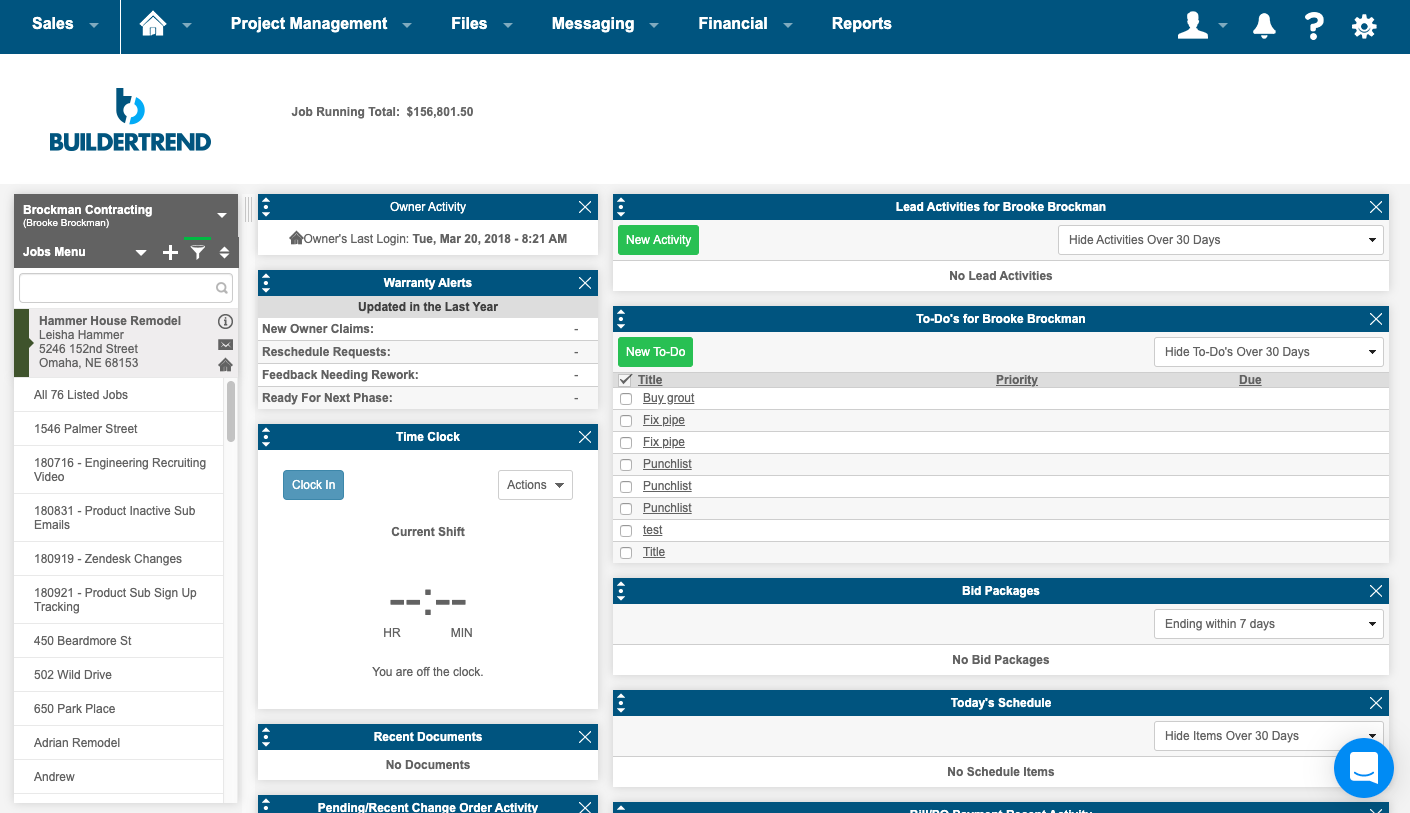
Screenshot of the homeowner portalScreenshot of a summary pageScreenshot of the scheduling interface & Gantt chartScreenshot of photos

QuickBooks Online Screenshots

Screenshot of the accounting and bank transactions interfaceScreenshot of an overview of the accounting inventoryScreenshot of book marksScreenshot of the business tax overviewScreenshot of the customer hubScreenshot of the dashboard