Capsule is a CRM solution for businesses of up to 1,000 employees. The vendor boasts over 10,000 businesses globally as customers, who choose it as the platform to deliver success across their sales and customer facing teams. Capsule is presented as easy to use and quick to adopt. It also integrates with a growing range of popular apps, including Google G Suite, QuickBooks, MailChimp and Zapier. A free trial is available, and paid plans are available from $18 per user, per month.
$18
per month per user
Vincere
Score 3.3 out of 10
N/A
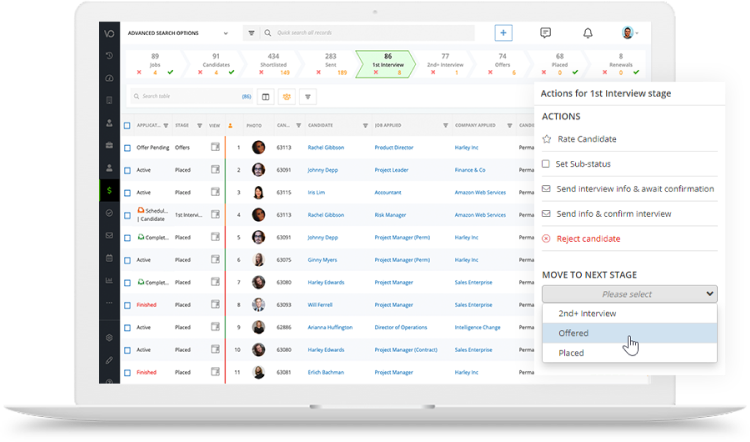
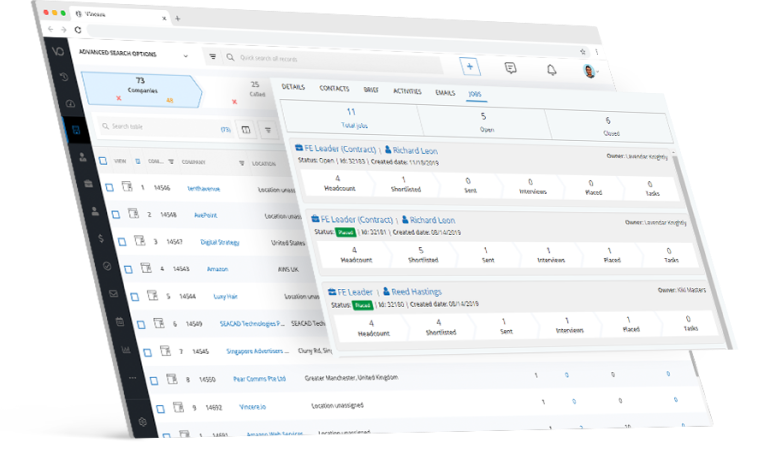
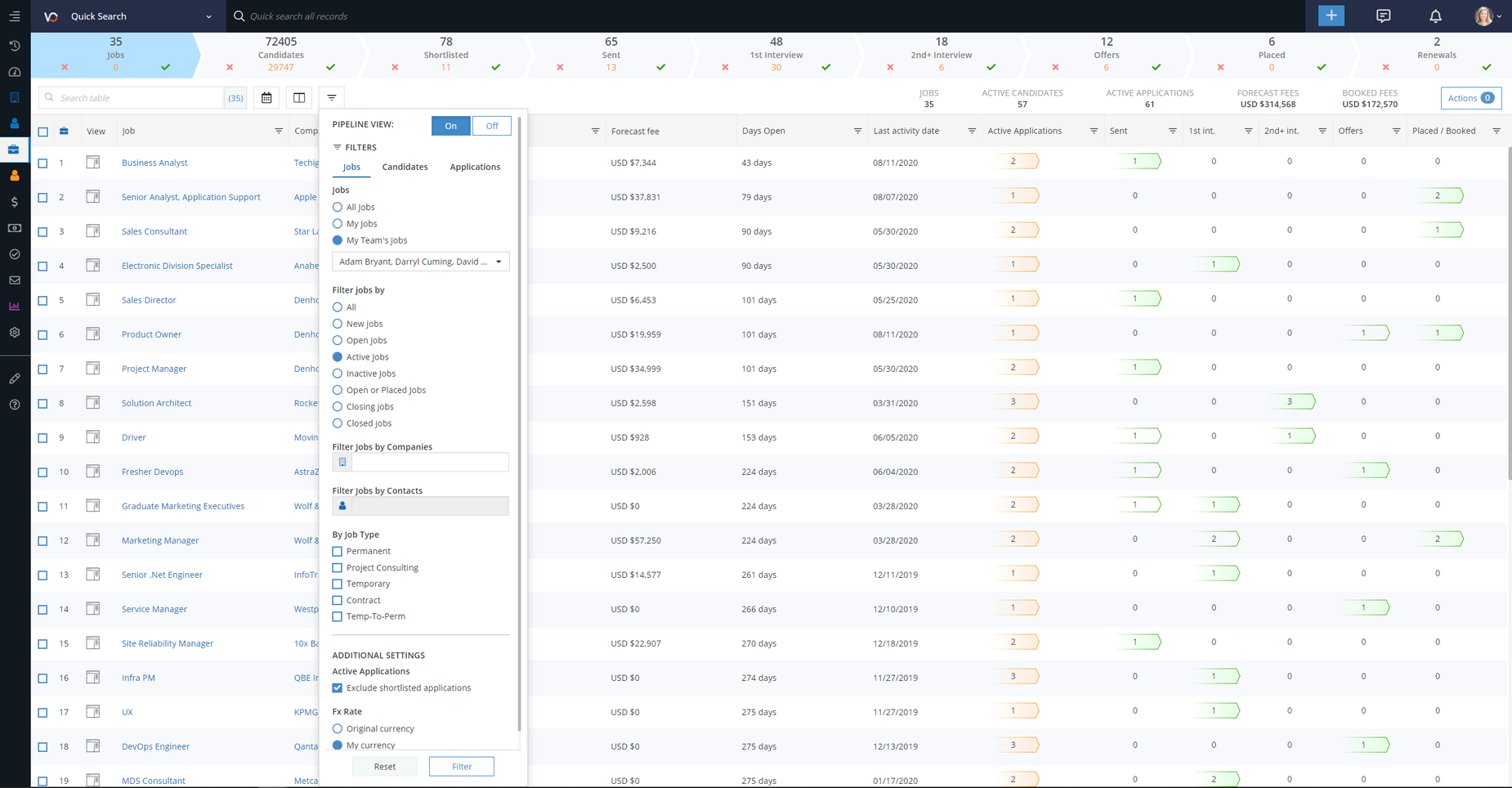
Vincere is a Recruitment Operating System for recruitment & staffing agencies worldwide. It includes a core suite of modules, and users can expand their tech capabilities with pre-integrated Access Group products from Website Design (powered by Volcanic) to Screening and Pay & Bill (powered by FastTrack360). The solution helps users unite front, middle and back office on a single recruitment tech platform.
N/A
Pipedrive
Score 8.5 out of 10
N/A
Pipedrive is a customer relationship management (CRM) software built to help small teams to drive sales.
$24
per month per seat
Pricing
Capsule CRM
Vincere
Pipedrive
Editions & Modules
Professional
$18
per month per user
Teams
$36
per month per user
Enterprise
$54
per month per user
No answers on this topic
Essential
$24
per month per seat
Advanced
$49
per month per seat
Professional
$69
per month per seat
Power
$79
per month per seat
Enterprise
$129
per month per seat
Offerings
Pricing Offerings
Capsule CRM
Vincere
Pipedrive
Free Trial
Yes
No
Yes
Free/Freemium Version
Yes
No
No
Premium Consulting/Integration Services
No
No
No
Entry-level Setup Fee
No setup fee
Optional
No setup fee
Additional Details
—
—
Monthly plans are available. The Essentials monthly plan at $24 per month.
We chose Capsule CRM over Zoho CRM due to the various modules that it would take for Zoho CRM to work for our firm. Additional Zoho modules would have been needed (Zoho CRM and Projects) to make it work for us which in turn requires additional management. With Capsule CRM, …
UNLIKE OTHER CRM, Capsule CRM incorporates the latest business technologies into a single solution. It is the best application for promoting our business. The level of communication with clients is outstanding. We can get a quick and accurate read on anything by simply …
Capsule CRM is an excellent application to compensate for the latest business technologies in one solution as compare to other Oracle CRM. There is nothing as good as this application in forming a solid framework for business promotions. The communication with clients is …
We simply could not afford to use the other platforms and felt this was the best choice for now! And, we're really happy with our decision because it includes everything we had wanted, and at a better price. We refer a lot of clients to this product and train them on how to use …
Capsule CRM feels modern, quick and on-the-ball with its layout, features and integration options. It also has an intuitive feel making it easy to adopt from an alternative system.
It stacks up pretty well in basic features but lags behind in terms of CRM features and support, there is a lack of features as compared to the multitude of these software and support only exists over mail, a live chat feature would be much appreciated, integration with …
We have researched various other programs including Zoho CRM, HubSpot, Salesforce and Insightly. Each has its pros and cons, but we chose Capsule CRM due to their integration with our email marketing and accounting software and the scalability of the product for our small …
Capsule CRM is a great lightweight CRM that is easy to use and has all the features a small CRM would need. The free version is really great for a company not ready to start paying for a CRM but just needs to use a CRM for a feature like contact management.
SuiteCRM, & SugarCRM were the other final contenders when I chose Capsule CRM. I don't remember what was the final factor in making a decision, but I know that the amount of database you can get for free was really my main consideration, and the ability to grow into the paid …
Salesforce was a complete failure for us because it did way too much. The learning curve was too steep, it was too expensive, and it didn't fit us overall (we're a very small business). Insightly was clumsy and didn't have the flexibility (and huge amount of integrations) that …
I find vincere much easier to use, and I've found the support team infinitely faster and more knowledgable. On my previous platform I had a business restructure, and in changing my arrangement with the ATS provider, I had multiple, massive issues. I've not had any issues with …
Against JobAdder a similar product but independent of NZ job boards. Against Bullhorn a similar product but less expensive in terms of cost and integrations. This becomes more important as you scale our business.
Having recently migrated to Vincere, our team received demonstrations and sales presentations from 2 other competitors. We were by far impressed by many of the Vincere features, the support on offer, the ability to add on further integrations and the mobile app with built in …
Vincere is a super powerful tool for recruitment. Recommend to both newcomers and existing users who are not Vincere. Minimize a lot of administration.
Managing Director / Specialist Recruitment Consultant - Recruitment
Chose Vincere
I have used about four different recruitment systems over my 13 years in recruitment and what the others didn't offer me I found in Vincere, and this is why I made the decision to go with them.
I selected Vincere as it offered everything (on paper and in the demo) that Bullhorn did for half the price (the market leader at the time). I should have realised not every deal is a deal. The product from month one displayed performance issues with the speed of the product …
The interface and the bulk-activities. Even though the others are more customizable, Vincere.io definitely gives you plenty of freedom when doing other tasks.
We came very close to signing with Bullhorn. To be fair it looks like a good system but we've heard stories from contacts of ours who have been burned by them. Also, we dealt with about 4 different salespeople during the sales cycle which didn't sit well with me. After being on …
Bullhorn were so slow to get us a proposal that they missed the boat. Plus, the costs were just too high for us to justify. The product looks good but I had doubts about their ability to follow through with decent support as I've heard horror stories about them over promising …
Salesforce is more complex, visually Pipedrive is easier to look at at a glance to see where your opportunities fall in the stages in your funnel; whereas salesforce is not as visually appealing. Pipedrive is better for smaller businesses and more price effective than some of …
The reporting tools with Pipedrive are immensely more advanced and customizable than Clio Grow. We are able to adjust and tweak the reports to make sense for our firm specifically whereas with Clio Grow, you were sort of stuck with the default reports. Pipedrive beats Clio Grow …
Overall compared to SFDC and other CRM tools Pipedrive stacks up very well when it comes to ease of use and usability. It needs a bit better more robust reporting compared to some of the other tools. But for the cost and value provides I'd rank Pipedrive very highly in …
Pipedrive has a simpler interface and focuses on sales initiatives rather than digital marketing efforts which is something that our sales team needs. Pipedrive offers a good level of flexibility when it comes to customizations and they are always open to adding new features.
Pipedrive has an excellent UI, email tracking features, and the ability to display contact information and notes about each individual. It allows us to integrate other systems with a high degree of automation, which is crucial to our workflow. Easy to pick up and use, with …
We switched from Microsoft Dynamics to Pipedrive because Pipedrive was more cost effective and gave us more control over the custom fields we could make that applied directly to our company. It also was a much easier software to navigate and the sales team was using it a lot …
Pipedrive's integrations are so much better. Pipedrive has a much better user interface, the email tracking functionality is very handy, Pipedrive has a better interface in displaying people's contact details and our notes on them, and most importantly, Pipedrive allows us to …
It is easier to use and more specific. I think HubSpot has a lot and can be overwhelming or confusing at the start. It is cheaper, and the automation is easier to configure. I think it is a better option to start with Pipedrive software. Try it and check for yourself.
Pipedrive is less complex and far more affordable. It is missing some of the marketing tools (email marketing, adspend tracking, etc.) But for a small team this tool is far superior. It cuts out the fluff and focuses on helping you manage a pipeline. And the cost is a million …
The difference between this CMR software and similar ones is that Pipedrive is much more complete in terms of features that can be exercised in different job roles such as consulting, human resources management and marketing.
Pipeline Deals - prior to Pipedrive we tested Pipeline Deals. these two products are similar as in they are made for small/mid-sized businesses. We felt that Pipedrive was more intuitive and easier for our companies needs. The deal tracking was a real decision-maker for us. …
I much prefer the interface of Pipedive when compared to Zoho. Much more user friendly and the team is always readily available when we need them. Pipedrive allowed for many custom integrations to be added, as Zoho was a tad more complicated to manipulate. We would not go back …
Pipedrive is much more intuitive, fast, easy to understand and to keep tracking, BUT, it's not as customizable, as good for marketing automation, it doesn't use AI. Salesforce was the most customizable CRM I ever used, that was amazing, we could adapt to every business, but the …
Pipedrive stands ahead of SugarCRM in its ease of use, its simplicity and zero overhead information that is not needed in order to manage your leads. Pipedrive is our preferred tool since it has everything you would really need is a pretty simple, clean, and easy to use and …
Pipedrive was being used by a sister company and recommended. Not sure how a one on one trial would go. I like Outlook for email and Pipedrive is weak when synching with Outlook
Pipedrive is extremely lightweight, but extremely powerful as you get deeper into it. My 61 year old father will use it, when he won't even use email on desktop. Pipedrive is inexpensive and easy to adopt. It's also easy to adapt, adding custom fields, deal stages, and other …
Pipedrive is extremely simple with the pipeline management, but more time-consuming than necessary for even simpler tasks like browsing through contacts or organizations, and especially making changes to those contacts or organizations. If they were able to make it so that you …
Pipedrive is nowhere near as capable as Salesforce, but it's also much easier to manage. I think of Pipedrive as a simple version CRM that is good for managing inbound lead's interests in an organized way. When you have a larger sales structure with different components and …
Pipedrive was the best option for our company because the price is right for a small company! Before Pipedrive, we were just tracking sales in excel spreadsheets, and Pipedrive I believe is the next best step if you want to graduate from spreadsheets, but not take your company …
Using Capsule CRM, businesses can have a perfect CRM solution without the risk of being forced to pay on a monthly subscription basis. Compared to other customer relationship management apps, it has a wide range of unique features. Functional and cost-effective are the main advantages. Because we're a small company, its simplicity appeals to us greatly. For a limited time, start-ups can store up to 250 contacts in the free version. Capsule CRM is well-suited to Gmail and offers many other integration possibilities. Even though it lacks some more powerful CRM features, the Capsule platform makes up for this with a widespread list of integrations.
The training videos are a great tool for someone new to the system, and lines up really well with the ease of use that the system demonstrates overall - my team all watched these over the course of a week and became fairly proficient in using the system before we had it rolled out. Previously systems i have used haven't allowed for the extraction of financials in enough detail from the system. Vincere allows us to break our data down by contingent and retained, then by stage in order to truly see our pipeline in detail.
Pipedrive's lead management features are top-notch, particularly the ability to automate email correspondence and receive alerts when necessary. It has an excellent pipeline, opportunity management, and sales automation without coding: —Exceptional cost-effectiveness. —User-friendliness. —Usability. —Top-notch search filter. However, its speed could be increased because adding new actions requires numerous taps and swipes.
Capsule is very easy to use. You can just jump in and learn as you go. There are advantages to really learning the ins and outs, but for those who aren't sold on a CRM to begin with it's good for just getting them started. It is what you make of it--you can use the most basic features or really dive in to the many functionalities.
The UI is clean and intuitive. We don't get easily overwhelmed while using it.
Capsule has a very robust contact management system. It allows for the generation of very specific lists within existing contacts, which is good if the user has to keep track of thousands of individuals and companies. There is a tagging feature that is great for further organizing contacts.
I like that there is a simple workflow option. I encourage the sales guys to make use of this "Tracks" feature, and they often do (but if they don't, it's not the end of the world, which is nice). It provides custom sets of tasks that are created as soon as you start an opportunity or a case.
Capsule has a LOT of integrations, which is great if you're looking to expand what you do with your CRM. We got Capsule just to keep track of the sales pipeline, but now that everyone's on board with the concept of a CRM (they weren't sold at first!) we can look into implementing more robust programs that can "talk to" Capsule.
Being independent of major New Zealand job boards means increased security of information. It is more difficult for the duopoly job boards here to assess where our candidate applications originates from. This is relevant given the involvement one prominent job board has with a competing ATS system.
Great visual visibility of the funnel plus easy to drag the deals across the stages
The email integration that collects all relevant communication (also through the possibility of adding a deal-specific Pipedrive address on BCC)
The integration with Pandadoc, which we use a lot, so that Pipedrive keeps a really handy overview of the documents we have sent out / which have been signed
Its integration with Mail chimp is not smooth. Also, it does not allow to list contacts alphabetically which is a great downside of this tool. It does not contain some essential marketing features.
It needs to improve the user interface and make it more productive especially on the calendar view.
The contact sorting is quite disappointing. It would be nice if it allows users to set screen filters.
I would like to see the the recruitment process automated (e.g., when you move a candidate through the process that their status updates automatically and you don't need to do it manually yourself). When a candidate is going for an interview, the status at the top of their profile should automatically update. Then when they go for their first Interview, the status should automatically update and so on. Now you need to manually go and update all this, which is time consuming and can sometimes be forgotten.
The copy and paste function should be updated so that it can be used on all screens no mater where in the system you are, as not everyone knows how to do CRV files, etc. Copy/paste saves time for someone like me.
Showing the customers name on the pipeline page. Right now I can only get it to show the brand name twice. I wish it would replace the second brand name with the main point of contact.
Better reporting tools. Their reporting tools are not easy to pick up. I've spent time trying to figure it out and it isn't something I can pick up on quickly.
Better training options. I wish I had a personal trainer to walk me through the best way to use Pipedrive so I can get the most out of it.
Great candidate management. A UI that could do with further visual development. Easy to use functions and great support from the Vincere team. Slightly clunky process for making a placement. Great candidate pics and star ratings. Overall easy of use that drives good adoption from my team
There is a learning curve that caused a slow adoption but overall the UI looks great and the support is helpful when there is an issue that you need to be addressed. The marketplace integrations (developed by Pipedrive) could definitely use some work as they're not as seamless as we'd hoped for!
Capsule CRM effectively specifies the causes of any project's disadvantage and problem-solving. This application is effortless because of its genuine approach to business empowerment. Everything is easily accessible with a single click. Our clients will appreciate our technical and user-friendly promotions. Furthermore, it is well worth our company's time to run.
Our Implementation Consultant Alan is super helpful 10/10 recommend!! If I have a question he gets in contact super fast. If he does not have an answer right away he talks to other departments and gets back in thouch within 48 hours. He was definitely the most helpful person out of everyone we talked to
Between quick video tutorials and having very quick feedback from their support teams, it is one of the main reasons I would recommend Pipedrive. It is critical, especially when setting up the platform to meet your companies needs, that a solid support team like Pipedrive has is there to make the transition easier.
I find vincere much easier to use, and I've found the support team infinitely faster and more knowledgable. On my previous platform I had a business restructure, and in changing my arrangement with the ATS provider, I had multiple, massive issues. I've not had any issues with Vincere thus far
The reporting tools with Pipedrive are immensely more advanced and customizable than Clio Grow. We are able to adjust and tweak the reports to make sense for our firm specifically whereas with Clio Grow, you were sort of stuck with the default reports. Pipedrive beats Clio Grow hands down.
Capsule CRM software not only interprets with resource planning but maintains the customer relationship at its peak.
This software is altogether a big package to promote and control the business movements on a high scale
This application tends to work with all versions but, there is no plan to cop up with the R13 version so, the latest version should have all effects to compensate for the business dealings.
Great on setup which made our work easier and less technically equipped people can manage a lot of things(compared to SalesForce where you need to hire a developer to set it up)
We were able to integrate our calling system easily and get things going on the lead calling aspect.
Great multipipeline option where we were able to manage both organisations under one roof.