Chrome Remote Desktop from Google is a cross-platform remote administration and remote desktop tool that requires the Chrome browser and an extension. It is free to use.
$0
Unique Learning System
Score8.5 out of 10
N/A
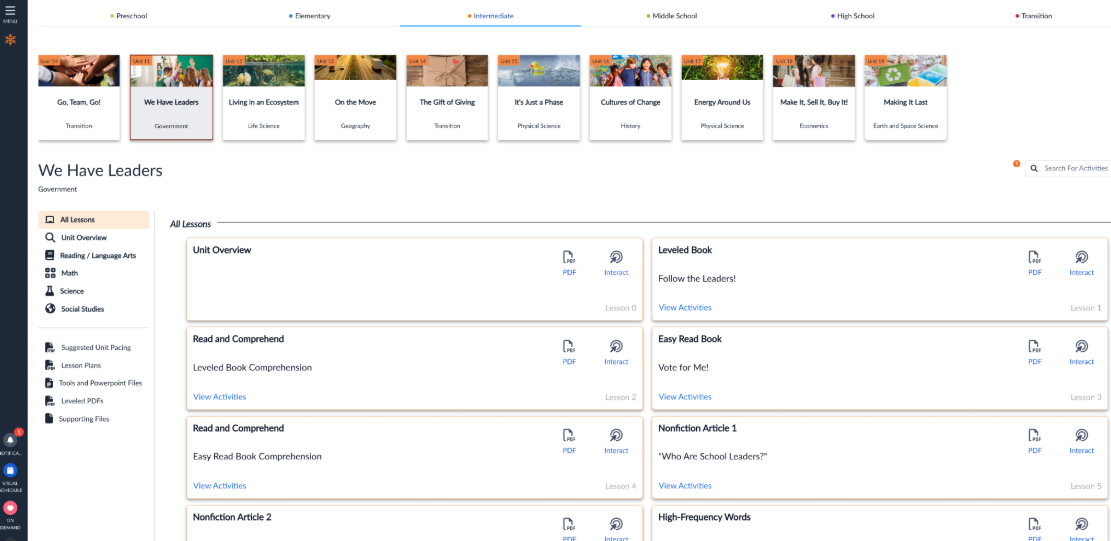
Unique Learning System (ULS) is a special education solution that supports students with disabilities from Pre-K through transition. It provides differentiated, standards-aligned lessons in ELA, math, science, social studies, and life skills with built-in assessments, progress tracking, and automated differentiation.
It is well suited in cases where your company/organization is looking for a low/no cost remote desktop solution, or is looking for something that can be used by most anyone right away. Most organizations don't want things to be too complex, especially with a remote desktop solution, which is generally not very complex software to begin with. It would be less appropriate in cases where the company/organization has already purchased licensing for a commercial product, and/or has been heavily using a commercial product for some time.
A de minimis incentive was given to thank the reviewer for their time. The incentive was not used to bias or drive a particular response, nor was the incentive contingent on a positive endorsement. More Info
I have actually recommended it to another teacher in a different district for her autism program since she could level and pace it easily and also easily collect IEP data without stressing out her students with extra work. Unique Learning System is also a good program for our autism program because it is consistent with all core subjects, making is very routine based.
A de minimis incentive was given to thank the reviewer for their time. The incentive was not used to bias or drive a particular response, nor was the incentive contingent on a positive endorsement. More Info
Unlike Microsoft's Remote Desktop, this program is the same across platforms, which is helpful for users.
This program also allows direct control over the desktop (like TeamViewer) and doesn't give you a simulated log on (like Remote Desktop). This is advantageous for seeing exactly what's on the screen but can make it a little laggy.
The interface is very nice and clear once it's set up. It's obvious which computer is which and it's just a couple of clicks from opening the program to a connection.
A de minimis incentive was given to thank the reviewer for their time. The incentive was not used to bias or drive a particular response, nor was the incentive contingent on a positive endorsement. More Info
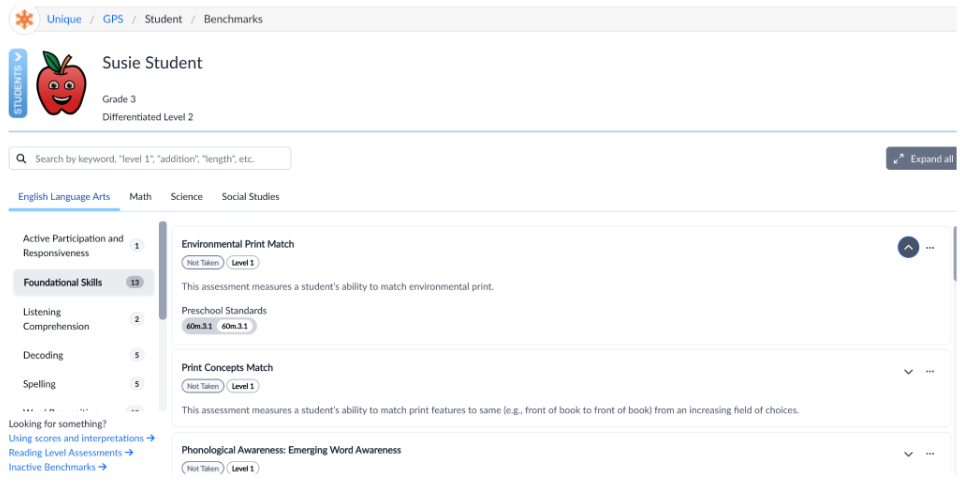
Data tracking and progress reports - Unique Learning System's Polaris feature is a user-friendly, simple way to track and monitor progress towards learners IEP goals. When creating a roadmap that follows a learner's IEP, you input data such as learning profiles and benchmark assessments and rubrics that then produce goal suggestions. You can craft your own goal, use a suggested goal, or choose a goal from the goal library. It gives you a great idea of what goals to target based on learner needs and progress. Entering data is super easy, just a date and a data point, and a graph generates for you. From there, it will show the data trend and flag it for you when it's at risk. It is also easy to add an intervention. Quarterly, I use the progress report feature to generate a report that provides me with the graphs that I use to put into IEP writer.
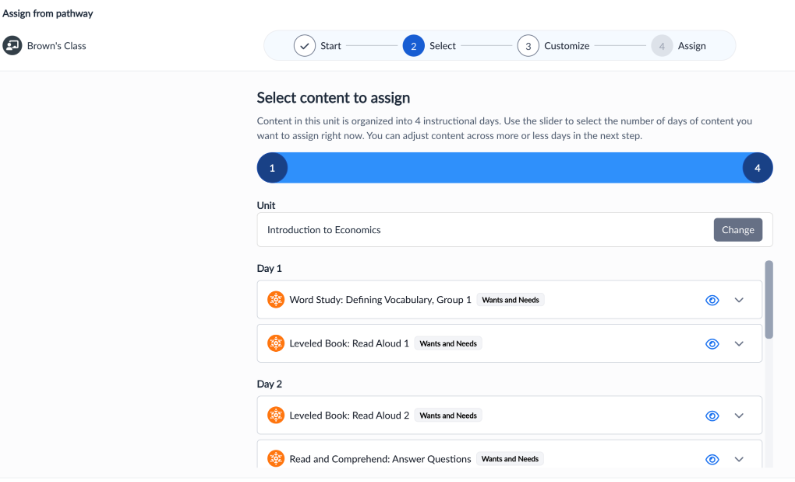
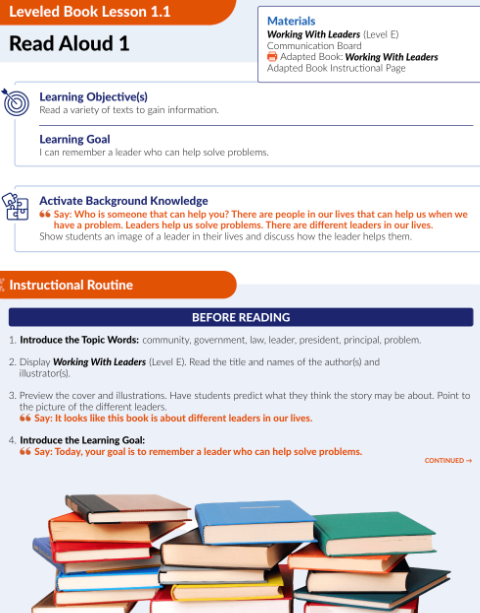
Curriculum pacing - My school utilizes Unique Learning System for our daily instruction. Unique Learning System provides pacing guides with what to teach and when. Everything is standards aligned and all of the lesson plans have ways that you can differentiate already built into the plans as well as an easy to use, structured/routine based set up that makes daily lessons predictable for learners to increase engagement.
N2Y - My learners love News To You! This provides children with access to informational text. We use it as a "fun Friday" read every week. We read the article in class, watch videos, answer questions, and typically do an activity to go along with it. The kids look forward to it every week, and also enjoy the Joey's Locker games that go along with the articles. They have a new feature to be able to assign activities that go along with the article which is really nice because I assign them as supplemental activities to go along with what we are learning about in class!
A de minimis incentive was given to thank the reviewer for their time. The incentive was not used to bias or drive a particular response, nor was the incentive contingent on a positive endorsement. More Info
A de minimis incentive was given to thank the reviewer for their time. The incentive was not used to bias or drive a particular response, nor was the incentive contingent on a positive endorsement. More Info
Unique Learning System's materials in the science and social studies areas aren't "fluffy" as other areas, but they are continuously adding materials
The layout of the website isn't the most user friendly, but most teachers are able to navigate easily after an initial training
The administrator side of things isn't super straightforward, reports can be confusing to find/run, but the one on one meetings always provide clarity.
A de minimis incentive was given to thank the reviewer for their time. The incentive was not used to bias or drive a particular response, nor was the incentive contingent on a positive endorsement. TR verified that a representative sample of customers was invited. More Info
A very easy lightweight tool that is completely scalable and deployed via google admin platform. The tool is free to use and works extremely well with the chrome devices we currently have deployed. Any organization using chrome or google suites should look into this tool as it's much easier to use then other remote software in the market
A de minimis incentive was given to thank the reviewer for their time. The incentive was not used to bias or drive a particular response, nor was the incentive contingent on a positive endorsement. More Info
I appreciate all the various resources that Unique Learning System has to offer. However, due to my limited interaction with other resources similar to Unique Learning System I do not know enough to compare it against other programs. I also am not a person in charge of renewing Unique Learning System for my organization.
A de minimis incentive was given to thank the reviewer for their time. The incentive was not used to bias or drive a particular response, nor was the incentive contingent on a positive endorsement. More Info
Just a great product that has saved countless hours of commute to work and given the flexibility to be able to work from anywhere, whether at home or when away on holiday overseas. I love that it is a free product and is just as great as its competitors' products. It has also allowed me to prepare for work for the following day.
A de minimis incentive was given to thank the reviewer for their time. The incentive was not used to bias or drive a particular response, nor was the incentive contingent on a positive endorsement. More Info
There is a lot of content in Unique Learning System. It can sometimes be time consuming to navigate through everything. I appreciate the depth and breadth of the resources, but it can also be tough to use when I need a worksheet or packet for my students. The use of Unique Learning System on the computer is great, but my students seem to learn best when they have a pen and paper in front of them.
A de minimis incentive was given to thank the reviewer for their time. The incentive was not used to bias or drive a particular response, nor was the incentive contingent on a positive endorsement. More Info
A de minimis incentive was given to thank the reviewer for their time. The incentive was not used to bias or drive a particular response, nor was the incentive contingent on a positive endorsement. More Info
A de minimis incentive was given to thank the reviewer for their time. The incentive was not used to bias or drive a particular response, nor was the incentive contingent on a positive endorsement. More Info
The only support I ever accessed were help files and web tutorials. I never tried to access personal support, mostly because I don't believe much of it is available. As a free service, my expectations for support are pretty low; that said, Chrome Remote Desktop is easy enough to configure and troubleshoot even with limited technical knowledge.
A de minimis incentive was given to thank the reviewer for their time. The incentive was not used to bias or drive a particular response, nor was the incentive contingent on a positive endorsement. More Info
A de minimis incentive was given to thank the reviewer for their time. The incentive was not used to bias or drive a particular response, nor was the incentive contingent on a positive endorsement. More Info
A de minimis incentive was given to thank the reviewer for their time. The incentive was not used to bias or drive a particular response, nor was the incentive contingent on a positive endorsement. More Info
A de minimis incentive was given to thank the reviewer for their time. The incentive was not used to bias or drive a particular response, nor was the incentive contingent on a positive endorsement. More Info
A de minimis incentive was given to thank the reviewer for their time. The incentive was not used to bias or drive a particular response, nor was the incentive contingent on a positive endorsement. More Info
Chrome Remote Desktop seems to be a an easy to use and efficient program. Such as TeamViewer, however TeamViewer offers more program features such as able to control a device's function (shutting down, restarting, audio input, cmd etc). With those added program features I believe Chrome Remote Desktop can almost be up to par with TeamViewer.
A de minimis incentive was given to thank the reviewer for their time. The incentive was not used to bias or drive a particular response, nor was the incentive contingent on a positive endorsement. TR verified that a representative sample of customers was invited. More Info
We viewed Encore by TeachTown. The product seemed to be a notch above Unique Learning System and included workbooks and other books but was very expensive. The downfalls of Encore was that it did not include the Profile Assessments like Unique Learning System and also the monthly checkpoints which are very valuable.
A de minimis incentive was given to thank the reviewer for their time. The incentive was not used to bias or drive a particular response, nor was the incentive contingent on a positive endorsement. More Info
A de minimis incentive was given to thank the reviewer for their time. The incentive was not used to bias or drive a particular response, nor was the incentive contingent on a positive endorsement. More Info
A de minimis incentive was given to thank the reviewer for their time. The incentive was not used to bias or drive a particular response, nor was the incentive contingent on a positive endorsement. More Info
Ease of planning is #1. I am able to plan an entire lesson or a week's worth of lessons during my 30-minute planning time.
Data that is collected for IEPs is so valuable and reports are parent-friendly.
Students are able to work on the alternative path toward a diploma because this curriculm is covering all of the standards they need to see in order to earn their diploma.