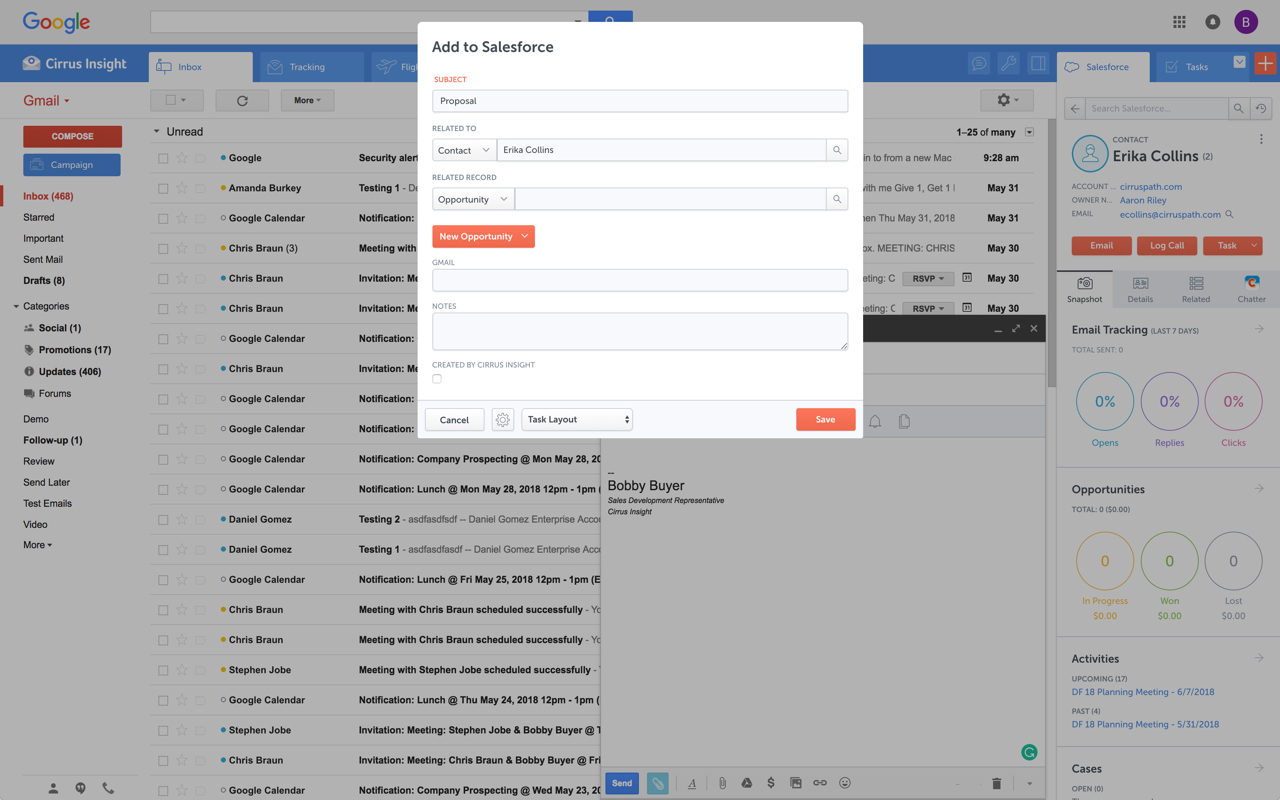
Cirrus Insight integrates Salesforce with Gmail, Google Calendar, and Google Contacts. Instantly View Contextual Salesforce Information in Your Inbox. Save Emails & Attachments to Salesforce with a Click. Sync Your Google & Salesforce Calendars. Create & Edit Salesforce Records on the Fly. Customize Your Salesforce Workflow in Gmail. Add Google Contacts to Salesforce. Salesforce Tasks Integration. Salesforce Templates Integrated with Gmail.
$15
per month
Demandbase One
Score7.7 out of 10
Small Businesses (1-50 employees)
Demandbase is presented as a pipeline AI platform used by GTM teams to automate growth. It creates a unified view of data, insights, actions, and outcomes, so B2B enterprises can align and execute their account-based GTM strategies.
N/A
Pricing
Cirrus Insight
Demandbase One
Editions & Modules
Starter
$27
per user/month
Closer
$45
per user/month
Rainmaker
$72
per user/month
No answers on this topic
Offerings
Pricing Offerings
Cirrus Insight
Demandbase One
Free Trial
Yes
No
Free/Freemium Version
No
Yes
Premium Consulting/Integration Services
Yes
Yes
Entry-level Setup Fee
$500 per installation
Optional
Additional Details
Pricing based on annual billing.
The Demandbase One for Sales and Marketing platform fee covers the essential software and services. In addition, there’s a flat fee per user.
For someone who uses both Gmail and Salesforce as part of their main role, this software is an invaluable connector for them both. Some of the features are also not Salesforce specific - such as the Meeting Scheduler, which has proved invaluable to me, and I would recommend to any Gmail user who frequently set up meetings (either internally or externally).
A de minimis incentive was given to thank the reviewer for their time. The incentive was not used to bias or drive a particular response, nor was the incentive contingent on a positive endorsement. More Info
Demandbase One is well-suited for ABM Marketing, providing intent-based account details, account scoring methods, and understanding account intent. It also enables creating a list of accounts and individuals for retargeting based on specific filters. Easy to integrate with Salesforce, LinkedIn, Google Ads, and multiple other channels. Advertising through the Demandbase channel is more effective for advertisers who use retargeting with the intent list.
A de minimis incentive was given to thank the reviewer for their time. The incentive was not used to bias or drive a particular response, nor was the incentive contingent on a positive endorsement. More Info
Log email to Salesforce. You click one button and it logs for you. This is easier than adding the BCC email address that Salesforce provides as a way to log email.
Track views and engagement on these emails. It's nice to know if the email was opened and if links were clicked.
Update quick fields in Salesforce directly from their inbox using Cirrus. This prevented reps from needing to click into Salesforce, wait for it to load, then update fields like the phone number or name.
If the rep did need to open Salesforce, Cirrus provides a quick button to navigate to the Lead/Contact/Opportunity page quickly.
A de minimis incentive was given to thank the reviewer for their time. The incentive was not used to bias or drive a particular response, nor was the incentive contingent on a positive endorsement. More Info
Outlook for Mac could use some work as an add-on because it's hard to read sometimes on my laptop. It's not a sidebar, like the Windows functionality, so it's harder to read.
Doesn't always find an opportunity, even though I know it's in our Salesforce system.
Randomly shuts down and doesn't log in properly at times. I've had to remove and re-download more than once.
A de minimis incentive was given to thank the reviewer for their time. The incentive was not used to bias or drive a particular response, nor was the incentive contingent on a positive endorsement. More Info
A de minimis incentive was given to thank the reviewer for their time. The incentive was not used to bias or drive a particular response, nor was the incentive contingent on a positive endorsement. More Info
It is the best google to salesforce integration on the market. support is incredibly responsive and very helpful. They are constantly adding new features, and the current feature set is well beyond anything else that is currently offered in the market
Relatively inexpensive service for a decent current awareness service. They have added little in sales functionality in the past year as they focused on building a marketing version of the product. Except for the addition of broader European coverage last spring (thin Equifax records), the database was static over the past year.
Very easy to use. Everything opens in a familiar interface right inside the google apps sidebar. It brings in salesforce records, so as long as you know google apps / gmail and salesforce you'll be all set. It's point and click.
InsideView was extremely user-friendly. I was able to quickly understand how to efficiently use the software and get the most out of the service. I only had a short time to quickly learn how to use the functions offered by InsideView, and I felt confident within the first day of my understanding and ability to successfully use this tool.
We had an intro session with a customer success rep and were given a rundown of the platform and it was absolutely perfect. The rep was able to show us advanced search options and shortcuts that cut our search time.
The plugin is installed inside your internet browser as an extension/add-on. It can be found in most add on stores and is easy to install. Usually just a few clicks. It handles authorization for you once you sign in, and then takes care of all the rest. It couldn't be easier to get working right out of the box. You're up in running in less than 5 minutes.
We had to work with InsideView for some custom configurations example we have a custom field in Salesforce called ha location that needed let's say NJ to spell out New Jersey and make certain fields mandatory. They were easy to work with though.
A de minimis incentive was given to thank the reviewer for their time. The incentive was not used to bias or drive a particular response, nor was the incentive contingent on a positive endorsement. More Info
Yesware regularly sent me alerts that my emails had been opened by someone who I hadn't sent them to, from locations they couldn't possibly have been. I also don't recall its Salesforce activity logging working as smoothly, though I last used Yesware more than 12 months ago so my memory isn't as fresh as it could be
A de minimis incentive was given to thank the reviewer for their time. The incentive was not used to bias or drive a particular response, nor was the incentive contingent on a positive endorsement. More Info
We selected Demandbase based on their premium B2B DSP, their integrations with third party ad sites and our CRM and tech stack. Their intent signals and ability to integrate the data we have in Demandbase to GCP through their DataStream product to build our own models and leverage in our own dashboards has been extremely beneficial
A de minimis incentive was given to thank the reviewer for their time. The incentive was not used to bias or drive a particular response, nor was the incentive contingent on a positive endorsement. More Info
A de minimis incentive was given to thank the reviewer for their time. The incentive was not used to bias or drive a particular response, nor was the incentive contingent on a positive endorsement. More Info
Save me time doing company research from an average of 25 mins to an average of 7 mins for large ICP accounts.
Save me time by integrating the contact research without jumping out of InsideView to do it in a separate app.
A morning 10 mins scan of the target company news feed gave me a high level view of the most important news that I need to know regarding my prospect accounts and their respective industries.