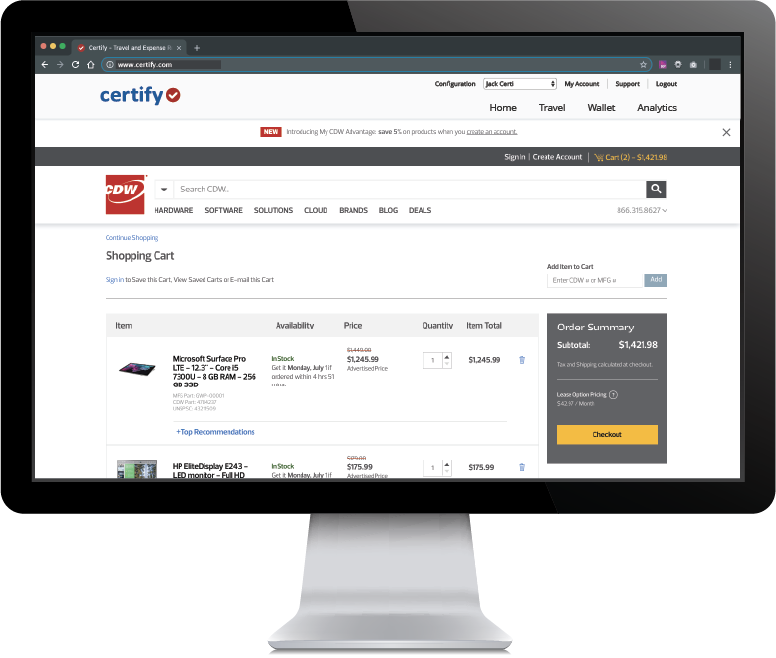
Certify is travel and expense management software developed by the company of the same name in Maine, which merged with Chrome River in 2019 to form Emburse.
N/A
QuickBooks Online
Score 8.1 out of 10
N/A
QuickBooks Online is a SaaS version of the QuickBooks product. It contains all of the features found in the local version. Higher-priced plans include greater automation, payment management, inventory and time tracking, and analytics features.
$38
per month
Pricing
Emburse Certify
QuickBooks Online
Editions & Modules
No answers on this topic
Simple Start
$38
per month
Essentials
$75
per month
Plus
$115
per month
Advanced
$275
per month
Offerings
Pricing Offerings
Emburse Certify
QuickBooks Online
Free Trial
Yes
Yes
Free/Freemium Version
No
No
Premium Consulting/Integration Services
No
Yes
Entry-level Setup Fee
$8 Expense report
No setup fee
Additional Details
Certify AP has volume based pricing based on processed invoices
Certify is not well suited for multi-dimensional ERPs. Although Certify 'offers' general ledger dimensions GLD, the use of them is extremely limited. Filtering on any GLD can only be done once. There is not the possibility for creating hierarchies with the dimensions. The only method of exporting is via a flat file or the open API, which I understand is quite limited. This software is for a smaller scaled business that is not trying to track across dimensions or create hierarchies. Data flow is one directional. I cannot emphasize enough the shortcomings of the reporting. The parameters are mostly based on expense dates rather than expense reports. There are entirely too many of them, and some of them perform the function!
QBO is a great solution for small and midsize companies. If the goal is to record all transactions and pull reliable financial reports, QBO is a great option. QBO is also a great solution if most operations are run in a system like Ramp. It syncs well with systems like that and turns the data into something management can use to make decisions. QBO is great because so many people use it. It is easy to find training online, and many people have experience with it.
Integration with Amtrav or other travel booking systems. Certify has a tight integration with travel systems that makes it feel nearly like one cohesive tool.
Easy expense options. Use OCR on receipts, import from credit cards and merge items, approve and inquire about expenses. Track your submissions.
Easy UI. Friendly and easy to navigate without getting lost.
Workflows for accounts payable invoice review are terrific.
Bill payment allows you to pay vendors online via ACH or check without having to write a physical check, which reduces admin time.
The cloud based login lends well to a remote or hybrid work environment for staff.
QuickBooks Online allows you to pre-configure vendors' general ledger expense accounts. This helps with general ledger coding accuracy and consistency.
QuickBooks Online integrates with Rippling HRIS, Coast, Capital One, JPMorgan Chase, etc., which lends well to an efficient month-end closing and reduced administrative time.
Reporting: I would like to see more chart availability from the program. We include various data points from Certify in our monthly financial statement package. Currently, we export data from the program and create our own pivot tables to create charts.
Dashboard feature: It would be nice to be able to use the data for a specific date and then be able to print that information.
Can't think of another one. As stated before, they listen to their customers so prior issues have been addressed and implemented.
I dislike that the online bill pay option through QuickBooks is required for their invoicing.
The auto-fill portion of the customer setup, specifically the company name, is listed, but it also auto-fills in the name portion, which is inconvenient and time-consuming to remove.
It like the product 'right out of the box' and I trust Intuit will continually improve it over the years based on my experience with their desktop products. The large providers of Apps makes customizing the entire package relatively easy and seamless for a wide variety of business types.
If the integrations with our card programs had succeeded, I expect [Emburse] Certify would have worked well for expense submitters and approvers. During the short time that the American Express Business integration was active, transactions flowed smoothly, and the expense reporting and receipt matching functions were quite good. The [Emburse] Certify mobile app was particularly powerful and easy to use.
Beyond being overkill for a small org's needs, QBO is constantly stealing screen real estate and attention by hammering users for account upgrades, connecting to one of their approved consultants or buying add-ons. The idea of using a simple configurable bookeeping and light accounting interface is completely missing. At the very least, we should be able to hide functions like inventory that we will never use.
The measure of support is how well they respond when you really need them, like when the system is not performing correctly. We have been on the platform less than a year, and there have been at least 2 instances, where the platform was down. The 2nd time was the day before out fiscal year end. And they need a development website. When they are making changes to your LIVE instance, and things go wrong, the client is the first to know about it! I've come to understand that Certify has tiers of support. Those in tier 1, barely know more about the software than the users. I sent a request for a report that shows expense reports currently pending approval and after 5 days of back and forth I was told to build it myself.
In my experience, most representatives keep me on the phone for hours, literally, for a single issue and then usually cannot resolve it satisfactorily. I have 10 open cases that need resolution and, in my experience, there has been NO follow-up communication on any of them.
The person in charge of QB needs to be very accurate with record keeping and is recommended to stay on top of tasks. The biggest issue we have is reconciliation, and those issues occur only when too much time has occurred between reconciliations
Before Certify, there was only manual expense reports entered for our company. This took too much time for employees too finish and caused a delay of efficiency. With Certify, it is easier to access and finish each report with the right amount of effectiveness and efficiency it needs. Certify is really helpful in saving a lot of time for employees that do not have time.
As a freelance bookkeeper, the Desktop version of QuickBooks Online doesn't allow for ease of access from any device. Having to be on a computer with the software downloaded creates additional work to gain access to all required filings etc. Also, I personally find the linking functionality on the Online version to be much more streamlined and user friendly.
As we have grown along our professional path, we have also expanded our use of QB. The scalability is easy and features seem to be waiting for you until you need them. We have increased profits by over 10x from our first year in business to the current and have yet to find a reason to look elsewhere
The organization and automatic flow of the expense report to approvers and then AP saves time for all. The user has agreed that it is easier and quicker to prepare the expense report and the managers and AP department finds the automated process to be quicker and more efficient. Time saved is money saved.
Certify can recognize if a duplicate expense is submitted or if an expense is submitted too late to be reimbursed according to our policies. This prevents us from reimbursing an expense in error.
We use a customized report to track a specific type of expense that gets submitted by our sales team. There is a limit on what can be spent on specific expenses that fall into an entertainment category and the report helps us to stay within the limits. Previously, without this tool, we had spent so much more time manually tracking these expenses and had gone over the limits, creating a deficiency in our processes.
QuickBooks has given us a useful portal by which to get an overview of our financials.
QuickBooks has given us a relatively easy way to send out invoices quickly and efficiently.
Due to the customization limitations on QuickBooks, we've had to get creative in third-party implementations to better represent our brand and to track financials.