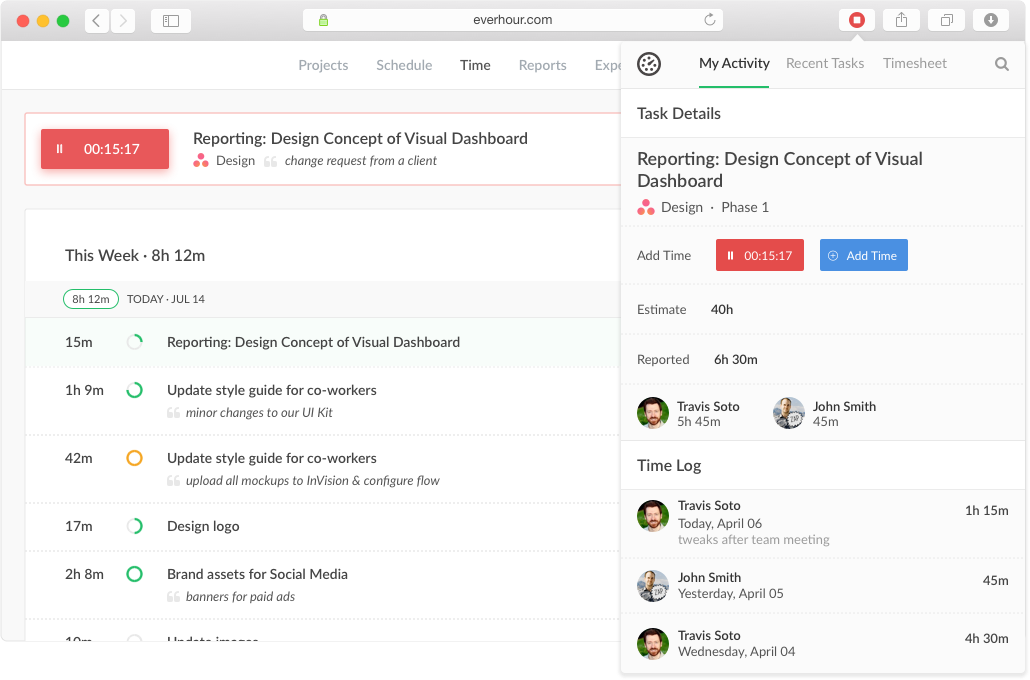
Everhour is a time tracker equipped with project & team management features. Everhour integrates with project management apps so users can track time on tasks right from its interface: Asana, Basecamp, Trello, Jira, ClickUp, Basecamp, Notion, Todoist, GitHub, GitLab, etc. Its time tracking features provide options for timekeeping and time management. It helps to facilitate a team's time tracking experience by adding reminders, auto stop timers, start and stop timers, and…
$0
Harvest
Score 8.9 out of 10
N/A
Harvest is used to track time, gain insights from past projects, and get paid for work. Dedicated apps and integrations with popular tools like Asana and Slack allow Harvest to fit into a team’s workflow.
A selection of visual reports are offered to keep projects running smoothly and an organization's team supported. Harvest also helps to turn a team’s tracked time and expenses into professional nvoices and collect payment quickly with integrated online payments.
$13.75
per month per seat
When I Work
Score 7.0 out of 10
N/A
When I Work is a way for businesses to schedule, track time and attendance, and communicate with their hourly employees. The schedule and time clock is placed in every employee's pocket with When I Work's iOS and Android apps. It can be used to keep track of time off, employee availability, and manage shift swaps with a few clicks. When I Work integrates with payroll providers to streamline the process and avoid human error.
$2.50
per month per user
Pricing
Everhour
Harvest
When I Work
Editions & Modules
Free
$0
Lite
$6.00
per month per user
Team
$10.00
per month per user
Harvest Pro
$13.75
per month per seat
Harvest Premium
$17.50
per month per seat
Essentials
$2.50
per month per user
Essentials + Attendance
$4
per month per user
Pro
$5
per month per user
Pro + Attendance
$7
per month per user
Premium
$8
per month per user
Premium + Attendance
$10
per month per user
Offerings
Pricing Offerings
Everhour
Harvest
When I Work
Free Trial
Yes
Yes
Yes
Free/Freemium Version
Yes
Yes
No
Premium Consulting/Integration Services
Yes
No
No
Entry-level Setup Fee
No setup fee
No setup fee
No setup fee
Additional Details
—
20% discount for annual billing on Pro and Premium plans.
—
More Pricing Information
Community Pulse
Everhour
Harvest
When I Work
Considered Multiple Products
Everhour
Verified User
C-Level Executive
Chose Everhour
I've used other applications, and Everhour is by far the most robust in functionality.
Everhour is just very rudimentary and ugly. It did the okay for time tracking and basic reports — but it wasn’t very intuitive and could’ve been a lot more elegant. You couldn’t edit other users time or make corrections it was just a data pull and that was it.
It's great when you need precise billable hour tracking across multiple clients with different rates, integrated invoicing, and detailed project breakdowns. I would have liked to see regular security audits and/or a SOC report given the nature of the information that's being documented in the product. However, that may not be a huge deal depending on your organization.
Harvest is ideally suited for a variety of scenarios, particularly in the realms of freelance or consulting work, where accurate hour tracking for billing is crucial. It excels in small to medium businesses managing team projects, allowing for effective resource allocation and time management across multiple concurrent projects. For budgeting and forecasting, Harvest provides valuable data, aiding in accurately estimating the duration and cost of future projects based on past data. It's also highly beneficial for remote or distributed teams, thanks to its cloud-based platform that facilitates seamless coordination. Additionally, its detailed reporting features enhance client transparency, fostering trust through clear communication of time spent on projects. However, Harvest may be less suitable for larger enterprises with complex integration needs or specialized industries requiring more niche features. Small startups or individuals on tight budgets might find the cost challenging, especially if they don't fully utilize all its features. Lastly, for those needing only basic time tracking, simpler or free tools might be more appropriate, making Harvest an unnecessary expenditure for basic needs.
I recommend When I Work to those companies that are looking for a way to manage work schedules and want to increase the productivity of all employees. This is an important platform that would bring excellent results to small, medium and large companies. This is a constant monitoring system which allows employees to complete their tasks in the indicated time, When I Work sends automated alerts when an employee is not complying with their tasks and this allows us to know exactly the productivity we are having in each one of the sectors. It is an excellent platform for planning and administration of working hours, it has a very easy-to-use UI that allows schedules to be easily managed. Without a doubt, When I Work would be a perfect implementation for any sector or company, since it has a lot of potential to collect exact data on compliance with working hours.
Integration with project management tools, like Trello, that makes the project management easier to do because you have metrics and statistics grouped on just one site.
Metrics of expended time per user and per project makes decisions easier You can have all the data to support changes or decisions in the company, like rentability of certain type of products offered.
The Everhour team is always evolving, so they always ask how you feel about everything and if anything is not working as expected. You are always surprised with new improvements that you didn't think could be useful but that end up adding value to your business.
Offers several options on using the tool, for example, you can use the app on your phone, the app for desktop, or simply have the website open.
The timer integrates with other platforms. For example, our team uses Asana as our project management tool. Now, in real-time, I can know which projects my team is working on and whether we're implementing good time management strategies to meet our goals.
The summary break downs are wonderful! You can view an individual's hours as well as project hours. There are even notifications you could receive when your team is getting close to reaching the allotted time for a client's project.
When I Work allowed me to color-code each employee's schedule.
When I Work allowed me to show who was "off" during what time of day. This was essential for morale, as our event included 16-18 hour days, and I wanted to show that everyone had down time each day.
Expenses tracking system - if it will allow to track all fixed INs and OUTs inside the project (and track invoices based not only on time tracking but generated manually) it can replace our financial tool or make it more automated
I’m still trying to figure out how tasks best associate to a specific project. There’s a couple different places to edit that and I’m a little confused as to best practice.
Does not integrate into basecamp which is our project management system
When pulling up the schedule on the app, it defaults to Tuesday when the screen is done loading.
If you pull up an individual's schedule it removes your default settings. For example, I have mine set to just my store, but if I need to see an employee's schedule it resets those defaults. You're always looking at the last schedule you pulled up.
Everhour's overall usability is definitely one of its key strengths. The UI is intuitive and clean, making time tracking feel less "technical" than other solutions we've tried. Our entire team, including less tech-savvy contractors, found it easy to use.
Again, just a minor compatibility issues using with other platforms such as Basecamp, but it does do everything promised. The only downfall we have found is having to create a job in both platforms and then connecting them later vs being able to create a project once and having them automatically connect.
In the almost 2 1/2 years we have had to contact support 1 time and it really was for a feature request. Their support team responded quickly and told us that the feature was going to be added in the next few months. We have had no support issues ever. I have never had a time tracking solution that has had no issues until Everhour.
They're very responsive and do their best to answer whatever questions we've had. Sometimes, the question or request we've made is for a feature that doesn't yet exist, however in most cases those features have been built later and did eventually address our need.
Every time I contact When I Work staff with an issue, someone is there with a quick solution to my problem. I love the chat feature. I can continue to work on other things while the When I Work representative assists me.
Originally, I was using Harvest and really liked its features. However, the Harvest invoicing system only pushes data into QBO, but doesn't check / sync invoice numbers or update for payment status, so it was resulting in duplicate invoice numbers and extra effort to update status in both places. So, I started looking for another solution. I tried a LOT of products. Everhour addressed the following issues I encountered from various other services:
Bi-directional sync of invoices so records in QBO & Everhour always match (without having to load a bunch of extraneous records to either system)
Start-stop timer
Set budgets by project and client to easily monitor project status & profitability
Allow all team members to track to projects they're following, even if not assigned to them
Clean, modern interface (if I'm using it every day, it better be pretty and easy to use)
Ability to edit time, and limit others' ability to edit their time (though we don't restrict time editing for our users)
Doesn't require use of Projects in QBO in order to sync properly
Doesn't try to take over invoicing or break QBO functionality
Harvest is significantly better than Jira. I think Jira's is not originally intended to be used as a time logging/management system, but we had been previously using it as that. It was much clunkier, and many employees had a difficult time using it as a user interface goes. Harvest is much more user friendly and has simplified the daily time-logging process for everyone in our office
When I Work seemed a bit easier to implement for our team and employees. When I Work had all the things we needed without a lot of the bells and whistles that we wouldn't really utilize. When I Work was also a bit more affordable for our budget. Overall, it was the better choice.
We're more aware on the investement of hours required in a project, not just the estimated hours but the actual time invested by every member of the team
Everhour is a good tool to adequate the pricing to the actual investement of hours needed and to bill the clients when the actual time invested exceeded the estimated time
The members of the team (and i'm speaking for myself too) are now more aware of how much it takes to complete a task. Having this in mind help us to organise our everyday and to know when we are free to take new clients