Overview
ProductRatingMost Used ByProduct SummaryStarting Price
Expensify
Score 9.0 out of 10
N/A
Expensify automates the entire spend management process. Scan receipts, track mileage, submit and approve expenses, manage corporate cards, reimburse employees, pay bills, send invoices, and book travel. Built for individuals and companies of all sizes, anywhere in the world.
$5
per month per user
Sage Expense Management
Score 8.3 out of 10
N/A
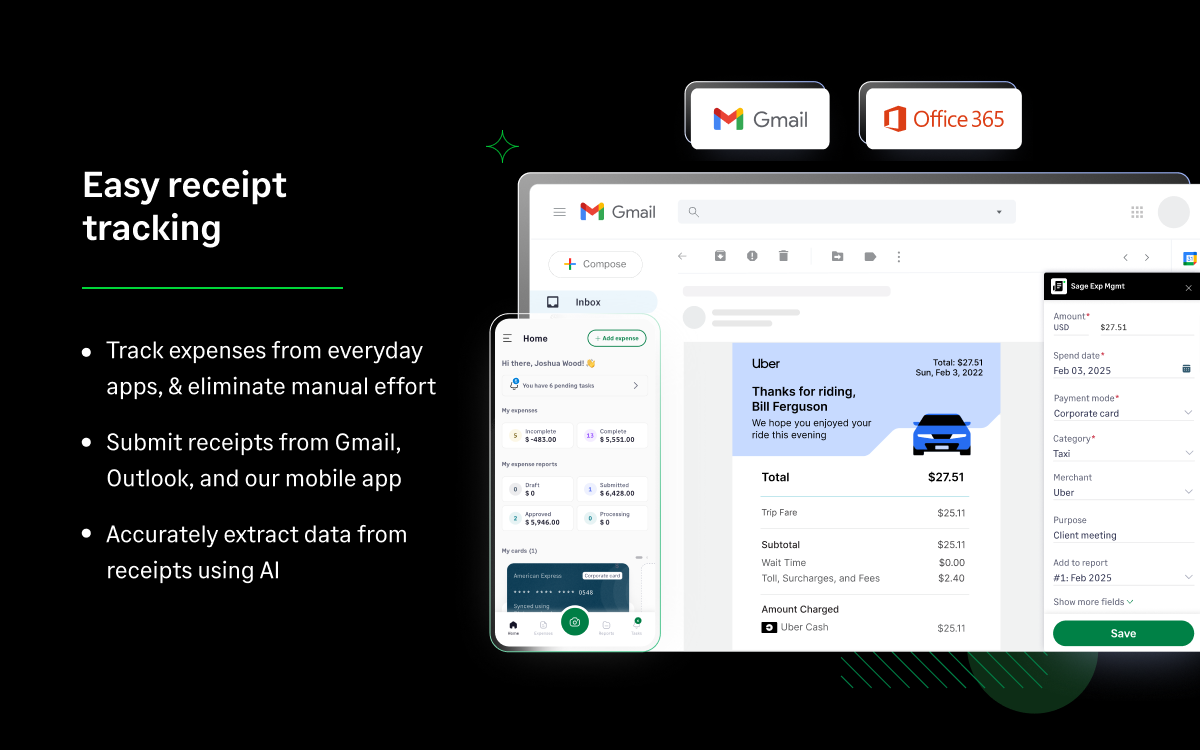
Sage Expense Management (formerly Fyle) is a platform for finance teams who want real-time expense control without the disruption of switching corporate cards. Its direct integration with existing Visa, Mastercard, and American Express delivers transactions instantly upon swipe. Finance teams get instant visibility into spending, and employees can upload receipts through Outlook, Gmail, text message, or the mobile app. Its
$74.95
per month for 5 users (minimum)
QuickBooks Time
Score 8.7 out of 10
N/A
QuickBooks Time (formerly TSheets) is a cloud-based time tracking and scheduling app that allows employees to clock in and out from the job site with the devices they’ve already got in their pockets. The vendor aims to help companies replace paper timesheets with accurate, electronic time data as well as make payroll and invoicing faster and less costly. QuickBooks Time also accurately tracks time and GPS points (even without cell or internet service) then automatically syncs when back…
$0
1 user, unlimited projects
Pricing
ExpensifySage Expense ManagementQuickBooks Time
Editions & Modules
Collect
$5
per month per user
Control
$9
per month per user
Growth
$14.99
per month per user (minimum 5)
Business
$17.99
per month per user (minimum 10)
Enterprise
Custom Pricing
Free
$0
1 user, unlimited projects
Premium
$8
per user/month + $20 base fee/month (paid annually)
Elite
$10
per user/month + $40 base fee/month (paid annually)
Offerings
Pricing Offerings
ExpensifySage Expense ManagementQuickBooks Time
Free Trial
YesNoYes
Free/Freemium Version
NoNoYes
Premium Consulting/Integration Services
NoNoNo
Entry-level Setup FeeNo setup feeOptionalNo setup fee
Additional DetailsDiscount available for annual pricing.
More Pricing Information
Community Pulse
ExpensifySage Expense ManagementQuickBooks Time
Considered Multiple Products
Expensify
Chose Expensify
They have better support and better pricing. Fewer glitches
Sage Expense Management

No answer on this topic

QuickBooks Time
Chose QuickBooks Time
This is solely based on support, as TSheets support blows these other two out of the water. I HATE online chats from a support standpoint, but TSheets has surprised me each time with the clarity and timeliness of response.
Chose QuickBooks Time
I really did not look into this product any further because TSheets has all I was looking for.
Chose QuickBooks Time
Employees can manually enter their time in QBO and basically claim hours that they did not work. This is why I selected TSheets!
Features
ExpensifySage Expense ManagementQuickBooks Time
Expense Management
Comparison of Expense Management features of Product A and Product B
Expensify
9.7
159 Ratings
16% above category average
Sage Expense Management
-
Ratings
QuickBooks Time
-
Ratings
Employee Expense Reporting9.8158 Ratings00 Ratings00 Ratings
Corporate Card Reconciliation9.668 Ratings00 Ratings00 Ratings
Payment Management
Comparison of Payment Management features of Product A and Product B
Expensify
9.4
146 Ratings
16% above category average
Sage Expense Management
-
Ratings
QuickBooks Time
-
Ratings
Customizable Approval Policies9.3100 Ratings00 Ratings00 Ratings
Financial Document Management9.3106 Ratings00 Ratings00 Ratings
Payment Status Tracking9.7119 Ratings00 Ratings00 Ratings
Payment Audit Trail9.893 Ratings00 Ratings00 Ratings
Duplicate Bill Detection9.0119 Ratings00 Ratings00 Ratings
Advanced OCR9.099 Ratings00 Ratings00 Ratings
Electronic Funds Transfer9.582 Ratings00 Ratings00 Ratings
Best Alternatives
ExpensifySage Expense ManagementQuickBooks Time
Small Businesses
Dext
Dext
Score 9.6 out of 10
Dext
Dext
Score 9.6 out of 10
Traqq
Traqq
Score 9.1 out of 10
Medium-sized Companies
Precoro
Precoro
Score 9.5 out of 10
Precoro
Precoro
Score 9.5 out of 10
TimeClock Plus
TimeClock Plus
Score 9.5 out of 10
Enterprises
Emburse Chrome River
Score 7.7 out of 10
Emburse Chrome River
Score 7.7 out of 10
Zoho People
Zoho People
Score 8.9 out of 10
All AlternativesView all alternativesView all alternativesView all alternatives
User Ratings
ExpensifySage Expense ManagementQuickBooks Time
Likelihood to Recommend
9.6
(239 ratings)
8.6
(3 ratings)
8.5
(195 ratings)
Likelihood to Renew
10.0
(14 ratings)
-
(0 ratings)
10.0
(3 ratings)
Usability
9.6
(140 ratings)
-
(0 ratings)
9.5
(6 ratings)
Support Rating
8.5
(45 ratings)
-
(0 ratings)
2.1
(31 ratings)
Implementation Rating
9.5
(2 ratings)
-
(0 ratings)
6.0
(1 ratings)
User Testimonials
ExpensifySage Expense ManagementQuickBooks Time
Likelihood to Recommend
Expensify
I think it's really good for small businesses. At least in the way we use it. It's very good for keeping an eye on employee spending in nearly real time. I'm not sure how it works for larger companies when there is a larger number of people to keep track of.
Read full review
Sage Expense Management
Fyle is a much better software than traditional excel reports as it provides both a mobile app and desktop application. Though there is much room for improvement, it still can be rated higher for more users as it makes the process of claims processing and auditing much faster and easier as compared to handling physical bills and receipts. It has helped my organization to save on 2 man-months cost as well by reducing the redundant activities of automating bill submission through apis for common apps like UBER, OLA, etc.
Read full review
Intuit
It would be very useful for certain remote jobs that require a high level of presence, as in the case of web development, or remote maintenance sessions, so that when reviewing the work data it is possible to ensure that there will be no failures. By being able to include files in the management, from the equipment tab, it is possible to fully control the hours in which each change in these files were made.
Read full review
Pros
Expensify
  • Easy to access online portal whether using a mobile device or desktop app
  • Receipts can be uploaded in a breeze and automatically categorized
  • Expense Reports are submitted monthly on autopilot
  • Expenses for gas is calculated on the app by entering the starting/ending destinations.
Read full review
Sage Expense Management
  • Expense management
  • Submitting bills for Reimbursement
  • Approval process
  • Expense tracking
  • The ability to converse within the app. If the approver rejects, the requester can see the reason and type back their response/rectify and resubmit. All within the app.
Read full review
Intuit
  • Support (their help desk team is incredibly helpful and always quick to respond).
  • Ease of access and use (the app is user-friendly an intuitive, and the desktop version is equally as approachable).
  • Manager functionality (it's useful to be able to clock employees in and out at multiple events on the same day by sorting them into different groups by manager/event).
Read full review
Cons
Expensify
  • I wish that I could sync accounts on the back end kind of like with banking software, so that Expensify would automatically port over receipts for recurring expenses as soon as they're available
  • It would be nice to one-click submit an expense all the way through instead of having to attach it to a report
  • Wackier profile icons? :) Not a big deal. This software is pretty much amazing as it is now, and typically the urge to update and modify very good software leads to poor outcomes!
Read full review
Sage Expense Management
  • Calculate miles on the go
  • Bugs at time of submission
  • Not enough categories for expenses. More dropdowns would be helpful.
Read full review
Intuit
  • The desktop version of the TSheets schedule does not have a search feature. This makes it challenging to find things you are looking for without extra work
  • The app can be a bit buggy. Though it is a great app, there are many reasons that the app will stop syncing and can cause problems with staff scheduling
Read full review
Likelihood to Renew
Expensify
We like using the tool and we receive positive feedback from employees and management who use the tool. It saves time and helps us concentrate on the value adding activities so we are very likely to keep using Expensify in the future
Read full review
Sage Expense Management
No answers on this topic
Intuit
TSheets tech support people, like Shawn Sommer, from Tsheets. She has been instrumental, after terminating the person in charge of TSheets I was left with a learning curve too high to climb but after 10 mins of her instructions I was able to make payroll in no time. She cleared all errors that nobody had fixed before.
TSheets is not a vendor for me, TSheets is my partner in business. Thank you TSheets.
Read full review
Usability
Expensify
My rating of 8 out of 10 for Expensify's overall usability reflects its strong performance in empowering individual users and streamlining core expense processes, while acknowledging that there are specific areas, particularly on the administrative or enterprise side, where the user experience could be further refined. Exceptional End-User Experience (for basic tasks).Automation & Time-Saving Features.Clear Workflow for Approvers. Why it's not a perfect 10 (areas for improvement that dock points): Limited corporate bank to choose from, limited multi-currency to pay to ( for instance, as a foreign corporatio,n i cannot pay with my US account to Israeli employees, or pay to our UK employees)
Read full review
Sage Expense Management
No answers on this topic
Intuit
Our employees find TSheets easy to use and spend minimal time at reporting hours using it. As an administrator and user of the TSheets "data and information" I am extremely positive on the functionality and reporting that it has provided me. From its ease of set-up to training to reporting, TSheets has made us so much more efficient from an administration standpoint
Read full review
Support Rating
Expensify
Our rep has been amazing. He has built custom reports for us that have been very time consuming and difficult. Our reps are also currently looking into new submission solutions for us that we are excited about. They came up with this and recommended it on their own without me complaining about an issue. They are about our success and are very excited about the product they offer.
Read full review
Sage Expense Management
No answers on this topic
Intuit
I have never failed to have an issue resolved within minutes of contacting Support. Jen D recently assisted my with an export issue and I was back on track in less the 10 minutes. She was knowledgable and thought about the current and future contexts of the issue and assured there would be no recurrence next payroll.
Read full review
Implementation Rating
Expensify
The implementation process went rather smoothly, linking it to the bank and cards was handled easily. without too many unnecessary steps. Getting the accounts setup did take some time, but that would be true with any organization. All in all things went smoothly and I was very pleased with the setup and implementation process
Read full review
Sage Expense Management
No answers on this topic
Intuit
I wasn't originally helping with the implementation so not sure.
Read full review
Alternatives Considered
Expensify
It is definitely 10 times better than using an Excel spreadsheet. We are talking a digitized with AI type capabilities to do the work for you. It’s honestly a lifesaver. This beats manual calculations and data entry any day. Scanning 100 receipts and saving them to pdf files not only takes space on your storage but it is an extra unnecessary step
Read full review
Sage Expense Management
Features wise both Zoho and Concur are equivalent to Fyle - may be they even offer more features. We picked Fyle particularly because: a) We are a small organization of less than 200 employees and were looking for a cloud based offering b) We had to keep our costs minimal without making major changes to our organization structure Fyle was most optimal that catered to all our requirements.
Read full review
Intuit
Besides Intuit Payroll (Sage), the only program I've used is WorkBrain through Menards, and it's more as a scheduling guideline for management, employees don't use it to punch in or out or record hours. However, WorkBrain does show scheduling and it matches with a punch clock to record those hours. Every other place I've used has used either punch clocks or handwritten time cards. I think the TSheets is modern, user-friendly, convenient, accessible, and cost-effective for the owners. It also streamlines payroll for the Accountant instead of manually entering all hours for multiple employees by hand into a software program like Sage.
Read full review
Return on Investment
Expensify
  • We went from paying credit card fees with no approval process to a no fees and complex approval processes.
  • I personally save time in not having to develop a spend report I just have my admin assistent fill in the details of the auto generated report and it is done. Went from an hour long process to 5- 10 minutes max to prepare a high quality audit ready report.
Read full review
Sage Expense Management
  • Saves so much time!
  • Makes it easier for everyone involved in the processes
  • Ease in releasing payments/reimbursements.
Read full review
Intuit
  • As a Microsoft Access software development shop, Help4Access could have built ourselves a time tracking system, but why reinvent the wheel?
  • tSheets got us out of spreadsheets and into the cloud in days not months.
  • The ROI the first year is over $5,000.
Read full review
ScreenShots

Expensify Screenshots

Screenshot of the dashboard used to manage expenses, book travel, reimburse employees, and create expense reports.Screenshot of corporate cards. The Expensify Card offers cash back on every US purchase.

Sage Expense Management Screenshots
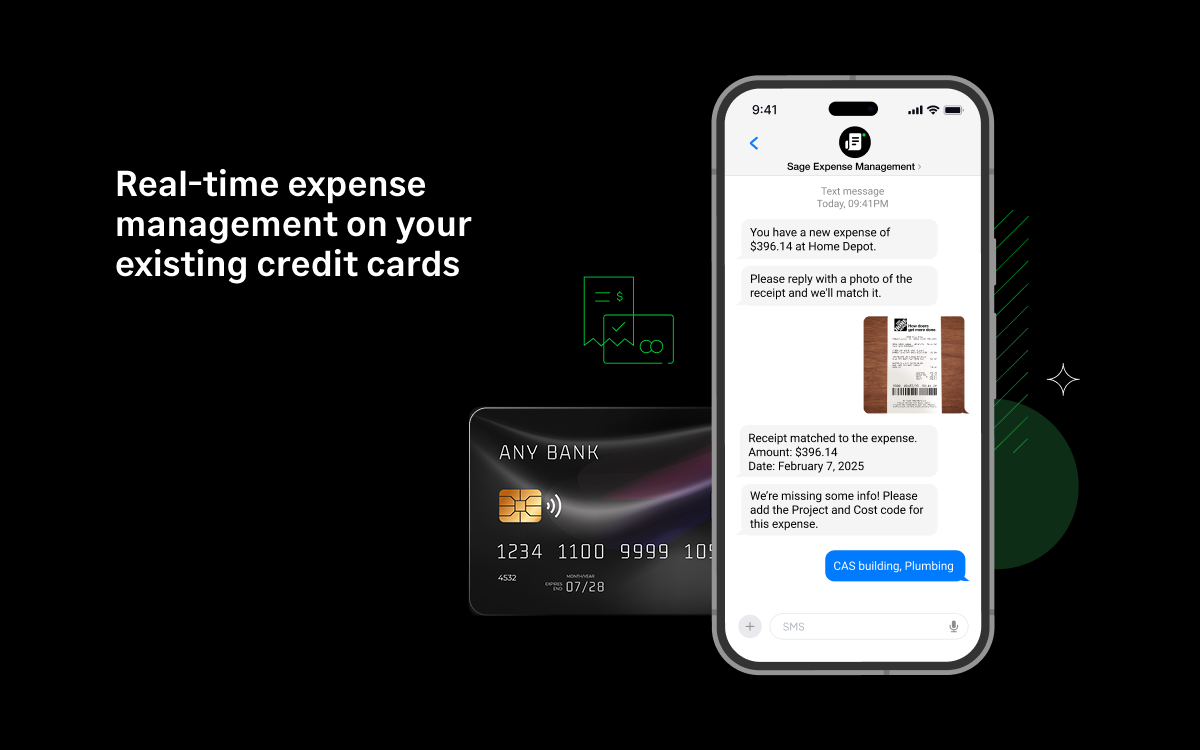
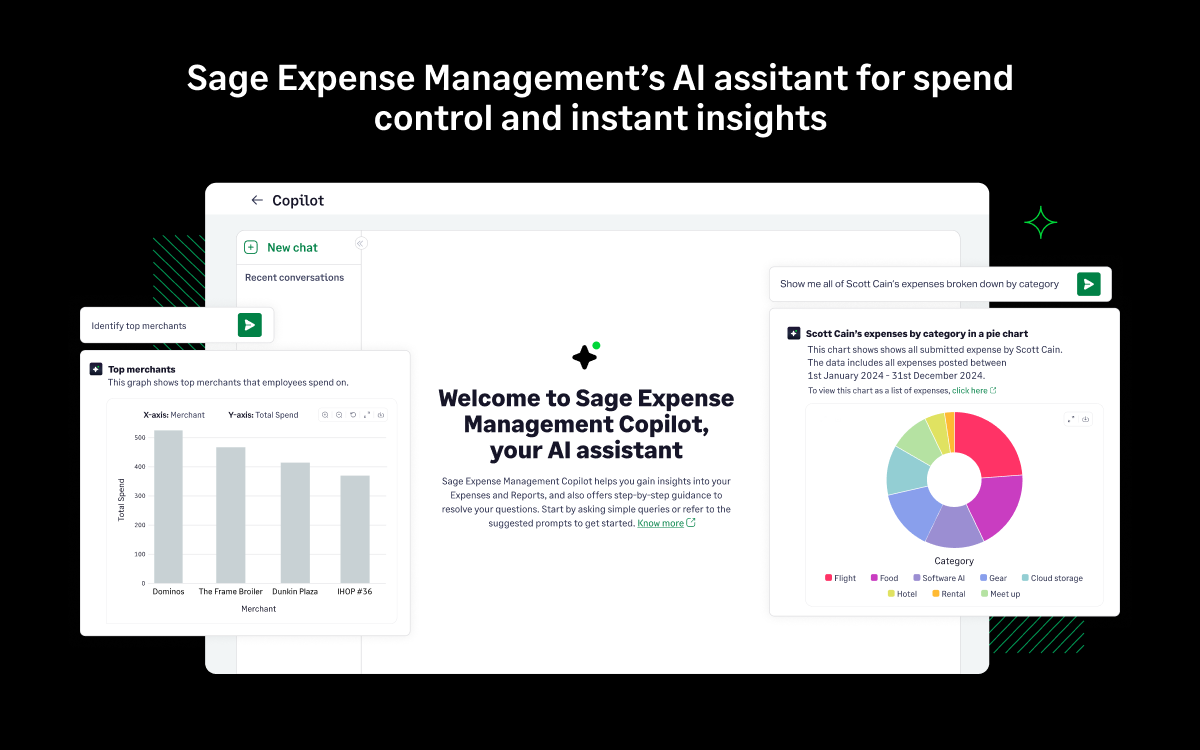
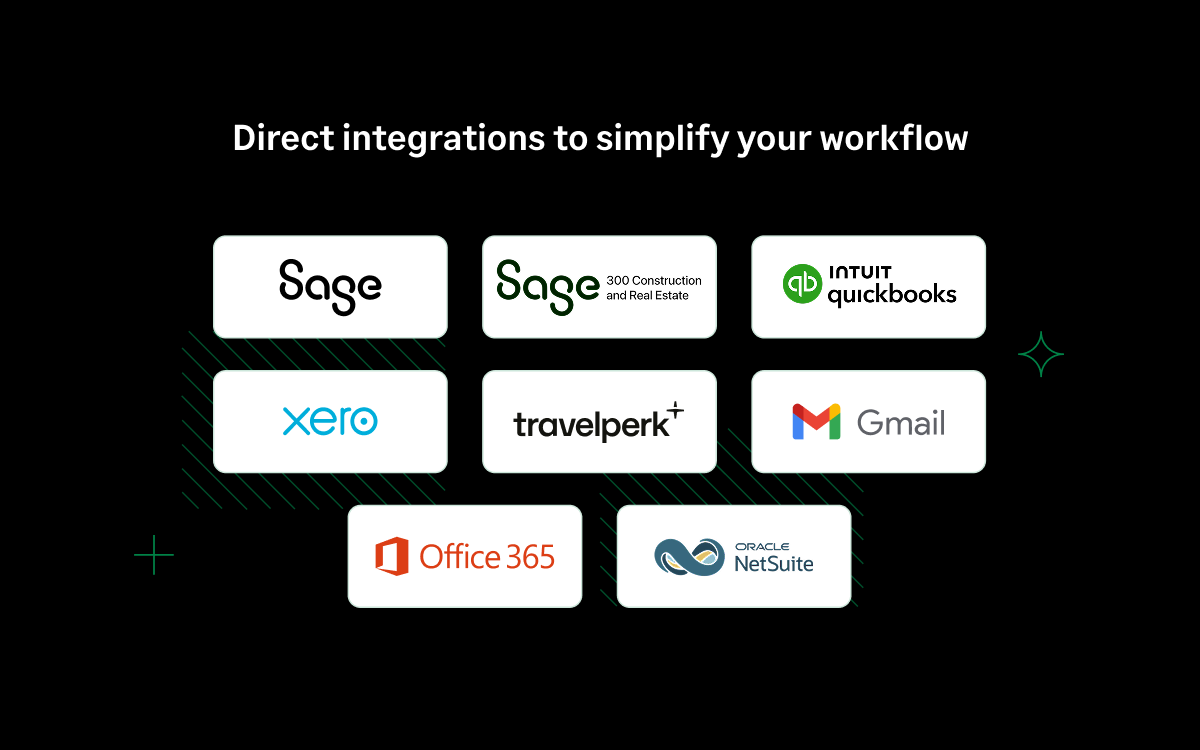
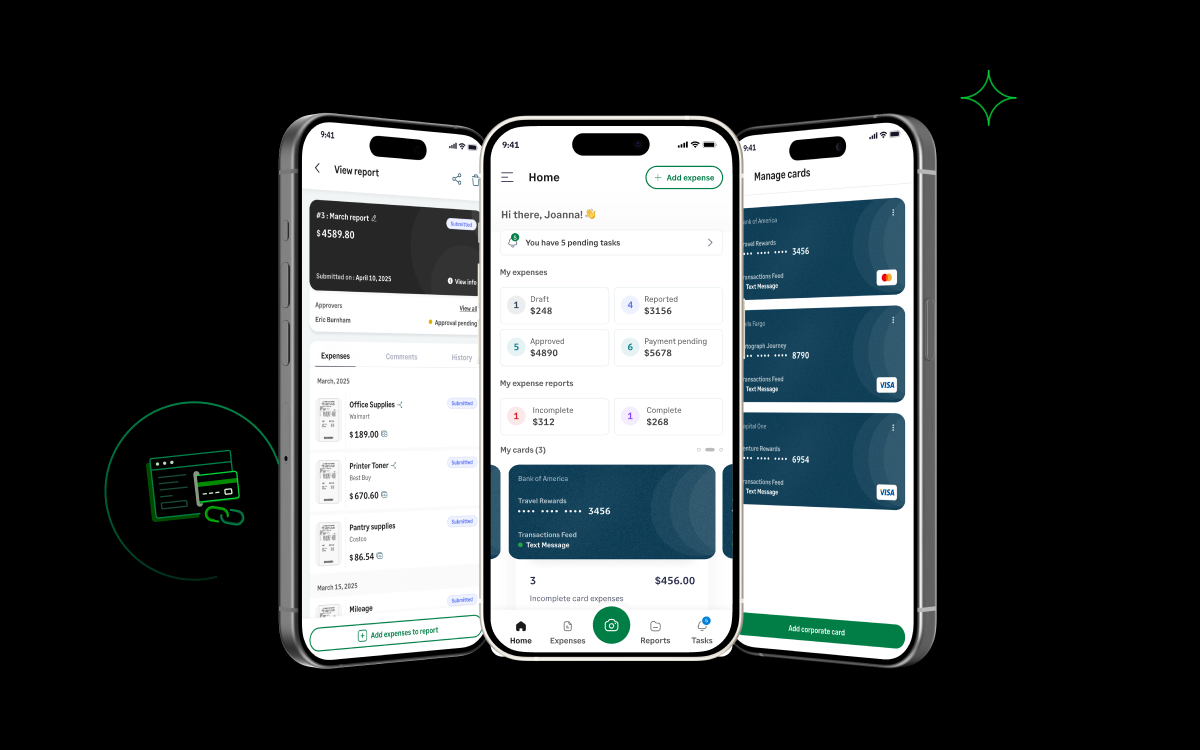
Screenshot of AI-powered insights on expenses, reports, categories, merchants, or any support queriesScreenshot of where employees can track and create expenses right from Text Message, Gmail, Outlook, Sage Expense Management mobile app and web app.Screenshot of Sage Expense Management's 2-way integrations with QuickBooks Desktop, QuickBooks Online, Sage Intacct, Xero and NetSuite.Screenshot of where employees can submit and track expenses and approvers can approve reports on-the-go with Sage Expense Management Android and iOS mobile app.Screenshot of where to receive real-time notifications for card spend via SMS and reconcile the spend instantly by replying with a picture of the receipt.

QuickBooks Time Screenshots

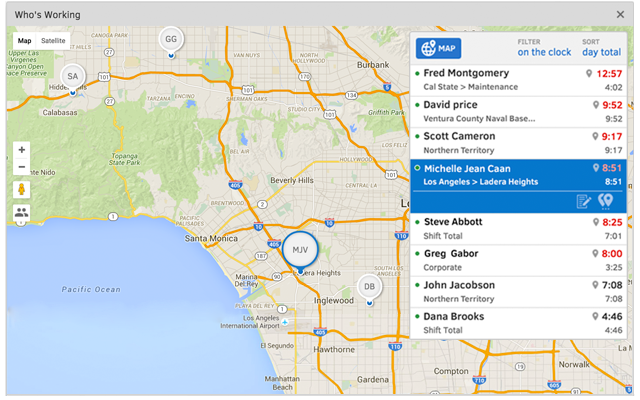
Screenshot of TSheets is the only time tracking app embedded inside QuickBooks. You can easily review and approve employee time cards to run payroll, do job costing, or create invoices--without ever leaving QuickBooks!Screenshot of With accurate employee hours from TSheets at your fingertips, you're always ready to run payroll--without the tedious manual entry!Screenshot of TSheets is more than just a time tracker. It keeps a timestamp for each clock in/out, job code change & GPS location. See who’s on the clock, where, and their assigned schedule—in real-time.Screenshot of Creating a schedule with Excel is costing you more than you think. TSheets employee scheduling software makes it faster & easier than ever to build & share schedules with employees, assign jobs & shifts, & keep your workforce in sync.Screenshot of Track time using devices your employees already use; any computer, mobile phone or landline, iPhone or Android app, smartphone browser, text message or Twitter.Screenshot of Really friendly free, unlimited support by phone, chat, or email. We guarantee you'll be impressed.