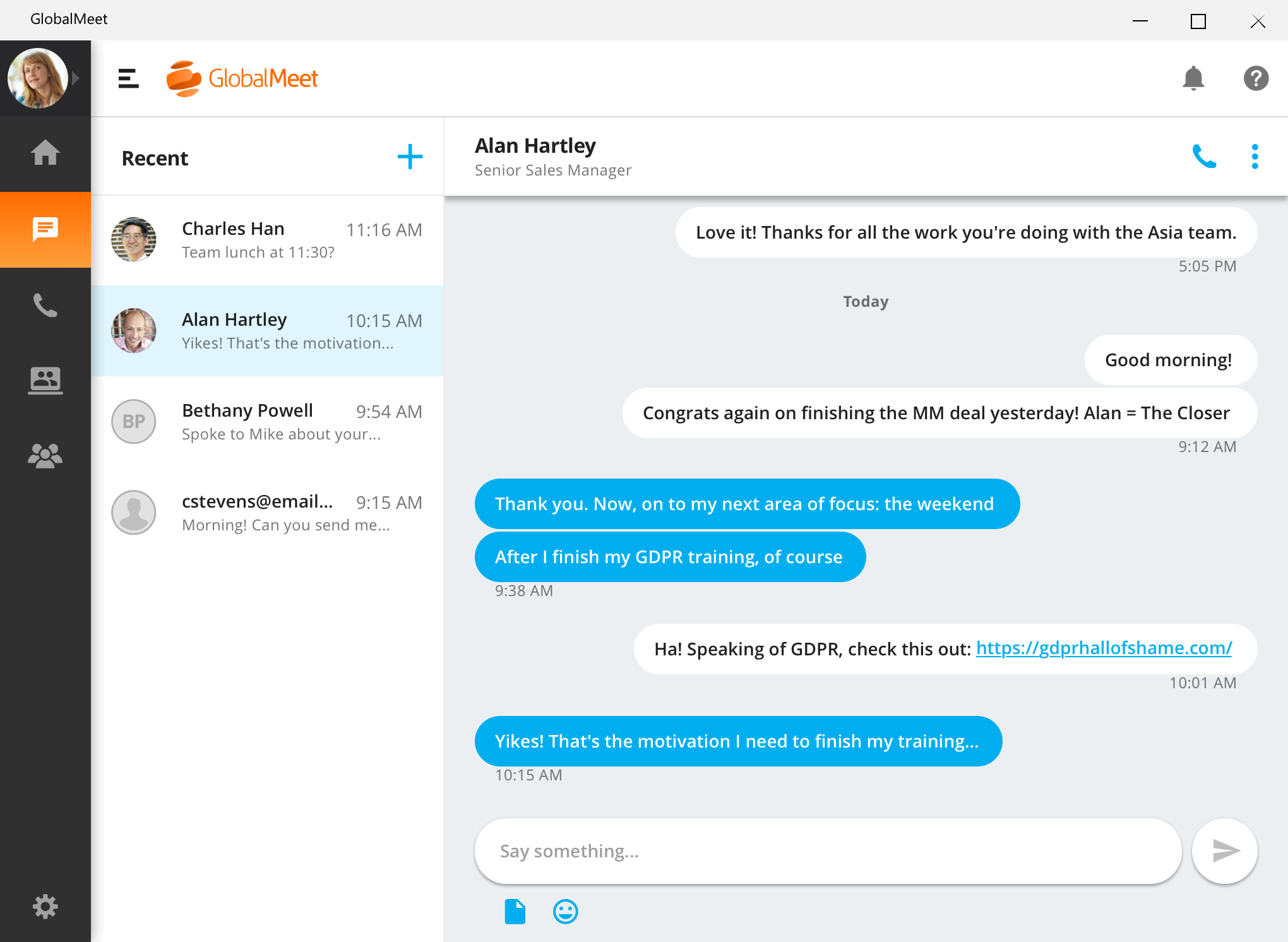
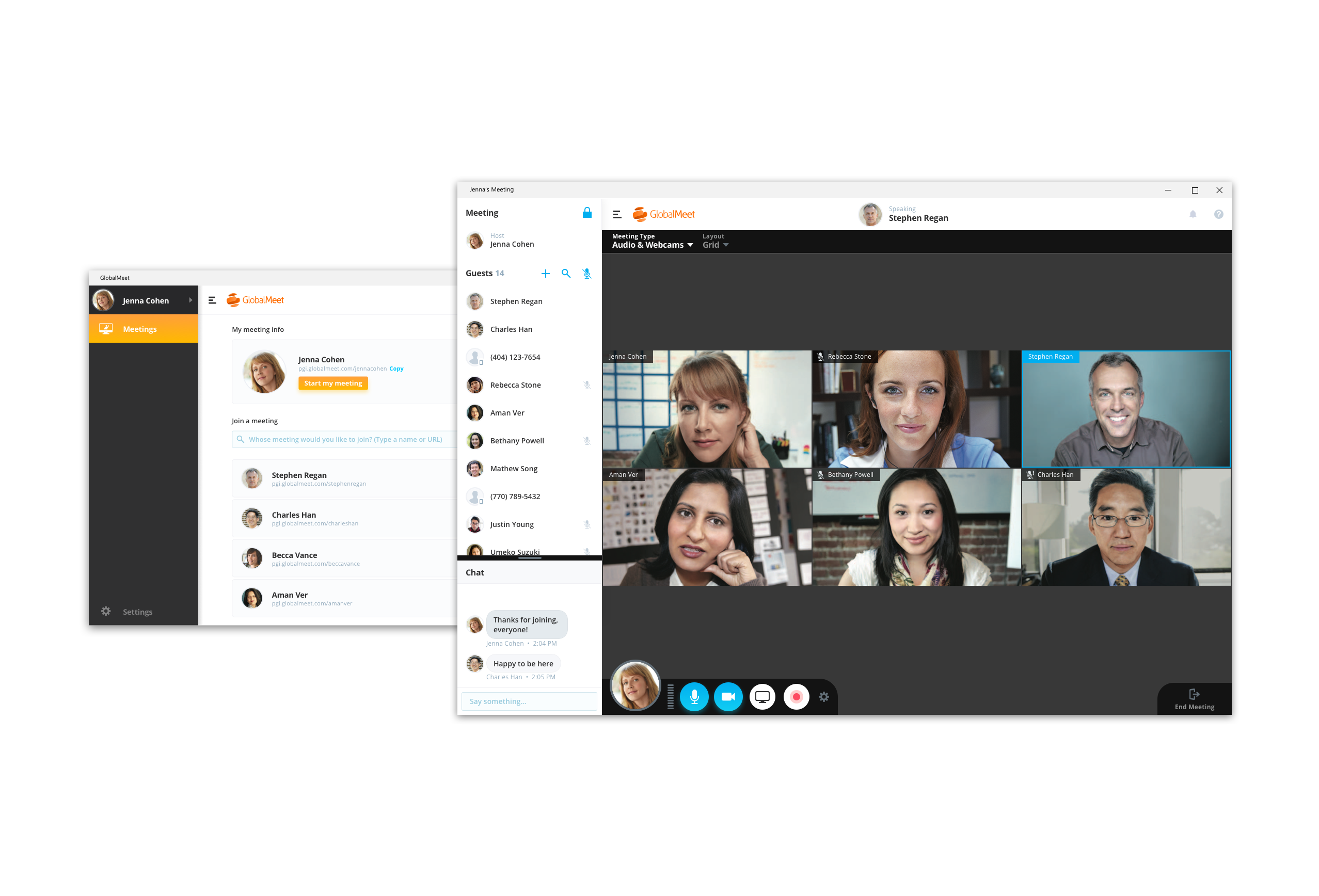
GlobalMeet Collaborationiwas an audio, web and video conferencing solution that is designed to make global communication easy from anywhere using any device. As of 2023 the product has reached EOL and will no longer be sold.
N/A
Skype (discontinued)
Score 7.1 out of 10
N/A
Skype (the personal edition or Skype free) was a web meeting, video conferencing, and VoIP software, now superseded by Microsoft Teams' free edition and unsupported from May 2025.
Skype for Business just allows us to share screens and chat. There isn't a recording to see what happened throughout the meeting and isn't as thorough as GlobalMeet in its capabilities.
GlobalMeet has better audio conferencing services than FreeConferenceCall.com in my opinion. We've often had trouble dialing-in with those conferences and we find the "This conference provided by FreeConferenceCall.com" announcement a bit embarrassing and unprofessional at the …
GlobalMeet far exceeds Webex given the ease of use and it does not seem to require the higher speed internet that Webex does which is important for my team given remote locations. I only utilize Skype or hangouts for interoffice meetings or for meetings where there are less …
GlobalMeet seems to drop fewer calls than some of the other services I have used. Skype drops calls often. Zoom would be my next choice if GlobalMeet were not an option.
I have used Skype for web calls in the past and have had no issues with it. It is the best conference tool I have used. I would not recommend GlobalMeet. It is too buggy and there are better solutions out there. Teleconferencing is becoming more of the norm and we need a …
GlobalMeet just “gets it” which is a rarity in the collaboration world. We tried Skype and it’s good for some things but ultimately we went with GlobalMeet Collaboration because of the reliability. And after all this time we still enjoy the features and overall platform as a …
I was not involved in the purchasing decision, but choose GlobalMeet over Skype in some situations since not all organizations permit their colleagues to join other Skype environments. WebEx is not widely deployed in the organization. I have just started using Teams, and I am …
GlobalMeet Collaboration is a Tier 1 app that can support large organizations like TIAA, which has over 15K associates. It has all the major functionality that is required to handle most meeting scenarios. Cannot speak to the cost as that is managed by our vendor management …
GlobalMeet just was the better option just because of ease of use. The interface is easy to use and learn and it offers all of the features I needed. The price was just right as well. I never liked WebEx and GoToMeeting feels like it lacks a little. Blue Jeans to me was too …
GlobalMeet is well suited for an organization that wants a simple web conference platform with no added features. It seems like this is the way to go if you want to not spend a lot of money for a service. GlobalMeet is not well suited for large organizations, or someone who needs to host multiple meetings and needs robust features such as attendance tracking, presentation sharing, and ease of use.
Having interacted with a new replacement tool, Microsoft Teams, it is challenging to recommend Skype, as it lacks some essential features, such as being less equipped with the latest updates, and it is not platform-independent, causing issues on PCs and phones, as well as during calls that might hinder work.
Recording feature useful to playback information from the meeting
Accessibility of domestic and international call in numbers make it possible for participants to call in no matter where they are traveling or located.
The instant chat function is great. Very straightforward, easy to use, easy to learn, no technical issues.
Video calls are pretty easy also, user friendly and a mostly stable connection with no issues.
Voice calls are easy also, eliminates the need for an external landline or the need to use your cell phone. Clear connections, not really any dropped calls.
There is a cost for the conferencing services unlike competitors like FreeConferenceCall.com or Skype which have free options. However, you pay for what you get and the audio/connection quality can and has been an issue for us with other vendors.
There are a lot of shortcuts that can be used on the line to mute/unmute lines, record the audio, request operator assistance, etc. However, these are difficult to memorize so we end up forgetting or relying on a print-out of the shortcuts that we keep near our desks. I wish there was an easier way to use these such as voice commands.
In the post-conference email recaps you get the phone numbers of those who dialed in. However, it can be difficult to know who these numbers belong to unless you remember the direct #s for the participants. I wish there was a way to save contact info for certain phone numbers within the system and let GlobalMeet add the names to the numbers for all future post-conference emails.
GlobalMeet is not a very good tool. There are better web meeting platforms available in the marketplace. The system is clunky, not intuitive, and experiences often technical issues. They have made updates recently but it is too little too late. It may be a good platform for smaller organizations with tighter budgets.
I have provided such a high rating because setting up the meeting only requires a few clicks. Within a couple minutes of telling my team that I will set up a meeting and send an invite, that invitation is already sitting in their inbox. I move at a fast pace and GlobalMeet is keeping up
Skype is not as good as Facetime in terms of ease to glance at it and figure out how it works. I think that's a result of Skype trying to be too many things at once. A lot of the menu and UI could be streamlined, and I would jettison some of the additional functions that have been tacked on over the years to simplify. That being said, while some options are slightly hard to find, they all work flawlessly once found.
For the most part GlobalMeet loaded everything quickly. The only problem that we had was when the whole company was on a training at one time, we had a hard time with screen sharing and the pages loading in a timely manner. Everything seemed to slow down when lots of people were on the system at once
As previously mentioned, I was in charge of facilitating a weekly meeting with 60 attendees. I had major issues with the screenshare crashing repeatedly during the meeting. I got in contact with a GlobalMeet Technician immediately. He was extremely responsive and worked with my technician to resolve all of the issues quickly. After his intervention, I never had the same issue again.
I am not aware of the current support level for Skype for business, as I have never used even though I have the product. However, the support for Skype's personal paid users is not where it could be. Users who pay for Skype features do not have a clear path to reach out to support. So, rating 6, can be better as soon as I need to use Skype for business support and get a good experience. I will say that I will renew Skype for Business subscription, which is a significant inconsistency on my end. The explanation is that Skype for Business comes bundled with Office for Business, with no additional cost, so why not.
I was not involved in the purchasing decision, but choose GlobalMeet over Skype in some situations since not all organizations permit their colleagues to join other Skype environments. WebEx is not widely deployed in the organization. I have just started using Teams, and I am not as familiar with using it yet. However, I have had success with joining other organizations that use Teams on a call. It is disappointing that functionality such as the whiteboard is not mutually available in those situations (yet).
We use Skype in combination with Grasshopper. While Grasshopper acts as a routing toll free number with extensions, if we are making calls directly, we do it through Skype. Skype's desktop and mobile apps are easier to use, and provide unlimited local calls at a flat, affordable rate. Allowing our team to use their existing mobile or desktop devices without additional hardware for business office phone calls is important, and Skype makes that possible
The price for webinar for GlobalMeet is quite pricey compared to other similar vendors.
GlobalMeet can be used for unlimited free calls and video conferencing, hence in our company with extensive global calls this platform is very cost-effective.
Unlike most conferencing software. Other users don't have to download GlobalMeet App and therefore it is easy to send meeting invite to clients.
Attentively support system that responds fast to queries and this saves time for us.