Google Content Experiments was a tool that can be used to create A/B test from within Google Analytics. It has been discontinued since 2019, and Google now recommends using its Google Optimize service for A/B testing.
N/A
OpenText Optimost
Score 7.0 out of 10
N/A
OpenText Optimost is designed to help companies deliver engaging, profitable websites and campaigns and includes self-service capabilities. Optimost also provides white glove consulting to help companies test confidently when the stakes and complexity are highest; immediately when speed is of the essence, and to match the perfect content to every customer.
N/A
Optimizely Web Experimentation
Score 8.7 out of 10
N/A
Whether launching a first test or scaling a sophisticated experimentation program, Optimizely Web Experimentation aims to deliver the insights needed to craft high-performing digital experiences that drive engagement, increase conversions, and accelerate growth.
Google Content Experiments is a free tool and the leading tool in the industry. It's pretty simple to set up a test and use content experiments to monitor objectives once Google Analytics is installed. Less experienced team members can run tests with some training. There are …
Google Content Experiments provides significantly more insight, historical data and analysis than Unbounce. However, if you do need a solution that offers a WYSIWYG editor, landing page hosting, and limited reporting and testing, Unbounce is a good all-in-one solution and that …
Google CE is free, Optimizely isn't plus only until recently I found out that Optimizely can work with multiple goals, however, this was found by meeting their employees at a trade show and not via their website.
GCE isn't better or worse than any of these, it's just different. When I have the time to build a new page, setup the testing scripts, and go - then I'll use GCE. If I'm doing multivariate I use VWO. If I'm testing a quick button or headline change, I use Optimizely or UnBounce.
Google CE does a great job streamlining tools and features. Optimizely does not offer nearly the same amount of tools or resources that G CE does. I would use CE in the future but stay away from Optimizely. Google also has a lot more resources for accruing knowledge on it …
OpenText Optimost
No answer on this topic
Optimizely Web Experimentation
Verified User
Strategist
Chose Optimizely Web Experimentation
Our choice of Optimizely was based on ease of use, reputation, and price. All 3 solutions seemed to have high reviews from users. We found VWO to be the most expensive, with Google CE being free and Optimizely in the middle. However we ruled out Google because it seemed to have …
These competitors are great examples of what is below and above Optimizley, in terms of price and capability. Adobe Test & Target is going to have a lot more features and capabilities, and, as you probably have guessed, it is much, much less affordable. Google Content …
We previously used Google's content experiments to do our A/B testing, but we found their testing methodology to be inflexible (they would often stop experments when they felt that a certain level of confidence was met and did not allow us to build in our own level of …
Features
Google Content Experiments (discontinued)
OpenText Optimost
Optimizely Web Experimentation
Testing and Experimentation
Comparison of Testing and Experimentation features of Product A and Product B
Google Content Experiments (discontinued)
9.2
1 Ratings
9% above category average
OpenText Optimost
-
Ratings
Optimizely Web Experimentation
8.0
163 Ratings
5% below category average
a/b experiment testing
9.01 Ratings
00 Ratings
9.0163 Ratings
Split URL testing
10.01 Ratings
00 Ratings
8.5135 Ratings
Multivariate testing
10.01 Ratings
00 Ratings
8.4139 Ratings
Multi-page/funnel testing
9.01 Ratings
00 Ratings
7.9126 Ratings
Cross-browser testing
8.01 Ratings
00 Ratings
8.197 Ratings
Mobile app testing
8.01 Ratings
00 Ratings
8.175 Ratings
Test significance
9.01 Ratings
00 Ratings
8.4147 Ratings
Visual / WYSIWYG editor
10.01 Ratings
00 Ratings
8.1133 Ratings
Advanced code editor
9.01 Ratings
00 Ratings
8.0125 Ratings
Page surveys
8.01 Ratings
00 Ratings
6.217 Ratings
Visitor recordings
8.01 Ratings
00 Ratings
8.418 Ratings
Preview mode
8.01 Ratings
00 Ratings
7.6145 Ratings
Test duration calculator
10.01 Ratings
00 Ratings
7.8112 Ratings
Experiment scheduler
10.01 Ratings
00 Ratings
8.2112 Ratings
Experiment workflow and approval
8.01 Ratings
00 Ratings
7.890 Ratings
Dynamic experiment activation
10.01 Ratings
00 Ratings
7.574 Ratings
Client-side tests
10.01 Ratings
00 Ratings
7.896 Ratings
Server-side tests
10.01 Ratings
00 Ratings
7.250 Ratings
Mutually exclusive tests
10.01 Ratings
00 Ratings
8.180 Ratings
Audience Segmentation & Targeting
Comparison of Audience Segmentation & Targeting features of Product A and Product B
Google Content Experiments (discontinued)
10.0
1 Ratings
13% above category average
OpenText Optimost
-
Ratings
Optimizely Web Experimentation
8.2
152 Ratings
7% below category average
Standard visitor segmentation
10.01 Ratings
00 Ratings
8.4147 Ratings
Behavioral visitor segmentation
10.01 Ratings
00 Ratings
7.7122 Ratings
Traffic allocation control
10.01 Ratings
00 Ratings
9.1144 Ratings
Website personalization
10.01 Ratings
00 Ratings
7.8111 Ratings
Results and Analysis
Comparison of Results and Analysis features of Product A and Product B
Do you already have Google Analytics? If so content experiments is a good, free, starting point to dip your toes in A/B testing. Do you need to run Multivariate experiments? If so, Google Content Experiments is not going to fit your needs.
The ease of implementation combined with the managed services result in a tool that virtually anyone can use - implementation is less than 10 lines of code added to the relevant pages of the website (we simply added it to our master page template to have it available on any page) and from there the customer can be as involved or not involved as they wish. At BSI we are very hands on with the testing programme - usually developing and designing the tests ourselves and having HP build them, but if we wanted to HP to develop, design and build and limit our role to QA and review that is an option.
I think it can serve the whole spectrum of experiences from people who are just getting used to web experimentation. It's really easy to pick up and use. If you're more experienced then it works well because it just gets out of the way and lets you really focus on the experimentation side of things. So yeah, strongly recommend. I think it is well suited both to small businesses and large enterprises as well. I think it's got a really low barrier to entry. It's very easy to integrate on your website and get results quickly. Likewise, if you are a big business, it's incrementally adoptable, so you can start out with one component of optimizing and you can build there and start to build in things like data CMS to augment experimentation as well. So it's got a really strong a pathway to grow your MarTech platform if you're a small company or a big company.
Because it is a managed service the need for intervention by our internal IT group was removed. This allowed us to control the pace of the testing programme without being influenced by IT resource allocation
The client and technical account managers are very good at suggesting tests or potential improvements
HP regularly holds custom forums which are always informative and provide an opportunity to learn from and network with peers and industry leaders
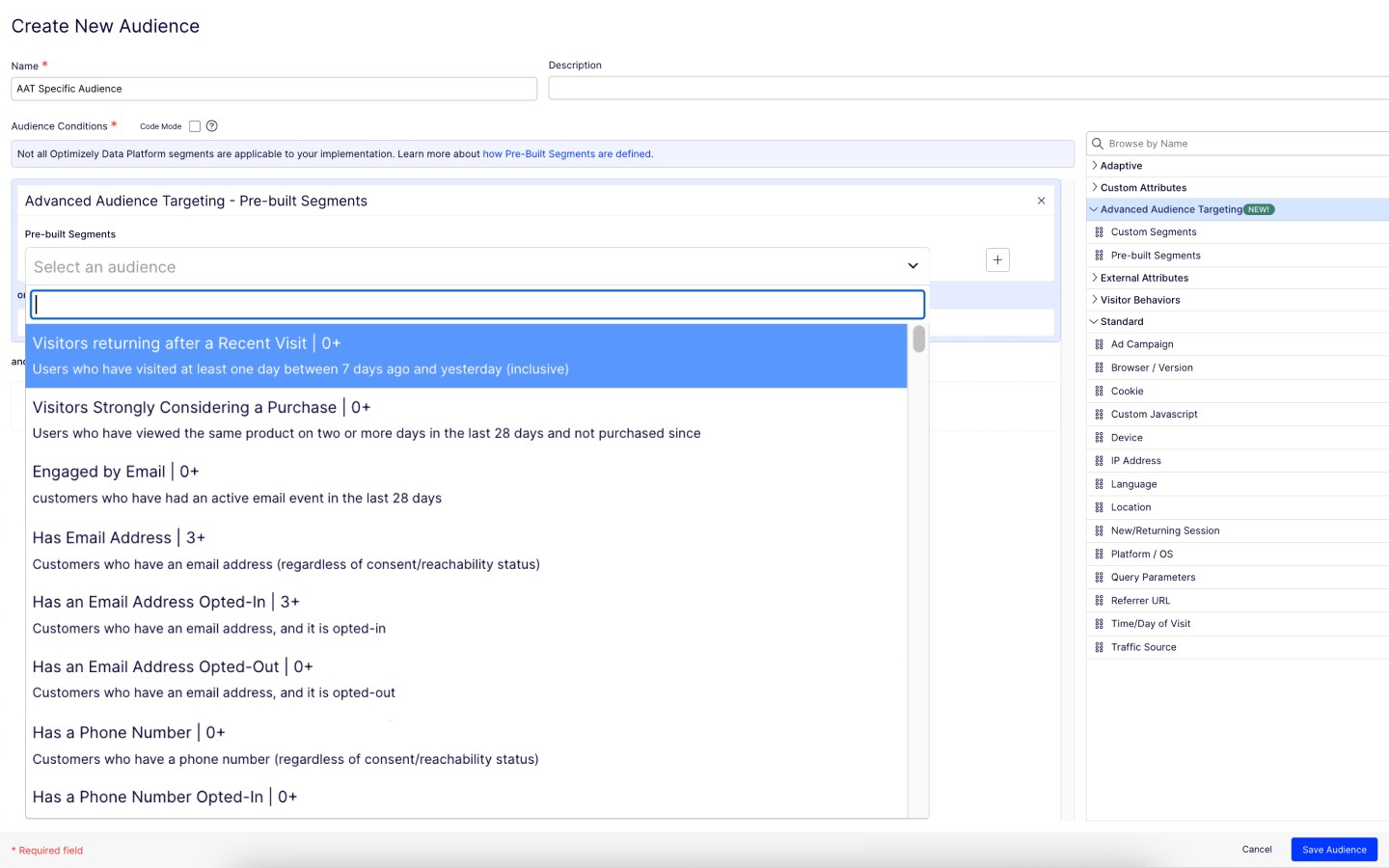
The Platform contains drag-and-drop editor options for creating variations, which ease the A/B tests process, as it does not require any coding or development resources.
Establishing it is so simple that even a non-technical person can do it perfectly.
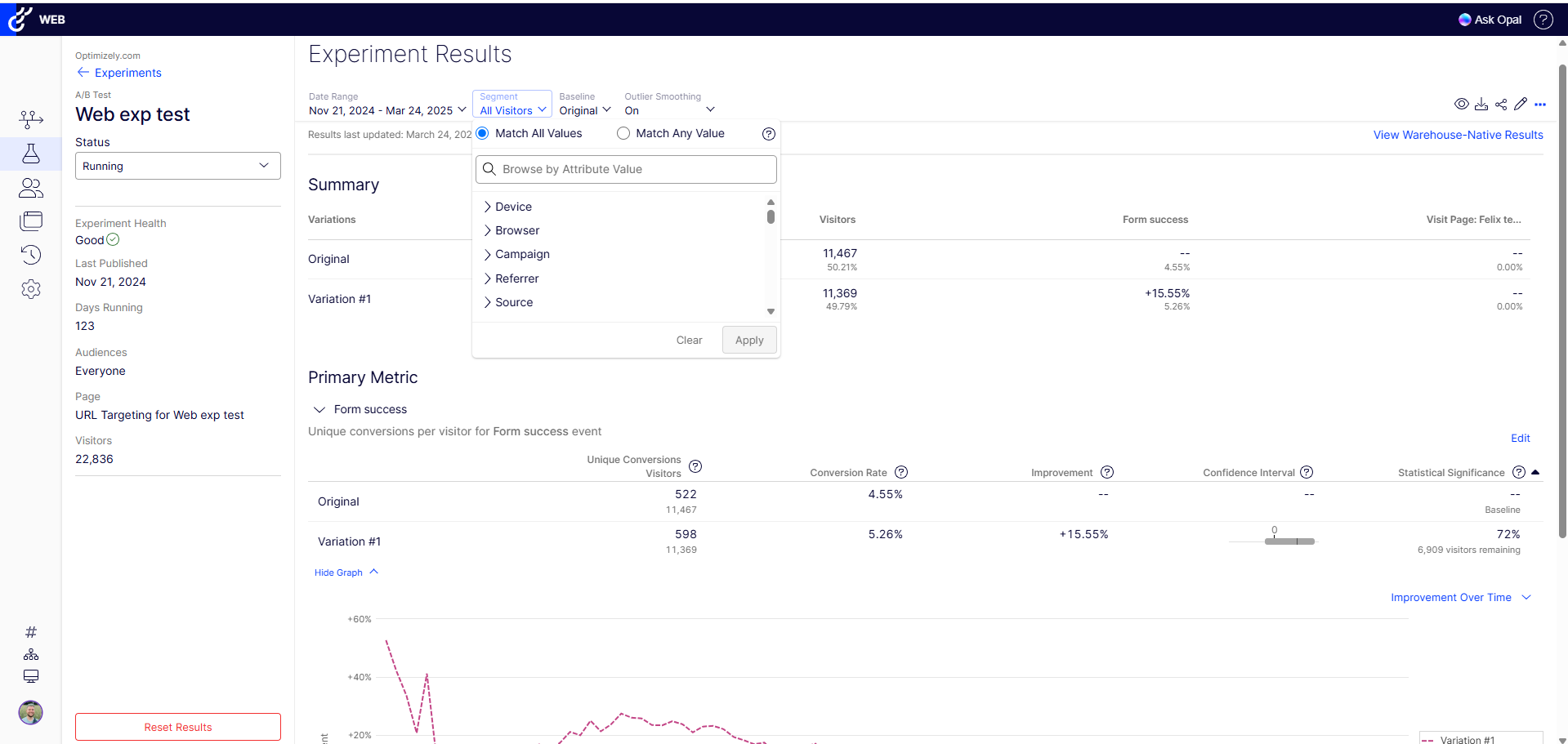
It provides real-time results and analytics with robust dashboard access through which you can quickly analyze how different variations perform. With this, your team can easily make data-driven decisions Fastly.
The dashboard interface is difficult to navigate, but I understand that they are currently developing/testing a new much more user friendly interface
The cost can be a barrier for some organisations, but for us it is worth it. Also they are in the process of releasing a less expensive self authoring testing tool.
Content Experiments just makes it is simple and easy to implement A|B tests. We will be evaluating other tools in search of a more robust system for multivariate and cross-page testing, such as Optimizely or Visual Website Optimizer. However, for basic testing, you can't really beat it.
We have not only renewed our subscription three years running, but we have added the self authoring tool and are looking to expand the subscription so that we can take advantage of the managed services on a global level.
I rated this question because at this stage, Optimizely does most everything we need so I don't foresee a need to migrate to a new tool. We have the infrastructure already in place and it is a sizeable lift to pivot to another tool with no guarantee that it will work as good or even better than Optimizely
Optimizely Web Experimentation's visual editor is handy for non-technical or quick iterative testing. When it comes to content changes it's as easy as going into wordpress, clicking around, and then seeing your changes live--what you see is what you get. The preview and approval process for sharing built experiments is also handy for sharing experiments across teams for QA purposes or otherwise.
I would rate Optimizely Web Experimentation's availability as a 10 out of 10. The software is reliable and does not experience any application errors or unplanned outages. Additionally, the customer service and technical support teams are always available to help with any issues or questions.
I would rate Optimizely Web Experimentation's performance as a 9 out of 10. Pages load quickly, reports are complete in a reasonable time frame, and the software does not slow down any other software or systems that it integrates with. Additionally, the customer service and technical support teams are always available to help with any issues or questions.
Using the free tool, overall "live support" is limited. However, there are plenty of online resources to get started. If you need handheld support, it is best to upgrade the service or hire a developer through one of Google's partner agencies. There could be more support for understanding what makes a test useful or not.
They always are quick to respond, and are so friendly and helpful. They always answer the phone right away. And [they are] always willing to not only help you with your problem, but if you need ideas they have suggestions as well.
The tool itself is not very difficult to use so training was not very useful in my opinion. It did not also account for success events more complex than a click (which my company being ecommerce is looking to examine more than a mere click).
In retrospect: - I think I should have stressed more demo's / workshopping with the Optimizely team at the start. I felt too confident during demo stages, and when came time to actually start, I was a bit lost. (The answer is likely I should have had them on-hand for our first install.. they offered but I thought I was OK.) - Really getting an understanding / asking them prior to install of how to make it really work for checkout pages / one that uses dynamic content or user interaction to determine what the UI does. Could have saved some time by addressing this at the beginning, as some things we needed to create on our site for Optimizely to "use" as a trigger for the variation test. - Having a number of planned/hoped-for tests already in-hand before working with Optimizely team. Sharing those thoughts with them would likely have started conversations on additional things we needed to do to make them work (rather than figuring that out during the actual builds). Since I had development time available, I could have added more things to the baseline installation since my developers were already "looking under the hood" of the site.
Google Website Optimizer was a better product but has been discontinued. We have also used Test and Target , which has more features but we have been doing fine with Google Content Experiments. Most testing situations can be handled with Google Content Experiments.
We evaluated Optimost again Adobe's similar offering (Target). The big difference between the two and the reason why BSI choose Autonomy was the managed service aspect. The idea that once the code was deployed on the site IT no longer had to be involved gave my team full ownership of the testing programme. With the Adobe product, the involvement of the internal IT group would have been required to launch each test - and this would have decreased the number of tests we could run each month. Back in the day I also used offermatica/omniture and this too required IT involvement.
The ability to do A/B testing in Optimizely along with the associated statistical modelling and audience segmentation means it is a much better solution than using something like Google Analytics were a lot more effort is required to identify and isolate the specific data you need to confidently make changes
We can use it flexibly across lines of business and have it in use across two departments. We have different use cases and slightly different outcomes, but can unify our results based on impact to the bottom line. Finally, we can generate value from anywhere in the org for any stakeholders as needed.
Use HP Optimost was the primary driver behind a 40% increase in UK classroom training courses booked online read more details here: http://www.autonomy.com/work/news/details/hsx6767d
HP Optimost testing led to a 9% increase in sales by improving the BSI Shop's checkout funnel in 2012
HP Optimost is integral to the success of BSI's continuous improvement testing programme
We're able to share definitive annualized revenue projections with our team, showing what would happen if we put a test into Production
Showing the results of a test on a new page or feature prior to full implementation on a site saves developer time (if a test proves the new element doesn't deliver a significant improvement.
Making a change via the WYSIWYG interface allows us to see multiple changes without developer intervention.