LogMeIn Central is a cloud-based remote monitoring and management (RMM) platform for IT teams and managed service providers. The solution provides remote access, endpoint monitoring, patch management, task automation, scripting, and reporting from a single console. It supports Windows and Mac environments and includes antivirus management powered by Bitdefender.
N/A
ManageEngine Endpoint Central
Score9 out of 10
N/A
Desktop Central from ManageEngine is a client desktop management with patching, remote control, and configuration.
IT Director in Information Technology at Capstone Rural Health Ctr (Medical Practice, 51-200 employees)
Chose LogMeIn Central
I did not like the Kaseya product, it was difficult to us and had constant connection issues. We currently utilize Endpoint Central and love it. However, we will maintain Central for the screen sharing product. TeamViewer is ok but is slow and clunky.
A de minimis incentive was given to thank the reviewer for their time. The incentive was not used to bias or drive a particular response, nor was the incentive contingent on a positive endorsement. More Info
Desktop & Network Supervisor in Information Technology at ProgenyHealth, LLC (Health, Wellness and Fitness, 201-500 employees)
Chose LogMeIn Central
We previously used Kaseya provided from a MSP and it was not reliable so it was not an option to continue. ManageEngine was good but the price and each part was separate so costs rose quickly. We had another option called FusionOne from another MSP but did not work as well as …
A de minimis incentive was given to thank the reviewer for their time. The incentive was not used to bias or drive a particular response, nor was the incentive contingent on a positive endorsement. More Info
ManageEngine A Div of Zoho Corporation Pvt Ltd
Verified User
Chose ManageEngine Endpoint Central
We had 3 key points in mind on our market research when selected the MDM solution. This where: Best integration across multiple OS vendors; Ease of use of the management console; Licensing model per endpoint and agents. If we were to have a Windows only environment, then …
A de minimis incentive was given to thank the reviewer for their time. The incentive was not used to bias or drive a particular response, nor was the incentive contingent on a positive endorsement. More Info
LogMeIn Central by GoTo is well suited for easy, direct access to specific, perhaps mission critical, machines. Its remote control functionality and speed is very good - best in class, really. However, it simply can't replace a true and traditional RMM product in terms of robustness and overall ability (or lack thereof).
A de minimis incentive was given to thank the reviewer for their time. The incentive was not used to bias or drive a particular response, nor was the incentive contingent on a positive endorsement. More Info
For small businesses, it is also free, which, for what it offers, is really helpful. It works better than similar products, such as SCCM, both within and outside the internal network. I do not see scenarios in which it could be less appropriate.
A de minimis incentive was given to thank the reviewer for their time. The incentive was not used to bias or drive a particular response, nor was the incentive contingent on a positive endorsement. TR verified that a representative sample of customers was invited. More Info
We set alerts when a devices gets low on disk space. That is automatic and creates a ticket in ME SDP. We are then able to Add space to a VM Desktop, and then go thru ManageEngine Endpoint Central to extend the drives so the entire process can be done without interruption to the end user.
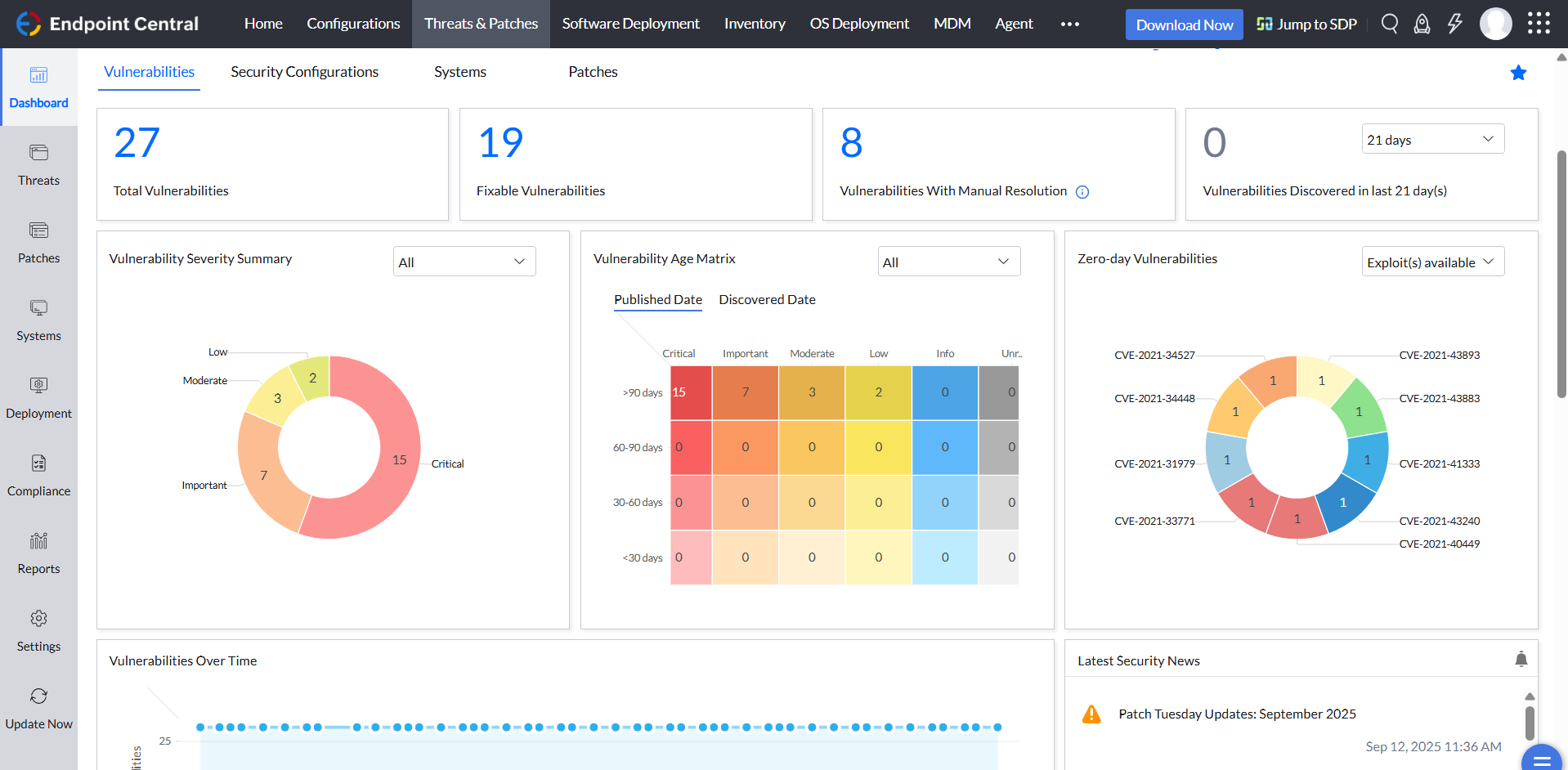
Using the patch scans we can easily see what patches have been installed for all manufacturers not just Microsoft, without having to physically go to the device. It also allows us to choose which patches we want to push out and automate the process so we can be hands off, freeing up out time for other things.
Remote access to devices. This allows us to remotely make changes, not just via remote control but also make registry changes and clean up space without going to the device and without interruption to the end user.
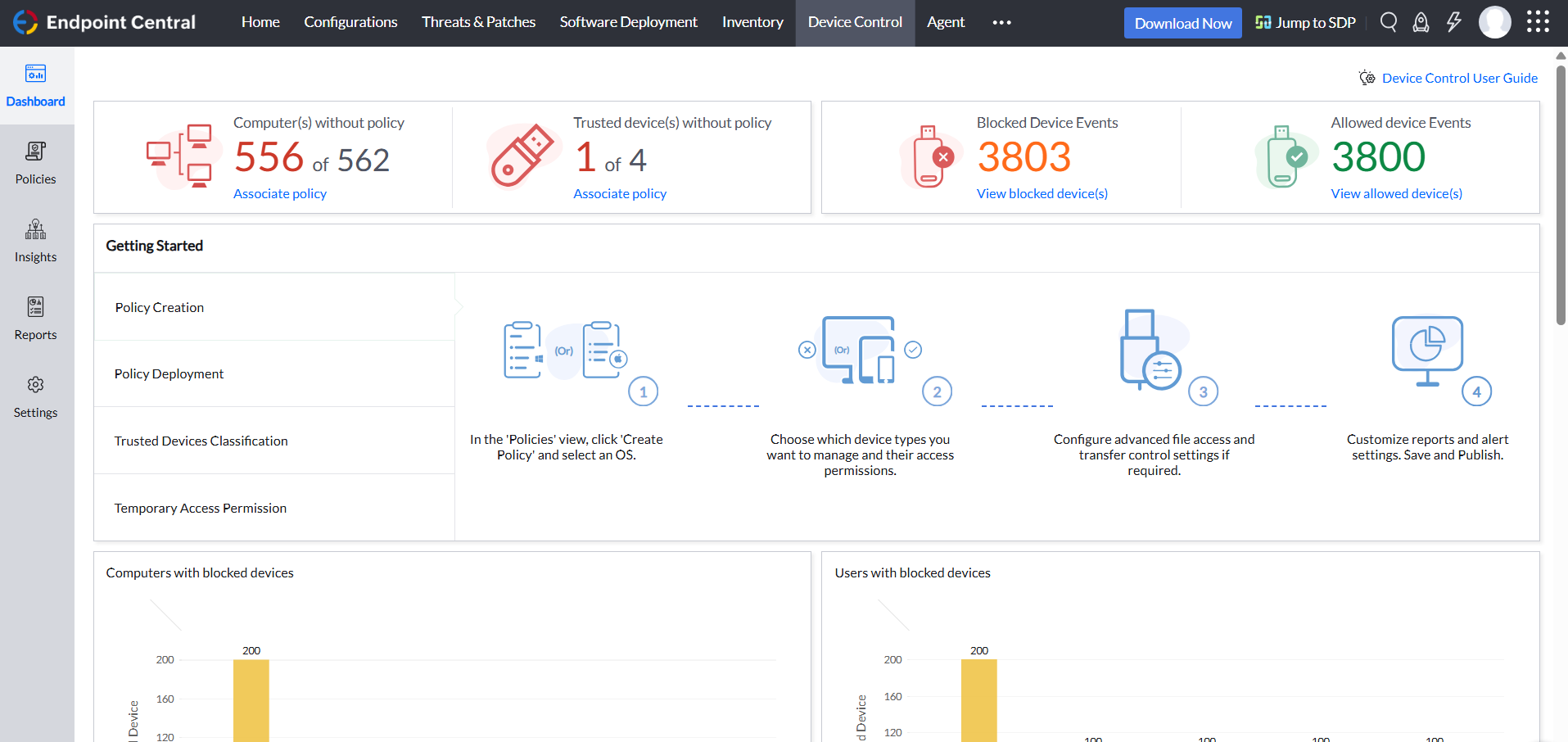
Alerts. We have set up to get email alerts when new hardware is plugged into any computers. This lets us know if someone is bringing in un-authorized equipment (thumb drives, hubs, etc) to better manage what is/is not on our network.
A de minimis incentive was given to thank the reviewer for their time. The incentive was not used to bias or drive a particular response, nor was the incentive contingent on a positive endorsement. TR verified that a representative sample of customers was invited. More Info
A de minimis incentive was given to thank the reviewer for their time. The incentive was not used to bias or drive a particular response, nor was the incentive contingent on a positive endorsement. More Info
What I dont like is when I run out of licenses that the only way to get more is to buy large amounts. this is very frustrating and as a small business I need to watch how much i am spending. smaller license packs would be better
A de minimis incentive was given to thank the reviewer for their time. The incentive was not used to bias or drive a particular response, nor was the incentive contingent on a positive endorsement. More Info
ManageEngine is considered an excellent product due to its comprehensive suite of solutions for IT management, with ManageEngine Endpoint Central specifically excelling in endpoint management. The platform stands out for its user-friendly interface, robust features, and versatility in addressing diverse IT needs. It offers organizations a centralized solution for endpoint security, patch management, software deployment, and asset management
It is wonderful after the initial setup and implementation.It's fairly intuitive and easy to use for more of our tech and users. These types of products have come a long way. I've been in tech for 20+ years, and thinking back to tools like PC anywhere things have become just so much more user friendly on both ends of the device.
A de minimis incentive was given to thank the reviewer for their time. The incentive was not used to bias or drive a particular response, nor was the incentive contingent on a positive endorsement. More Info
Not using WNS to communicate with the endpoint console is a big plus. We now use Workspace One, and WNS can be really annoying at times. After deployment, it cleans itself, which is important for us because our current solution leaves the package on the computer and requires maintenance. The remotely script command is a lifesaver.
A de minimis incentive was given to thank the reviewer for their time. The incentive was not used to bias or drive a particular response, nor was the incentive contingent on a positive endorsement. More Info
During our 6 years of use, we [have] never seen any downtime from their side. The application simply works. We have had incidents when we were not able to connect to remote servers by any means, but LogMeIn Central always worked. It has saved us trips to other offices. We have few users are who live in rural areas where internet speeds are not great. Supporting these users is a big challenge, but LogMeIn Central was always a lifesaver.
A de minimis incentive was given to thank the reviewer for their time. The incentive was not used to bias or drive a particular response, nor was the incentive contingent on a positive endorsement. More Info
Every time I called in with a question or concern, your support team always provided the right information. It's great to call in to support and everyone that answers is very knowledgeable of the product.
A de minimis incentive was given to thank the reviewer for their time. The incentive was not used to bias or drive a particular response, nor was the incentive contingent on a positive endorsement. More Info
The immediate chat support is great and very helpful. However, if you need escalated support or have a deeper need that the chat tool can't help with, you will experience significant wait times and slow responses. The time zone difference becomes painful to the point of often just giving up.
A de minimis incentive was given to thank the reviewer for their time. The incentive was not used to bias or drive a particular response, nor was the incentive contingent on a positive endorsement. More Info
It seems that the services offered with the purchase change from what is covered to what is an additional cost. Somethings I thought we had ended up requiring an additional purchase if we wanted to continue using the feature.
A de minimis incentive was given to thank the reviewer for their time. The incentive was not used to bias or drive a particular response, nor was the incentive contingent on a positive endorsement. More Info
LogmeIn Central is the fastest RMM in terms of remote connection. It generally performs well on networks that have low bandwidth too. In terms of features, Datto RMM does best it because it offers such a good platform for integrations and also for scripting. The community is very open with that software which really gives it a boost, and this is something LogMein Central could work on.
A de minimis incentive was given to thank the reviewer for their time. The incentive was not used to bias or drive a particular response, nor was the incentive contingent on a positive endorsement. More Info
I was not a part of the initial selection process, but I understand the issue was related to cost per endpoint. As a user of the other solutions I would say that the other solutions do have other strengths that ManageEngine is missing. The remote access tools are superior but at the end of the day you get what you pay for.
A de minimis incentive was given to thank the reviewer for their time. The incentive was not used to bias or drive a particular response, nor was the incentive contingent on a positive endorsement. More Info
A de minimis incentive was given to thank the reviewer for their time. The incentive was not used to bias or drive a particular response, nor was the incentive contingent on a positive endorsement. TR verified that a representative sample of customers was invited. More Info