GoToMyPC is a remote administration offering from GoTo (formerly LogMeIn) with mobile deployment to work on files, programs, and networks from home or while traveling.
N/A
LogMeIn Pro
Score8.9 out of 10
N/A
LogMeIn Pro is a remote access solution for individuals and small businesses that need to connect to Windows and Mac computers from any location. The platform provides remote desktop access through browsers, desktop applications, and mobile devices. The platform supports remote desktop access via browser, desktop application, and mobile devices. Key features include file transfer, remote printing, multi-monitor display, screen sharing, and 256-bit AES encryption.
$30
per month
RemoteCall PC/Mobile/Visual
Score9.7 out of 10
Enterprise companies (1,001+ employees)
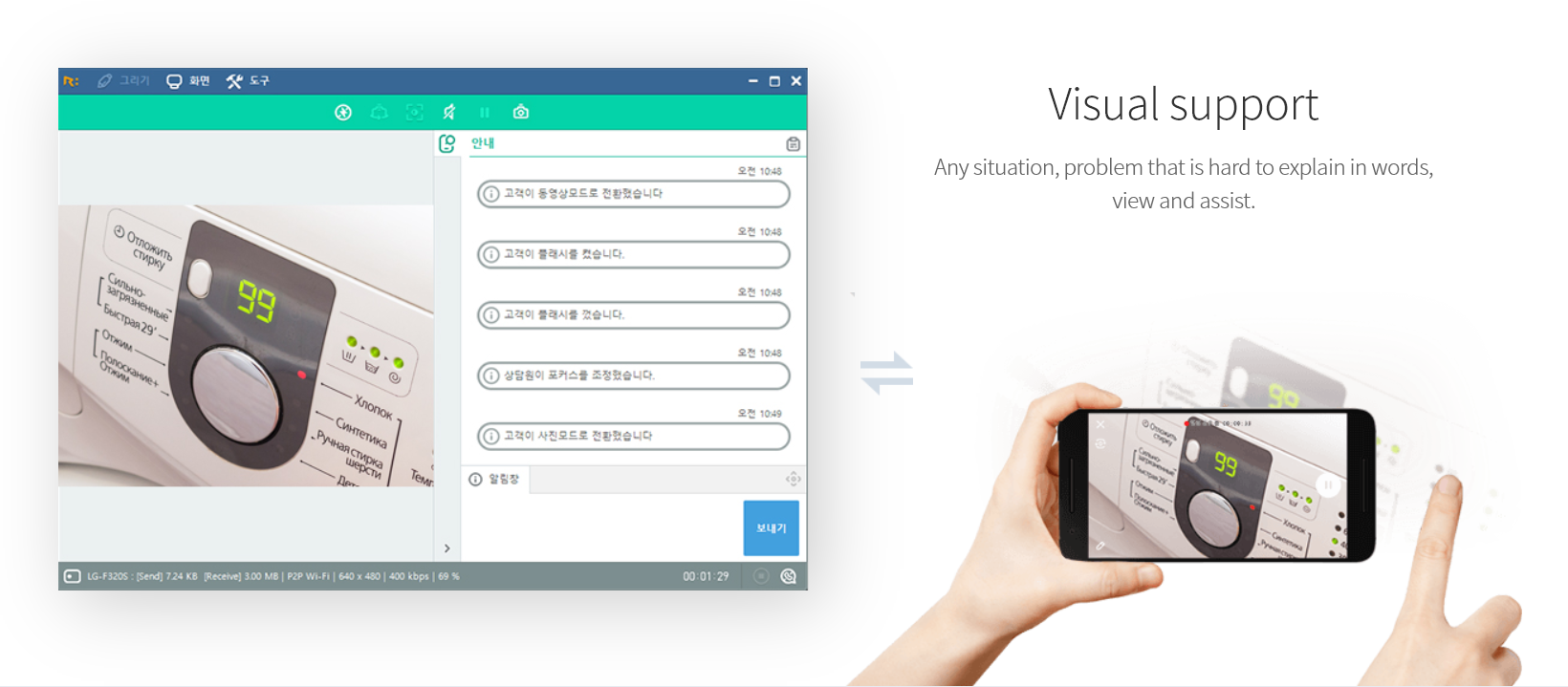
RemoteCall is a cloud based remote support solution bridging the agents and clients. Support client PCs, mobile devices and via camera using the cloud based service or in-house server solution. It is a solution for IT professionals and it can be used from PCs, mobile devices, websites and apps with 100% RSUPPORTs remote service technology. The vendor's flagship products, RemoteCall WebViewer boasts users among all types of companies, governments, public institutions, manufacturers, as well as…
$30
per installation
Pricing
GoToMyPC
LogMeIn Pro
RemoteCall PC/Mobile/Visual
Editions & Modules
No answers on this topic
Individuals
$30.00
per month
Power Users
$70.00
per month
Small Businesses
$129.00
per month
RemoteCall Server
30k+ USD
per installation
RemoteCall PC
59.90 / month
per seat
RemoteCall PC + visual
74.90 / month
per seat
RemoteCall PC + mobile
79.90 / month
per seat
RemoteCall PC + mobile + visual
129.90 / month
per seat
Offerings
Pricing Offerings
GoToMyPC
LogMeIn Pro
RemoteCall PC/Mobile/Visual
Free Trial
Yes
Yes
Yes
Free/Freemium Version
No
No
No
Premium Consulting/Integration Services
No
No
No
Entry-level Setup Fee
No setup fee
No setup fee
No setup fee
Additional Details
—
All plans are billed annually.
** RemoteCall Server pricing is calculated as [one-time server software fee] + [one-time per device license fee] + [optional yearly maintenance]
** SaaS plan's device can be Windows / Mac PC or Android / iOS mobile devices.
More Pricing Information
Community Pulse
GoToMyPC
LogMeIn Pro
RemoteCall PC/Mobile/Visual
Considered Multiple Products
GoTo formerly LogMeIn
Verified User
Chose GoToMyPC
Biggest issue what the printer settings would get messed up everytime we tried to print remotely & then our point of sale receipts and pricing labels would not work properly.
A de minimis incentive was given to thank the reviewer for their time. The incentive was not used to bias or drive a particular response, nor was the incentive contingent on a positive endorsement. More Info
Office Manager at MF Construction Contractors (Construction, 1-10 employees)
Chose GoToMyPC
I know LogMeIn and GoToMyPC merged, but I didn't like the LogMeIn format. It was harder to use. I was forced into it because GoToMyPC didn't support one of my devices.
A de minimis incentive was given to thank the reviewer for their time. The incentive was not used to bias or drive a particular response, nor was the incentive contingent on a positive endorsement. More Info
A de minimis incentive was given to thank the reviewer for their time. The incentive was not used to bias or drive a particular response, nor was the incentive contingent on a positive endorsement. TR verified that a representative sample of customers was invited. More Info
A de minimis incentive was given to thank the reviewer for their time. The incentive was not used to bias or drive a particular response, nor was the incentive contingent on a positive endorsement. TR verified that a representative sample of customers was invited. More Info
Verified User
Chose GoToMyPC
GoToMyPC is about the same as the others, as far as useability, but the price and setup are better.
A de minimis incentive was given to thank the reviewer for their time. The incentive was not used to bias or drive a particular response, nor was the incentive contingent on a positive endorsement. More Info
Verified User
Chose GoToMyPC
GoToMyPC is a superior product, in my opinion. It was very easy, efficient, and smooth from the beginning - never even a bump along the way. I am a customer for life!
A de minimis incentive was given to thank the reviewer for their time. The incentive was not used to bias or drive a particular response, nor was the incentive contingent on a positive endorsement. More Info
Office Manager in Corporate at MF Construction Contractors (Construction, 1-10 employees)
Chose GoToMyPC
I used it with my original Surface RT because GoToMyPC didn't work with it. I know it's now part of GoToMyPC, but I didn't like LogMein's interface as well as GoToMyPc. Just not as intuitive. I looked at Microsoft product, but it requires all PC to run Windows Pro and only my …
A de minimis incentive was given to thank the reviewer for their time. The incentive was not used to bias or drive a particular response, nor was the incentive contingent on a positive endorsement. More Info
GoTo formerly LogMeIn
Verified User
Chose LogMeIn Pro
LogMeIn works well for small number of devices that need unattended remote access. For cost, LogMeIn in similar to GoToMyPC - works about the same - has similar features for about same cost
A de minimis incentive was given to thank the reviewer for their time. The incentive was not used to bias or drive a particular response, nor was the incentive contingent on a positive endorsement. More Info
Verified User
Chose LogMeIn Pro
LogMeIn has the edge over TeamViewer and GoToMyPC when it comes to accessing/managing multiple machines. The interface is much cleaner and, at least in my experience, connectivity through LogMeIn has proven to be quite a bit more reliable than the other solutions. The one area …
A de minimis incentive was given to thank the reviewer for their time. The incentive was not used to bias or drive a particular response, nor was the incentive contingent on a positive endorsement. More Info
I think GoToMyPC is well-suited for any scenario I have encountered, although I only have experience using it in a small firm setting. Otherwise, for working from home and traveling or file retrieval, it has proved more than adequate. I have not encountered a scenario that I thought was less than appropriate.
A de minimis incentive was given to thank the reviewer for their time. The incentive was not used to bias or drive a particular response, nor was the incentive contingent on a positive endorsement. More Info
LogMeIn Pro is very well suited for small-to-medium sized organisations. The pricing is affordable and the implementation is easier. There are some concerns related to data privacy and security, hence I would not advise this to be used when your session handles PHI and PII kind of data, just to be compliant.
A de minimis incentive was given to thank the reviewer for their time. The incentive was not used to bias or drive a particular response, nor was the incentive contingent on a positive endorsement. More Info
There was an engineer call due to an emergency failure at the customer. It took an hour for the engineer to move and get to the site. So, using RemoteCall, I immediately supported the problem while moving. The customer's problems were resolved before arriving on-site, and the customer was satisfied thanks to the quick handling and response. Without RemoteCall, the golden hour would have been missed.
A de minimis incentive was given to thank the reviewer for their time. The incentive was not used to bias or drive a particular response, nor was the incentive contingent on a positive endorsement. More Info
LogMeIn Pro by GoTo offers unattended remote access that’s reliable and always available. You can securely log in to a client’s device (Windows or macOS) from anywhere, even without them present.....as long as their machine is on.
You can transfer files during a session without disrupting work. I've also transferred some pretty large files at times without issues.
I like the dashboard as it makes it easy to manage and organize multiple devices across our client base. You can see online/offline status, access machines instantly, and share access with your team all in one easy to view place
A de minimis incentive was given to thank the reviewer for their time. The incentive was not used to bias or drive a particular response, nor was the incentive contingent on a positive endorsement. More Info
A de minimis incentive was given to thank the reviewer for their time. The incentive was not used to bias or drive a particular response, nor was the incentive contingent on a positive endorsement. More Info
A de minimis incentive was given to thank the reviewer for their time. The incentive was not used to bias or drive a particular response, nor was the incentive contingent on a positive endorsement. More Info
A de minimis incentive was given to thank the reviewer for their time. The incentive was not used to bias or drive a particular response, nor was the incentive contingent on a positive endorsement. More Info
A de minimis incentive was given to thank the reviewer for their time. The incentive was not used to bias or drive a particular response, nor was the incentive contingent on a positive endorsement. More Info
I have been using GotomyPC for 20 years and it's gotten better with time. It's the best remote app that I've tried. The others were harder to use and not as functional. It allows us to work from anywhere just as if we were in the office. Even being able to print to my remote location is a wonderful way of doing work. I don't have to drag it to my remote device, It will just print without any hassle
A de minimis incentive was given to thank the reviewer for their time. The incentive was not used to bias or drive a particular response, nor was the incentive contingent on a positive endorsement. More Info
A de minimis incentive was given to thank the reviewer for their time. The incentive was not used to bias or drive a particular response, nor was the incentive contingent on a positive endorsement. More Info
Really easy to use-even if you forget your password frequently like me. The reset password feature is not cumbersome and does not require phoning Customer Service. Just a few clicks and a bit of creativity to come up with a new password. I like this "easy button" approach. Definitely recommend.
A de minimis incentive was given to thank the reviewer for their time. The incentive was not used to bias or drive a particular response, nor was the incentive contingent on a positive endorsement. More Info
I will give a Rating of 10 for LogMeIn Pro by GoTo's overall usability because it has a centralized Dashboard to access all machines and servers and a very user-friendly User Interface. Also, the remote connectivity is very smooth and reliable as if you are working on your local desktop or laptop.
A de minimis incentive was given to thank the reviewer for their time. The incentive was not used to bias or drive a particular response, nor was the incentive contingent on a positive endorsement. More Info
A de minimis incentive was given to thank the reviewer for their time. The incentive was not used to bias or drive a particular response, nor was the incentive contingent on a positive endorsement. More Info
A de minimis incentive was given to thank the reviewer for their time. The incentive was not used to bias or drive a particular response, nor was the incentive contingent on a positive endorsement. More Info
I have never had to contact support. The product is so easy to use I have not needed help (yet). But if I had to contact them, I am sure they would be just as great to work with as the product itself is.
A de minimis incentive was given to thank the reviewer for their time. The incentive was not used to bias or drive a particular response, nor was the incentive contingent on a positive endorsement. More Info
My calls and e-mails to tech support have been few and far between, but those rare interactions were always pleasant and handled professionally. Most support can be accessed electronically, but when the need arises to actually speak to a human being, LogMeIn's customer service reps are clearly well-trained and knowledgeable. Another plus: there isn't the language barrier that I've experienced with other technology companies' support centers.
A de minimis incentive was given to thank the reviewer for their time. The incentive was not used to bias or drive a particular response, nor was the incentive contingent on a positive endorsement. More Info
It set up quickly and assigning log ins to various computers was simple. I don't think you need many insights into the product. It's easy to implement and easy to use. Since it's a work tool, it needs be that way. I wouldn't want the tool to have any learning curve when some of the people using it are not tech savvy. They are accessing their work computers for files or to work on apps that their remote devices might not have loaded.
A de minimis incentive was given to thank the reviewer for their time. The incentive was not used to bias or drive a particular response, nor was the incentive contingent on a positive endorsement. More Info
A de minimis incentive was given to thank the reviewer for their time. The incentive was not used to bias or drive a particular response, nor was the incentive contingent on a positive endorsement. More Info
I recently started having problems with Splashtop - slow response/freezes/drops, and after troubleshooting everything internet and hardware related, decided to check out GoToMyPC as one step in troubleshooting. GoToMyPC has better response time and has been more reliable. So far I am pleased with the switch with just a couple of minor matters mentioned earlier in review.
A de minimis incentive was given to thank the reviewer for their time. The incentive was not used to bias or drive a particular response, nor was the incentive contingent on a positive endorsement. More Info
LogMeIn works well for small number of devices that need unattended remote access. For cost, LogMeIn in similar to GoToMyPC - works about the same - has similar features for about same cost
A de minimis incentive was given to thank the reviewer for their time. The incentive was not used to bias or drive a particular response, nor was the incentive contingent on a positive endorsement. More Info
RemoteCall and TeamViewer are both good products. However, technical support for TeamViewer is difficult. When a problem occurred, it did not respond immediately and took a long time and it took too much time and money to customize it for the company. On the other hand, RemoteCall provided various services at a low cost. In particular, it was customized to satisfy 100% of our requirements with a demanding customer.RemoteCall is the best value for money.
A de minimis incentive was given to thank the reviewer for their time. The incentive was not used to bias or drive a particular response, nor was the incentive contingent on a positive endorsement. More Info
I can use it on all of my devices - even my Galaxy phone. Once you log into your device, you work on it as if you were physically in front of it. Not much complexity in that. If you can work on your own device, you can work on it through another device - even a phone.
A de minimis incentive was given to thank the reviewer for their time. The incentive was not used to bias or drive a particular response, nor was the incentive contingent on a positive endorsement. More Info
A de minimis incentive was given to thank the reviewer for their time. The incentive was not used to bias or drive a particular response, nor was the incentive contingent on a positive endorsement. More Info
Great to allow workers to work from home. They have remote access easily and can do quick fixes without driving to the office.
Hard for supervisors to control work hours. Supervisors do not know when the workers are really working.
Being able to even access remotely via smartphone has been impactful to trouble shooting. Your main go to person is traveling and no access to a PC or internet. They can use their smartphone to remote back to the office and fix a quick issue.
A de minimis incentive was given to thank the reviewer for their time. The incentive was not used to bias or drive a particular response, nor was the incentive contingent on a positive endorsement. More Info
A de minimis incentive was given to thank the reviewer for their time. The incentive was not used to bias or drive a particular response, nor was the incentive contingent on a positive endorsement. More Info