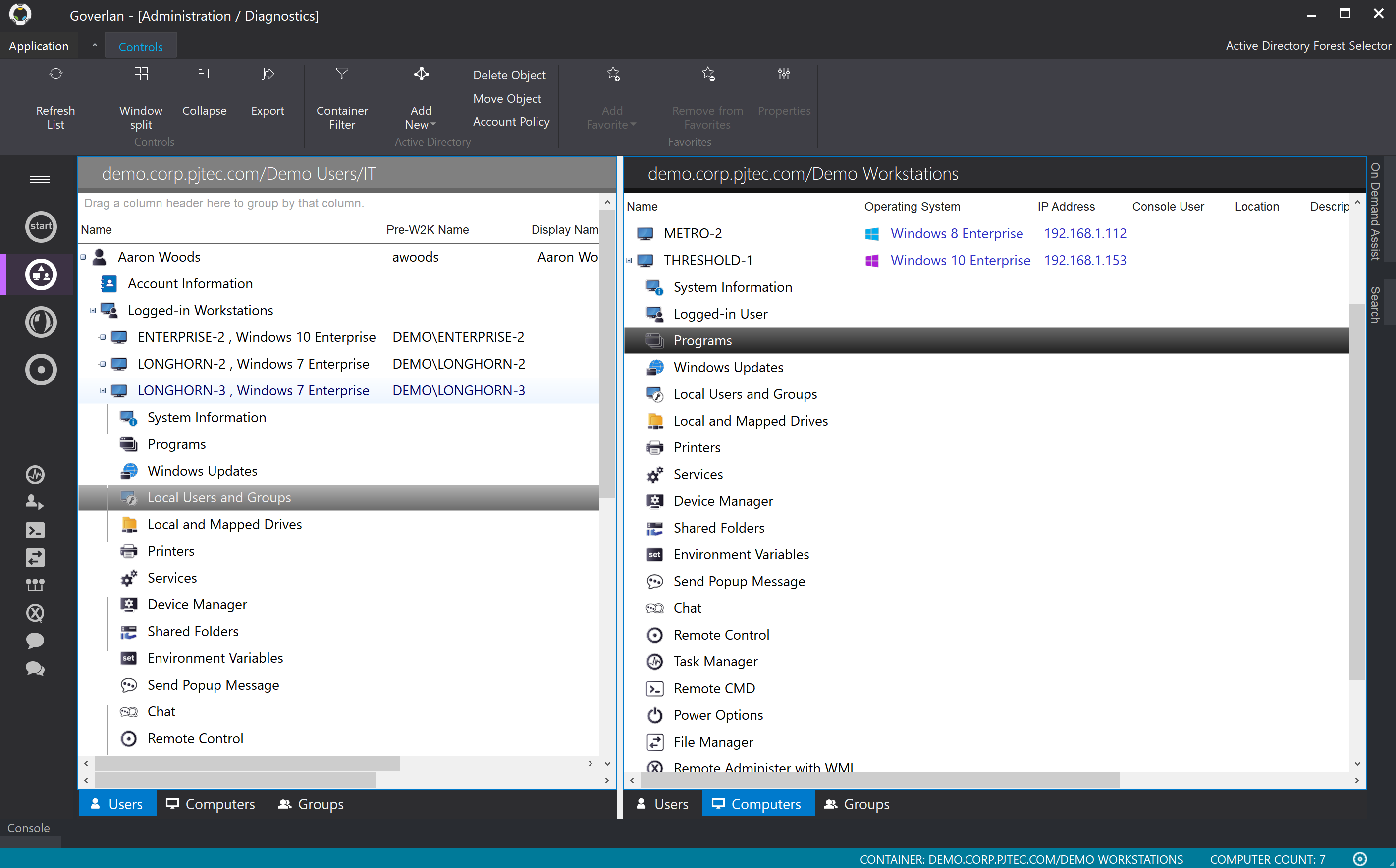
The Goverlan Remote Administration Suite from Goverlan is remote administration software for IT management.
$648
per year
Help Lightning
Score 10.0 out of 10
Enterprise companies (1,001+ employees)
Help Lightning in Birmingham aims to reimagine how businesses, customers and employees are able to give and receive help using Virtual Expertise. The vendor states their merged reality adds missing visual cues, gestures, and non-verbal communication methods to any session. While providing remote assitance, users simply simply reach into a device's field of view and a colleague will see the user's hand merged into their field of view. Users can telestrate, freeze images, use hand gestures,…
$75,000
per year
TeamViewer
Score 8.6 out of 10
N/A
TeamViewer provides software for both remote management and online collaborations. With TeamViewer, users have access to fully integrated online conference solutions for audio and video communication, including interactive screen sharing and remote access features.
$299
per year
Pricing
Goverlan Reach
Help Lightning
TeamViewer
Editions & Modules
Standard
$648
per year
Professional
$1,428
per year
Enterprise
$2,772
per year
Enterprise
$75,000
per year per installation
Remote Access
$24.90
per month (billed annually) 1 Licensed User
Business
$50.90
per month (billed annually) 1 Licensed User
Premium
$102.90
per month (billed annually) 15 Licensed Users
Corporate
$206.90
per month (billed annually) 30 Licensed Users
Offerings
Pricing Offerings
Goverlan Reach
Help Lightning
TeamViewer
Free Trial
Yes
No
Yes
Free/Freemium Version
No
No
Yes
Premium Consulting/Integration Services
No
Yes
Yes
Entry-level Setup Fee
No setup fee
Optional
Optional
Additional Details
* Each operator license allows the remote management and support of an unlimited number of INTERNAL endpoints
* Each license includes between 10 to 20 manageable EXTERNAL endpoints (based on edition). Additional external endpoint licence is $5 per node per year (volume discount available)
* Operator licenses can be purchased on a perpetual or subscription basis
Solutions are available as an annual subscription and the pricing is based on the number of licenses. The price per license will vary based on the number of experts providing help and the number of technicians or engineers needing help.
Goverlan was a better overall value providing licensing flexibility, more features and consistent quality for a lower price point. There are many products that provide remote capabilities but this product goes well above and beyond most of them allowing remote installs and …
Much easier to user and it provides more at a better price. Therefore teamviewer (in my honest opinion) is the easy winner here. However one thing that Goverlan does better is the security implementations. I believe the logs from teamviewer are not secure.
This product is a must for any help desk that is supporting an active directory based network. Scope action capabilities also make it valuable to systems administrators etc.
I think that there are different scenarios where the platform can be used, an example is the realization of remote consultancies, individually or in the group. In this sense, I must highlight that it is great whenever you need to work with other people while sharing information, videos, or specific content.
I think it works well for IT management and help desk support of end users. I find it very useful to help users and send files to their desktop. Remote Workers still run into some problems with MFA and updates, both to the TV Host app and OS updates. However, it does give us secure direct access without the need of a VPN.
Machines must be online for actions to be performed, scopes allow you to rerun them against failed objects only but really a much better option would be for client agent to check in at power on for open jobs.
Newest version of Reach is glitchy on Windows 10 requiring the occasional restart of the application.
With an iPad, you can't take control of the device, so you have to tell someone what to do. Which can be a challenge because the end user doesn't know what to do
With the free version of TeamViewer you cant enter Admin credentials because TeamViewer blocks the windows to fill in the credentials
The free version can be really limited which can be putting off people because they don't see the full potential of TeamViewer
We need this tool in our day to day business. It is what we do all day remoting into clients devices. In this day and age we can access devices all over the world as long as we have secure internet connection. It certainly saves money in gas, and even if you are away you can help.
TeamViewer is a reliable and really strong tool for accessing remote IT platforms secure and fast. We don't know any product that provide us such strong functionality to make our life as a internationally recognized MES provider with DIAMES with an international clientele so easy. We look forward for any new TeamViewer functionality that supports us even more.
the few times i have had to contact teamviewer support, they were very responsive and give me quick answers and seemed to understand my problems quickly and easily. I did not have to sit on the phone for hours on hold or get passed around to multiple phone support techs before finding a solution to my issues, so i would rate their support very highly.
As expected without any problem! Alternate in-person training is another efficient way to learn how a product works. There are many third party supporters for TeamViewer courses available that can give additional ideas how to use TeamViewer for specific functions and features as we did require in respect of our usage.
I have never used the online training either. I have watched a few informational videos that were helpful when learning how to do a specific procedure within TeamViewer and get the most out of the software by utilizing one of the many features that are available with the software. Again, 5 if for neutral.
TeamViewer installation and deployment to other devices is pretty straightforward and does not require much technical know-how. This makes ease of use attractive when supporting both new and existing clients with limited technical knowledge. I think ease of use is a huge factor in getting new clients. TeamViewer handles that extremely well.
I think it is very important to make it clear that most of these tools compliment and complement each other rather than oppose or surpass each other. In this sense, it is important to know when to apply one or the other, in addition to taking the time to get to know them thoroughly and master their functionalities. However, the different tools that Help Lightning contain put it above most platforms used for remote conferencing.
TeamViewer's cost is much lower than that of other solutions, and its security is far superior to RemotePC's. TeamViewer is also a request-based remote session manager, unlike other software that allows indefinite connection time. TeamViewer's free version makes it even better for one end of the group to find support, while the other end has the paid version.
With a product like this it is entirely possible that you will see large increase in Help Desk efficiency for those who are willing to take the time to fully explore its possibilities.
Much more robust that any other remote support product I have used while still extremely cheap compared to competing products. This can bring enterprise level support options to those that may normally not be able to afford it.
Reporting features are invaluable to anyone wanting to truly know what is happening on their network.