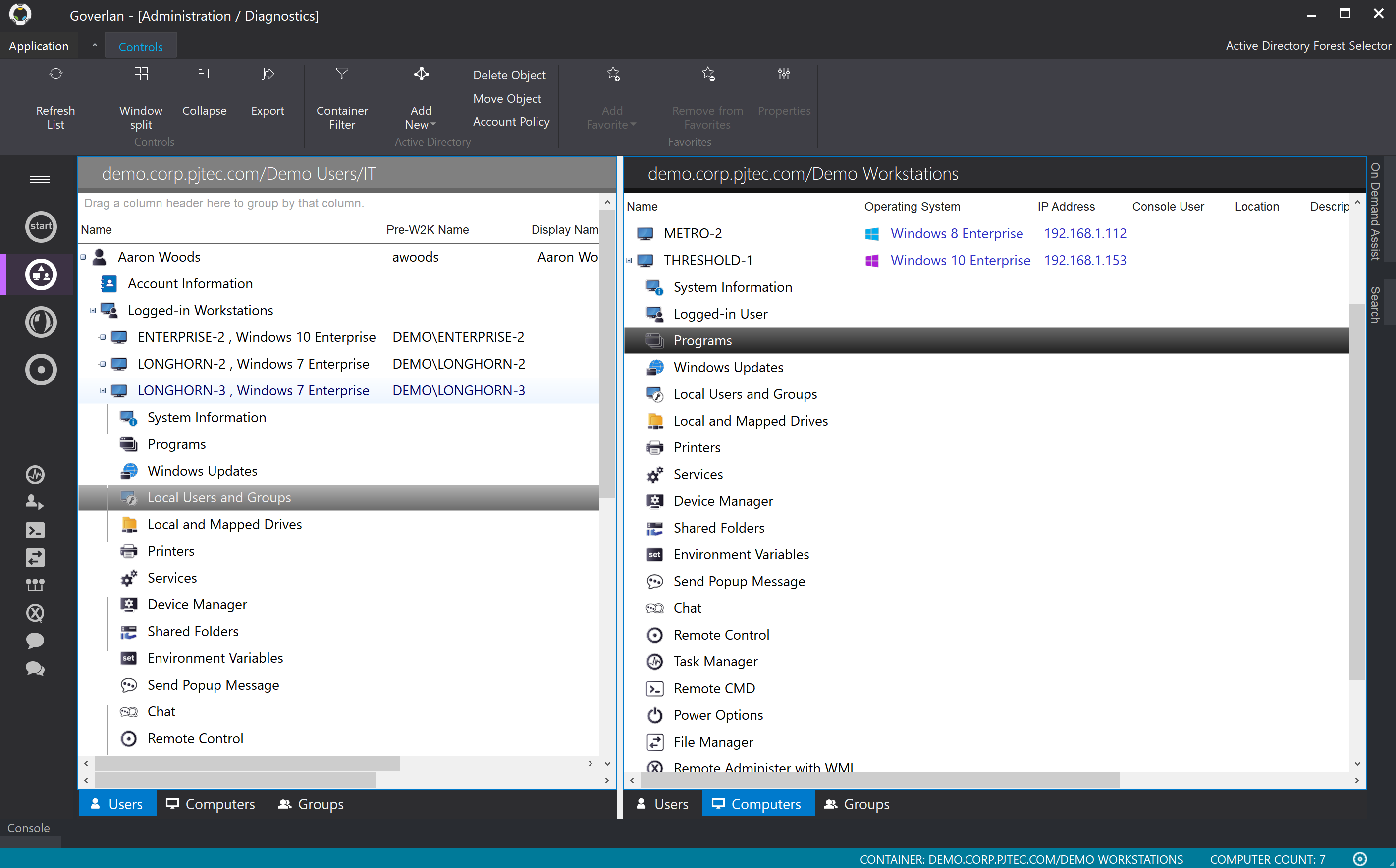
The Goverlan Remote Administration Suite from Goverlan is remote administration software for IT management.
$648
per year
Ivanti Endpoint Manager
Score 7.6 out of 10
N/A
Ivanti Endpoint Manager increases user and IT productivity by helping IT administrators gather detailed device data, automate software and OS deployments, and quickly fix user issues.
N/A
LogMeIn Rescue
Score 7.6 out of 10
N/A
LogMeIn Rescue is a remote
support solution for PCs, Macs, and mobile devices. LogMeIn Rescue is designed to help IT teams to
offer fast technical support and ensure a secure remote
support session for both the IT professional and the end user. From small
teams of IT helpdesk technicians to enterprise-level organizations, LogMeIn Rescue…
$1,299
per year
Pricing
Goverlan Reach
Ivanti Endpoint Manager
LogMeIn Rescue
Editions & Modules
Standard
$648
per year
Professional
$1,428
per year
Enterprise
$2,772
per year
No answers on this topic
No answers on this topic
Offerings
Pricing Offerings
Goverlan Reach
Ivanti Endpoint Manager
LogMeIn Rescue
Free Trial
Yes
No
Yes
Free/Freemium Version
No
No
No
Premium Consulting/Integration Services
No
No
No
Entry-level Setup Fee
No setup fee
No setup fee
No setup fee
Additional Details
* Each operator license allows the remote management and support of an unlimited number of INTERNAL endpoints
* Each license includes between 10 to 20 manageable EXTERNAL endpoints (based on edition). Additional external endpoint licence is $5 per node per year (volume discount available)
* Operator licenses can be purchased on a perpetual or subscription basis
There is no silver bullet or perfect endpoint management tool but, after evaluating 17 different products for our organization, I found that Ivanti checked the majority of the boxes we needed. Ivanti is well-positioned in the market and constantly expands its portfolio.
This product is a must for any help desk that is supporting an active directory based network. Scope action capabilities also make it valuable to systems administrators etc.
There is no direct replacement for the on-prem Ivanti [Unified Endpoint Manager (formerly LANDESK Management Suite)] solution. Ivanti has a companion product called Neurons, but that is in additional cost, and requires configuration with your on-prem [Unified Endpoint Manager] instance to perform basic functions. If cloud-based is a requirement for your organization, this is likely a dealbreaker. You can implement [Unified Endpoint Manager] in a cloud instance such as AWS, but the support for this appears limited. If on-prem is not an issue for you, this is a great tool for device management. It has robust features, impressive inventory, massive customization options, and excellent vendor support. If Patch Management is a problem in your company right now, this is the first product I would evaluate.
Most of the time it is great. Sometimes with iPads it is not great or too expensive for orgs to pay for an option to allow iPads to be logged into along with computers and windows computer tablets. When needing to view something a client is talking about. It is great to use login to understand the issue and possibly fix any issues we need.
Patch(Security) is done really well. You can use roll out projects or built-in automation as well as the use of groups and scopes to design pilot and other use cases.
It takes a solid inventory of what you have of your endpoints and can do an agentless scan as well if you need to collect data that way as well.
Provisioning is rather simple and even allows you to use other products' software for the image or the built-in if you wish to do so.
Software distribution works well and has a lot flexibility built into the module.
Machines must be online for actions to be performed, scopes allow you to rerun them against failed objects only but really a much better option would be for client agent to check in at power on for open jobs.
Newest version of Reach is glitchy on Windows 10 requiring the occasional restart of the application.
Setup - Boy it is a pain to configure everything correctly. Be aware that you'll probably be giving an AD service account some God rights to get everything working....and security just loves that....
Cost - Boy you have to pay for everything. I suppose it lets you buy into just what you want but having repeated items go through procurement is a pain if your procurement branch is a pain.
We are happy with the product but the support and development process is far superior to any other company we have worked with. Having a good support structure is very important in today's marketplace of products that do so many things and have so many robust options and capabilities. We are very satisfied with our contract, pricing, support and product execution.
It may not be used often in our smaller organization but it really is the only option with a remote workforce. We do not want to learn a new product so it is much better to keep with what we know works well and our staff is used to utilizing
Items are logically laid out and most are easy to find. The more advanced stuff can be trickier, but it is still not hard to find. There are a lot of options though, so remembering where some settings are, especially if you do not alter them often, can take a minute, but you will get to them fairly qiickly.
I believe that LogMeIn Rescue is extremely suitable for users of all levels of technical prowess. The user interaction is minimal, and the agent is available to take over at every step of the way. From problem resolution to training, LogMeIn Rescue can take care of it all. LogMeIn Rescue makes the user support process easier and faster so the user can have the issues resolved in a timely manner.
TRM\TAM support has been generally very good. Getting reported bug fixes, design changes, UX problems resolved has been a pain. It is often difficult to get problems escalated beyond the TRM\TAM level. Support is fantastic when you can get it, getting it can often require more work than it should, and that is probably our biggest issue.
I'd say support for LogMeIn is ideal because I haven't ever been in a situation where additional support was necessary. The program runs so efficiently and simply that nothing was needed beyond initial training that was provided by my company. I am saying this as a user that strictly uses the technician console
It's been many years since I did a full evaluation of other products but at the time we purchased it, the main competitors were Microsoft's SMS and Alteris. SMS just looked horribly ugly and complicated (which fit in very well with Microsoft's other server tools) and Alteris looked okay but had a piecemeal approach where even a basic deployment meant purchasing a half dozen or more components. LANDesk had one bundle for all the tools we were looking for and had a great interface for presenting the data.
Truth be told, Rescue is the first and so far only solution from LogMeIn I started to use. However since it offers a wide range of tools specifically designed for remote support, it is highly effective for resolving technical issues. Additionally, Rescue provides various connection methods and customizable interfaces, allowing support teams like mine to tailor the experience to specific needs.
With a product like this it is entirely possible that you will see large increase in Help Desk efficiency for those who are willing to take the time to fully explore its possibilities.
Much more robust that any other remote support product I have used while still extremely cheap compared to competing products. This can bring enterprise level support options to those that may normally not be able to afford it.
Reporting features are invaluable to anyone wanting to truly know what is happening on their network.
It helps us to increase our remote resolution from offshore personnel, so you can redeploy the activity of a local resource at your facility to specifically address more of the hardware or physical IT problems.
Increase FCR "First Call Resolution" if you have this within your SLA
Improve end user experience, Non IT personnel doesn't have to struggle explaining an issue, it makes it very easy once you get on the affected user computer.